1. Вовед
This manual provides detailed instructions for the safe and efficient operation of your TOTAL Digital Sound Level Meter, model Tetsl01. Please read this manual thoroughly before using the device and keep it for future reference. This device is designed for measuring sound levels in various environments.
2. Информации за безбедност
Секогаш почитувајте ги следниве безбедносни мерки за да спречите повреда или оштетување на уредот:
- Do not attempt to open or modify the device. Internal repairs should only be performed by qualified personnel.
- Избегнувајте изложување на уредот на екстремни температури, влажност или директна сончева светлина.
- Чувајте го уредот подалеку од силни магнетни полиња.
- Проверете дали батериите се правилно вметнати според ознаките за поларитет. Извадете ги батериите ако уредот нема да се користи подолг период.
- Чистете го уредот со мека, сува крпа. Не користете абразивни средства за чистење или растворувачи.
- Овој уред не е водоотпорен. Избегнувајте контакт со течности.
3. Компоненти на производот
Familiarize yourself with the main components of your sound level meter:

Слика 3.1: Предна страна View of the Sound Level Meter. This image displays the front of the TOTAL Digital Sound Level Meter Tetsl01, showing the display screen, microphone with foam windscreen, and control buttons including Power, F/S (Fast/Slow), REC (Record), RAN (Range), and UNIT. The brand "TOTAL" is visible above the screen, and "TETSL01 Digital Sound Level Meter" is printed below the buttons.

Слика 3.2: Назад View of the Sound Level Meter. This image shows the back of the TOTAL Digital Sound Level Meter Tetsl01. A red battery compartment cover is visible, with a "CAUTION" label and text indicating compliance standards (EN61010-1, EN61326-1) and battery type (DC1.5V x 3 AAA). A CE mark and a crossed-out wheeled bin symbol are also present, along with a serial number "H12B-Q098922".
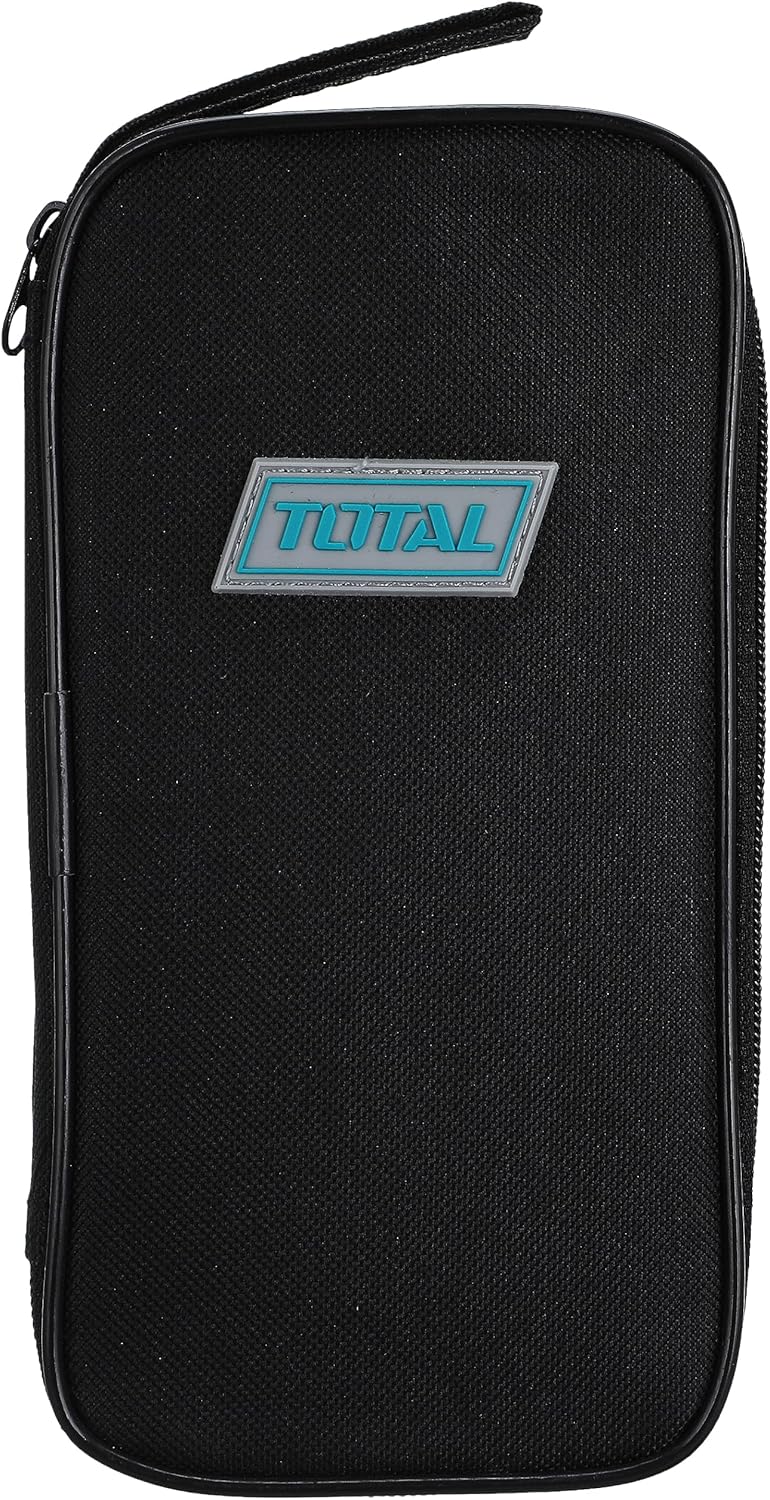
Figure 3.3: Carrying Case. This image features a black zippered carrying case for the TOTAL Digital Sound Level Meter. The case has a rectangular shape with rounded corners and a prominent "TOTAL" logo badge in blue and white on the front.

Слика 3.4: Димензии на уредот. This image illustrates the approximate dimensions of the TOTAL Digital Sound Level Meter Tetsl01 in relation to a hand. The device measures approximately 4.7 inches (11 cm) in length.
4. Поставување
4.1. Инсталација на батерија
- Пронајдете го преградата за батерии на задната страна од уредот (видете ја Слика 3.2).
- Carefully slide or unscrew the battery compartment cover to open it.
- Insert three (3) AAA batteries, ensuring correct polarity (+/-) as indicated inside the compartment.
- Добро заменете го капакот на преградата за батерии.
4.2. Првично вклучување
Притиснете го Моќ button (usually marked with an 'I/O' symbol) to turn on the device. The display should illuminate, showing current sound level readings or a standby screen.
5. Упатства за работа
5.1. Основно мерење
- Вклучете го уредот користејќи го Моќ копче.
- Hold the meter with the microphone pointed towards the sound source.
- The display will show the current sound level in decibels (dB).
5.2. Брзо/бавно време на одговор
Притиснете го С/С button to switch between Fast and Slow response times. Fast response is suitable for capturing sudden noise peaks, while Slow response provides an average reading for more stable measurements.
5.3. Recording Data (REC)
Притиснете го REC button to activate data recording. The device may store minimum and maximum readings or a series of measurements, depending on the model's capabilities. Refer to the on-screen indicators for recording status.
5.4. Range Selection (RAN)
Користете го РАН button to adjust the measurement range. Selecting an appropriate range ensures accuracy. If the reading is outside the current range, an "OVER" or "UNDER" indicator may appear.
5.5. Unit Selection (UNIT)
На ЕДИНИЦА button allows you to cycle through different measurement units or weighting functions (e.g., dBA, dBC), if supported by the device. dBA is commonly used for environmental noise measurements.
6. Одржување
6.1. Чистење
Wipe the device exterior with a soft, dry, lint-free cloth. Do not use liquid cleaners, aerosols, or solvents, as these can damage the casing or internal components. Ensure the microphone foam windscreen is free of dust and debris for accurate readings.
6.2. Складирање
When not in use, store the sound level meter in its protective carrying case (refer to Figure 3.3) in a cool, dry place, away from direct sunlight and extreme temperatures. Remove batteries if storing for extended periods to prevent leakage.
6.3. Калибрација
For professional applications requiring high accuracy, periodic calibration by a certified laboratory is recommended. Consult the manufacturer's website or contact support for calibration services.
7 Смена на проблеми
| Проблем | Можна причина | Решение |
|---|---|---|
| Уредот не се вклучува. | Мртви или неправилно инсталирани батерии. | Проверете го поларитетот на батериите. Заменете ги со нови AAA батерии. |
| Неточни читања. | Microphone obstructed, incorrect range, or device needs calibration. | Ensure microphone is clear. Adjust measurement range. Consider professional calibration. |
| Display shows "OVER" or "UNDER". | Sound level is outside the current measurement range. | Притиснете го РАН button to select a different measurement range. |
| Копчињата не реагираат. | Привремен софтверски проблем или слаба батерија. | Turn the device off and on again. Replace batteries. |
8. Спецификации
| Карактеристика | Детал |
|---|---|
| Бренд | ВКУПНО |
| Број на модел | Tetsl01 |
| Тежина на ставката | 5 грама |
| Димензии на производот | 12 x 6.1 x 4.6 cm |
| Боја | Мулти-боја |
| Потребни се батерии | Yes (3 x AAA) |
| Прво достапен датум | 8 април 2021 година |
| Усогласеност | EN61010-1, EN61326-1 (as per device marking) |
9. Гаранција и поддршка
9.1. Информации за гаранцијата
This product comes with a standard manufacturer's warranty. For specific warranty terms and conditions, please refer to the warranty card included with your purchase or visit the official TOTAL webстраница. Зачувајте го доказот за купување за гаранциски побарувања.
9.2. Поддршка за корисници
If you encounter any issues not covered in the troubleshooting section or require further assistance, please contact TOTAL customer support. Contact details can typically be found on the product packaging or the official TOTAL webсајт.
За онлајн ресурси и често поставувани прашања, посетете: www.totaltools.com (This is a placeholder link, replace with actual support link if available).


