1. Вовед
The Ducky Feather Lightweight Gaming Mouse is engineered for precision and speed, featuring the PixArt PMW3389DM optical sensor. Designed for both left and right-handed users, this mouse weighs approximately 65g and utilizes durable Omron switches for reliable performance. This manual provides essential information for setting up, operating, maintaining, and troubleshooting your Ducky Feather gaming mouse.
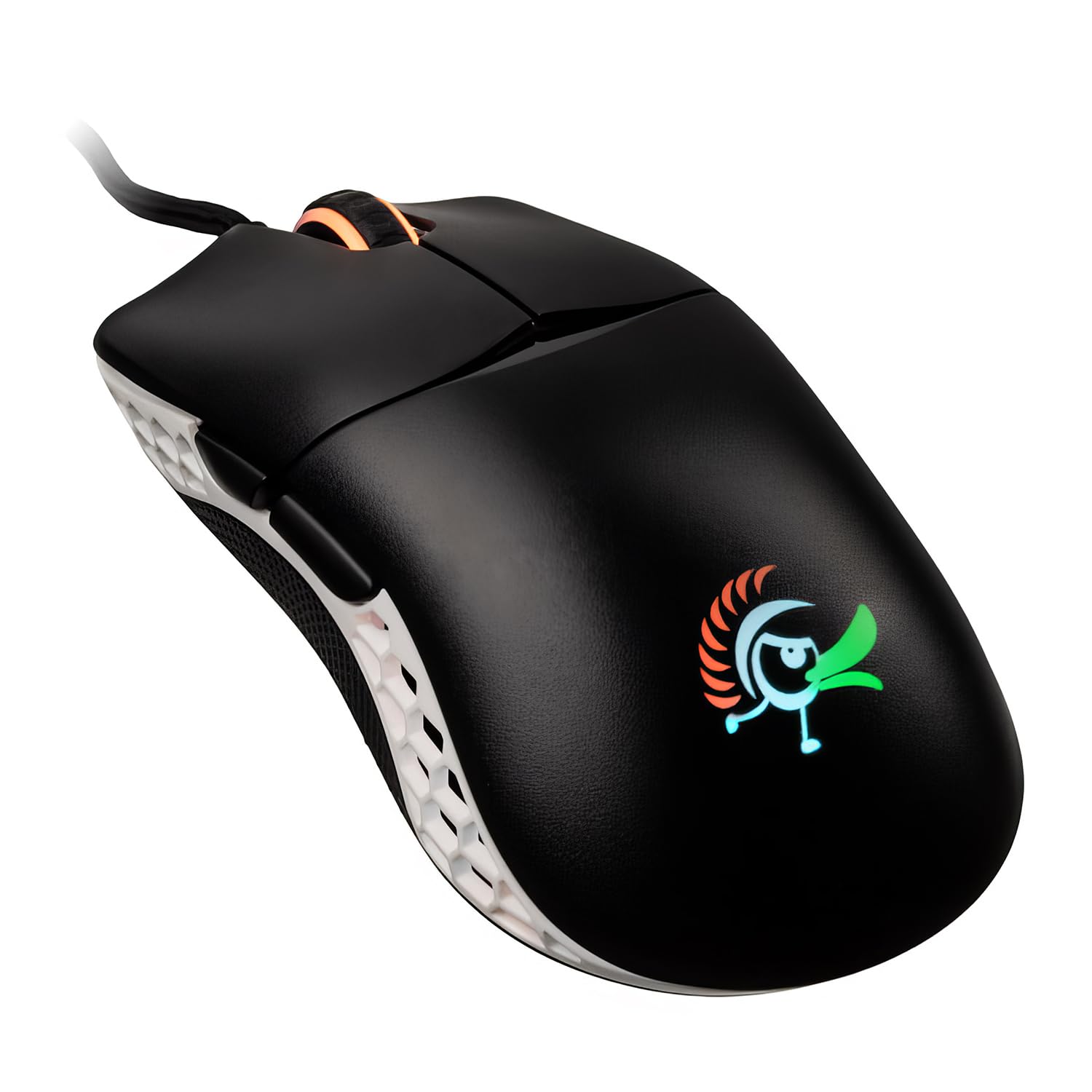
Image: The Ducky Feather Lightweight Gaming Mouse, showcasing its ergonomic design and lightweight build.
2. Содржина на пакетот
Ве молиме проверете дали сите артикли се присутни во вашиот пакет:
- Ducky Feather Lightweight Gaming Mouse
- USB кабел за поврзување
- Упатство за употреба (овој документ)
3. Поставување
Follow these steps to set up your Ducky Feather gaming mouse:
- Поврзете го глувчето: Plug the USB connection cable from the Ducky Feather mouse into an available USB port on your computer.
- Инсталација на драјвери: The mouse is typically plug-and-play and does not require additional drivers for basic functionality. Your operating system should automatically detect and install the necessary drivers.
- Software (Optional): For advanced customization, such as DPI settings, button remapping, and macro creation, please visit the official Ducky website to download any available software for the Feather mouse.
Video: A detailed guide on setting up and configuring the Ducky Feather Gaming Mouse (1:39 duration).
4. Упатства за работа
The Ducky Feather mouse offers intuitive controls for an optimized gaming experience:
- Прилагодување на DPI: Use the dedicated DPI button (usually located behind the scroll wheel) to cycle through different sensitivity levels. The mouse may have an indicator light to show the current DPI setting.
- Програмабилни копчиња: The mouse features multiple buttons, including side buttons. These can often be customized using the Ducky software to perform specific functions or macros.
- Амбидекстрен дизајн: The symmetrical design allows comfortable use for both left and right-handed users. Ensure any software settings are adjusted to match your preferred hand orientation if applicable.
Видео: Оверview of the Ducky Feather Gaming Mouse features and basic operation (0:33 duration).
5. Одржување
Proper maintenance ensures the longevity and performance of your Ducky Feather mouse:
- Чистење на сензорот: Periodically clean the optical sensor on the underside of the mouse with a soft, dry cloth or a cotton swab. Avoid using harsh chemicals.
- Чистење на површината: Wipe the mouse surface with a slightly damp, soft cloth. Do not immerse the mouse in water or use abrasive cleaners.
- Грижа за кабел: Избегнувајте остри свиткувања или прекумерно влечење на USB кабелот за да спречите оштетување.
- Складирање: Чувајте го глувчето на чиста и сува средина кога не е во употреба.
6 Смена на проблеми
If you encounter issues with your Ducky Feather mouse, refer to the following common solutions:
| Проблем | Можно решение |
|---|---|
| Глувчето не е откриено |
|
| Неправилно движење на курсорот |
|
| Копчињата не реагираат |
|
7. Спецификации
Key technical specifications for the Ducky Feather Lightweight Gaming Mouse:
- Број на модел: DMFE20O-OAZPA7V
- Сензор: PixArt PMW3389DM Optical Sensor
- Прекинувачи: Omron (60M click lifespan)
- Тежина: Приближно 2.29 унци (65 г)
- Димензии: 4.88 x 2.32 x 1.42 инчи
- Поврзување: USB
- Специјална карактеристика: Lightweight, Ambidextrous Design
- Боја: Црно, бело
- Производител: Duckychannel International Co., Ltd.
- ASIN: B0928GLWYS
8. Гаранција и поддршка
Ducky products are manufactured to high-quality standards. For warranty information, technical support, or to access additional resources, please visit the official Ducky webлокација или контактирајте го вашиот локален продавач.
Можете исто така да ја посетите Ducky Store on Amazon за информации за производот и корисничка поддршка.


