1. Вовед
Welcome to the user manual for your WHILL Model C2 Mobility Power Chair. This guide provides essential information for the safe and effective operation, maintenance, and care of your device. The WHILL Model C2 is designed to offer enhanced mobility and independence, featuring advanced technology and a user-friendly design.

Image: The WHILL Model C2 Mobility Power Chair, showcasinнеговиот елегантен дизајн и компактна форма.
Клучни карактеристики:
- Удобно возење: Adjustable seat height and back support angles with multiple seat widths (16", 18", 20") for personalized comfort.
- Подобрена мобилност: Equipped with two powerful motors, capable of tackling difficult terrain, climbing inclines up to 10°, and overcoming obstacles up to 2” high.
- Интелигентна технологија: Control the Model C2 remotely, monitor device and battery health, and lock the device using the WHILL smartphone app.
- Пренослива погодност: Easily disassembles into four lightweight components for hassle-free transportation in a car trunk.
- Мазна маневрирање: Patented front Omni-wheels provide a tight 29.9” turning radius, ideal for navigating narrow indoor spaces like hallways and elevators.
Производот завршиview Видео:
Video: An official product video demonstrating the features and maneuverability of the WHILL Model C2 in various environments, including indoor spaces and outdoor terrains.
2. Поставување и склопување
The WHILL Model C2 is designed for easy assembly and disassembly, making it highly portable. Follow these steps to set up your power chair:
- Отпакувајте ги компонентите: Carefully remove all components from the packaging. The main components include the base unit, seat unit, battery, and controller.
- Прикачете ја единицата за седиште: Align the seat unit with the base unit and securely attach it. Ensure all locking mechanisms click into place.
- Вметнете ја батеријата: Locate the battery compartment and insert the Lithium Ion battery. Ensure it is fully seated and locked.
- Поврзете контролер: Attach the controller to the designated port on the armrest. Verify a secure connection.
- Прилагодување на седиштето: Adjust the seat height and backrest angle to your preferred comfortable position.

Image: A user demonstrating the assembly process of the WHILL Model C2, connecting the seat to the base.
Расклопување за транспорт:
To disassemble the Model C2 for transport, reverse the assembly steps. The chair breaks down into four manageable pieces, making it easy to load into a vehicle trunk.

Image: A user separating the seat unit from the base of the WHILL Model C2 for transport.

Image: A user placing a disassembled component of the WHILL Model C2 into the trunk of a car, highlighting its transportability.
3. Упатства за работа
Operating your WHILL Model C2 is intuitive. Familiarize yourself with the controls and features for a safe and enjoyable experience.
Основна операција:
- Вклучување/исклучување: Use the main power button on the controller to turn the chair on or off.
- Возење: Use the joystick to control direction and speed. Push forward to move forward, pull back to reverse, and move left or right to turn.
- Прилагодување на брзината: Adjust the speed settings using the controls on the joystick panel.
- Сопирање: Release the joystick to engage the electromagnetic brakes, bringing the chair to a smooth stop.

Image: A user navigating the WHILL Model C2 indoors, demonstrating its compact turning radius.
Maneuverability and Terrain:
The Model C2 excels in various environments:
- Тесни простори: The patented front Omni-wheels allow for a tight 29.9” turning radius, making it easy to navigate through narrow hallways, elevators, and crowded indoor spaces.
- Нерамни површини: The 4-wheel independent suspension provides a comfortable ride over uneven sidewalks and minor obstacles.
- Качување со пречки: The powerful drive-train enables the chair to climb inclines up to 10° and overcome obstacles up to 2” in height, such as small curbs or railroad tracks.
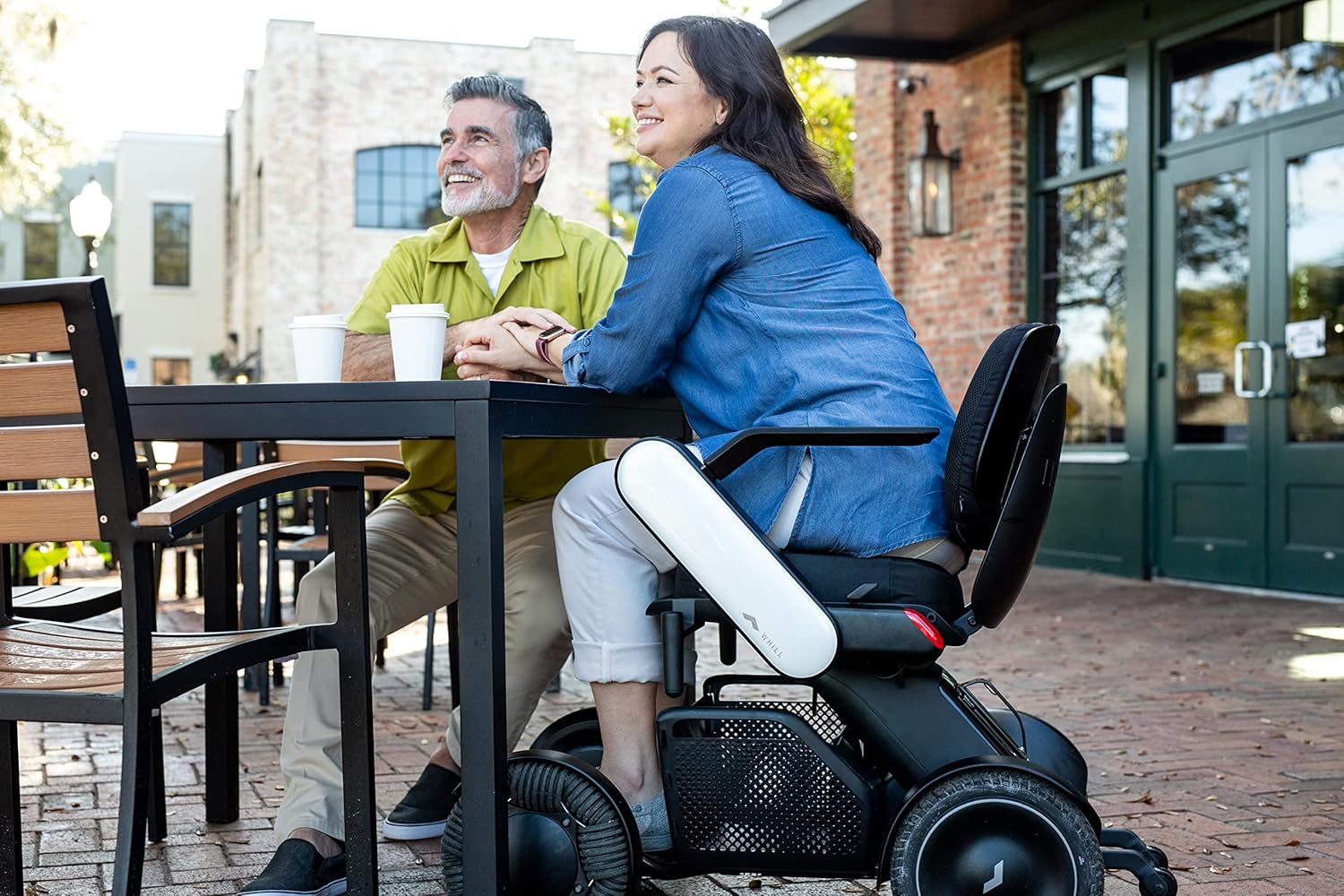
Image: A user seated in the WHILL Model C2 at an outdoor cafe table, illustrating its integration into social settings.

Image: A user in the WHILL Model C2 moving through a bustling market alongside companions, showcasing its ease of use in public spaces.
Интеграција на апликации за паметни телефони:
Download the WHILL app to unlock additional features:
- Remote Drive: Control your Model C2 remotely.
- Мониторинг на уредот: Check battery level and device health.
- Безбедносно заклучување: Lock your device for added security.
4. Нега и одржување
Regular care and maintenance will ensure the longevity and optimal performance of your WHILL Model C2.
- Чистење: Редовно бришете го столот со рекламаamp крпа. Избегнувајте груби хемикалии или абразивни средства за чистење.
- Нега на батеријата: Charge the Lithium Ion battery as recommended in the charging instructions. Do not allow the battery to fully discharge for extended periods.
- Гуми: The rear tires are puncture-proof, reducing the need for frequent maintenance. Periodically inspect all wheels for debris or damage.
- Складирање: Store the chair in a dry, cool place when not in use. If storing for an extended period, ensure the battery is partially charged.
5 Смена на проблеми
If you encounter any issues with your WHILL Model C2, refer to the following common troubleshooting tips:
- Столот не се вклучува:
- Проверете дали батеријата е целосно наполнета и правилно ставена.
- Check all cable connections, especially to the controller.
- Unexpected Movement/No Movement:
- Verify the joystick is functioning correctly and not stuck.
- Проверете дали има пречки околу тркалата.
- Ensure the chair is not in a locked mode via the app.
- Индикатори за грешка:
- Consult the WHILL app for specific error codes or messages.
- Refer to the detailed troubleshooting section in the full manual (if available) or contact customer support.
For persistent issues, please contact WHILL customer support.
6. Технички спецификации
| Спецификација | Вредност |
|---|---|
| Димензии на производот | 38.8 x 21.8 x 29.3 инчи |
| Тежина на ставката | 114 фунти |
| Максимална тежина капацитет | 300 фунти |
| Број на модел на ставка | Ci2 |
| Батерии | 1 литиум-јонска батерија (вклучена) |
| Seat Width Options | 16", 18", 20" |
| Радиус на вртење | 29.9 инчи |
| Способност за искачување на пречки | До 2 инчи |
| Incline Capability | До 10° |
7. Безбедносни упатства
Please read and adhere to all safety information to prevent injury or damage to the device.
- Максимален капацитет на тежина: Не го надминувајте максималниот капацитет на тежина од 300 фунти.
- Наменета употреба: Овој производ е наменет само за употреба за возрасни.
- Еколошки услови: Avoid operating the chair in extreme weather conditions or on excessively slippery surfaces.
- Свесност за пречки: While the chair can traverse small obstacles, always exercise caution and assess the terrain before proceeding.
- Безбедност на батеријата: Use only the provided charger and battery. Do not attempt to modify or open the battery pack.
8. Поддршка и гаранција
For customer support, technical assistance, or warranty inquiries, please contact WHILL directly or the authorized retailer from whom you purchased the product.
Поддршка за корисници: Refer to your purchase documentation for specific contact details or visit the official WHILL webсајт.
Информации за гаранцијата: Специфичните гарантни услови може да се разликуваат. Ве молиме задржете го доказот за купување за какви било гаранциски побарувања.