1. Вовед
This manual provides detailed instructions for the Brinno BCC2000 Lite Construction Bundle, featuring the TLC2020 Time Lapse Camera, ATH1000 Waterproof Housing, and ACC1000P Mounting Clamp. Please read this manual thoroughly before using the product to ensure proper operation and longevity.
2. Содржина на пакетот
The Brinno BCC2000 Lite Construction Bundle includes the following items:
- Бринно TLC2020 Time Lapse камера
- Brinno ATH1000 Waterproof Housing
- Brinno ACC1000P Mounting Clamp Комплет
- 2 ремени
- SD-картичка
- 2 AA Batteries (Note: 4 AA batteries are required for camera operation. Please ensure you have sufficient batteries.)
- Микро USB кабел
- Упатство за употреба

Figure 2.1: Items included in the Brinno BCC2000 Lite Construction Bundle.
3. Карактеристики на производот
3.1 TLC2020 Time Lapse Camera
- HDR FHD Video: Captures high-quality 1080p time-lapse videos.
- Automatic Processing: Images are automatically processed into ready-to-share time-lapse videos, eliminating the need for extensive post-editing.
- Долг век на батеријата: Powered by 4 AA batteries, the TLC2020 can record for up to 99 days non-stop (at a 5-minute interval).
- Flexible Schedule Setup: Allows setting specific days and times for recording to optimize battery life and capture only desired footage.
- 2-инчен екран: For easy menu navigation and live view.

Figure 3.1: The TLC2020 camera offers extended battery life for prolonged recording.
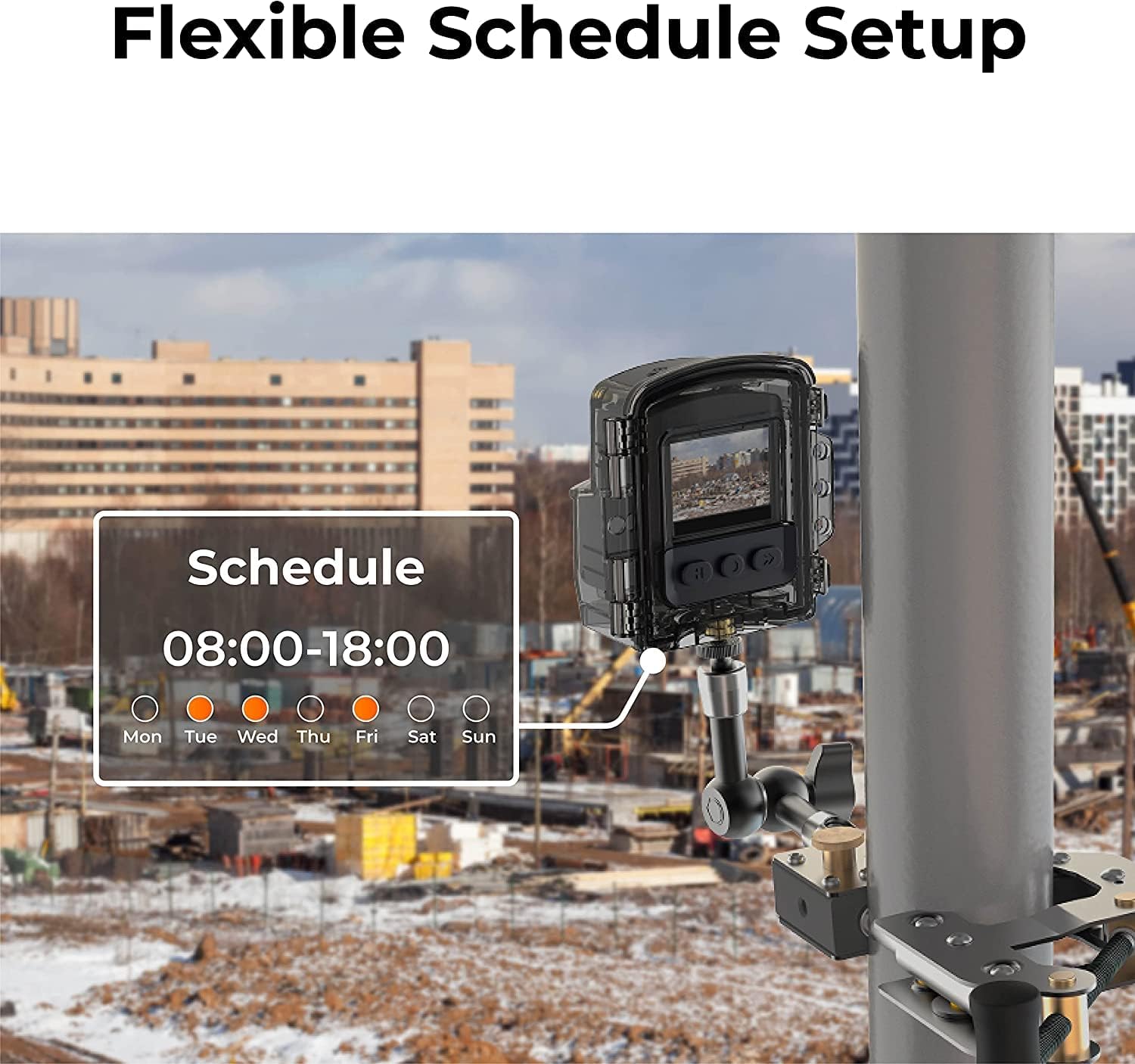
Figure 3.2: The camera's flexible schedule setup allows for customized recording periods.
3.2 ATH1000 Waterproof Housing
- Оцена со IP67: Provides robust protection against dust and water ingress, suitable for outdoor environments.
- Four-Season Protection: Designed to protect the camera in various weather conditions.
3.3 ACC1000P Mounting Clamp
- Издржлива конструкција: Made from stainless steel for secure and stable mounting.
- Разновидна монтажа: Equipped with two grip options for sturdy installation on both flat and cylindrical surfaces.
- Прилагодлив опсег: Clamping range between 0.04 inches to 10.6 inches with the extension pole.
- 360-Degree Rotating Joint: Овозможува флексибилно позиционирање и прилагодување на аголот.

Figure 3.3: The camera and housing are securely mounted with the ACC1000P clamp, offering protection in various conditions.

Figure 3.4: The ACC1000P clamp provides versatile mounting options for different surfaces and angles.
4. Поставување и инсталација
4.1 Inserting Batteries and SD Card
- Open the battery compartment cover on the TLC2020 camera.
- Вметнете 4 AA батерии, внимавајќи на правилниот поларитет.
- Вметнете ја Micro SD картичката во означениот слот додека не кликне на своето место.
- Добро затворете го капакот на преградата за батерии.
4.2 Монтирање на камерата
- Place the TLC2020 camera inside the ATH1000 Waterproof Housing. Ensure the housing is properly sealed.
- Attach the ATH1000 Waterproof Housing to the ACC1000P Mounting Clamp.
- Secure the ACC1000P Mounting Clamp to your desired surface (e.g., pole, beam, flat surface) using the appropriate grip and tightening mechanism. Adjust the 360-degree rotating joint to achieve the desired camera angle.

Figure 4.1: The Brinno TLC2020 camera securely mounted in its housing with the clamp.
5. Операција
5.1 Вклучување и почетни поставки
- Притиснете го и задржете го копчето за вклучување на камерата 3 секунди за да ја вклучите.
- Use the menu buttons to navigate to the System Settings.
- Set the correct date and time for accurate time-lapse recording.
5.2 Configuring Recording Settings
- Интервал: Select the desired time interval between captured frames (e.g., 5 seconds, 1 minute, 5 minutes). This determines the speed of your final time-lapse video.
- Распоред: Utilize the scheduling feature to set specific start and end times for recording, as well as specific days of the week. This helps conserve battery life and captures only relevant periods.
- Поставки за слика: Adjust exposure, white balance, saturation, contrast, and sharpness as needed for your environment.
- Ажурирање на фирмверот: Ensure the camera firmware is updated to the latest version for optimal performance.
5.3 Starting and Stopping Recording
- After configuring all settings, press the 'OK' button or the designated record button to start the time-lapse recording.
- The camera will begin capturing images at your set interval.
- To stop recording, press the 'OK' button or the designated record button again.
5.4 Пристап до снимените Files
- Remove the Micro SD card from the camera.
- Insert the Micro SD card into a computer or card reader to access the recorded time-lapse video files (AVI format).
- Alternatively, connect the camera directly to a computer using the Micro USB cable to transfer files.
6. Одржување и грижа
- Regularly check the ATH1000 Waterproof Housing for any signs of damage or wear to ensure its integrity.
- Clean the camera lens and housing window with a soft, lint-free cloth. Avoid abrasive materials.
- Ensure the battery compartment is dry and free of debris before closing.
- Кога не го користите подолго време, извадете ги батериите за да спречите протекување.
7 Смена на проблеми
7.1 Камерата не се вклучува
- Проверете дали батериите се правилно ставени и целосно наполнети.
- Ensure 4 AA batteries are used, as specified.
- Try replacing with new batteries.
7.2 Проблеми со снимањето
- Проверете дали Micro SD картичката е правилно вметната и дали има доволно слободен простор.
- Check the recording schedule and interval settings.
- Осигурете се дека фирмверот на фотоапаратот е ажуриран.
7.3 Лош квалитет на сликата
- Clean the camera lens and the waterproof housing's front window.
- Adjust image settings such as exposure, contrast, and sharpness in the camera menu.
- Ensure adequate lighting conditions for optimal capture.
8. Спецификации
| Карактеристика | Спецификација |
|---|---|
| Бренд | Брино |
| Број на модел | TLC2020C |
| Резолуција за снимање видео | 1080 стр |
| Тип на флеш меморија | Micro SD (up to 128GB supported) |
| Големина на екранот | 2 инчи |
| Технологија за поврзување | USB |
| Посебни карактеристики | IP67, Weather Resistant |
| Извор на енергија | 4 АА батерии |
| Тежина на ставката | 3.18 фунти (пакет) |
| Димензии на производот | 6.7 x 12.4 x 8.4 инчи (пакет) |
9. Гаранција и поддршка
For warranty information and technical support, please refer to the official Brinno website or contact Brinno customer service. Keep your purchase receipt for warranty claims.


