1. Вовед
The C-LOGIC 5100 is a manual ranging digital multimeter designed for precise electrical measurements. This versatile instrument is capable of measuring AC/DC voltage, AC/DC current, resistance, capacitance, frequency, temperature, and transistor hFE. It features a durable rubber housing for enhanced grip and comfort, along with a hinged bracket for convenient table-top operation. This manual provides essential information for the safe and effective use of your C-LOGIC 5100 Digital Multimeter.
2. Информации за безбедност
Always observe the following safety precautions when operating the C-LOGIC 5100 Digital Multimeter to prevent personal injury or damage to the instrument:
- Ensure the multimeter is set to the correct function and range before connecting the test leads to any circuit.
- Do not exceed the maximum input values specified for each function. The C-LOGIC 5100 is rated for CAT III 600V.
- Исклучете ги тест каблите од колото пред да ги промените функциите или опсезите.
- Inspect test leads for damaged insulation or exposed metal before each use. Replace damaged leads immediately.
- Не ракувајте со мултиметарот ако изгледа оштетен или ако куќиштето е отворено.
- Бидете внимателни кога работите со волtagнад 60V DC или 30V AC RMS, бидејќи тие претставуваат опасност од струен удар.
- Remove test leads from the multimeter before opening the battery compartment or fuse cover.
3. Карактеристики на производот
The C-LOGIC 5100 Digital Multimeter incorporates several features designed for user convenience and functionality:
- Rubber Housing: Provides improved grip and protection against accidental drops.
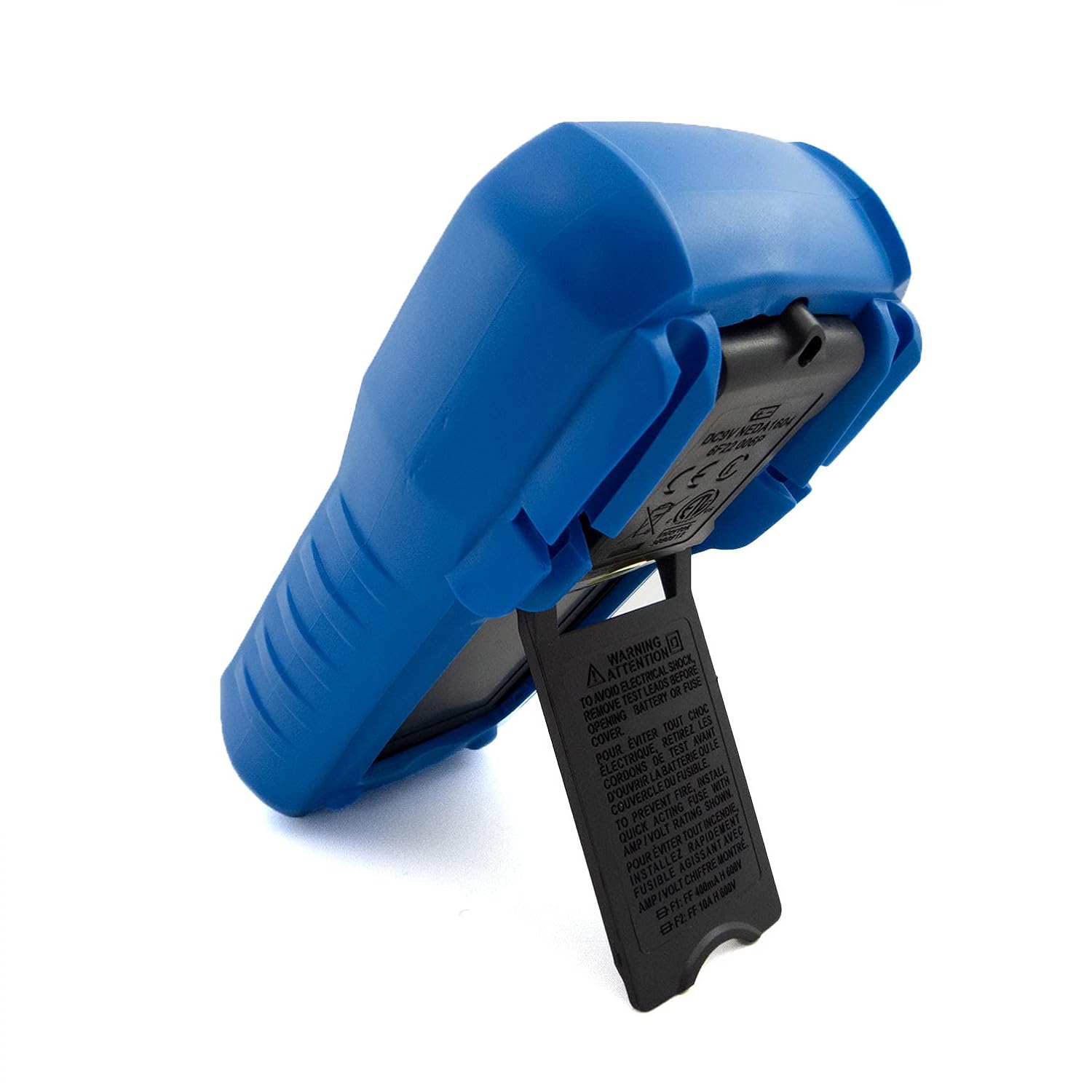
- Hinged Bracket: Allows the multimeter to stand upright for hands-free operation on a workbench.
- Мерни способности: AC/DC Voltage, AC/DC Current, Resistance, Capacitance, Frequency, Temperature, and Transistor hFE.
- Број на прикажувања: 2000-count digital display for clear readings.
- Автоматско исклучување (APO): Automatically turns off the device after a period of inactivity to conserve battery life.
- Задржување на податоци: Freezes the displayed reading for convenient recording.
- Low Battery Display (LBD): Indicates when the battery needs replacement.
- Diode Test and Continuity Buzzer: For testing diodes and checking circuit continuity.
4. Компоненти и контроли

Слика 1: Предна страна view of the C-LOGIC 5100 Digital Multimeter, showing the display, function selector, and input jacks.
Familiarize yourself with the main components of your multimeter:
- LCD дисплеј: Ги прикажува отчитувањата на мерењата, единиците и индикаторите за функции.
- Function/Range Selector Dial: Се користи за избор на саканата функција и опсег на мерење.
- Копче HOLD: Притиснете за да го замрзнете тековното отчитување на екранот. Притиснете повторно за да го ослободите.
- ВКЛУЧЕН/ИСКЛУЧЕН прекинувач: Powers the multimeter on or off.
- Влезни дигалки:
- VΩHzTemp: Позитивен влез за волуменtage, resistance, frequency, temperature, capacitance, diode, and continuity measurements.
- COM: Заеднички (негативен) влез за сите мерења.
- mA: Positive input for current measurements up to 200mA.
- 10А: Positive input for current measurements up to 10A (MAX 30 sec. every 15 min.). This input is fused.
- hFE сокет: For testing transistor hFE (DC current gain).
5. Поставување
5.1 Инсталација на батерија
The C-LOGIC 5100 requires one 9V 6F22 battery (not included). To install or replace the battery:
- Осигурајте се дека мултиметарот е исклучен и исклучете ги сите тест кабли од влезните приклучоци.
- Пронајдете го капакот на преградата за батерии на задниот дел од уредот.
- Одвртете ги завртките за прицврстување и внимателно отстранете го капакот.
- Поврзете ја 9V батеријата со спојката за батеријата, почитувајќи го правилниот поларитет.
- Ставете ја батеријата во преградата и вратете го капакот, прицврстувајќи го со завртката/шрафовите.
5.2 Тест поврзување на кабелот
Proper connection of test leads is crucial for accurate and safe measurements:
- За повеќето мерења (волуменtage, resistance, capacitance, frequency, temperature, diode, continuity), insert the црвено тест кабел во VΩHzTemp Џек и црна тест кабел во COM џек.
- For current measurements up to 200mA, insert the црвено тест кабел во mA Џек и црна тест кабел во COM џек.
- For current measurements up to 10A, insert the црвено тест кабел во 10 А Џек и црна тест кабел во COM џек.
6. Упатства за работа

Слика 2: The C-LOGIC 5100 Digital Multimeter actively measuring voltage во електрична табла.
Follow these general steps for making measurements:
- Turn the multimeter ON using the ON/OFF switch.
- Select the desired function and appropriate range using the rotary dial. If unsure of the range, start with the highest range and work downwards.
- Поврзете ги тест каблите со колото или компонентата што се тестира.
- Прочитајте ја измерената вредност на LCD екранот.
- After measurement, disconnect the test leads and turn the multimeter OFF.
6.1 Специфични функции за мерење
- DC Voltage (V=): Select the V= range. Connect the red lead to the positive side and the black lead to the negative side of the DC voltagе извор паралелно.
- AC Voltage (V~): Select the V~ range. Connect the test leads across the AC voltage source in parallel. Polarity is not critical for AC voltage.
- DC Current (A=): Select the A= range (mA or 10A jack). Disconnect power to the circuit. Open the circuit where current is to be measured and connect the multimeter in series. Reapply power.
- AC Current (A~): Select the A~ range (mA or 10A jack). Follow the same series connection procedure as for DC current.
- Отпорност (Ω): Select the Ω range. Ensure the circuit is de-energized. Connect the test leads across the component to measure its resistance.
- Тест за континуитет (♫): Select the continuity function. If resistance is below approximately 50Ω, the buzzer will sound, indicating continuity.
- Тест на диоди (→|→): Select the diode function. Connect the red lead to the anode and the black lead to the cathode of the diode. The display will show the forward voltagпад. Свртете ги каблите; екранот треба да покаже „OL“ (отворена јамка) за добра диода.
- Капацитет (F): Select the F range. Ensure the capacitor is discharged before connecting the test leads.
- Фреквенција (Hz): Select the Hz range. Connect the test leads across the signal source.
- Температура (температура): Select the Temp range. Connect a K-type thermocouple (if included or purchased separately) to the VΩHzTemp and COM jacks.
- Transistor hFE: Insert the transistor's emitter, base, and collector leads into the corresponding holes in the hFE socket, ensuring correct NPN/PNP type selection.
7. Одржување
7.1 Замена на батеријата
When the low battery indicator appears on the display, replace the 9V battery as described in Section 5.1. Using a multimeter with a low battery can lead to inaccurate readings.
7.2 Чистење
За чистење на мултиметарот, избришете го куќиштето со адхезија.amp cloth and a mild detergent. Do not use abrasive cleaners, solvents, or alcohol, as these may damage the casing or display. Ensure the multimeter is completely dry before use.
7.3 Замена на осигурувачите
If the 10A current measurement function stops working, the fuse may need replacement. This procedure should only be performed by qualified personnel. Refer to the specifications for the correct fuse type and rating. Always disconnect test leads and power off the unit before opening the case.
8 Смена на проблеми
If your C-LOGIC 5100 Multimeter is not functioning as expected, refer to the following common issues and solutions:
- Нема приказ: Check if the multimeter is turned ON. Verify the 9V battery is correctly installed and has sufficient charge. Replace the battery if necessary.
- Неточни читања: Ensure the correct function and range are selected for the measurement. Check that the test leads are securely connected to the correct input jacks and to the circuit. Verify the battery is not low.
- Индикација за преоптоварување (OL): This indicates that the input value exceeds the selected range. Switch to a higher range or ensure the input is within the multimeter's maximum specifications.
- No Continuity Buzzer: Check if the continuity function is selected. Ensure the circuit is de-energized.
- Мерењето на струјата не работи: Check the fuse for the current input (especially the 10A input). Replace if blown. Ensure test leads are connected to the correct current jacks (mA or 10A) and the multimeter is in series with the circuit.
9. Спецификации

Слика 3: Detailed specifications and features of the C-LOGIC 5100 Digital Multimeter.
| Мерење | Опсег/Вредност |
|---|---|
| DC Voltage | До 600 V |
| AC Voltage | До 600 V |
| DC струја | До 10 А |
| Наизменична струја | До 10 А |
| Отпор | Up to 200MΩ |
| Капацитет | Up to 100µF |
| Фреквенција | До 20kHz |
| Температура | -20°C до 1000°C / 1°F до 1832°F |
| Прикажи брои | 2000 |
| Напојување | 1x 9V 6F22 Battery |
| Димензии на производот (ДxШxВ) | 18.8 x 9.3 x 5 cm (7.4 x 3.7 x 1.96 инчи) |
| Тежина на производот | 380 g (0.84 lbs) |
| Оценка за безбедност | CAT III 600V |
| Сертификати | CE, ETL, RoHS |
10. Главни апликации
Слика 4: Visual representation of common domestic and electronics applications for the C-LOGIC 5100 Multimeter.
The C-LOGIC 5100 Digital Multimeter is suitable for a wide range of applications, including:
- Domestic Electrical Testing: Checking household wiring, outlets, batteries, and appliance continuity.
- Автомобилска дијагностика: Testing vehicle electrical systems, battery voltage, and component resistance.
- Electronics Troubleshooting: Мерење волtage, current, resistance, and capacitance in electronic circuits, testing diodes and transistors.
- HVAC System Checks: Verifying voltage and current in heating, ventilation, and air conditioning systems.
- Hobbyist and DIY Projects: Essential tool for various electrical and electronic projects.
11. Гаранција и поддршка
For information regarding warranty coverage, technical support, or customer service, please visit the official C-LOGIC website or contact their support team directly. You can find more product details at clogic-intl.com/clogic-5100 или главната webсајт на clogic-intl.com.


