Вовед
Welcome to the user manual for your Infinity by Harman CLUBZ 250 Portable Waterproof Wireless Speaker. This guide provides essential information on setting up, operating, maintaining, and troubleshooting your speaker to ensure optimal performance and longevity. Please read this manual thoroughly before using your device.
Што има во кутијата
По отпакувањето, проверете дали се вклучени сите од следниве артикли:
- 1 x Infinity CLUBZ 250 Speaker
- 1 x Кабел за полнење
- 1 x Водич за брз почеток (QSG)
Производот завршиview
The Infinity CLUBZ 250 is a compact and powerful portable wireless speaker designed for robust audio performance and durability. It features intuitive controls and a rugged, waterproof design.

Слика: напред view of the Infinity CLUBZ 250 Portable Wireless Speaker in red, showcasing its cylindrical design and top-mounted control buttons.
Контроли и индикатори
- Копче за вклучување: Located on the top surface, used for turning the speaker on/off.
- Копче за намалување на јачината на звукот (-): Ја намалува јачината на звукот.
- Копче за зголемување на јачината на звукот (+): Ја зголемува јачината на звукот.
- Копче за репродукција/пауза (►►): Ја контролира репродукцијата на медиумите.
- Bluetooth Pairing Button (∞): Го иницира режимот на спарување преку Bluetooth.
- LED индикатор: Го прикажува статусот на напојувањето и поврзувањето.
Поставување
1. Полнење на звучникот
Before first use, fully charge your speaker. Connect the provided charging cable to the speaker's charging port and a compatible USB power adapter (not included). The LED indicator will show charging status and turn off when fully charged.

Image: The Infinity CLUBZ 250 speaker on a beach, illustrating its portability and the '10 Hours Playtime' feature.
A full charge provides approximately 10 hours of music playtime under optimum audio settings.
2. Вклучување/исклучување
- За вклучување: Притиснете и задржете го копчето за вклучување додека не светне LED индикаторот.
- За исклучување: Притиснете и задржете го копчето за вклучување додека LED индикаторот не се исклучи.
3. Bluetooth спарување
- Проверете дали звучникот е вклучен.
- The speaker will automatically enter Bluetooth pairing mode if not connected to a device. The LED indicator will flash.
- На вашиот мобилен уред, овозможете Bluetooth и побарајте достапни уреди.
- Select "Infinity CLUBZ 250" from the list of devices.
- Откако ќе се поврзе, LED индикаторот ќе свети постојано сино.
4. Dual Speaker Connect (TWS Mode)
You can pair two Infinity CLUBZ 250 speakers together for a stereo sound experience.

Image: Two Infinity CLUBZ 250 speakers wirelessly connected to a laptop, demonstrating the Dual Connect feature for stereo sound.
- Ensure both CLUBZ 250 speakers are powered on and not connected to any Bluetooth device.
- On one speaker (this will be your primary speaker), press and hold the Bluetooth pairing button (∞) for 3 seconds. It will enter TWS pairing mode.
- Примарниот звучник автоматски ќе го пребара секундарниот звучник.
- Once connected, you will hear an audible confirmation, and the LED indicators on both speakers will change to a solid color.
- Now, connect your mobile device to the primary speaker via Bluetooth as described in step 3.
Упатства за работа
1. Основни контроли
- Пушти/Пауза: Press the Play/Pause button (►►) once to play or pause music.
- Јачина на звук нагоре: Притиснете го копчето „+“ за да ја зголемите јачината на звукот.
- Намалување на јачината на звукот: Притиснете го копчето '-' за да ја намалите јачината на звукот.
- Следна песна: Double-press the Play/Pause button (►►).
- Претходна песна: Triple-press the Play/Pause button (►►).
2. Dual Equalizer Modes
The CLUBZ 250 features Dual Equalizer modes, allowing you to switch between 'Normal' and 'Deep Bass' sound profiles.
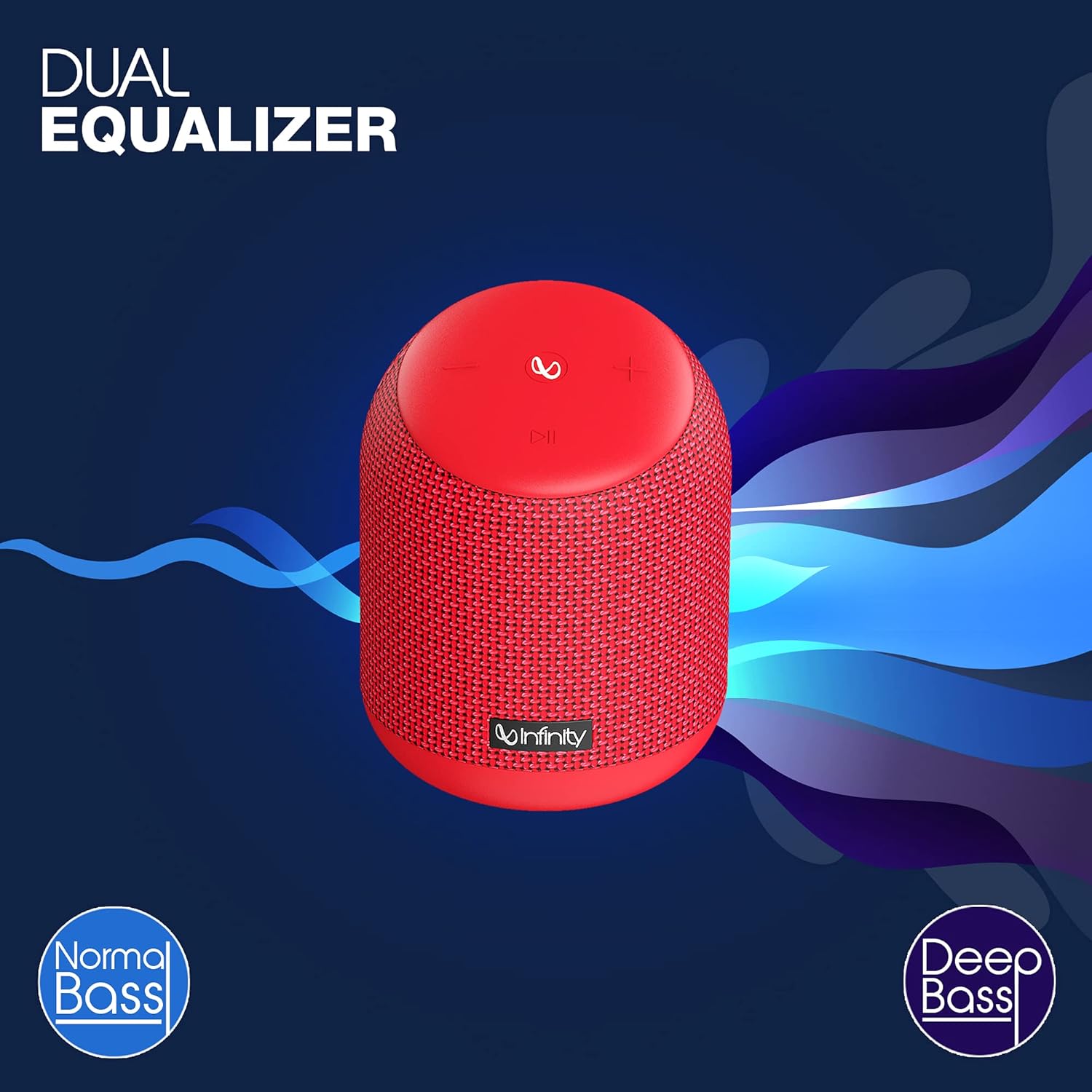
Image: The Infinity CLUBZ 250 speaker highlighting the 'Dual Equalizer' feature with options for 'Normal Bass' and 'Deep Bass'.

Image: The Infinity CLUBZ 250 speaker with a 'Deep Bass' graphic, emphasizing its enhanced bass capabilities.
To switch between modes, press the Bluetooth pairing button (∞) once. You will hear an audible cue indicating the active mode.
3. Интеграција на гласовен асистент
Access your device's voice assistant (e.g., Google Assistant, Siri) directly through the speaker.

Image: A woman interacting with the Infinity CLUBZ 250 speaker, which displays a voice assistant interface on a laptop screen, demonstrating 'Voice Assistant Integration'.
To activate, press and hold the Play/Pause button (►►) for 2 seconds. The speaker will then relay your commands to your paired device's voice assistant.
4. Повикување без раце
When connected to your smartphone, the speaker can be used for hands-free calls.
- Одговори на повикот: Press the Play/Pause button (►►) once.
- Крај на повикот: Press the Play/Pause button (►►) once during a call.
- Одбијте го повикот: Press and hold the Play/Pause button (►►) for 2 seconds.
Одржување
1. Водоотпорност (IPX7)
The Infinity CLUBZ 250 is IPX7 waterproof, meaning it can be submerged in water up to 1 meter for up to 30 minutes. This makes it suitable for use near water, but it is not designed for prolonged underwater use.

Image: The Infinity CLUBZ 250 speaker with water splashing around it, indicating its 'IPX7 Waterproof' rating.
- Проверете дали капакот на приклучокот за полнење е безбедно затворен пред да го изложите звучникот на вода.
- Do not expose the speaker to salt water or other chemicals. If exposed, rinse with fresh water and dry thoroughly.
2. Чистење
Исчистете го звучникот со мека, гamp крпа. Не користете абразивни средства за чистење или растворувачи, бидејќи тие може да ја оштетат завршната обработка или внатрешните компоненти.
3. Складирање
Чувајте го звучникот на ладно и суво место, подалеку од директна сончева светлина и екстремни температури. Доколку го чувате подолг период, периодично полнете ја батеријата за да го одржите нејзиниот век на траење.
Решавање проблеми
- Без моќност: Проверете дали звучникот е наполнет. Поврзете го со извор на напојување и обидете се повторно да го вклучите.
- Нема звук: Проверете го нивото на јачина на звук и на звучникот и на поврзаниот уред. Осигурете се дека звучникот е правилно поврзан преку Bluetooth.
- Проблеми со спарување Bluetooth: Make sure the speaker is in pairing mode (flashing LED). Turn off Bluetooth on other nearby devices that might be interfering. Try unpairing and re-pairing the speaker from your device's Bluetooth settings.
- Лош квалитет на звукот: Ensure the speaker is within the Bluetooth range of your device. Move away from sources of interference (e.g., Wi-Fi routers, microwaves).
- Dual Speaker Connect Failure: Пред да започнете со TWS спарување, проверете дали двата звучника се целосно наполнети и не се поврзани со други Bluetooth уреди.
Спецификации
| Карактеристика | Спецификација |
|---|---|
| Име на моделот | КЛУБЗ 250 |
| Излезна моќност | 15 вати |
| Поврзување | Bluetooth |
| Траење на батеријата | До 10 часа |
| Водоотпорен рејтинг | IPX7 |
| Контролен метод | Допрете |
| Димензии (ДxШxВ) | 11.6 x 11.6 x 17.8 cm |
| Тежина на ставката | 421 грама |
| Тип на батерија | Литиум-јонски (1 вклучен) |
Гаранција и поддршка
Your Infinity by Harman CLUBZ 250 speaker comes with a 1-year manufacturer's warranty. Please refer to the warranty card included in your packaging for detailed terms and conditions.
For technical support, service, or warranty claims, please contact Infinity customer service through their official webстраницата или информациите за контакт дадени во вашето упатство за брз почеток.