1. Вовед
The ThinkScan SR6 is a professional OBD2 diagnostic scanner designed for comprehensive vehicle system analysis and maintenance. It supports diagnostics for six major vehicle systems: Anti-lock Braking System (ABS), Supplemental Restraint System (SRS), Body Control Module (BCM), Tire Pressure Monitoring System (TPMS), Engine Control Module (ECM), and Transmission Control Module (TCM). Additionally, it offers five essential reset functions: Electronic Parking Brake (EPB) Reset, Tire Pressure Monitoring System (TPMS) Reset, Oil Light Reset, Steering Angle Sensor (SAS) Reset, and Throttle Body Adjustment (TBA).
This manual provides detailed instructions on how to set up, operate, and maintain your ThinkScan SR6 device to ensure accurate and efficient vehicle diagnostics.
Што има во кутијата
- ThinkScan SR6 Diagnostic Tool (with integrated OBD2 cable)
- USB кабел за полнење/податоци
- Упатство за употреба
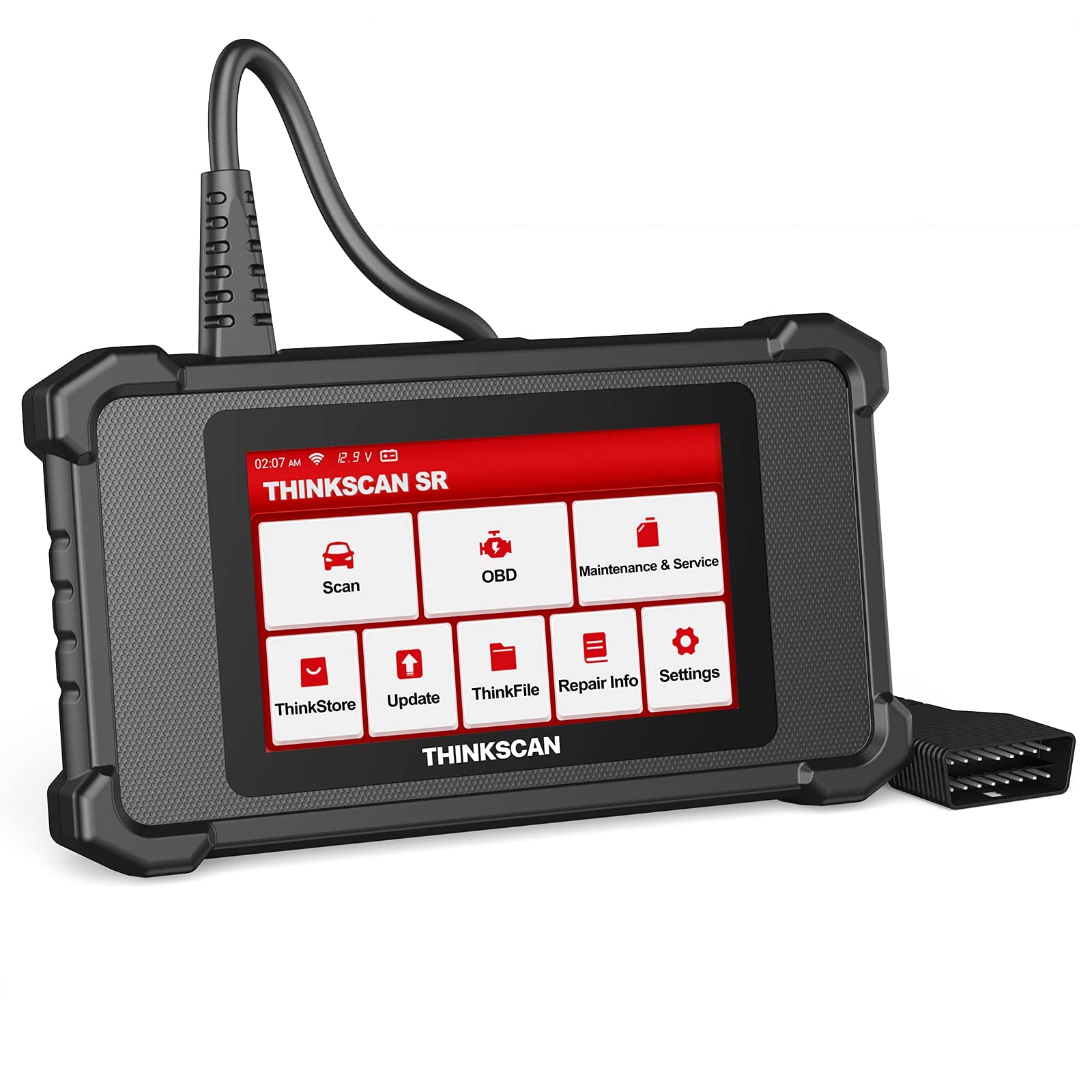
Image: ThinkScan SR6 OBD2 Scanner device and its packaging.
Видео: Оверview of the ThinkScan SR6 Scan Tool, demonstrating its unboxing and initial features. This video highlights the device's physical components and basic interface.
2. Поставување
2.1 Поврзување со вашето возило
- Locate the vehicle's 16-pin Data Link Connector (DLC). This is typically found under the dashboard on the driver's side.
- Осигурајте се дека палењето на возилото е во положба OFF (исклучено).
- Plug the ThinkScan SR6's integrated OBD2 cable into the vehicle's DLC. Ensure a secure connection.
- Turn the vehicle's ignition to the ON position (engine can be off or running, depending on the diagnostic task). The device will power on automatically.
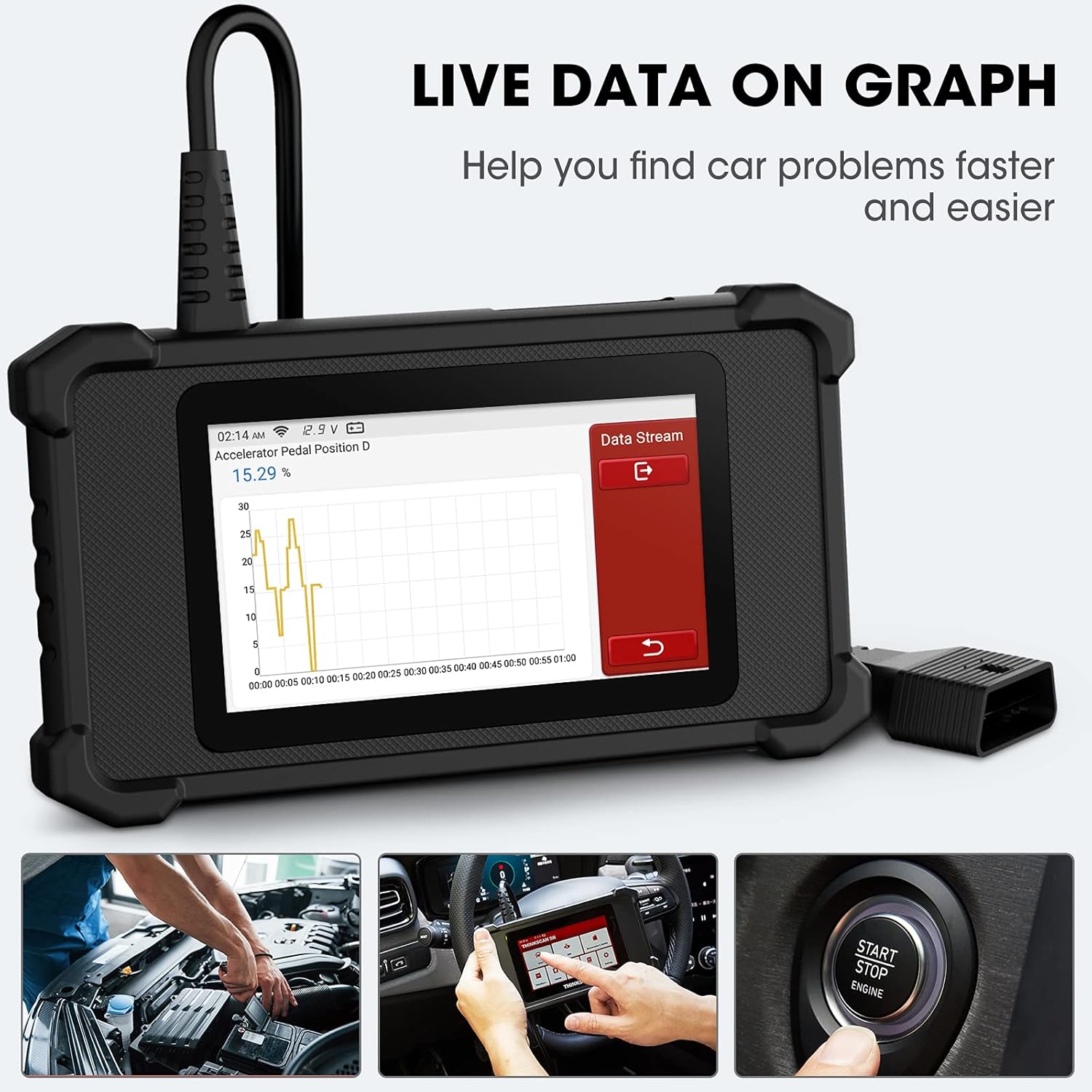
Image: The ThinkScan SR6 device connected to a vehicle's OBD2 port, ready for operation.
2.2 Почетна конфигурација на уредот
- Upon first use, the device may prompt you to select a language. Follow the on-screen instructions.
- Connect the device to a Wi-Fi network for software updates. Navigate to Поставки > Wi-Fi и изберете ја вашата мрежа.
- Perform a software update to ensure you have the latest vehicle coverage and diagnostic functions. Go to Ажурирање на главното мени.
3. Операција
3.1 Дијагностика на системот
The ThinkScan SR6 supports comprehensive diagnostics for six key vehicle systems. From the main menu, select Скенирајте да започне.
- ABS систем: Diagnoses issues related to the anti-lock braking system.
- SRS систем: Checks the supplemental restraint system (airbags).
- BCM System: Analyzes the body control module for electrical and body-related faults.
- TPMS System: Monitors tire pressure and related sensor issues.
- ECM систем: Diagnoses engine control module faults.
- TCM систем: Checks the transmission control module for transmission-related problems.

Image: Visual representation of the six major vehicle systems supported for diagnostics by the ThinkScan SR6.
3.2 Целосни OBD2 функции
Access standard OBD2 functions by selecting OBD from the main menu. These functions are crucial for emissions-related diagnostics and general engine health checks.
- Прочитајте ги кодовите: Ги презема дијагностичките кодови за проблеми (DTC) од компјутерот на возилото.
- Исчисти кодови: Ги брише DTC-ата и го исклучува светлото за проверка на моторот (MIL).
- Замрзната рамка: Прикажува слика од условите за работа на возилото во времето кога се појавил дефект поврзан со емисиите.
- Податоци во живо: Shows real-time data streams from various sensors and components.
- Подготвеност за I/M: Ја проверува подготвеноста на системите за следење на емисиите.
- Тест на сензор за О2: Ги презема резултатите од тестот за следење на O2 сензорот.
- Информации за возилото: Displays vehicle identification information (VIN, CID, CVN).
- Тест на EVAP системот: Започнува тест на Системот за контрола на испарувачките емисии.
- Тест на вградениот монитор: Retrieves results for on-board diagnostic monitoring tests.
- Тест на компоненти: Allows testing of specific vehicle components.
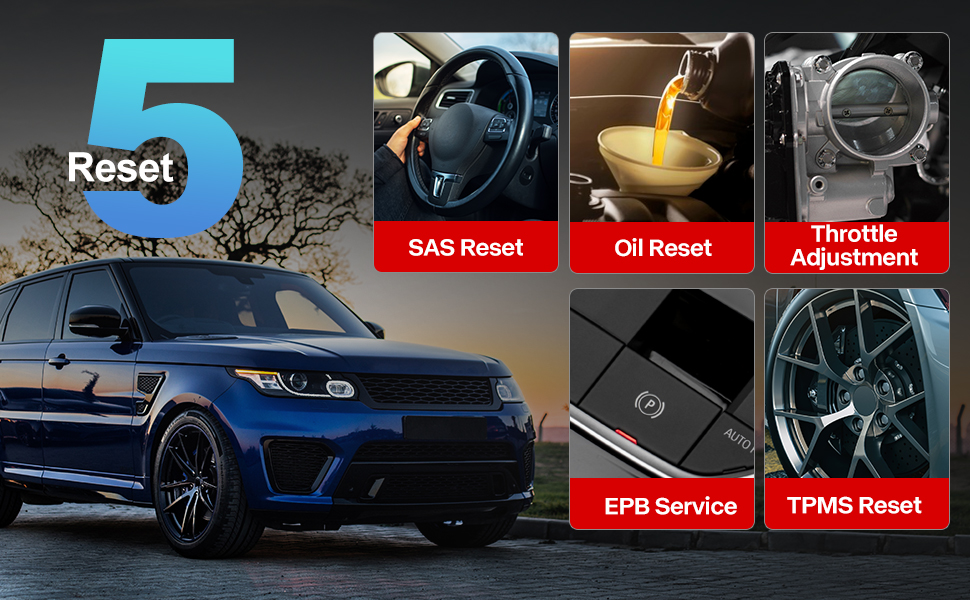
Image: A visual guide to the comprehensive OBD2 functions available on the ThinkScan SR6, including code reading, live data, and vehicle information retrieval.
3.3 DTC Lookup Function
When a Diagnostic Trouble Code (DTC) is retrieved, the ThinkScan SR6 can help you understand its meaning. Navigate to Информации за поправка > Библиотека со кодови за дефекти на OBD to input the code and receive a detailed description.
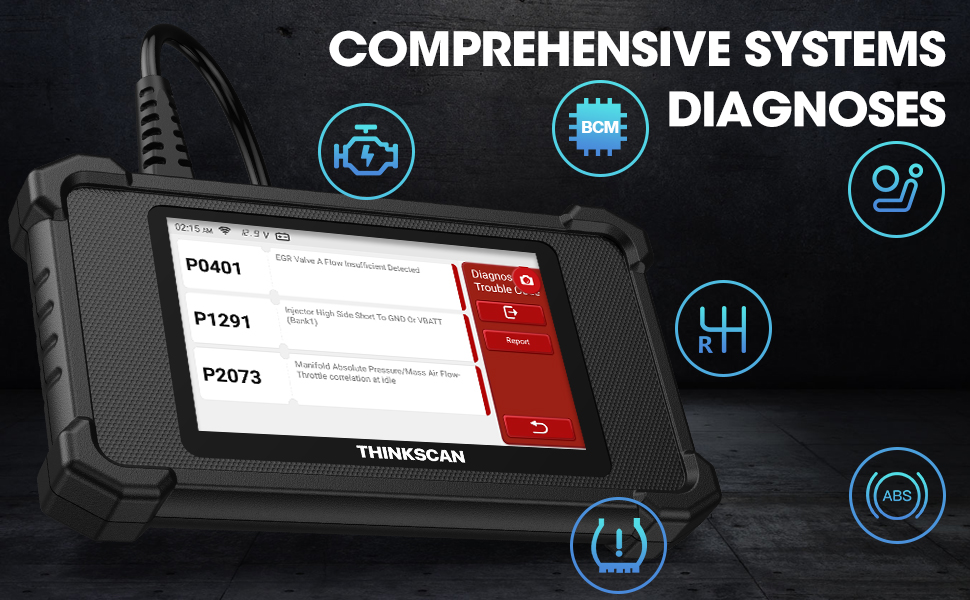
Image: The DTC Lookup function displaying fault codes and their corresponding meanings, aiding in quick diagnosis.
3.4 Live Data Graph
The Live Data function allows you to view real-time sensor data in a graphical format, making it easier to identify anomalies and diagnose intermittent problems. Select OBD > Податоци во живо за да пристапите до оваа функција.
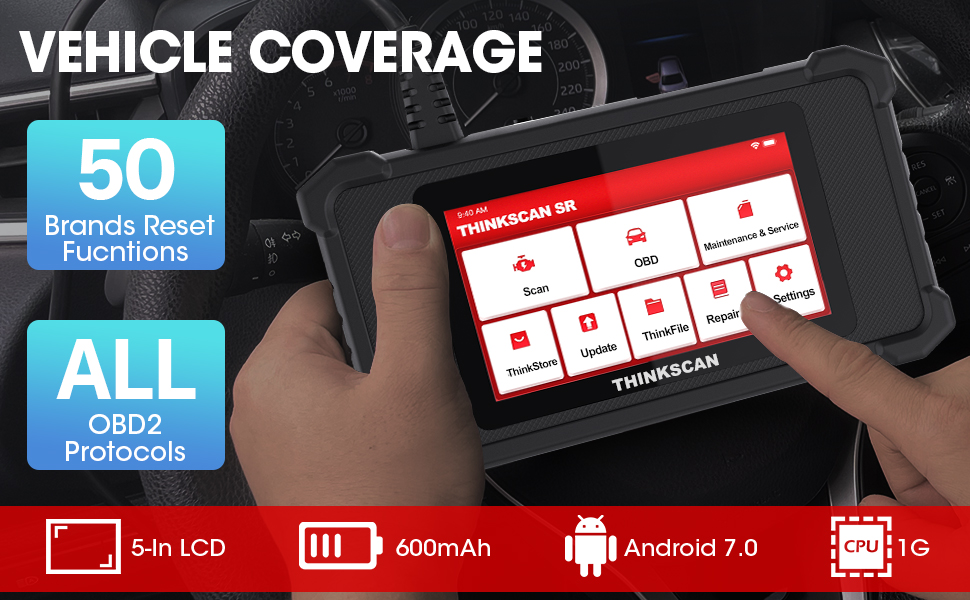
Image: The ThinkScan SR6 displaying live vehicle data in a graphical format, illustrating real-time sensor readings for diagnostic purposes.
4. Maintenance & Service Functions
The ThinkScan SR6 provides five commonly used reset functions to assist with vehicle maintenance. Access these by selecting Одржување и сервис од главното мени.
- Ресетирање на светлото за масло: Го ресетира светлото за сервисирање на маслото по промената на маслото.
- EPB услуга: Го ресетира системот за електронска паркирна сопирачка по замена на плочките за сопирање.
- SAS Ресетирање: Го калибрира сензорот за агол на управување по поправки на системот за управување.
- TPMS ресетирање: Resets the tire pressure monitoring system after tire rotation or sensor replacement.
- TBA (Throttle Body Adjustment): Повторно ја учи положбата на телото на гасот.

Image: An illustration of the five free reset functions offered by the ThinkScan SR6, including throttle adjustment and various system resets.
4.1 Ажурирања на софтверот
Regular software updates are essential to ensure your ThinkScan SR6 has the latest vehicle models, diagnostic functions, and bug fixes. The device supports Wi-Fi updates for convenience.
- Осигурајте се дека уредот е поврзан со стабилна Wi-Fi мрежа.
- Од главното мени, изберете Ажурирање.
- Следете ги упатствата на екранот за да ги преземете и инсталирате достапните ажурирања.

Image: A comparison highlighting the ThinkScan SR6's features, including its 5-inch touch screen, Android 7.0 OS, and one-click Wi-Fi update capability.
5 Смена на проблеми
If you encounter issues with your ThinkScan SR6, consider the following common solutions:
- Уредот не се вклучува: Ensure the OBD2 cable is securely connected to the vehicle's DLC and the vehicle's ignition is ON. Check the vehicle's battery voltage.
- Connection errors: Verify the OBD2 cable connection. Try connecting to a different vehicle (if available) to rule out vehicle-specific issues. Ensure Wi-Fi is stable for updates.
- Diagnostic function not working: Ensure the vehicle model and year are supported for the specific function. Perform a software update.
- Understanding fault codes: Користете го Библиотека со кодови за дефекти на OBD под Информации за поправка to look up DTC meanings.
For more detailed troubleshooting or specific repair information, the device includes a Информации за поправка section with a fault code library, coverage list, and video tutorials. You can also connect the device to Wi-Fi and use the Видео option to search for relevant repair guides.
6. Спецификации
| Карактеристика | Детал |
|---|---|
| Бренд | тинк-кар |
| Број на модел | TKSR6 |
| Големина на екранот | 5 инчи |
| Оперативен систем | Андроид 7.0 |
| Извор на енергија | Напојува со батерија |
| Тежина на ставката | 1 фунти |
| Димензии на производот | 4.13 x 8.07 x 1.18 инчи |
| Батерии | Потребни се 1 литиум полимер батерии (вклучени) |
| Покриеност на возилото | US-based vehicles after 1996, EU-based vehicles after 2000, Asia-based vehicles after 2008 |
7. Гаранција и поддршка
For technical assistance, warranty information, or any inquiries regarding your ThinkScan SR6 device, please contact thinkcar customer support. The manufacturer provides 7*24 hours support.
Е-пошта: jushi@thinkcar.com
Please refer to the official thinkcar website or the included warranty card for detailed warranty terms and conditions.