1. Вовед
The Universal UNV48110 is a cross-cut paper shredder designed for efficient and secure disposal of sensitive documents. This manual provides essential information for the safe and effective operation, maintenance, and troubleshooting of your shredder.
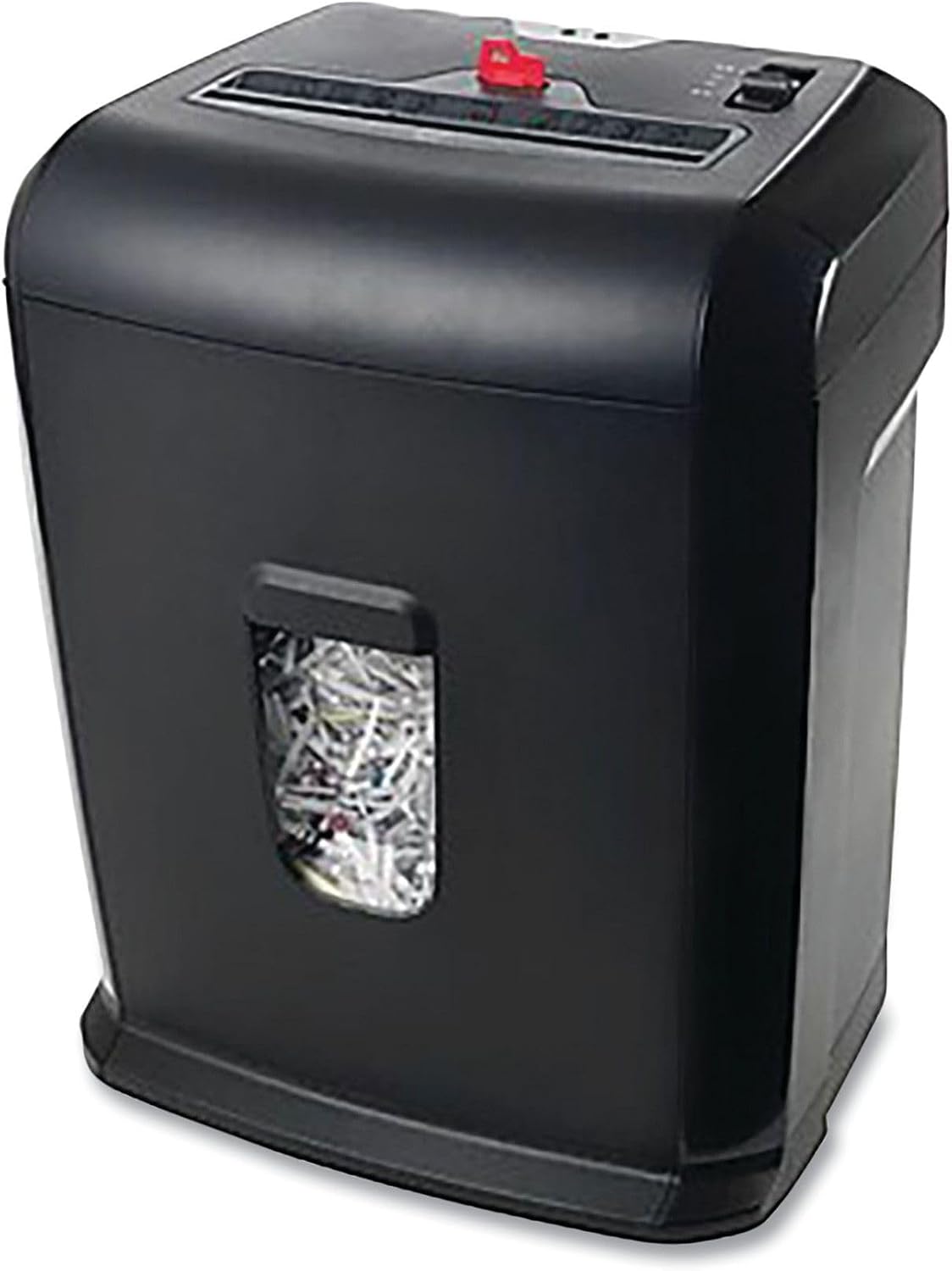
Figure 1: Universal UNV48110 10-Sheet Cross-Cut Shredder.
2. Информации за безбедност
Please read all safety instructions before using the shredder to prevent injury or damage.
- Држете ги рацете подалеку: Never place hands near the paper entry slot.
- Hair and loose clothing: Keep long hair, ties, and loose clothing away from the paper entry.
- Деца и домашни миленици: Keep children and pets away from the shredder. Use the lockout key feature when not in use to prevent accidental operation.
- Запаливи материјали: Do not shred aerosols, flammable liquids, or gases.
- Преоптоварување/Прегревање: Avoid overloading the shredder. The unit has built-in protection against overheating and overload. Refer to the troubleshooting section if indicator lights activate.
- Напојување: Ensure the shredder is plugged into a compatible power outlet.

Figure 2: Top panel displaying safety icons and controls.
3. Поставување
- Отпакувај: Внимателно отстранете ги сите компоненти од пакувањето.
- Собери: Place the shredder head securely onto the wastebasket. Ensure it is properly aligned for safe operation.
- Позиција: Поставете го дробилката на рамна, стабилна површина.
- Поврзете напојување: Приклучете го кабелот за напојување во стандарден штекер.

Слика 3: Предна страна view of the shredder, showing the wastebasket window.
4. Упатства за работа
The shredder features a slide switch on the top panel for various modes:
- FWD (Forward): Manually feeds items into the shredder.
- АВТОМАТСКИ (Автоматски): Уништувачот автоматски ќе се вклучи кога ќе се вметне хартија и ќе застане кога ќе заврши сечењето. Ова е препорачаната поставка за нормална употреба.
- ИСКЛУЧЕНО: Turns the shredder off. Always set to OFF when not in use or when emptying the wastebasket.
- REV (назад): Reverses the shredder blades to clear paper jams.
Уништување документи:
- Поставете го прекинувачот на АВТОМАТСКИ.
- Insert up to 10 sheets of paper (20 lb bond) into the paper entry slot. The shredder will start automatically.
- The shredder can also destroy credit cards, small paper clips, and staples. Insert these items one at a time into the designated slot (if available) or the main paper entry.
- Once shredding is complete, the shredder will stop automatically.
Using the Lockout Key:
The lockout key, indicated in the product title, is a safety feature. When engaged, it prevents the shredder from operating, providing an extra layer of safety, especially around children or when the unit is unattended.
5. Одржување
Празнење на корпата за отпадоци:
The shredder features a 5-gallon pull-out wastebasket. Monitor the fill level through the transparent window on the front of the unit.
- Поставете го прекинувачот на ИСКЛУЧЕНО и исклучете го уништувачот од струја.
- Pull the wastebasket out from the front of the shredder.
- Фрлете го искинатиот материјал.
- Slide the wastebasket back into place until it clicks securely. The shredder will not operate if the wastebasket is not correctly inserted.

Figure 4: Wastebasket pulled out for emptying.
Чистење:
Periodically wipe the exterior of the shredder with a soft, dry cloth. Do not use abrasive cleaners or solvents.
6 Смена на проблеми
- Shredder does not turn on: Ensure the power cord is securely plugged in and the switch is set to АВТОМАТСКИ or FWD. Check if the wastebasket is fully inserted.
- Заглавување на хартија: If paper jams, set the switch to REV to reverse the blades and clear the paper. If necessary, remove the shredder head and manually clear the jam (with caution).
- Индикатор за преоптоварување: If the overload indicator light illuminates, it means too many sheets were inserted. Remove some sheets and try again.
- Индикатор за прегревање: If the overheat indicator light illuminates, the shredder has been used continuously for too long. Turn the shredder ИСКЛУЧЕНО and allow it to cool down for approximately 30 minutes before resuming operation.
7. Спецификации
| Карактеристика | Спецификација |
|---|---|
| Број на модел | UNV48110 |
| Тип на уништување | Крос Исечете |
| Капацитет на лист | 10 Sheets (20 lb bond) |
| Wastebasket Capacity | 5 галони |
| Димензии на производот | 19 x 17 x 13 инчи |
| Тежина на ставката | 16.27 фунти |
| Боја | Црното |
| Парчиња | Paper, Credit Cards, Staples, Paper Clips |
8. Гаранција и поддршка
Specific warranty information for the Universal UNV48110 shredder is not provided in the product data. Please refer to the product packaging or contact Universal customer support for detailed warranty terms and conditions.
For technical assistance or support, please consult the manufacturer's website or contact their customer service department using the information provided with your product purchase.