1. Вовед
Ви благодарам за купувањетоasing the BYTECH BYMCLB116BK Projector Decor Light-Rainbow. This device is designed to project vibrant rainbow light effects, enhancing room ambiance and providing unique lighting for creative photography. Please read this manual thoroughly before use to ensure proper operation and maintenance.

Image 1.1: The BYTECH BYMCLB116BK Projector Decor Light-Rainbow packaging, highlighting its key features including rainbow glow, secure stabilization, 360-degree rotation and tilt, and USB connectivity.
2. Информации за безбедност
- Чувајте го уредот подалеку од вода и влага.
- Не го изложувајте уредот на екстремни температури или директна сончева светлина.
- Избегнувајте паѓање или изложување на уредот на силни удари.
- Не обидувајте се сами да го расклопите или поправите уредот. За сите сервиси обратете се на квалификуван персонал.
- Use only the provided USB cable or a certified equivalent for power.
- Ensure the device is placed on a stable, flat surface to prevent tipping.
- Да се чува подалеку од дофат на деца и домашни миленици.
3. Содржина на пакетот
Внимателно проверете ја содржината на пакувањето. Доколку недостасуваат или се оштетени некои предмети, контактирајте го вашиот продавач.
- 1 x BYTECH BYMCLB116BK Projector Decor Light-Rainbow
- 1 x USB Power Cable (with wired remote control)
- 1 x Упатство за употреба
4. Поставување
- Отпакувај: Carefully remove the Projector Decor Light from its packaging.
- Поставување: Place the projector on a stable, flat surface. Consider the desired projection area and distance from the wall or ceiling for optimal effect. The device features 360-degree rotation and tilt for flexible positioning.
- Поврзете напојување: Insert the small end of the USB power cable into the USB port on the projector. Connect the larger end of the USB cable to a standard USB power adapter (not included) or a powered USB port (e.g., on a computer or power bank).
- Secure Stabilization: Ensure the base is firmly placed to prevent accidental movement, utilizing its secure stabilization feature.
5. Упатства за работа
The BYTECH Projector Decor Light is designed for simple operation.
- Вклучување/исклучување: Once connected to a power source, locate the wired remote control on the USB cable. Press the power button on the remote to turn the light on or off.
- Adjust Brightness/Mode: Use the other buttons on the wired remote control to cycle through different brightness levels or projection modes, if available. Refer to the remote's markings for specific functions.
- Прилагодете го аголот на проекција: Рачно прилагодете го lamp head to rotate and tilt 360 degrees to direct the rainbow light projection to your desired area.
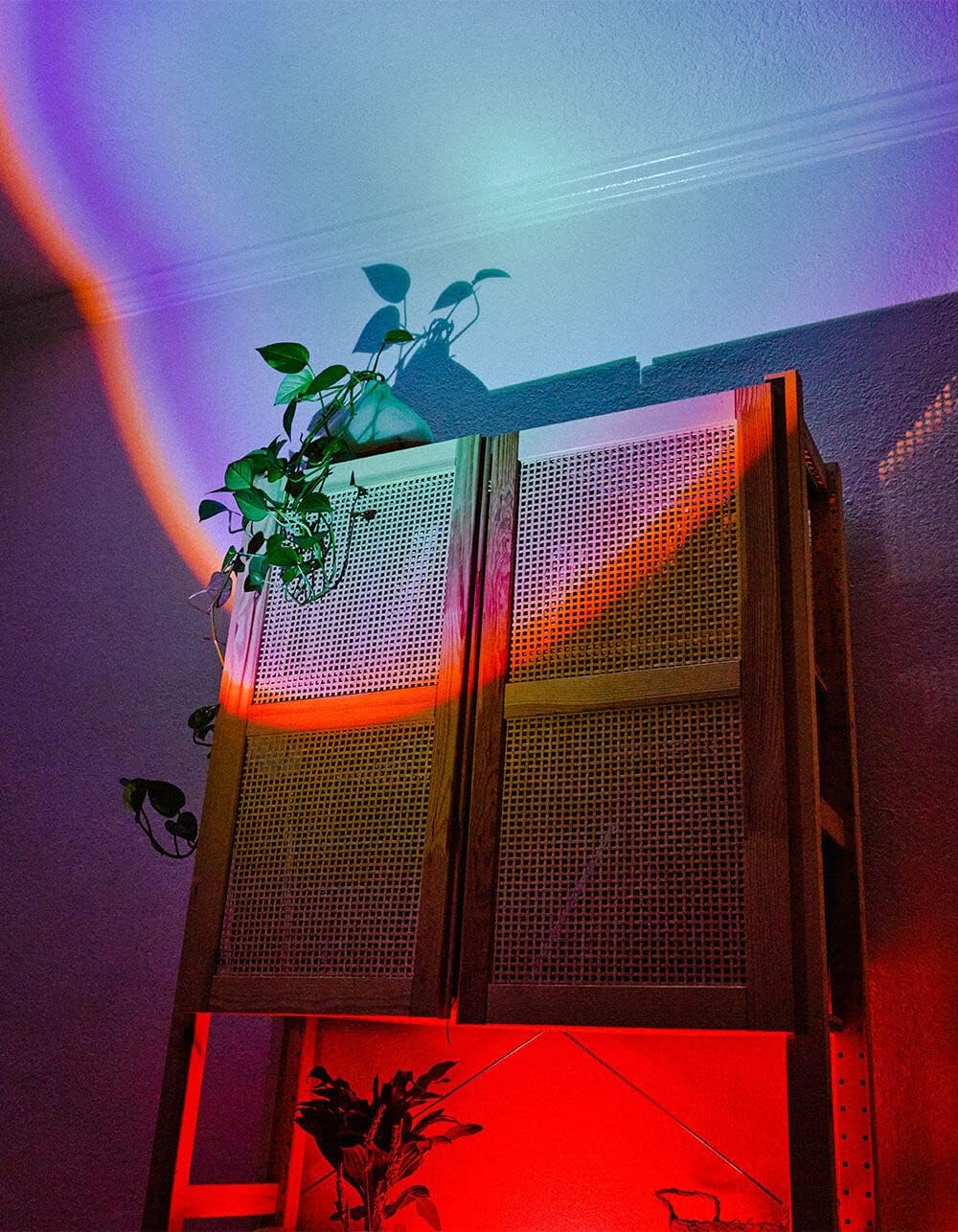
Image 5.1: The BYTECH Projector Decor Light-Rainbow in operation, casting vibrant rainbow light patterns onto a room's wall and furniture, demonstrating its ambient effect.
6. Одржување
- Чистење: Disconnect the power before cleaning. Use a soft, dry cloth to wipe the surface of the projector. Do not use abrasive cleaners or solvents.
- Складирање: When not in use for extended periods, store the device in a cool, dry place, away from direct sunlight and moisture.
- Ракување: Handle the device with care to avoid damage to the lens or internal components.
7 Смена на проблеми
| Проблем | Можна причина | Решение |
|---|---|---|
| Уредот не се вклучува. | Нема приклучок за напојување или кабелот е неисправен. | Ensure the USB cable is securely connected to both the projector and a powered USB port/adapter. Try a different USB port or adapter. |
| Светлината е слаба или трепка. | Insufficient power supply or dirty lens. | Ensure the power source provides adequate power. Clean the projector lens gently with a soft, dry cloth. |
| Проекцијата е заматена. | Леќата е валкана. | Gently clean the projector lens with a soft, dry cloth. |
8. Спецификации
- Модел: BYMCLB116BK
- Бренд: Bytech
- Влез на енергија: USB Powered (5V DC, current not specified, typical for USB)
- Извор на светлина: LED
- Тип на проекција: Rainbow Glow
- Прилагодливост: 360° Rotation & Tilt
- Димензии на пакетот: 5 x 5 x 5 инчи
- Тежина на ставката: 1 фунти
- Производител: БИТЕХ
9. Гаранција и поддршка
This product is covered by a limited warranty provided by BYTECH. For specific warranty terms and conditions, please refer to the warranty card included with your purchase or visit the official BYTECH website. For technical support, troubleshooting assistance, or to inquire about replacement parts, please contact BYTECH customer service through their official channels.
Ве молиме чувајте го вашиот доказ за купување за барањата за гаранција.


