Вовед
Ви благодарам за купувањетоasing the CLOKOWE Mini Projector. This projector is designed to provide a high-quality visual experience with its native 1080P resolution, 8500 LUX brightness, and versatile connectivity options. It supports both 2.4G and 5G WiFi for seamless screen mirroring from iOS and Android devices. This manual will guide you through the setup, operation, and maintenance of your new projector.
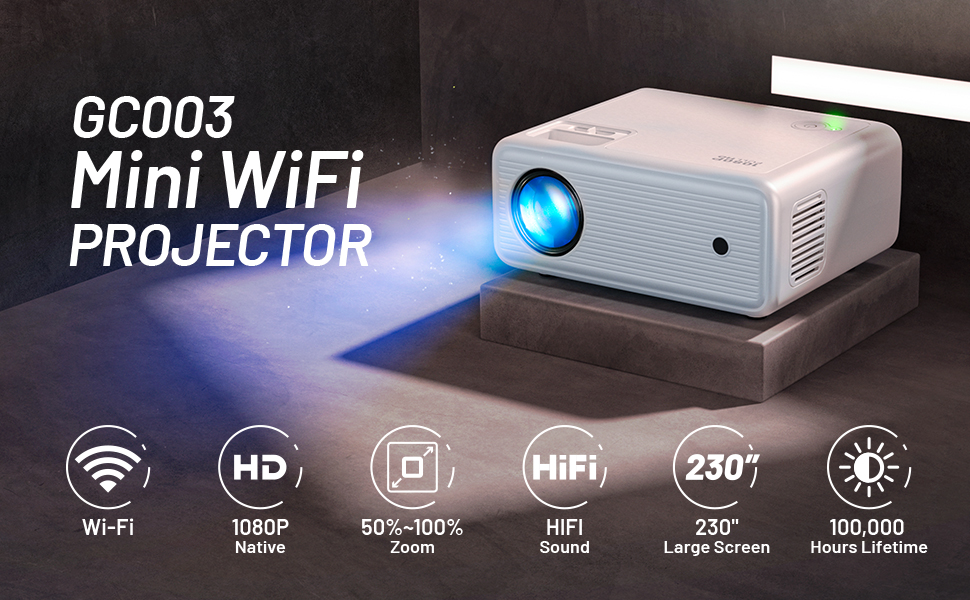
Image: The CLOKOWE Mini Projector showcasing its key features: 1080P Full HD, 2.4G+5G WiFi, and 8500 Lux brightness. A 100-inch projector screen is also included.
Содржина на пакетот
Внимателно проверете го пакувањето за да бидете сигурни дека сите елементи се присутни:
- 1 x 1080P Projector
- 1 x Капак на леќата
- 1 x 100-inch Projector Screen
- 1 x кабел за напојување
- 1 x AV кабел
- 1 x HDMI кабел
- 1 x Упатство за употреба
- 1 x Cleaning Kits
- 1 x Adjustable Screw (1/4 inches)
- 1 x Далечински управувач (батериите не се вклучени)
Производот завршиview и Карактеристики
The CLOKOWE Mini Projector offers a range of features for an immersive viewискуство:
- Матична резолуција од 1080P: Обезбедува остри и јасни слики.
- 8500 LUX Brightness: Provides vibrant and bright projections.
- Dual-Band WiFi (2.4G+5G): Ensures stable and fast wireless screen mirroring.
- Голема проекција: Supports screen sizes from 30 to 230 inches.
- Мултимедијална поврзаност: Equipped with USB and HDMI ports for various devices.
- Built-in HiFi Stereo Speaker: Offers clear audio without external speakers.
- Silent Cooling System: Designed for efficient heat dissipation with minimal noise.
- Adjustable Focus and Keystone Correction: Manual adjustments for optimal image clarity and shape.
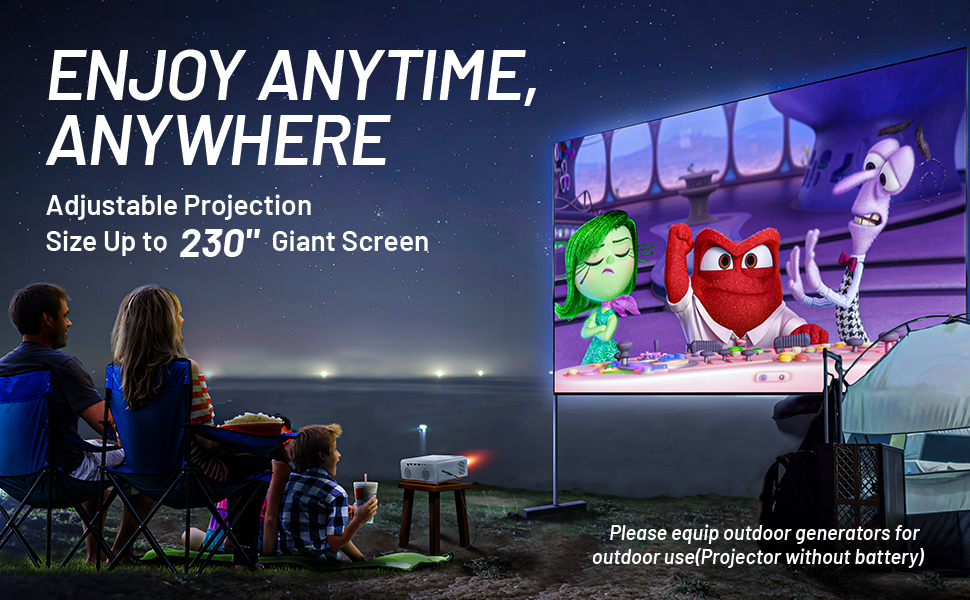
Image: A family enjoying a movie projected outdoors, demonstrating the large screen capability and portability of the CLOKOWE projector.
Водич за поставување
1. Поставување и поврзување со електрична енергија
Place the projector on a stable, flat surface or mount it using the 1/4-inch screw hole on the bottom. Ensure there is adequate ventilation around the unit. Connect the power cable to the projector and then to a power outlet.
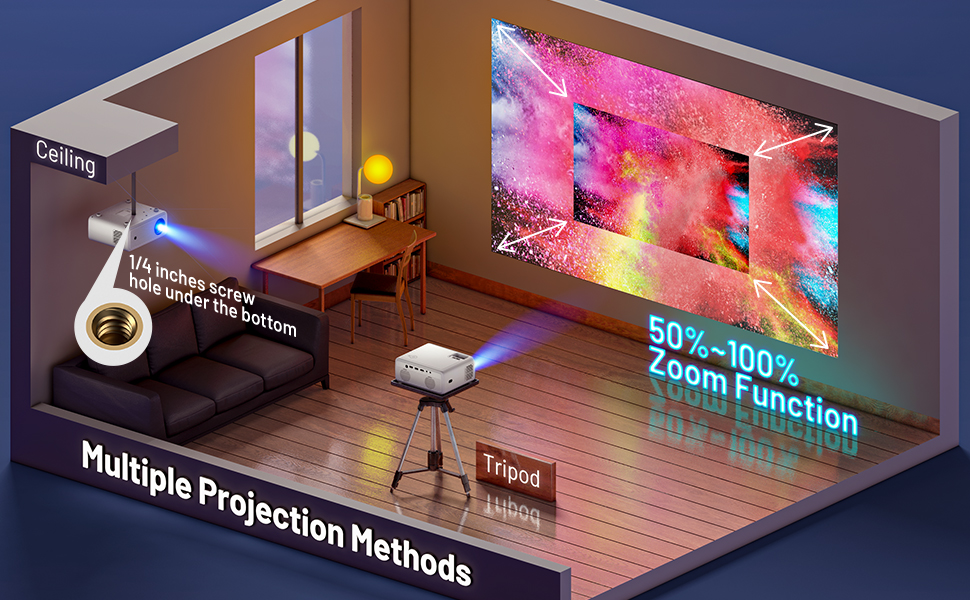
Image: Various projection methods for the CLOKOWE Mini Projector, including placement on a tripod and ceiling mounting, highlighting the 1/4-inch screw hole.
2. Фокус и прилагодување на трапезоидот
After powering on, adjust the focus ring on the top of the projector until the image is clear. If the image appears trapezoidal, use the keystone correction dial to square the image. The projector supports manual ±15° keystone correction.
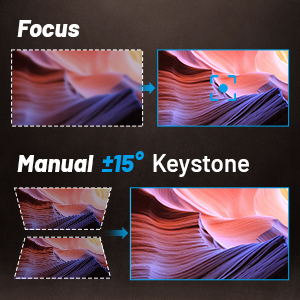
Image: Visual guide for adjusting focus and manual ±15° keystone correction on the projector.
3. Поврзување на уредите
Проекторот поддржува различни влезни извори:
- HDMI: Connect laptops, PCs, TV sticks (Roku, Fire TV, Chromecast), gaming consoles (Xbox, PS4), and DVD players using an HDMI cable.
- USB: Plug in USB disks for direct media playback.
- АВ: Use the included AV cable for older devices.
- Надворешни звучници: Connect external speakers via the audio output port for enhanced sound.

Image: The projector's rear panel with labels for USB1, USB2, HDMI, AV, and audio ports, illustrating compatibility with laptops, Roku Stick, Fire TV, Chromecast, Xbox/PS4, USB Disk, Mobile Phone/iPad, DVD Player, and External Speakers.
4. Wireless Projection (Screen Mirroring)
The projector supports wireless screen mirroring for iOS and Android devices via 2.4G and 5G WiFi. Ensure your device and the projector are connected to the same WiFi network.
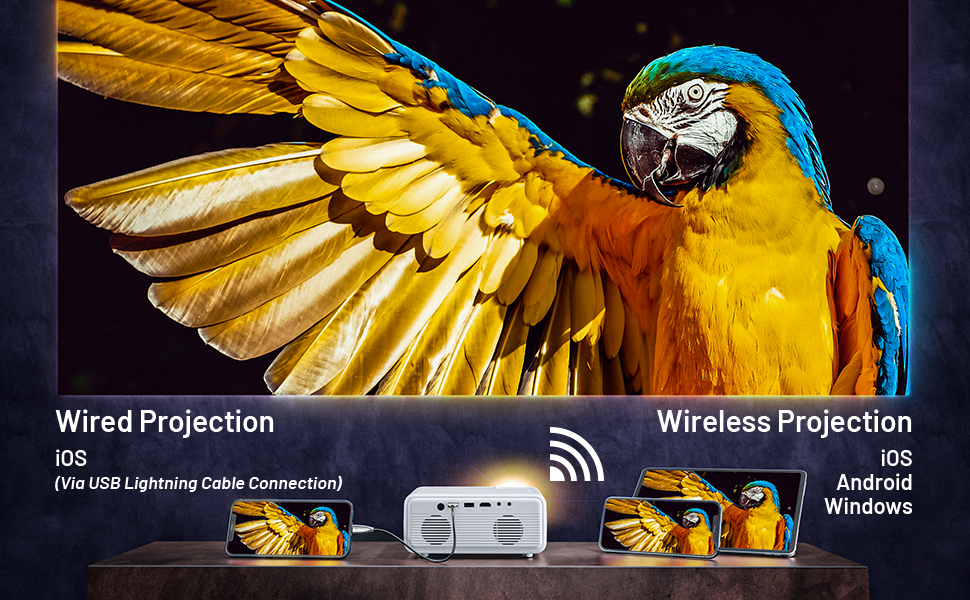
Image: A visual guide demonstrating both wired (via USB Lightning Cable) and wireless projection methods for iOS, Android, and Windows devices.
For detailed steps on wireless projection, refer to the on-screen instructions displayed when selecting the "Wireless Projection" input source.
Video: An official product video demonstrating the features and setup of the CLOKOWE GC003 Mini WiFi Projector, including its wireless projection capabilities.
Упатства за работа
Вклучување/исклучување
Press the power button on the projector or the remote control to turn the unit on or off. The power indicator light will illuminate when the projector is active.
Навигација со мени
Use the arrow keys on the remote control or the projector's control panel to navigate through the on-screen menu. Press the "OK" or "Enter" button to confirm selections. The menu system is designed to be intuitive for easy access to settings.
Adjusting Projection Size
The projector features a zoom function that allows you to enlarge or shrink the projection size from 50% to 100% without moving the projector. Access this setting through the projector's menu.

Image: A visual representation of the projector's ability to create large screens up to 230 inches, with corresponding projection distances.
Одржување
Правилното одржување обезбедува долготрајност и оптимални перформанси на вашиот проектор.
- Чистење леќи: Use the provided cleaning kit or a soft, lint-free cloth to gently wipe the projector lens. Avoid abrasive materials or harsh chemicals.
- Вентилација: Ensure the projector's vents are not blocked to allow for proper airflow. The silent cooling system requires unobstructed vents to function effectively.
- Складирање: When not in use, store the projector in a cool, dry place, away from direct sunlight and excessive dust. Use the lens cover to protect the lens.
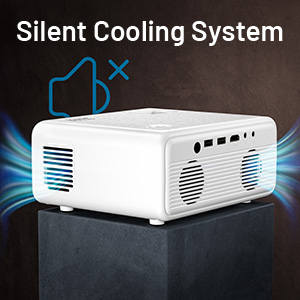
Слика: Крупен план view of the projector's silent cooling system, illustrating air circulation through the side vents.
Решавање проблеми
If you encounter issues with your projector, refer to the common problems and solutions below:
| Проблем | Можна причина | Решение |
|---|---|---|
| Нема слика/Нема сигнал | Избран е неправилен влезен извор; Лабава кабелска врска; Уредот не е вклучен. | Ensure the correct input source (HDMI, USB, etc.) is selected. Check all cable connections. Power on the connected device. |
| Заматена слика | Focus not adjusted; Incorrect keystone correction; Projector too close/far from screen. | Adjust the focus ring. Use keystone correction to square the image. Adjust projection distance. |
| Нема звук | Volume too low/muted; Audio cable not connected; External speakers not working. | Increase volume on projector and source device. Check audio cable connections. Test with different audio output or external speakers. |
| Wireless projection issues | Not connected to same WiFi; Incorrect mirroring steps; Network interference. | Ensure both devices are on the same 2.4G or 5G WiFi network. Follow the specific screen mirroring instructions for your device (iOS/Android). Try restarting both devices. |
| Проекторот не се вклучува | Power cable loose; Power outlet issue; Internal fault. | Check power cable connection. Try a different power outlet. If the issue persists, contact customer support. |
Спецификации
| Карактеристика | Детал |
|---|---|
| Димензии на производот | 7.5 x 6.3 x 3.3 инчи |
| Тежина на ставката | 3.78 фунти |
| Резолуција на екранот | 1920 x 1080 (стандардно 1080P) |
| Осветленост | 8500 ЛУКС |
| Технологија за поврзување | USB, HDMI, WiFi (2.4G+5G) |
| Посебни карактеристики | Wireless, Portable, Built-In Wi-Fi, Built-in HiFi Stereo Speaker |
| Препорачана употреба | Домашно кино |
| Број на модел на ставка | 05531007-a9ae-412d-b783-ffc1dd45a1f1 |
| Производител | КЛОКОВ |
Гаранција и поддршка
For warranty information or technical support, please refer to the warranty card included in your package or contact CLOKOWE customer service directly. Keep your purchase receipt for warranty claims.
Обично можете да најдете контакт информации за поддршка на официјалната страница на производителот. webна лице место или преку вашиот продавач.


