1. Вовед
The JVC HA-A5T Gumy Mini True Wireless Earbuds are designed for convenient, high-quality audio on the go. These compact and lightweight earbuds feature a Neodymium magnet driver for clear sound, Bluetooth 5.1 for stable wireless connection, and an IPX4 rain-proof rating for durability. They offer hands-free calling with voice assistant compatibility and simple one-button control.
Клучни карактеристики:
- Компактен и лесен дизајн
- High sound quality with Neodymium magnet driver
- Bluetooth Version 5.1 for stable wireless connectivity
- Rain Proof (IPX4) for protection against splashes and sweat
- Up to 15 hours of total battery life (including charging case)
- Hands-free microphone with Voice Assistant compatibility
- Контрола со едно копче за лесно ракување
- Auto on/off/connect function
- Compatible with iOS, Android, and Windows devices
2. Содржина на пакетот
Ве молиме осигурајте се дека сите артикли се присутни во пакетот:
- JVC HA-A5T True Wireless Earbuds (Left and Right)
- Случај за полнење
- Regular Silicon Earpieces (S/M/L sizes)
- USB кабел за полнење

Image: The retail packaging for the JVC HA-A5T Gumy Mini True Wireless Earbuds, showing the earbuds and charging case.
3. Поставување
3.1 Полнење на слушалките и футролата
Before first use, fully charge the earbuds and the charging case. The charging case provides additional power to the earbuds, extending their usage time.
- Ставете ги слушалките во нивните соодветни места во кутијата за полнење. Проверете дали се правилно поставени.
- Connect the supplied USB charging cable to the charging port on the case and to a USB power source (e.g., computer, USB wall adapter).
- The indicator lights on the case will show the charging status. Refer to the indicator light section for details.
- Once fully charged, disconnect the USB cable. The earbuds and case together provide up to 15 hours of playback.

Image: The JVC HA-A5T earbuds placed inside their open charging case, ready for charging.
3.2 Спарување со Bluetooth уред
The earbuds feature an auto on/off/connect function for seamless pairing.
- Отворете ја кутијата за полнење. Слушалките автоматски ќе се вклучат и ќе влезат во режим на спарување.
- На вашиот Bluetooth уред (паметен телефон, таблет итн.), овозможете Bluetooth и пребарајте достапни уреди.
- Select "JVC HA-A5T" from the list of found devices.
- Once connected, a confirmation sound or indicator will notify you. The earbuds will automatically reconnect to the last paired device when taken out of the case.
3.3 Selecting the Right Earpieces
For optimal sound quality and comfort, choose the silicone earpieces that best fit your ears. The package includes Small (S), Medium (M), and Large (L) sizes.
- Try each size to find the one that creates a snug seal in your ear canal. A good seal enhances bass response and noise isolation.
- Gently insert the earbud into your ear and twist slightly until it feels secure and comfortable.
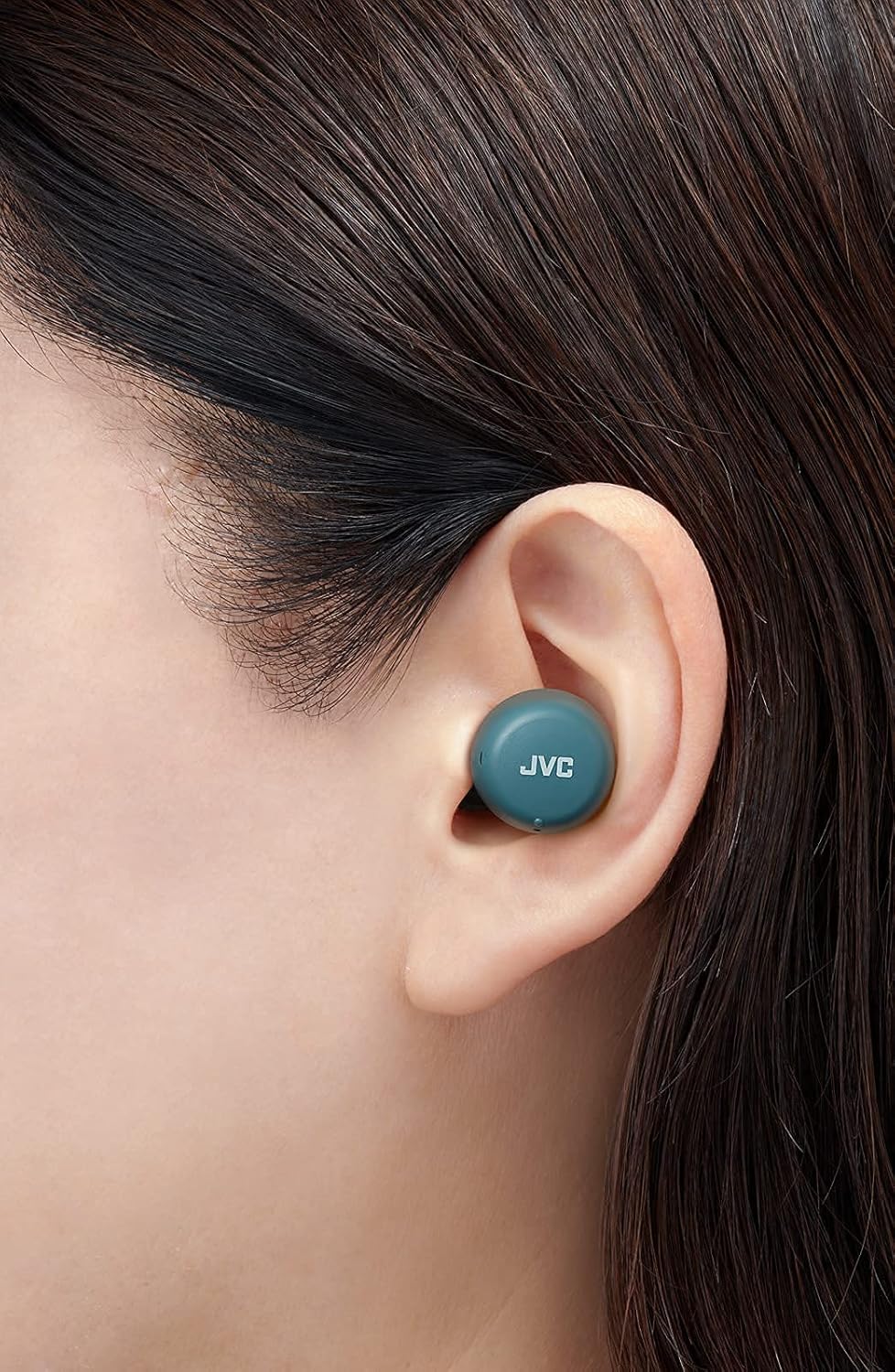
Слика: Крупен план view of a JVC HA-A5T earbud correctly positioned in a user's ear, demonstrating proper fit.
4. Ракување со слушалките
4.1 Вклучување/исклучување
- Вклучување: Open the charging case or press and hold the button on each earbud for approximately 2 seconds.
- Исклучено: Place the earbuds back into the charging case and close the lid, or press and hold the button on each earbud for approximately 5 seconds.
4.2 Basic Controls (One-Button Operation)
Each earbud features a multi-function button for controlling playback and calls.
| Функција | Акција |
|---|---|
| Пушти/Пауза | Притиснете го копчето на која било од слушалките еднаш. |
| Следна песна | Притиснете го копчето на десната слушалка двапати. |
| Претходна песна | Press the button on the left earbud twice. |
| Одговори/заврши повик | Press the button on either earbud once during an incoming call or active call. |
| Одбијте го повикот | Press and hold the button on either earbud for approximately 2 seconds during an incoming call. |
| Активирајте го Гласовниот асистент | Притиснете го копчето на која било од слушалките три пати. |
4.3 Употреба на една слушалка
The JVC HA-A5T earbuds support single earbud use, specifically with the left earbud. This allows you to use one earbud while the other is charging or stored.
- To use only the left earbud, simply take it out of the case. It will automatically connect to your device if previously paired.
- The right earbud cannot be used independently for calls or music playback.
4.4 гласовен асистент
Activate your smartphone's voice assistant (e.g., Siri, Google Assistant) directly from the earbuds.
- Press the multi-function button on either earbud three times to activate the voice assistant.
- Speak your command after the prompt.

Image: A woman wearing JVC HA-A5T earbuds, demonstrating their use for listening to audio.
5. Одржување
5.1 Чистење
Редовното чистење помага во одржувањето на перформансите и долготрајноста на вашите слушалки.
- Нежно избришете ги слушалките и кутијата за полнење со мека, сува крпа што не остава влакненца.
- Remove the silicone earpieces and clean them with a mild soap solution if necessary. Rinse thoroughly and dry completely before reattaching.
- Do not use harsh chemicals, abrasive materials, or immerse the earbuds or case in water.
5.2 Складирање
Кога не ги користите, чувајте ги слушалките во нивната кутија за полнење за да ги заштитите од прашина, оштетување и да ги одржувате наполнети.
- Да се чува на ладно и суво место, подалеку од директна сончева светлина и екстремни температури.
5.3 Водоотпорност (IPX4)
Слушалките се оценети со IPX4, што значи дека се заштитени од прскање вода од која било насока. Ова ги прави погодни за вежбање и лесен дожд.
- Не ги потопувајте слушалките во вода.
- Уверете се дека слушалките се суви пред да ги вратите во кутијата за полнење за да спречите оштетување на контактите за полнење.

Image: A woman engaged in physical activity while wearing the JVC HA-A5T earbuds, highlighting their sweat and rain-proof capabilities.
6 Смена на проблеми
If you encounter issues with your JVC HA-A5T earbuds, refer to the following common solutions:
| Проблем | Можна причина | Решение |
|---|---|---|
| Слушалките не се вклучуваат. | Слаба батерија. | Ставете ги слушалките во кутијата за полнење и наполнете ги целосно. |
| Не може да се спари со уредот. | Bluetooth е исклучен на уредот; слушалките не се во режим на спарување; претходно спарениот уред се меша. | Ensure Bluetooth is enabled on your device. Place earbuds in case, close, then open to re-enter pairing mode. Forget "JVC HA-A5T" from your device's Bluetooth list and try pairing again. |
| Нема звук или има ниска јачина на звук. | Volume too low on device; earbuds not properly seated; poor earpiece fit. | Increase volume on your connected device. Ensure earbuds are properly inserted. Try different earpiece sizes for a better seal. |
| Прекината на врската или прекини на аудио сигналот. | Distance from device; interference; low earbud battery. | Keep earbuds within 10 meters (33 feet) of your device. Avoid areas with strong Wi-Fi or other Bluetooth signals. Charge earbuds fully. |
| Микрофонот не работи. | Микрофонот е блокиран; поставки на уредот. | Ensure the microphone port is not obstructed. Check your device's audio input settings to confirm "JVC HA-A5T" is selected. |
7. Спецификации
| Карактеристика | Спецификација |
|---|---|
| Име на моделот | HA-A5T |
| Технологија за поврзување | Bluetooth, безжичен |
| Bluetooth верзија | 5.1 |
| Ниво на отпорност на вода | IPX4 (Rain Proof) |
| Траење на батеријата | До 15 часа (со кутија за полнење) |
| Извор на енергија | Battery-Powered (2 Lithium Polymer batteries included) |
| Формат на микрофон | Вграден |
| Тип на контрола | One-button control, Voice Control |
| Материјал | Пластика |
| Форма фактор | Во уво |
| Импеданса | 16 оми |
| Тежина на ставката | 90 гр |
| Димензии на производот | 40 x 47 x 23 сантиметри |
| Вклучени компоненти | Regular Silicon Earpieces (S/M/L), USB charging cable, Charging case |
8. Гаранција и поддршка
За информации за гаранцијата и поддршка на клиентите, ве молиме погледнете ја гарантната картичка што е вклучена во вашиот производ или посетете ја официјалната страница на JVC. webстраница. Зачувајте го доказот за купување за какви било гаранциски побарувања.
- Поддршка преку Интернет: Visit the JVC official webстраница за најчесто поставувани прашања, преземања на драјвери и информации за контакт.
- Контакт информации: Refer to your product packaging or the JVC webстраница за контакт информации за регионална служба за корисници.


