Вовед
This manual provides instructions for the MageGee Typewriter Mechanical Gaming Keyboard. It covers setup, operation, maintenance, and troubleshooting to ensure optimal performance and longevity of your device. Please read this manual thoroughly before using the keyboard.
Содржина на пакетот
- MageGee Typewriter Mechanical Gaming Keyboard
- Магнетен потпирач за зглоб
- USB кабел
- Упатство за употреба (овој документ)
Поставување
1. Поврзување на тастатурата
- Locate the USB cable provided with your keyboard.
- Connect the USB Type-A end of the cable to an available USB port on your computer (PC, Laptop, or Mac).
- Connect the other end of the USB cable to the port on the keyboard.
- The keyboard is plug-and-play; no additional drivers or software are required for basic functionality. Your operating system should automatically detect and configure the device.
2. Прицврстување на потпирачот за зглоб
If your model includes a magnetic wrist rest, align it with the front edge of the keyboard. The magnets will help secure it in place, providing ergonomic support during use.
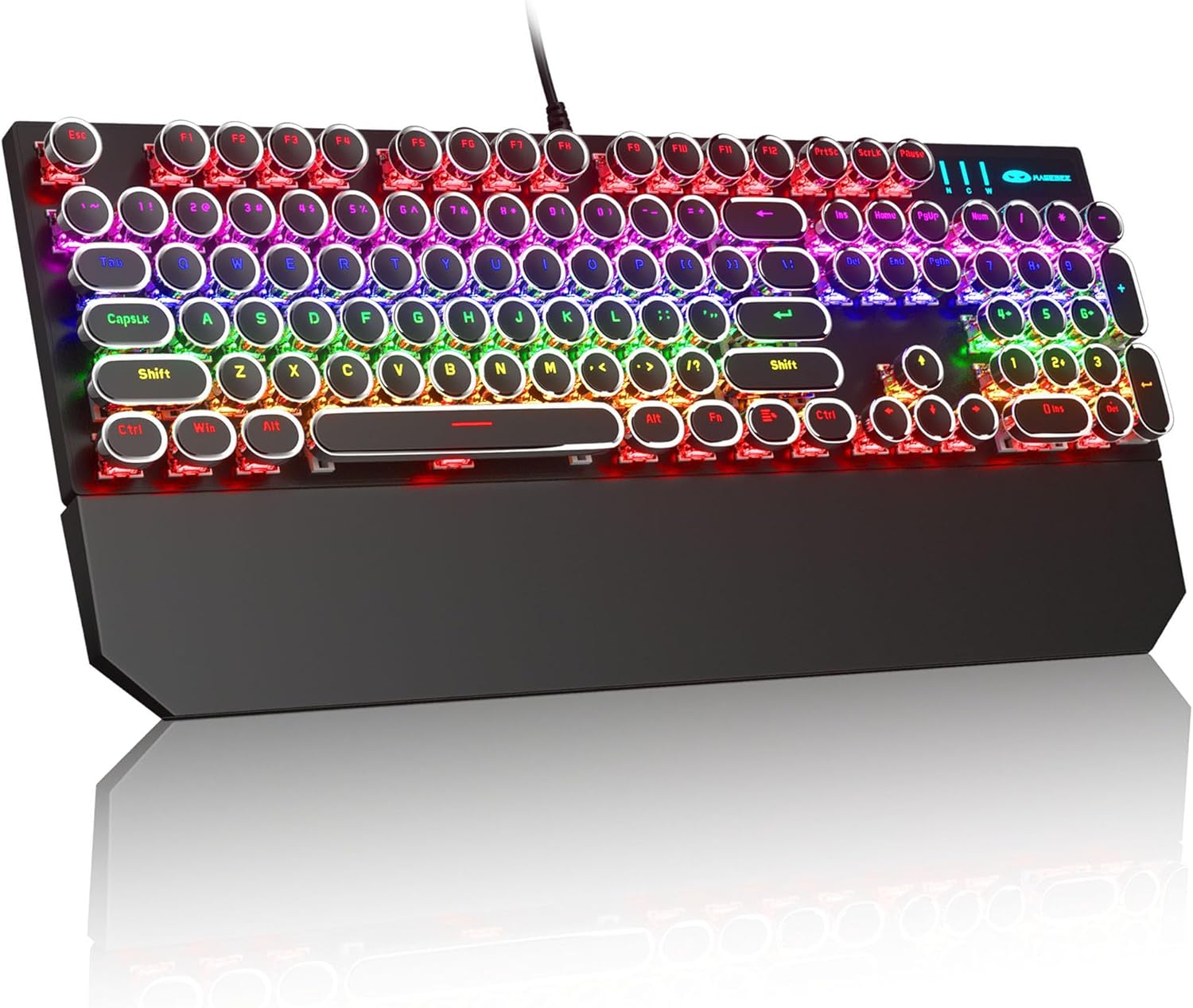
Image: The MageGee Typewriter Mechanical Gaming Keyboard connected via USB, with its magnetic wrist rest attached. The keyboard features retro round keycaps and vibrant RGB backlighting.
Упатства за работа
Распоред на тастатура
The MageGee Typewriter Mechanical Gaming Keyboard features a full-size 104-key layout, including a numeric keypad and dedicated function keys (F1-F12).

Слика: Надземна плоча view of the keyboard, highlighting the full 104-key layout and the LED backlighting effect.
Контрола на позадинско осветлување
The keyboard features multiple RGB rainbow backlit modes. Use the following key combinations to adjust the lighting effects:
- Fn + Ins: Cycle through various backlight modes.
- Fn + Дома: Прилагодете ја осветленоста на задното осветлување.
- Fn + PgUp: Зголемете ја брзината на задното осветлување.
- Fn + PgDn: Намалете ја брзината на задното осветлување.
- Fn + Del: Change backlight color (if applicable to the current mode).
- Fn + Крај: Turn backlight on/off.

Слика: Крупен план view of the keyboard's keys, illustrating the RGB backlighting and the visible blue mechanical switches beneath the round keycaps.
Мултимедијални и функционални копчиња
The F1-F12 keys can be used in conjunction with the Fn key to access multimedia and system functions. Specific functions may vary slightly depending on your operating system.
| Комбинација на клучеви | Функција |
|---|---|
| Fn + F1 | Медиа плеер |
| Fn + F2 | Намалување на јачината на звукот |
| Fn + F3 | Јачина на звук нагоре |
| Fn + F4 | Исклучи звук |
| Fn + F5 | Стоп |
| Fn + F6 | Претходна песна |
| Fn + F7 | Пушти/Пауза |
| Fn + F8 | Следна песна |
| Fn + F9 | Е-пошта |
| Fn + F10 | Web Прелистувач |
| Fn + F11 | Мојот компјутер |
| Fn + F12 | Калкулатор |
Одржување
Чистење на тастатурата
- Исклучете ја тастатурата од компјутерот пред чистење.
- Користете мека крпа без влакненца малку гampизмијте со вода или благ раствор за чистење за да ги избришете копчињата на копчињата и површината на тастатурата.
- За прашина и остатоци помеѓу копчињата, користете компримиран воздух.
- Избегнувајте употреба на груби хемикалии, абразивни средства за чистење или прскање течности директно врз тастатурата.
Општа нега
- Avoid exposing the keyboard to extreme temperatures, humidity, or direct sunlight.
- Do not drop the keyboard or subject it to strong impacts.
- Keep liquids away from the keyboard to prevent damage.
Решавање проблеми
Тастатурата не реагира
- Осигурајте се дека USB кабелот е безбедно поврзан и со тастатурата и со компјутерот.
- Обидете се да ја поврзете тастатурата со друг USB порт на вашиот компјутер.
- Тестирајте ја тастатурата на друг компјутер за да исклучите проблем специфичен за компјутерот.
- Рестартирајте го компјутерот.
Задното осветлување не работи или е неправилно
- Ensure the backlight is not turned off (Fn + End).
- Adjust backlight brightness (Fn + Home).
- Cycle through different backlight modes (Fn + Ins) to see if the issue persists across all modes.
Клучевите не се регистрираат или пишуваат двојно
- Clean the affected key(s) using compressed air to remove any debris.
- If the issue persists, it may indicate a hardware fault. Contact customer support for assistance.
Спецификации
| Карактеристика | Детал |
|---|---|
| Модел | Typewriter Mechanical Gaming Keyboard |
| Поврзување | Жичен USB 2.0 |
| Тип на клуч | Mechanical (Blue Switch) |
| Клучни клучеви | Retro Round, Double-shot injection molded |
| Задно осветлување | RGB Rainbow Backlit |
| Распоред | 104-Key Full-Size, Anti-ghosting |
| Компатибилност | Windows (2000, XP, ME, Vista, 7, 8), Linux, Mac |
| Димензии (Д x Ш x В) | 17.1 x 4.9 x 1.3 инчи (434 mm x 130 mm x 37 mm) |
| Тежина на ставката | 1.99 фунти |
| Материјал | Aluminum alloy metal panel |

Image: A diagram illustrating the physical dimensions of the keyboard and its detachable wrist rest.
Гаранција и поддршка
Информации за гаранцијата
MageGee products are designed for quality and reliability. This product comes with a standard manufacturer's warranty against defects in materials and workmanship. Please refer to the product packaging or the official MageGee webстраница за специфични гарантни услови и времетраење.
Поддршка за корисници
If you encounter any issues or have questions regarding your MageGee Typewriter Mechanical Gaming Keyboard, please contact our customer support team:
- Е-пошта: support@magegee.com
- Webсајт: www.magegee.com
When contacting support, please provide your product model and a detailed description of the issue.


