Crosscall CORE-M5 User Manual
Модел: 1001011101114
Вовед
This manual provides comprehensive instructions for the setup, operation, maintenance, and troubleshooting of your Crosscall CORE-M5 rugged smartphone. Designed for durability and performance in challenging environments, the CORE-M5 is built to withstand various conditions while providing essential communication and smart device functionalities.
Ве молиме внимателно прочитајте го ова упатство пред да го користите вашиот уред за да обезбедите правилно функционирање и да го максимизирате неговиот век на траење.
Содржина на пакетот
Откако ќе го отворите пакувањето, проверете дали се присутни сите елементи:
- Crosscall CORE-M5 Device
- USB кабел за полнење
- Водич за брз почеток
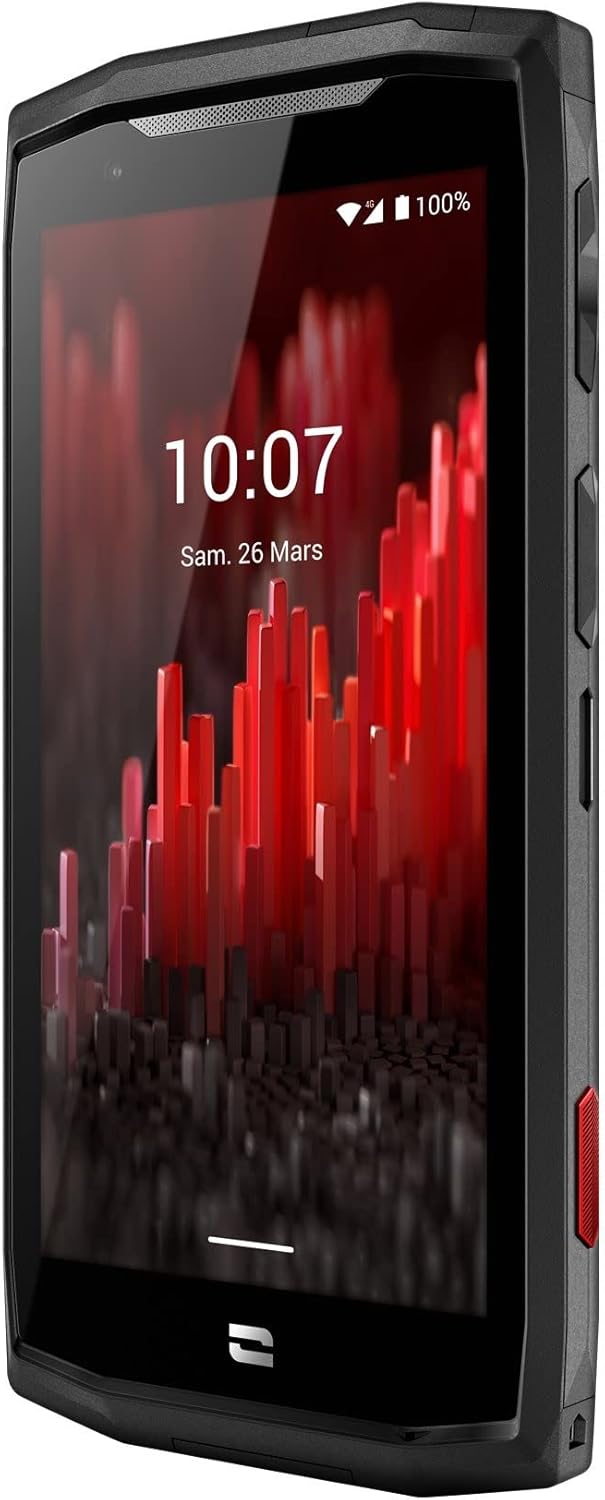
Слика: Напред под агол view of the Crosscall CORE-M5 device, highlighting its robust design and display.
Поставување
1. Вметнување на SIM картичката и мемориската картичка
The CORE-M5 supports SIM cards for cellular connectivity and an optional memory card for expanded storage. Locate the SIM/memory card tray on the side of the device.
- Исклучете го уредот целосно.
- Use the provided SIM ejector tool (or a small paperclip) to open the SIM/memory card tray.
- Carefully place your SIM card(s) and/or memory card into the designated slots on the tray, ensuring correct orientation as indicated on the tray.
- Нежно турнете ја фиоката назад во уредот додека не кликне на своето место.

Image: A user demonstrating the insertion of a SIM card into the device's slot.
2. Почетно полнење
Before first use, it is recommended to fully charge your CORE-M5.
- Connect the USB charging cable to the device's charging port.
- Поврзете го другиот крај од кабелот со компатибилен USB адаптер за напојување или USB-портата на компјутерот.
- The charging indicator on the screen will show the charging status. Allow the device to charge until the battery icon indicates a full charge.
3. Вклучување и почетна конфигурација
- Press and hold the Power button (usually located on the side) until the Crosscall logo appears.
- Следете ги упатствата на екранот за да го завршите почетното поставување, вклучувајќи го изборот на јазик, Wi-Fi конекцијата, поставувањето на Google сметката и безбедносните поставки.
Operating the CORE-M5
Основна навигација
- Екран на допир: Navigate the device using taps, swipes, and pinch gestures on the 4.95-inch touchscreen display.
- Копче за вклучување: Press to turn the screen on/off, or press and hold to power off/restart the device.
- Копчиња за јачина на звук: Adjust media volume, call volume, or ringtone volume.
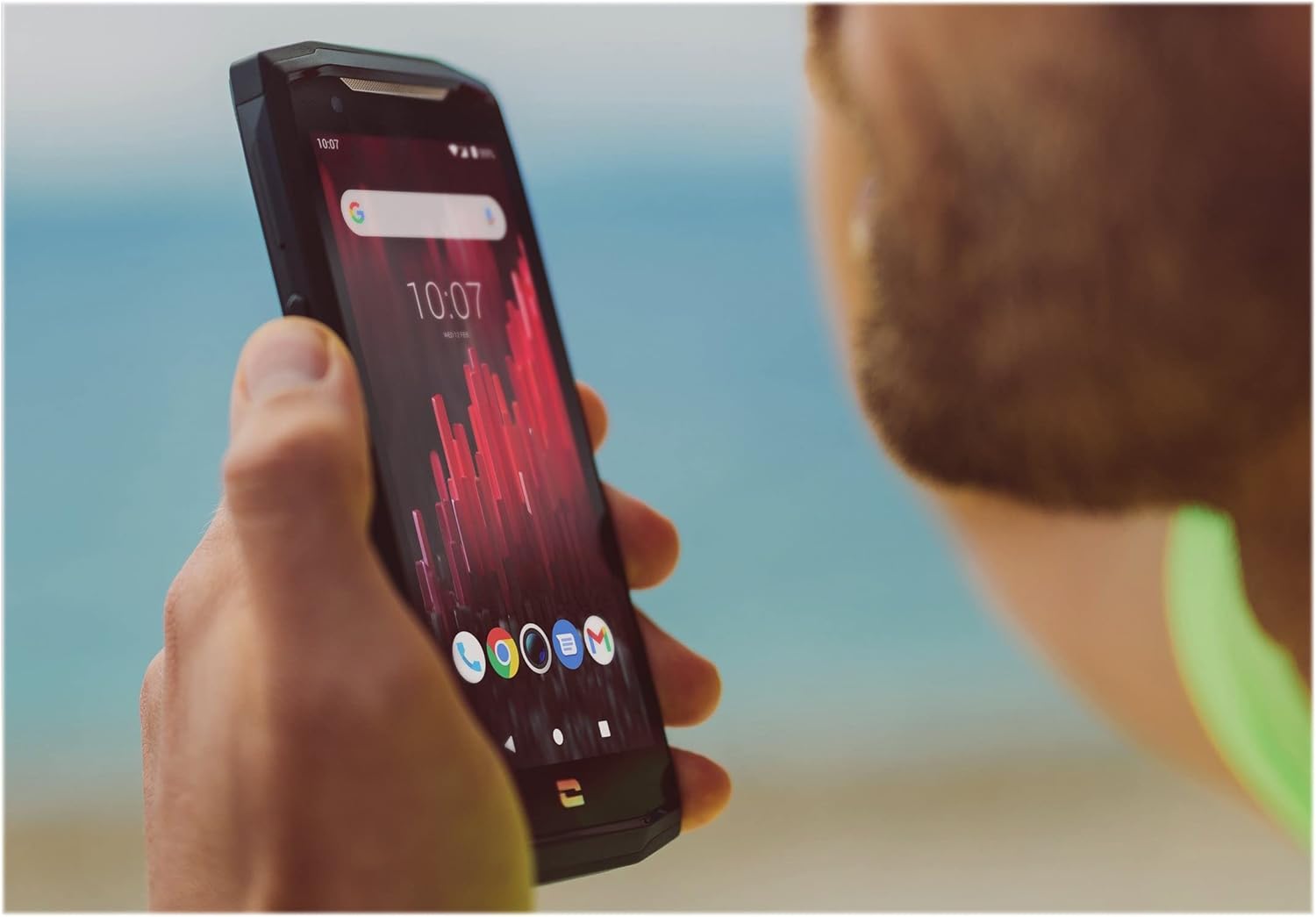
Image: The CORE-M5 in use, demonstrating its compact size and clear display for outdoor visibility.
Поврзување
- Wi-Fi: Access Wi-Fi settings from the Quick Settings panel or Settings app to connect to wireless networks.
- Bluetooth: Pair with Bluetooth devices such as headphones, speakers, or other smartphones via the Bluetooth settings.
- USB: Connect the device to a computer using the USB cable for data transfer or charging.
- Мобилни податоци: Enable or disable mobile data from the Quick Settings or Network & Internet settings. Supports 2G and 3G cellular technologies.
Функционалност на камерата
The CORE-M5 features both front and rear cameras for capturing photos and videos.
- Отворете ја апликацијата Камера од почетниот екран или фиоката со апликации.
- Tap the shutter button to take a photo or switch to video mode to record.
- Користете ги контролите на екранот за да префрлате помеѓу предните и задните камери, да го прилагодите зумот или да примените филтри.
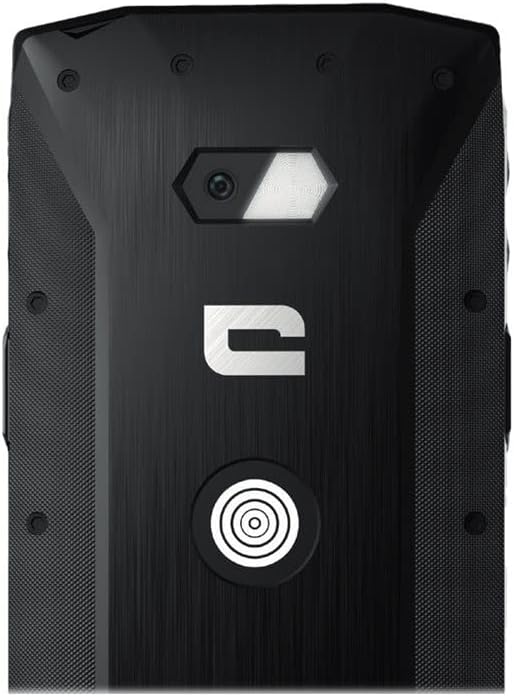
Слика: Детална view of the CORE-M5's rear, highlighting the camera module and the X-Link magnetic connection system.
X-Link System
The CORE-M5 is equipped with Crosscall's X-Link magnetic connection system on the back, allowing for easy attachment of compatible accessories such as chargers, mounts, and external batteries.
- Align the X-Link accessory with the magnetic connector on the back of your CORE-M5.
- The magnets will guide the accessory into place, ensuring a secure connection.

Image: The CORE-M5 securely mounted in a vehicle, demonstrating the utility of the X-Link system for hands-free use.
Одржување
- Чистење: Користете мека, гamp cloth to clean the device. Avoid harsh chemicals or abrasive materials. Ensure all ports are closed before cleaning if exposed to water.
- Отпорност на вода и прашина: The CORE-M5 is designed to be rugged. However, ensure all port covers are securely closed to maintain water and dust resistance. Avoid prolonged submersion beyond specified limits.
- Нега на батеријата: To prolong battery life, avoid extreme temperatures. Do not allow the battery to fully discharge frequently.
- Ажурирања на софтверот: Редовно проверувајте и инсталирајте системски ажурирања за да обезбедите оптимални перформанси и безбедност.
Решавање проблеми
| Проблем | Можна причина | Решение |
|---|---|---|
| Уредот нема да се вклучи | Слаба батерија; пад на софтверот | Полнете го уредот најмалку 30 минути. Извршете принудно рестартирање со држење на копчето за вклучување 10-15 секунди. |
| Екранот не реагира | Привремена грешка во софтверот | Restart the device. If unresponsive, perform a forced restart. |
| Poor call quality / No network | Weak signal; incorrect SIM insertion; network issue | Преместете се во област со подобар сигнал. Повторно вметнете ја SIM-картичката. Контактирајте го вашиот мрежен оператор. |
| Апликациите паѓаат или замрзнуваат | Insufficient memory; app conflict; outdated software | Close background apps. Clear app cache/data. Update apps and system software. Free up storage space. |
Спецификации
| Карактеристика | Детал |
|---|---|
| Име на моделот | 1001011101114 |
| Бренд | Вкрстен повик |
| Оперативен систем | Андроид |
| Модел на процесорот | Кортекс |
| Големина на екранот | 4.95 инчи |
| Резолуција | 1026 x 513 |
| RAM меморија | 3 GB |
| Капацитет за складирање на меморија | 32 GB |
| Капацитет на батеријата | 4000 mAh |
| Време за разговор на телефон | 24 часа |
| Поврзување | Bluetooth, Wi-Fi, USB |
| Мобилна технологија | 2 гр, 3 гр |
| Безжичен носач | Отклучен |
| Камери | Заден, напред |
| Боја | Црното |
| Димензии на производот | 4.25 x 0.79 x 4.25 инчи |
| Тежина на ставката | 8 унци (226.6 грама) |
| Прво достапно | 21 септември 2021 година |
Гаранција и поддршка
Crosscall products are known for their durability and come with a manufacturer's warranty. For specific warranty terms and conditions, please refer to the warranty card included with your product or visit the official Crosscall webсајт.
For technical support, troubleshooting assistance, or service requests, please contact Crosscall Customer Service through their official channels. Have your product model number (1001011101114) and purchase information ready when contacting support.
Official Crosscall Webсајт: www.crosscall.com


