1. Вовед
The Hama MW-650 is a versatile 6-button optical wireless mouse designed for multi-device use. It offers flexible connectivity options via a 2.4 GHz USB-A receiver and Bluetooth, allowing seamless switching between up to three devices. The optical sensor provides precise cursor control, and adjustable DPI settings cater to various user preferences. This manual provides detailed instructions for setup, operation, maintenance, and troubleshooting to ensure optimal performance of your device.
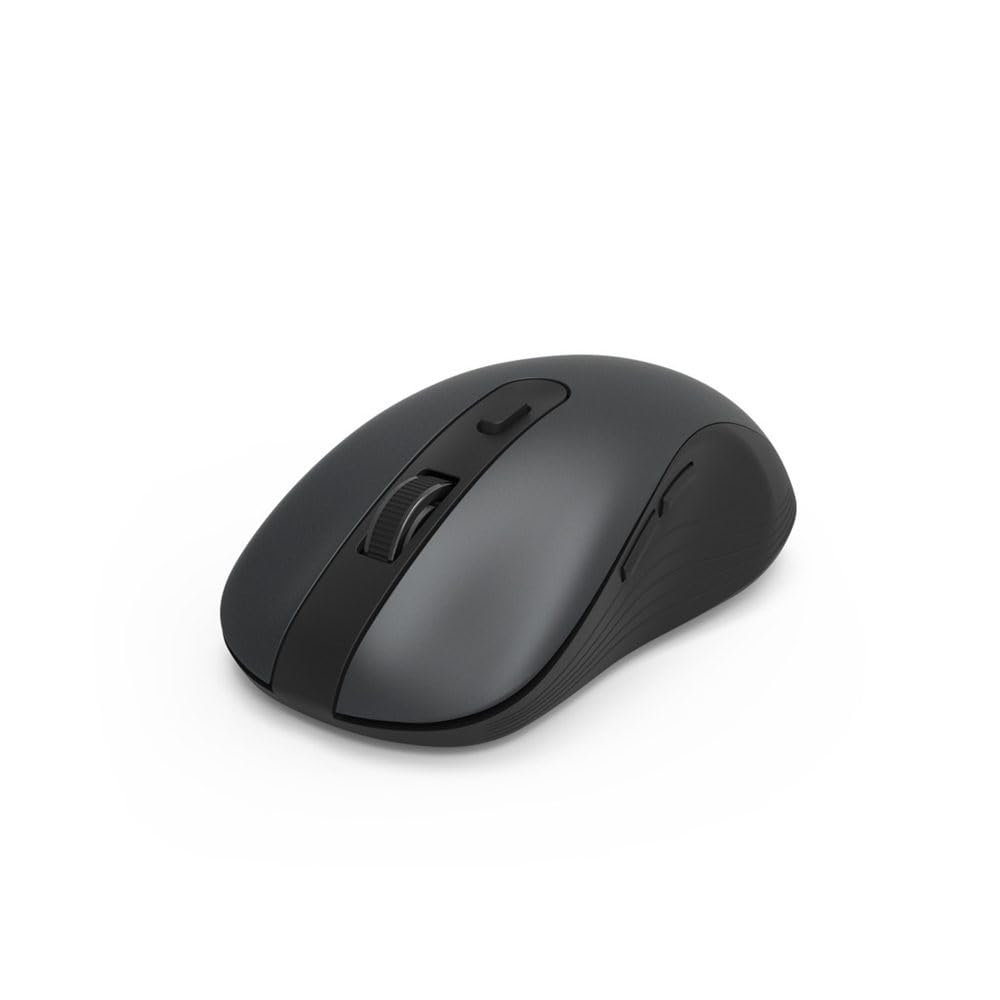
Image 1.1: Hama MW-650 Wireless Mouse (Top View)
2. Содржина на пакетот
Ве молиме проверете го пакувањето за следните ставки:
- 1 x Hama MW-650 6-Button Optical Wireless Mouse
- 1 x USB-A ресивер
- 2 x AA Mignon Batteries
- 1 x Упатство за употреба (овој документ)

Image 2.1: Hama MW-650 Product Packaging
3. Поставување
3.1. Инсталација на батерија
- Пронајдете ја преградата за батерии на долната страна на глувчето.
- Отворете го капакот на преградата за батерии.
- Вметнете ги двете AA Мињон батерии, внимавајќи на правилниот поларитет (+/-).
- Добро затворете го капакот на преградата за батерии.
3.2. Вклучување/исклучување
On the underside of the mouse, slide the ON/OFF switch to the 'ON' position to power on the mouse. Slide it to 'OFF' when not in use to conserve battery life.

Image 3.1: Underside of Hama MW-650 Mouse with ON/OFF Switch and Receiver
3.3. Опции за поврзување
The Hama MW-650 mouse supports two wireless connection methods: 2.4 GHz via USB-A receiver and Bluetooth.
3.3.1. 2.4 GHz USB-A Receiver Connection
- Remove the USB-A receiver from its storage slot on the underside of the mouse.
- Plug the USB-A receiver into an available USB-A port on your computer or laptop.
- Оперативниот систем треба автоматски да ги открие и инсталира потребните драјвери.
- The mouse will connect automatically. The LED indicator for BT1/BT2 will not be lit when using the USB receiver.
3.3.2. Поврзување со Bluetooth
The mouse can connect to two separate Bluetooth devices (BT1 and BT2).
- Проверете дали глувчето е вклучено.
- Press the 'BT1' or 'BT2' button on the underside of the mouse to select the desired Bluetooth channel. The corresponding LED will flash slowly.
- To enter pairing mode, press and hold the selected 'BT1' or 'BT2' button for approximately 3 seconds until the LED flashes rapidly.
- На вашиот уред (компјутер, лаптоп, таблет, паметен телефон), овозможете Bluetooth и пребарувајте нови уреди.
- Select "Hama MW-650" from the list of available devices to pair.
- Once successfully paired, the LED will stop flashing and remain steadily lit for a few seconds before turning off.
4. Упатства за работа
4.1. Основни функции на глувчето
The Hama MW-650 features 6 buttons and a scroll wheel:
- Лево копче за кликнување: Primary function, typically for selecting items or opening links.
- Десен клик на копче: Secondary function, typically for context menus.
- Тркало за лизгање: For scrolling up and down documents or web страници. Може да се притисне и за функција на среден клик.
- Копче DPI: Се наоѓа зад тркалото за скролување и се користи за прилагодување на чувствителноста на курсорот.
- Копчиња за напред/назад: Located on the side of the mouse, typically used for navigating web страници или папки.
4.2. Префрлување помеѓу уреди
The MW-650 mouse allows you to switch between three connected devices (one via USB receiver, two via Bluetooth).
- To switch to a Bluetooth-connected device, press the 'BT1' or 'BT2' button on the underside of the mouse. The corresponding LED will light up briefly.
- To switch to the device connected via the USB receiver, press the 'USB' button (or the button without a BT label) on the underside of the mouse.

Image 4.1: Multi-Device Connectivity Example

Image 4.2: Multi-Device Setup with Monitor
4.3. DPI Sensitivity Adjustment
The mouse offers adjustable DPI (Dots Per Inch) settings to control cursor speed and sensitivity. Press the DPI button located behind the scroll wheel to cycle through the available sensitivities:
- 800 DPI
- 1200 DPI (стандардно)
- 1600 DPI
- 2000 DPI
- 2400 DPI
Each press of the DPI button will change the sensitivity, allowing you to find the setting that best suits your task or preference.
5. Управување со енергија
The Hama MW-650 mouse is designed with intelligent power management features to conserve battery life:
- Автоматски режим на подготвеност: The mouse will automatically enter a standby mode after a period of inactivity. To wake it up, simply move the mouse or click any button.
- Прекинувач за вклучување/исклучување: For extended periods of non-use, slide the ON/OFF switch on the underside of the mouse to the 'OFF' position to completely power down the device and maximize battery life.
6. Нега и одржување
6.1. Чистење
За да ги одржите перформансите и изгледот на вашиот глушец:
- Пред чистење, проверете дали глувчето е исклучено од струја.
- Користете мека, сува крпа без влакненца за да ја избришете површината на глувчето.
- За тврдокорна нечистотија, малку дampИзбришете ја крпата со вода или благ раствор за чистење. Избегнувајте груби хемикалии или абразивни материјали.
- Clean the optical sensor area on the underside of the mouse periodically with a cotton swab to ensure accurate tracking.
6.2. Замена на батеријата
Кога перформансите на глувчето се влошуваат или тој престане да реагира, можеби е време да ги замените батериите.
- Power off the mouse using the ON/OFF switch.
- Отворете го одделот за батерии од долната страна.
- Remove the old AA batteries and dispose of them according to local regulations.
- Insert new AA Mignon batteries, observing correct polarity.
- Затворете ја преградата за батерии.
7 Смена на проблеми
If you encounter issues with your Hama MW-650 mouse, please refer to the following common solutions:
| Проблем | Можно решение |
|---|---|
| Mouse does not respond. |
|
| Движењето на курсорот е неправилно или бавно. |
|
| Не може да се префрла помеѓу уреди. |
|
| Спарувањето со Bluetooth не успеа. |
|
8. Технички спецификации
| Број на модел | 00182617 (MW-650) |
| Технологија за поврзување | 2.4GHz RF (USB-A Receiver), Bluetooth 5.0 |
| Технологија за откривање на движење | Оптички |
| Чувствителност на DPI | 800 / 1200 / 1600 / 2000 / 2400 DPI (adjustable) |
| Број на копчиња | 6 (including scroll wheel) |
| Форма фактор | Десна рака |
| Извор на енергија | 2 x AA Мињон батерии (вклучени) |
| Траење на батеријата | До 288 дена (во зависност од употребата) |
| Компатибилни оперативни системи | Windows 11/10/8/7, Android 4.3 or higher, macOS 10.10 or higher, iOS 13 or higher |
| Димензии на производот (Д x Ш x В) | 11.3 x 6.3 x 4 cm (4.41 x 2.48 x 1.57 инчи) |
| Тежина на ставката | 3.62 унци |
| Боја | Црното |
9. Гаранција и поддршка
За информации за гаранцијата и техничка поддршка, ве молиме погледнете го официјалниот Hama webстраницата или директно контактирајте ја нивната служба за корисници. Зачувајте го доказот за купување за какви било рекламации за гаранција.
- Производител: Hama GmbH & Co KG
- Webсајт: www.hama.com


