1. Производот завршиview
The NZXT Kraken Z73 RGB White is an all-in-one (AIO) liquid cooler designed for high-performance CPU cooling. It features a 360mm radiator, three Aer RGB 2 fans, and a pump with a customizable 2.36-inch LCD display. This cooler allows users to monitor system information, display custom images, or animated GIFs through the NZXT CAM software interface, providing both efficient cooling and aesthetic personalization.
Клучни карактеристики:
- Customizable LCD Display: A bright, 2.36-inch LCD screen on the pump allows for personalized display of 24-bit color images, GIFs, or system information.
- NZXT CAM Software Integration: Fine-tune settings, manage performance, and customize the appearance of your Kraken cooler with an intuitive software interface.
- Супериорни перформанси на ладење: Equipped with a chamfered intake and fluid dynamic bearings, the Aer RGB 2 fans deliver quiet operation, long-term reliability, and powerful cooling.
- Едноставна инсталација: The pump's fully programmable display can be rotated to align with your motherboard's orientation without affecting the logo or image direction.
- Vivid RGB Lighting: Included Aer RGB 2 fans provide dramatic lighting effects to complement your system build.
2. Што има во кутијата
Проверете дали сите компоненти се присутни пред да започнете со инсталацијата.
- NZXT Kraken Z73 RGB Liquid Cooler (Pump and Radiator Assembly)
- 3x Aer RGB 2 120mm Fans
- Mounting Hardware for Intel (LGA 1700, 1200, 115X, 2011, 2066) and AMD (AM5, AM4, TR4) Sockets
- Fan and RGB Controller
- USB Cable for CAM Software Connectivity
- Power Cables and Fan Splitter Cables
- Pre-applied Thermal Paste (on cold plate)
3. Поставување и инсталација
Follow these general steps for installing your NZXT Kraken Z73 RGB liquid cooler. Refer to your motherboard and PC case manuals for specific mounting locations and clearances.
- Подготовка на матичната плоча: Install the appropriate backplate and standoffs for your CPU socket type (Intel or AMD).
- Монтирајте ги радијаторот и вентилаторите: Attach the three Aer RGB 2 fans to the 360mm radiator using the provided screws. Ensure the fan orientation is correct for desired airflow (intake or exhaust). Mount the radiator assembly to an available fan mount in your PC case (typically top or front).
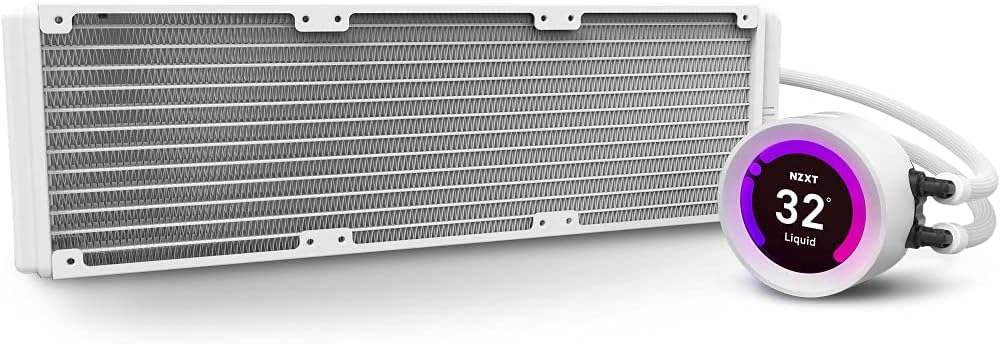
Image: The NZXT Kraken Z73 RGB White liquid cooler, showing the 360mm radiator and the pump with its LCD display.
- Инсталирајте ја пумпата/ладната плоча: Carefully place the pump/cold plate assembly onto your CPU, aligning it with the standoffs. The Kraken Z series pump features a rotatable display, allowing you to adjust its orientation after installation to ensure the logo or image is upright.

Image: The Kraken Z series pump head, illustrating its digitally rotatable display for easier installation and aesthetic alignment.
- Обезбедете ја пумпата: Use the provided thumb screws or nuts to secure the pump to the motherboard, ensuring even pressure.
- Поврзете кабли: Connect the pump's power cable, USB cable, and fan cables to the appropriate headers on your motherboard and the included fan/RGB controller. Ensure all connections are secure.
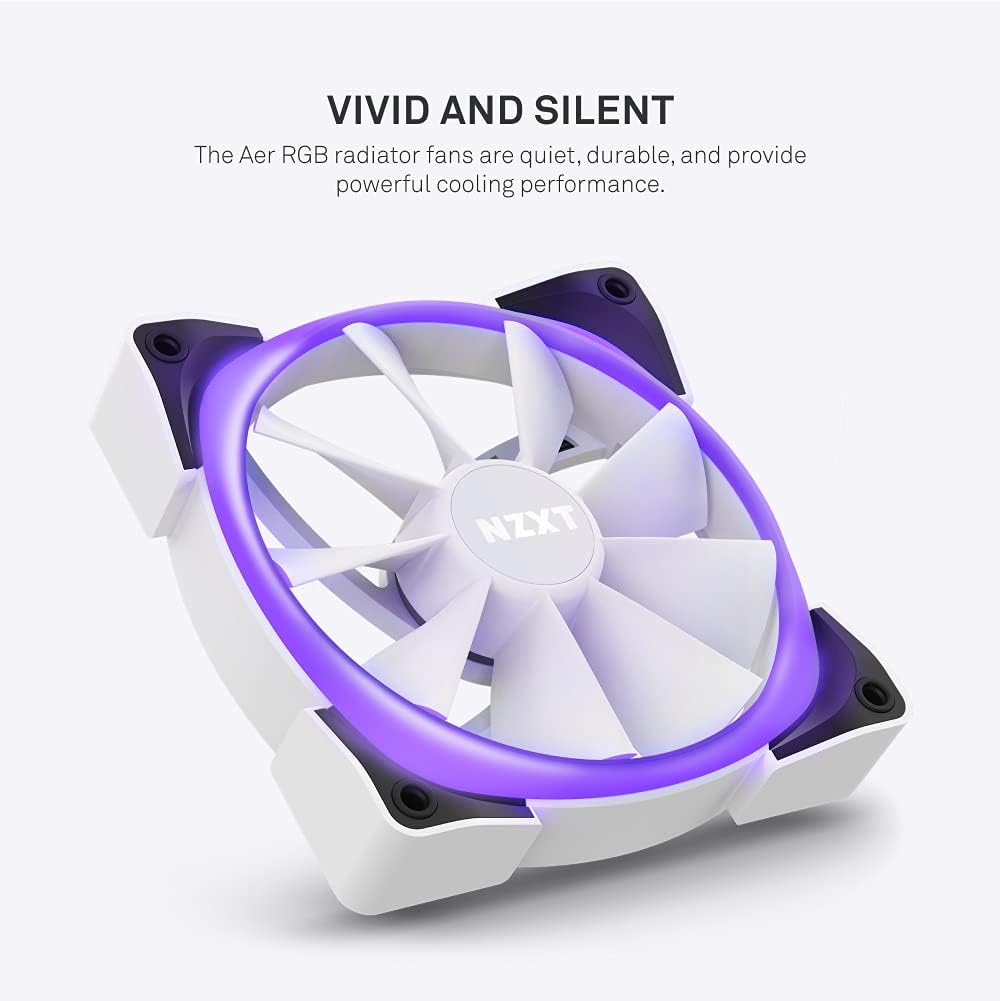
Image: An Aer RGB radiator fan, highlighting its quiet operation and powerful cooling performance with vivid lighting.
Забелешка: No official seller videos demonstrating installation were available. Please refer to the written instructions and diagrams for guidance.
4. Operating the Cooler and LCD Display
The NZXT Kraken Z73 RGB's full functionality is managed through the NZXT CAM software.
- Install NZXT CAM Software: Download and install the latest version of NZXT CAM from the official NZXT webсајт (www.nzxt.com/cam).
- Connect to CAM: Ensure the cooler's USB cable is connected to an internal USB 2.0 header on your motherboard. Launch the CAM software. The Kraken Z73 RGB should be automatically detected.
- Перформанси на монитор: Use CAM to monitor CPU and liquid temperatures, pump speed, and fan speeds.
- Customize LCD Display: Navigate to the 'Cooling' or 'Lighting' section within CAM to customize the LCD display. You can choose from various presets, upload custom images (JPG, PNG) or animated GIFs, and display real-time system information like CPU temperature, GPU temperature, or pump speed.

Слика: Крупен план view of the NZXT Kraken Z73 RGB White's LCD display, showing the liquid temperature.
- Adjust Fan and Pump Curves: Create custom fan and pump profiles to optimize cooling performance and noise levels based on your preferences and system load.
- Контрола на RGB осветлување: Adjust the RGB lighting effects and colors of the Aer RGB 2 fans through the CAM software.
5. Одржување
Редовното одржување помага да се обезбедат оптимални перформанси и долготрајност на вашиот течен ладилник.
- Чистење прашина: Периодично чистете ја прашината од ребрата на радијаторот и лопатките на вентилаторот со компримиран воздух. Уверете се дека вентилаторите не се вртат за време на чистењето за да спречите оштетување.
- Проверете ги врските: Occasionally verify that all cables (power, USB, fan) are securely connected to prevent intermittent issues.
- Проверете ги цевките: Check the liquid tubing for any signs of kinks, leaks, or damage.
- Ажурирања на софтверот: Keep your NZXT CAM software updated to benefit from performance improvements, new features, and bug fixes.
6 Смена на проблеми
If you encounter issues with your Kraken Z73 RGB, consider the following common troubleshooting steps:
- Cooler Not Detected by CAM: Ensure the USB cable from the pump is securely connected to an internal USB 2.0 header on your motherboard. Try a different USB header if available. Reinstall NZXT CAM software.
- Високи температури на процесорот: Verify that the pump is properly seated and making good contact with the CPU. Check that the pump and fans are receiving power and spinning. Ensure thermal paste application was adequate. Check fan orientation for proper airflow.
- Вентилаторите не се вртат/RGB не работи: Check all fan and RGB cable connections to the fan/RGB controller and motherboard. Ensure the fan/RGB controller is receiving power. Verify settings in NZXT CAM software.
- Невообичаени звуци: A slight gurgling sound upon initial startup is normal as air bubbles settle. If persistent, ensure the pump is mounted lower than the highest point of the radiator to prevent air from accumulating in the pump.
- Проблеми со LCD екранот: Ensure the USB connection is stable. Restart NZXT CAM. Update graphics drivers.
7. Спецификации
| Карактеристика | Спецификација |
|---|---|
| Димензии на производот | 18.66"Д x 7.17"Ш x 5.75"В |
| Број на модел | RL-KRZ73-RW |
| Бренд | NZXT |
| Метод на ладење | Вода |
| Компатибилни уреди | Radiator (CPU Sockets: Intel LGA 1700, 1200, 115X, 2011, 2066; AMD AM5, AM4, TR4) |
| Ниво на бучава | 33 децибели (макс.) |
| Материјал | Aluminum, Copper, Plastic, Rubber |
| Maximum Rotational Speed (Fans) | 2000 вртежи во минута |
| Капацитет на проток на воздух | 52.44 кубни стапки во минута (CFM) |
| Тип на конектор за напојување | 4-Пински |
| Voltage | 5 волти |
| Ватtage | 3.6 вати |
| Тежина на ставката | 5.06 фунти |
| Боја | Бело |
| UPC | 815671016669 |
8. Гаранција и поддршка
NZXT products are designed and manufactured to the highest quality standards. For detailed warranty information, please refer to the official NZXT website or the warranty card included with your product. For technical support, troubleshooting assistance, or to contact customer service, visit the NZXT support page at поддршка.nzxt.com.