Вовед
This manual provides comprehensive instructions for the VR-robot V9 Pro Motorcycle Helmet Intercom Communication System. It covers setup, operation, maintenance, and troubleshooting to ensure optimal performance and user safety. The V9 Pro is designed to provide clear communication, stereo music, and FM radio functionality for motorcycle riders.

Image: The VR-robot V9 Pro main unit with attached speakers and microphone, illustrating the complete system components.
Содржина на пакетот
Проверете дали сите артикли наведени подолу се вклучени во вашиот пакет:

Image: A visual representation of all components included in the VR-robot V9 Pro package, numbered for easy identification.
- Велкро
- 3M лепак
- Fixed Velcro
- Fixed Velcro (additional)
- Microphone Protective Cover
- Клип за слушалки
- Упатство за употреба
- Подлога за звучници
- Кабел за полнење
- Продолжен кабел за микрофон
- Скриен микрофон
- V9 Pro Main Unit
- Полски микрофон
- Комплет звучници
Поставување и инсталација
The V9 Pro offers two installation methods: Velcro and metal earphone clip. Choose the method best suited for your helmet type.
1. Полнење на уредот
Before first use, fully charge the V9 Pro. Connect the provided charging cable to the device and a USB power source. A full charge takes approximately 2.5 hours.

Image: Illustration showing the 850mAh battery capacity and charging time of 2.5 hours, with a standby time of up to 200 hours.
2. Монтирање на кацига
The V9 Pro is compatible with both open helmets and full-face helmets. No additional screws are needed, preserving the helmet's appearance.

Image: Various types of motorcycle helmets, demonstrating the versatility of the V9 Pro's installation across different helmet designs.
Using the Earphone Clip:
- Attach the earphone clip to the side of your helmet.
- Slide the V9 Pro main unit onto the clip until it securely locks into place.
- Insert the speakers into the helmet's ear pockets, ensuring they are positioned directly over your ears for optimal sound.
- Attach the microphone (soft or rod-type) to a suitable position inside the helmet, near your mouth, using the microphone extension cable if needed.
Using Velcro:
- Clean the desired installation area on your helmet.
- Apply the fixed Velcro strips to the helmet surface.
- Attach the V9 Pro main unit to the Velcro.
- Proceed with speaker and microphone installation as described above.
Image: A step-by-step visual guide demonstrating how to install the V9 Pro unit onto a motorcycle helmet using the provided clip and connecting the speakers and microphone.
Упатства за работа
The V9 Pro features multi-function buttons designed for easy operation, even while wearing gloves.

Image: A comparison illustrating the ease of operating the V9 Pro's large buttons with both bare hands and gloved hands.
1. Вклучување/исклучување
- Вклучување: Притиснете и задржете го копчето за вклучување 3 секунди.
- Исклучено: Притиснете и задржете го копчето за вклучување 3 секунди.
2. Bluetooth спарување
The V9 Pro uses Bluetooth 3.0 for connectivity.
- Проверете дали уредот е исклучен.
- Press and hold the Multi-function button until the indicator light flashes red and blue, indicating pairing mode.
- On your mobile device, search for "V9 Pro" in the Bluetooth settings and select to pair.
- Once paired, the indicator light will turn blue.
3. Интерфонска комуникација
The V9 Pro supports intercom communication between two riders up to 800 meters (2625 feet).

Image: Two motorcyclists communicating, with an overlay indicating an intercom distance of up to 800 meters.
- To initiate intercom, ensure both V9 Pro units are powered on and within range.
- Press the Intercom button on one unit to connect.
- To end intercom, press the Intercom button again.
4. Телефонски повици
The V9 Pro supports hands-free calling with automatic answer functionality.

Image: A motorcyclist riding, with an overlay of a smartphone screen showing an incoming call, illustrating the automatic call answering feature.
- Одговори на повикот: Incoming calls are automatically answered after a few rings. You can also short press the Multi-function button to answer.
- Крај на повикот: Кратко притиснете го копчето за повеќе функции.
- Одбијте го повикот: Притиснете и задржете го копчето за повеќе функции 2 секунди.
- Повторно бирајте последен број: Двоен притисок на копчето за повеќе функции.
5. Репродукција на музика
Enjoy stereo music with DSP noise reduction technology for clear audio.
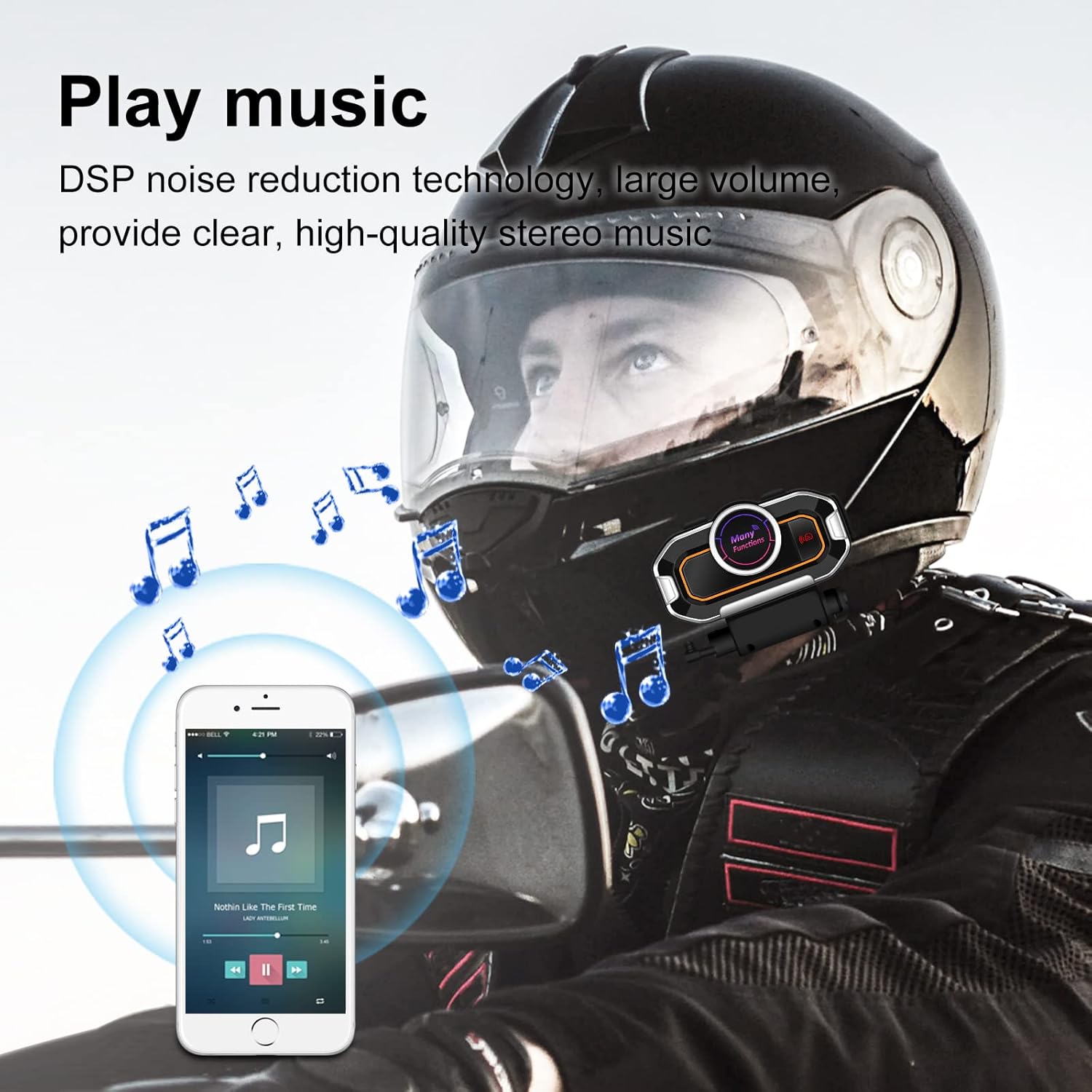
Image: A motorcyclist wearing a helmet, with musical notes floating around, indicating the stereo music playback capability of the V9 Pro.
- Пушти/Пауза: Кратко притиснете го копчето за повеќе функции.
- Следна песна: Кратко притиснете го копчето за зголемување на јачината на звукот.
- Претходна песна: Кратко притиснете го копчето за намалување на јачината на звукот.
- Јачина на звук нагоре: Долго притиснете го копчето за зголемување на јачината на звукот.
- Намалување на јачината на звукот: Долго притиснете го копчето за намалување на јачината на звукот.
6. FM радио
Tune into FM radio for real-time road conditions and entertainment.

Image: A motorcyclist riding, with a transparent map overlay showing radio waves, symbolizing the FM radio function for real-time information.
- Вклучи/исклучи FM радио: Притиснете го копчето FM.
- Скенирајте канали: Притиснете и задржете го копчето FM за автоматско скенирање и зачувување на достапните станици.
- Следна станица: Кратко притиснете го копчето за зголемување на јачината на звукот.
- Претходна станица: Кратко притиснете го копчето за намалување на јачината на звукот.
7. Voice Prompts and GPS
The V9 Pro provides voice prompts for device status and can relay GPS voice instructions from your paired smartphone.
Одржување
Proper maintenance ensures the longevity and optimal performance of your V9 Pro system.
- Чистење: Користете мека, гamp cloth to clean the main unit and speakers. Avoid using harsh chemicals or abrasive cleaners.
- Отпорност на вода: The V9 Pro has a daily-use waterproof design, allowing normal operation in bad weather. However, avoid submerging the device in water.
- Складирање: When not in use for extended periods, store the device in a cool, dry place. Ensure it is fully charged before storage to preserve battery health.
- Нега на батеријата: Recharge the battery regularly, even if not frequently used, to maintain its capacity.

Image: The V9 Pro unit with water droplets on its surface, demonstrating its waterproof capabilities against rain.
Решавање проблеми
If you encounter issues with your V9 Pro, refer to the following common problems and solutions:
| Проблем | Можна причина | Решение |
|---|---|---|
| Уредот не се вклучува. | Слаба батерија. | Полнете го уредот најмалку 2.5 часа. |
| Не може да се спари со телефон. | Device not in pairing mode; Bluetooth off on phone; device already paired with another device. | Ensure V9 Pro is in pairing mode (flashing red/blue). Turn on phone's Bluetooth. Disconnect from other devices. |
| Интерфонот не се поврзува. | Units out of range; units not properly paired for intercom. | Ensure units are within 800m. Re-initiate intercom connection. |
| Лош квалитет на звук/шум. | Microphone/speakers improperly positioned; external interference. | Adjust microphone closer to mouth. Ensure speakers are centered over ears. Move away from strong electromagnetic fields. |
| Копчињата не реагираат. | Уредот е замрзнат; батеријата е слаба. | Try restarting the device. Charge the device. |
If the problem persists, please contact VR-robot customer support.
Спецификации
| Карактеристика | Детал |
|---|---|
| Име на моделот | V9 Pro |
| Технологија за поврзување | Безжичен (Bluetooth) |
| Bluetooth верзија | 3.0 |
| Опсег на домофон | Up to 800 meters (2625 feet) for 2 riders |
| Капацитет на батеријата | Литиумска батерија од 850 mAh |
| Време на полнење | 2.5 часа |
| Континуирано работно време | 10 hours (Play time: 12 hours) |
| Време на мирување | До 200 часа |
| Контрола на бучава | Активно поништување на бучава (DSP) |
| Ниво на отпорност на вода | Waterproof (Daily-use) |
| Опции за микрофон | Soft microphone, Rod-type hard microphone |
| Тип на контрола | Call Control, Noise Control, Voice Control, Volume Control (Multi-function buttons) |
| Димензии | 3.26 x 1.73 x 1.02 инчи |
| Тежина на ставката | 1.94 унци |
Гаранција и поддршка
VR-robot is committed to providing satisfactory solutions. If you have any questions or require assistance with your V9 Pro, please contact customer support.
Контактирајте со поддршката:
- Refer to the contact information provided in your product packaging or on the official VR-robot webсајт.
- For Amazon purchases, you can typically click "VR robot" on the product page and then "ASK A QUESTION" for support.

Image: An image depicting customer service representatives, symbolizing the availability of support for VR-robot products.


