1. Вовед
This manual provides detailed instructions for the installation, operation, and maintenance of your ESLYYDS Double Din Car Stereo. This advanced multimedia system offers a wide range of features including Apple CarPlay, Android Auto, Bluetooth connectivity, a high-definition touchscreen, and support for a backup camera, enhancing your in-car entertainment and navigation experience.

Figure 1.1: ESLYYDS Double Din Car Stereo Overview
2. Содржина на пакетот
Ве молиме проверете дали сите артикли наведени подолу се вклучени во вашиот пакет:
- ESLYYDS Double Din Car Stereo Unit
- Комплет држач за монтирање
- Camera Wire A
- Camera Wire B
- Steering Wheel Control Unit
- Жичен ремен А
- Жичен ремен Б
- Заден-view Камера
- Далечински управувач
- Упатство за употреба (овој документ)

Figure 2.1: Stereo Dimensions and Included Accessories
3. Карактеристики на производот
The ESLYYDS Double Din Car Stereo is equipped with a variety of features designed for convenience and enhanced driving experience:
- Компатибилност со Apple CarPlay и Android Auto: Seamlessly integrate your smartphone for navigation, music, calls, and messages using voice control.
- 7-inch HD Capacitive Touch Screen: A responsive and accurate display supporting 1080P video playback.
- Bluetooth 5.2: For stable and clear hands-free calling and audio streaming.
- Линк до огледалото на телефонот: Display your smartphone's screen directly on the stereo.
- Двоен USB интерфејс: One port for media playback and another with 2.1A fast charging capability.
- Заден дел View Влез од камерата: Supports the included 12 HD LED light, night vision, 170° viewing angle waterproof backup camera for safer reversing.
- Контрола на воланот (SWC): Компатибилен со постојните контроли на воланот за практично ракување.
- AM/FM Audio Receiver: Access to radio stations with user-friendly digital control.
- AUX IN Connectivity: За надворешни аудио уреди.
- 7 Color LED Buttons: Прилагодливо осветлување на копчињата.
3.1 Apple CarPlay и Android Auto
Connect your smartphone via USB to access navigation, phone contacts, email, notifications, and music directly on the stereo display. This feature utilizes voice control technology for safe operation while driving.
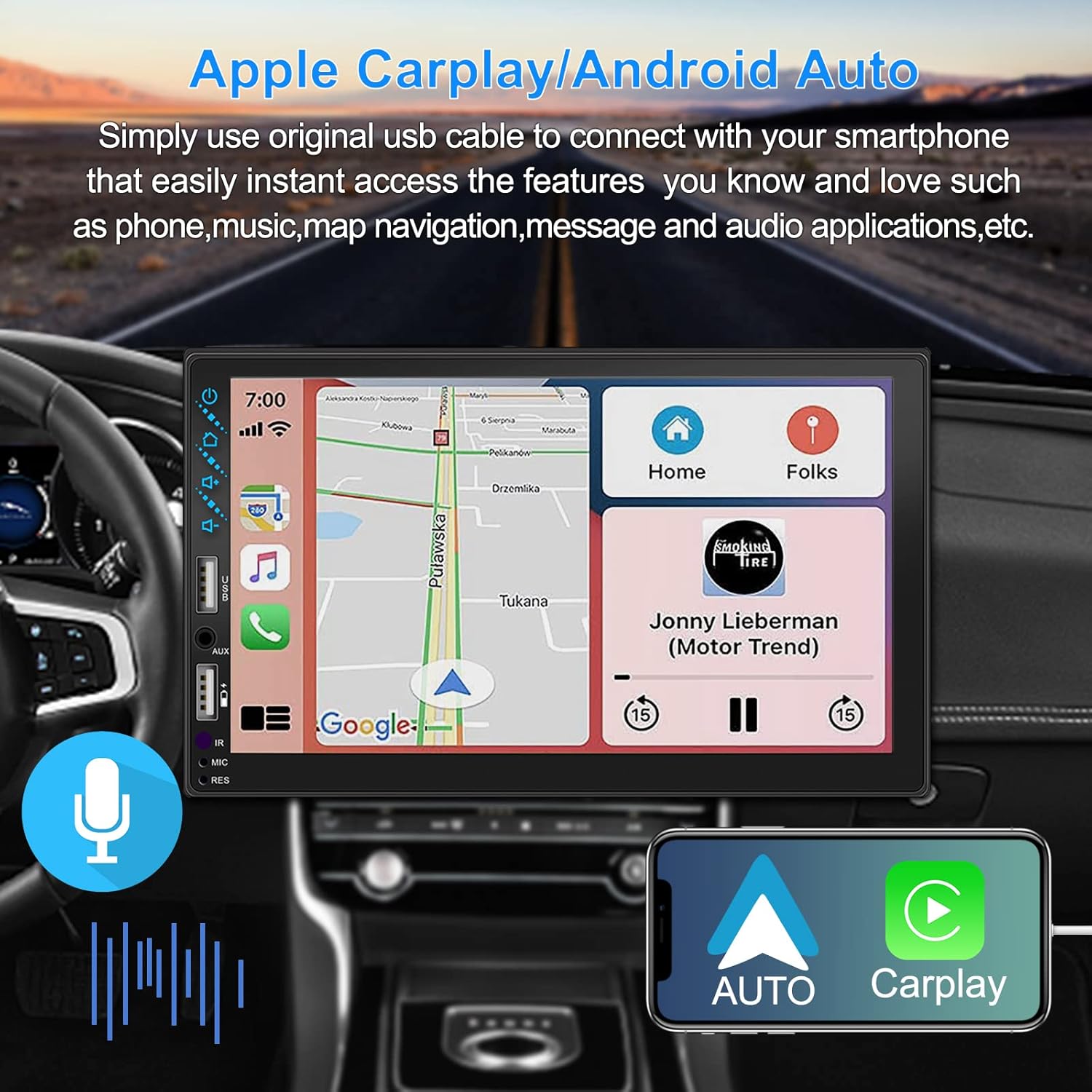
Figure 3.1: Apple CarPlay and Android Auto Interface
3.2 Гласовна контрола
Utilize voice commands to control various functions such as making calls, playing music, and navigating, allowing you to keep your hands on the wheel and eyes on the road.

Слика 3.2: Функционалност за гласовна контрола
3.3 Врска со огледало на телефонот
The Mirror Link function allows you to display your smartphone's screen directly onto the stereo's touchscreen. This supports Android devices (version 10.1 and below) and iPhone devices (version 14.5 and below, including iPhone 12, 11, XR, and 8 series and below) with resolutions up to 1920x1080 pixels.
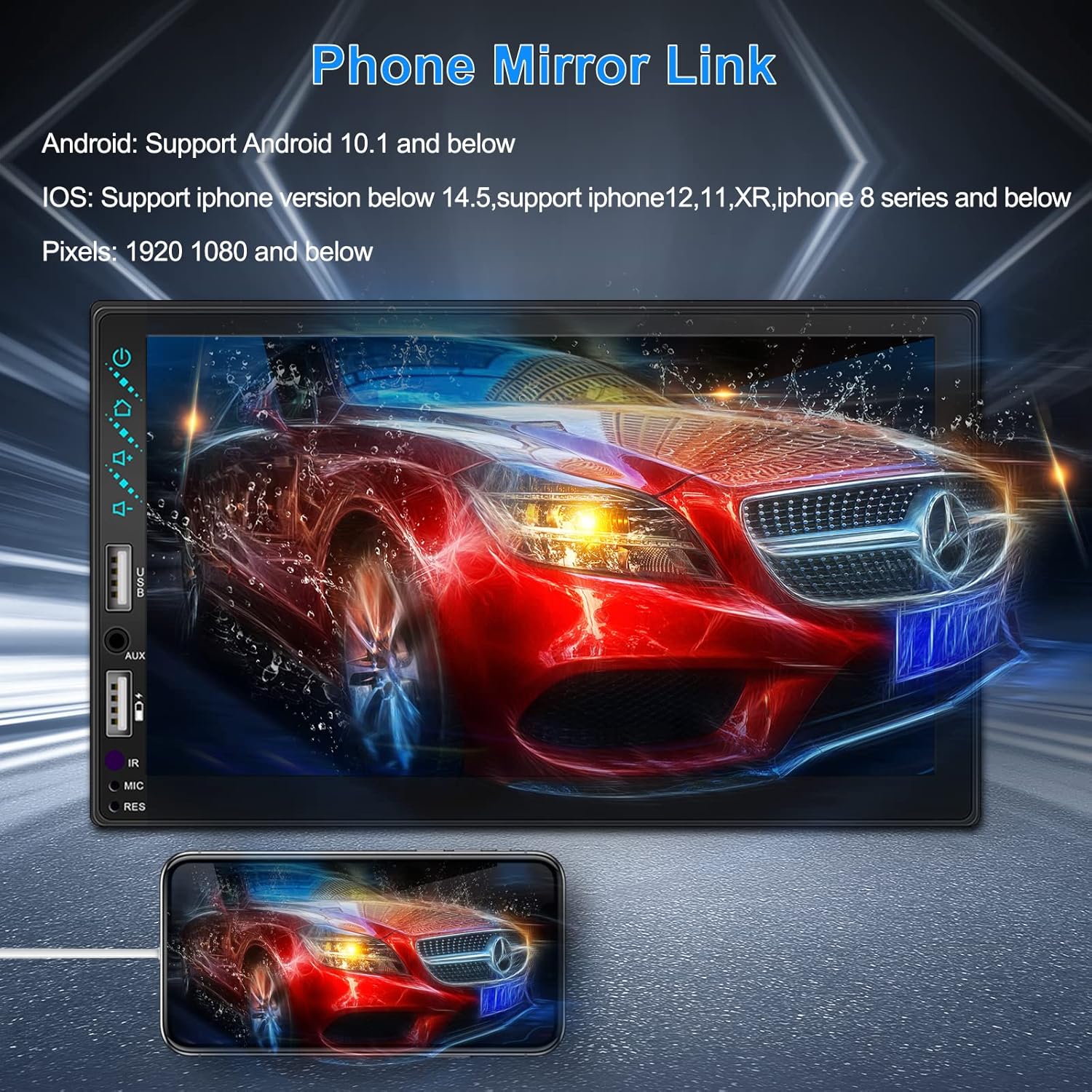
Figure 3.3: Phone Mirror Link
3.4 Заден дел View Камера
The included waterproof backup camera features 12 HD LED lights for night vision and a 170° viewing angle. When you shift into reverse, the system automatically displays the camera feed on the screen, providing optimal visibility in various weather conditions.
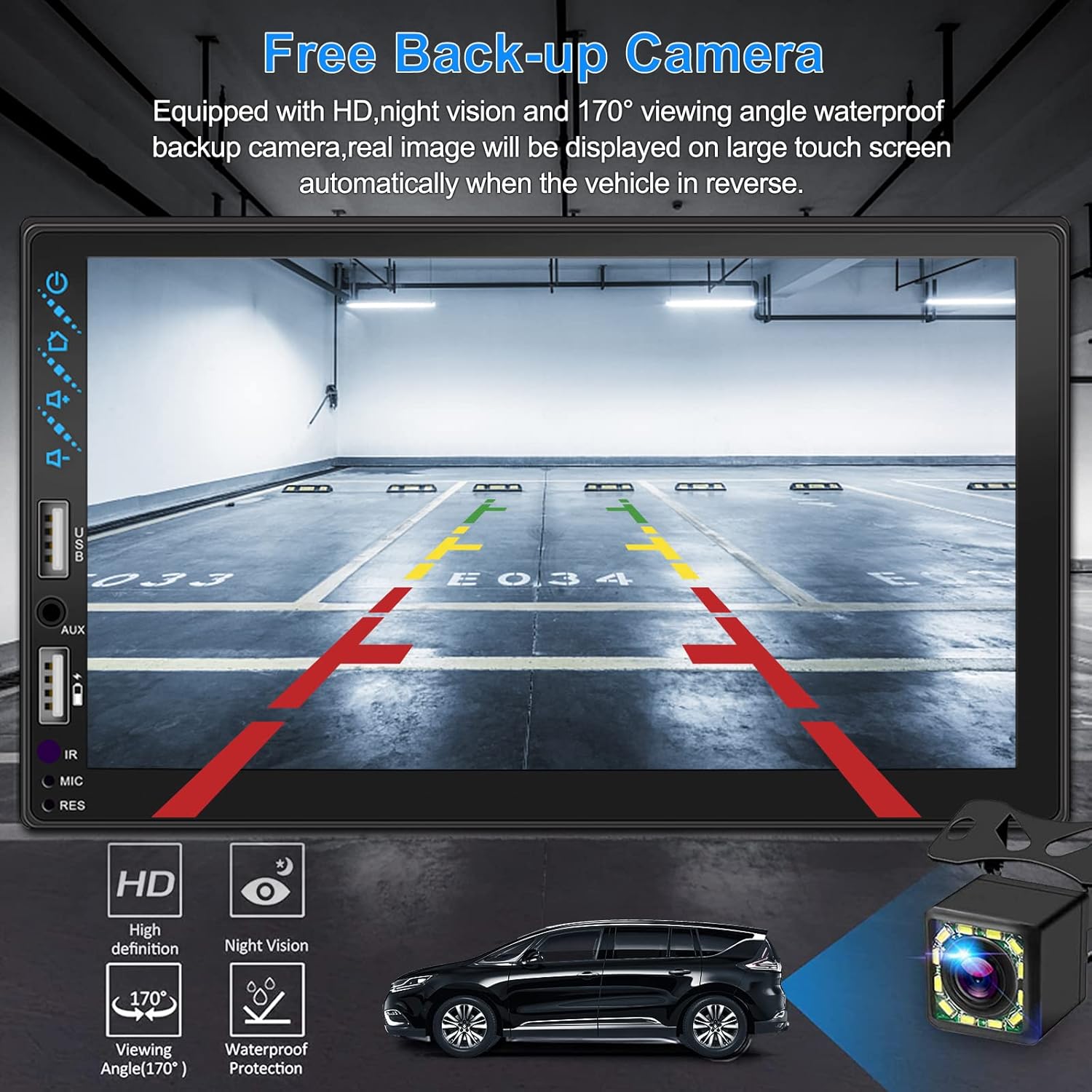
Слика 3.4: Заден дел View Екран на камерата
4. Водич за инсталација
Правилната инсталација е клучна за оптимални перформанси. Препорачливо е уредот да го инсталира професионалец доколку не сте запознаени со поврзувањето на аудио системот за автомобили.
4.1 Димензии
The stereo unit has a standard double din size. Refer to Figure 2.1 for detailed dimensions.
- Ширина: 178 mm (7 инчи)
- Висина: 102 mm (4 инчи)
- Длабочина: 60 mm (2.6 инчи)
4.2 Дијаграм за поврзување
Carefully follow the wiring diagram below to connect the stereo to your vehicle's electrical system. Ensure all connections are secure to prevent malfunctions.
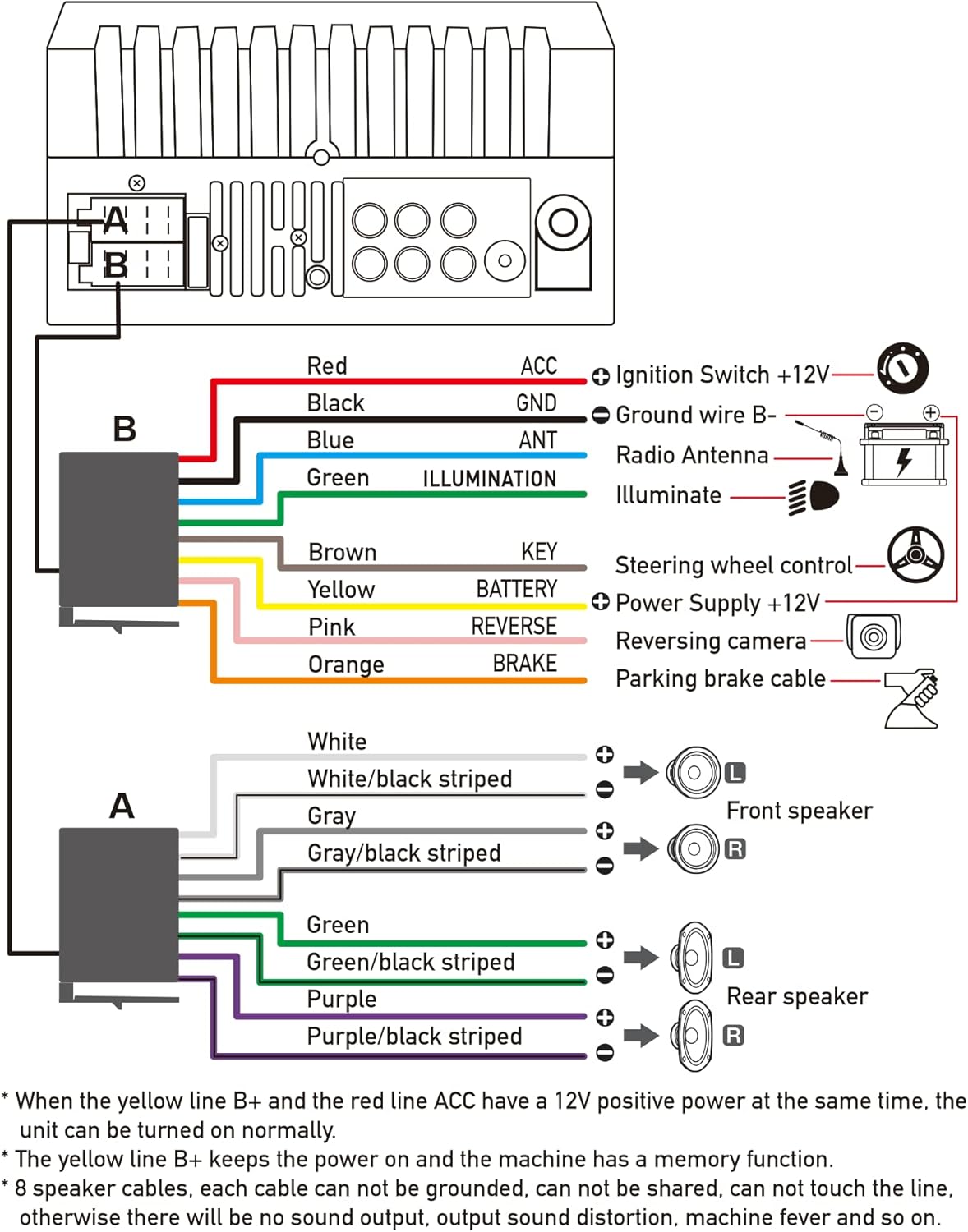
Слика 4.1: Главна шема на поврзување
- Црвена (ACC): Connect to Ignition Switch +12V.
- Црно (GND): Connect to Ground wire B-.
- Сина (АНТ): Connect to Radio Antenna (if applicable).
- Зелена (ОСВЕТЛУВАЊЕ): Connect to Illuminate wire.
- Браун (КЛУЧЕН): Connect to Steering wheel control.
- Жолта (БАТЕРИЈА): Connect to Power Supply +12V.
- Розова (задна страна): Connect to Reversing camera input.
- Портокалова (СОПИРАЧКА): Connect to Parking brake cable.
Speaker Connections (8 speakers supported):
- White / White/black striped: Преден лев звучник
- Gray / Gray/black striped: Преден десен звучник
- Green / Green/black striped: Заден лев звучник
- Purple / Purple/black striped: Заден десен звучник
Важни забелешки:
- The unit requires both the Yellow (BATTERY) and Red (ACC) wires to have a 12V positive power supply simultaneously for normal operation.
- The Yellow (BATTERY) wire keeps the power on and maintains memory functions.
- For speaker connections, each cable must not be grounded or shared with other cables. Incorrect wiring can lead to no sound output, sound distortion, or damage to the machine.
5. Упатства за работа
5.1 Основни операции
- Вклучување/исклучување: Притиснете го копчето за вклучување на предната плоча или на далечинскиот управувач.
- Контрола на јачината на звукот: Use the volume buttons on the front panel, steering wheel controls, or remote control.
- Избор на извор: Tap the 'Source' or 'Mode' icon on the touchscreen to switch between Radio, Bluetooth, USB, AUX, CarPlay, and Android Auto.
5.2 Apple CarPlay / Android Auto Usage
- Connect your compatible iPhone or Android smartphone to the stereo's USB port using a certified USB cable.
- The stereo will automatically detect the connection and prompt you to launch CarPlay or Android Auto.
- Следете ги упатствата на екранот за да го завршите поставувањето.
- Once connected, you can access supported apps like Maps, Phone, Messages, and Music directly from the stereo's touchscreen or via voice commands.
5.3 Спарување преку Bluetooth
- Вклучете Bluetooth на вашиот паметен телефон.
- На стерео системот, одете до менито Bluetooth.
- Пребарај за available devices on your smartphone. The stereo's Bluetooth name will typically be 'ESLYYDS' or similar.
- Select the stereo from your smartphone's list and confirm the pairing code if prompted.
- Откако ќе се спари, можете безжично да воспоставувате/примате повици и да стримувате аудио.
5.4 Phone Mirror Link Usage
- Connect your smartphone to the stereo's USB port.
- Select the 'Mirror Link' option on the stereo's screen.
- Follow the specific instructions displayed on the stereo for your phone's operating system (Android or iOS) to enable screen mirroring. This may involve enabling USB debugging for Android or trusting the device for iOS.
5.5 Работа со радио
- Select the 'Radio' source.
- Use the 'Scan' function to automatically search and save stations, or manually tune using the frequency controls.
- Зачувајте ги вашите омилени станици во претходно поставените копчиња за брз пристап.
5.6 USB репродукција
- Вметнете USB-уред што содржи аудио или видео files into the designated USB playback port.
- The stereo will automatically switch to USB mode or prompt you to select it.
- Прелистајте и репродуцирајте ги вашите медиуми files using the touchscreen controls.
6. Одржување
За да обезбедите долготрајност и оптимални перформанси на вашиот автомобилски стерео уред, следете ги овие упатства за одржување:
- Чистење: Use a soft, dry cloth to clean the screen and exterior. For stubborn smudges on the screen, use a screen cleaner specifically designed for electronic displays. Avoid abrasive cleaners or solvents.
- Температура: Избегнувајте изложување на уредот на екстремни температури, и топли и ладни, подолг временски период.
- Влага: Чувајте го уредот сув. Не го изложувајте на вода или прекумерна влажност.
- Ажурирања на фирмверот: Проверете го производителот webпериодично проверувајте ја страницата за достапни ажурирања на фирмверот за да ги подобрите перформансите и да додадете нови функции.
7 Смена на проблеми
If you encounter issues with your ESLYYDS car stereo, please refer to the following common problems and solutions. If the problem persists, contact customer support.
| Проблем | Можна причина | Решение |
|---|---|---|
| Нема моќ | Неправилно поврзување на жици; Прегорен осигурувач; Проблем со акумулаторот на возилото. | Check power (Yellow and Red) and ground (Black) wire connections. Inspect vehicle fuses. Ensure vehicle battery is charged. |
| Нема звук | Каблите на звучникот се неправилно поврзани; Јачината на звукот е прениска; Функцијата за исклучување на звукот е активна. | Verify all speaker wire connections (ensure no shorts or grounds). Increase volume. Check if mute is enabled. |
| Bluetooth не се поврзува | Bluetooth not enabled on phone/stereo; Incorrect pairing process. | Ensure Bluetooth is active on both devices. Delete previous pairings and re-attempt pairing process. |
| CarPlay/Android Auto не се стартува | Faulty USB cable; Phone not compatible; Software issue. | Use a high-quality, certified USB cable. Ensure your phone's OS version is compatible. Restart both phone and stereo. |
| Задната камера не се прикажува | Camera wire disconnected; Reverse trigger wire not connected. | Check the camera's video input and power connections. Ensure the Pink (REVERSE) wire is correctly connected to the vehicle's reverse light trigger. |
| USB not reading media | Неподдржано file format; Corrupted USB drive; USB port issue. | Обезбедете медиуми files are in supported formats (e.g., MP3, MP4, MKV). Try a different USB drive. |
8. Спецификации
| Карактеристика | Спецификација |
|---|---|
| Димензии на производот | 7 x 2.6 x 3.94 инчи |
| Тежина на ставката | 2.33 фунти |
| Број на модел | L3 |
| Големина на приказ | 7 инчи (18 см) |
| Тип на дисплеј | HD Capacitive Touchscreen |
| Технологија за поврзување | Carplay, Android Auto, Mirror-Link, Bluetooth 5.2, USB, AUX |
| Тип на контролер | Google Асистент, iOS, Android |
| Посебни карактеристики | Touchscreen, RDS, Steering Wheel Control (SWC), Fast Charging USB (2.1A) |
| Компатибилни уреди | Паметен телефон |
| Тип на конектор | USB |
| Режим за излез на звук | Опкружувачки |
| Конфигурација на каналот за опкружувачки звук | 5.1 |
| Поддршка за видео кодирање | МКВ |
| Боја | Црното |
| Датум прв на располагање | 25 септември 2021 година |
9. Гаранција и поддршка
ESLYYDS is committed to providing excellent customer service and technical support. For any inquiries or assistance, please contact our professional technical team.
- Гаранција за враќање на парите: 30-day period from purchase.
- Гаранција за замена: 12-month period for product replacement.
- Техничка поддршка: Life-time technical support is provided.
Please refer to your purchase documentation for specific contact details or visit the official ESLYYDS webстраница за информации за поддршка.


