1. Вовед
This manual provides detailed instructions for the installation, operation, and maintenance of your Hubble Nursery Pal Link Premium Twin 5-Inch Baby Monitor. This system includes a 5-inch parent unit and two smart cameras, designed to help you monitor your child. Please read this manual thoroughly before using the product to ensure proper function and safety.

Слика 1.1: Готовоview of the Hubble Nursery Pal Link Premium Twin system, showing the parent unit, two cameras, and the HubbleClub app on a smartphone.
2. Важни безбедносни информации
Ве молиме почитувајте ги следниве безбедносни мерки за да го намалите ризикот од пожар, електричен удар или повреда:
- Чувајте ги малите делови подалеку од деца.
- Do not place the camera or cords within reach of children. Cords can pose a strangulation hazard.
- Користете ги само испорачаните адаптери за напојување.
- Не го изложувајте производот на вода или влага.
- Ensure proper ventilation for all components.
- Do not attempt to open or repair the product yourself. Refer all servicing to qualified personnel.
3. Содржина на пакетот
Проверете дали сите артикли се присутни во вашиот пакет:

Image 3.1: Visual representation of the package contents.
- 5-inch Parent Unit with Split Screen capability
- Digital Pan, Tilt, and Zoom Cameras (x2)
- Power Adapters (for Parent Unit and Cameras)
- Водич за брз почеток
- HubbleClub Services Information
4. Водич за поставување
4.1 Полнење на родителската единица
Before initial use, fully charge the parent unit for approximately 16 hours. Connect the small plug of the power adapter to the parent unit and the other end to a power outlet. The battery indicator will show charging status.
4.2 Positioning the Cameras
Place the cameras on a flat surface or mount them to a wall. Ensure the camera is at least 3 feet (1 meter) away from your child to avoid potential hazards. Position the cameras to provide a clear view од областа на мониторинг.
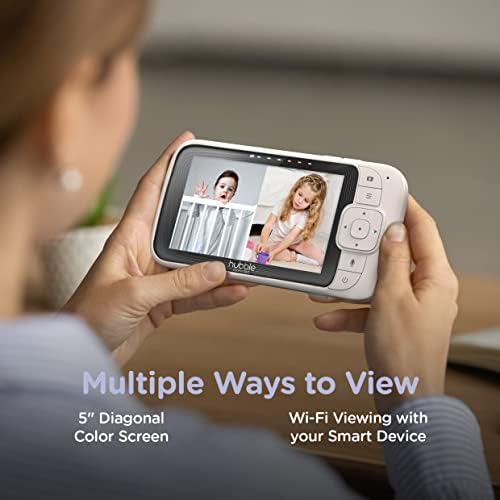
Image 4.1: The parent unit and a single camera, illustrating their compact design.
4.3 Connecting to Wi-Fi and HubbleClub App
За далечински viewing and advanced features, download the HubbleClub app on your smartphone or tablet. Follow the in-app instructions to connect your cameras to your home Wi-Fi network. This enables features such as 24-hour recording, live streaming, and remote access.
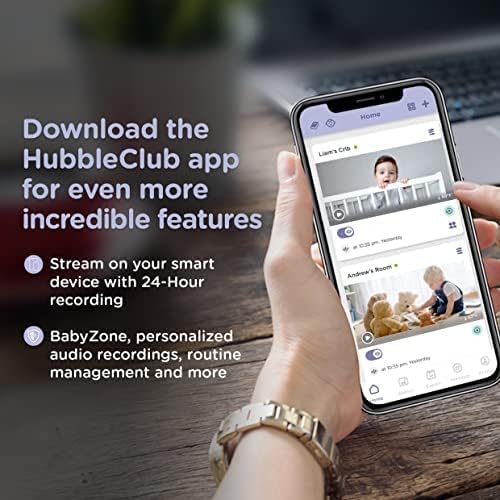
Image 4.2: The HubbleClub app interface on a smartphone, demonstrating its capabilities for monitoring and managing multiple cameras.
5. Упатства за работа
5.1 Функции на родителската единица
The 5-inch diagonal color screen on the parent unit allows for direct monitoring. Use the controls to:
- View live video feed from one or both cameras (split screen).
- Utilize two-way communication to speak to your child.
- Play preloaded lullabies and soothing sounds.
- Adjust camera pan, tilt, and zoom remotely.
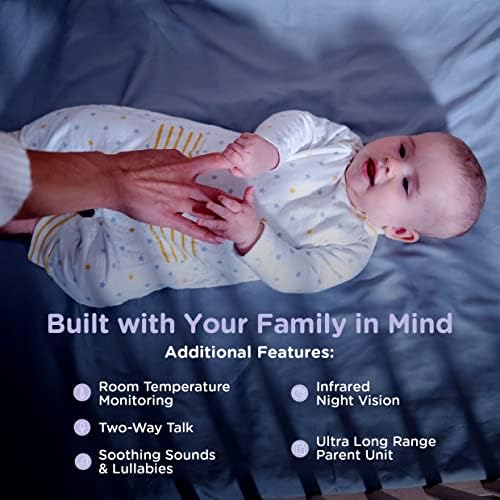
Image 5.1: The parent unit displaying a split screen, allowing simultaneous viewповрзување на два доводи на камерата.
5.2 HubbleClub App Features
The HubbleClub app enhances your monitoring experience with additional functionalities:
- Live Streaming & Remote Access: View camera feeds from anywhere via your smart device.
- 24-Hour Recording: Continuous recording for review (subscription may be required).
- Routine Management: Schedule and manage routines for sleep and other activities.
- Baby Growth & Development Tracker: Monitor your child's progress.
- Мониторинг на животната средина: Receive alerts for motion, sound, and temperature changes.
- Експертски совет: Access parenting tips and sleep advice.
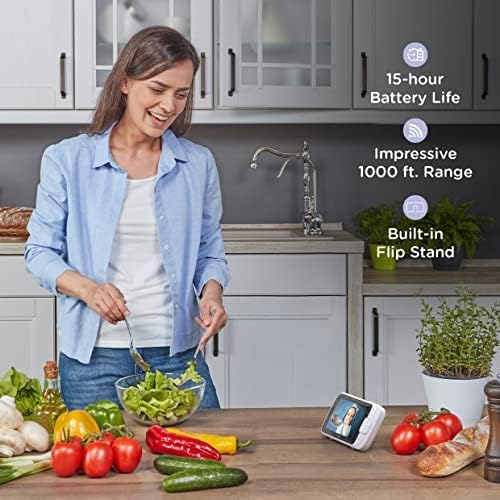
Image 5.2: Key features of the monitor system, including environmental monitoring and communication capabilities.
5.3 Range and Battery Life
The parent unit offers an impressive range of up to 1,000 feet (300 meters) in optimal conditions. The 3,000mAh battery provides up to 15 hours of operation on a single charge, depending on usage.
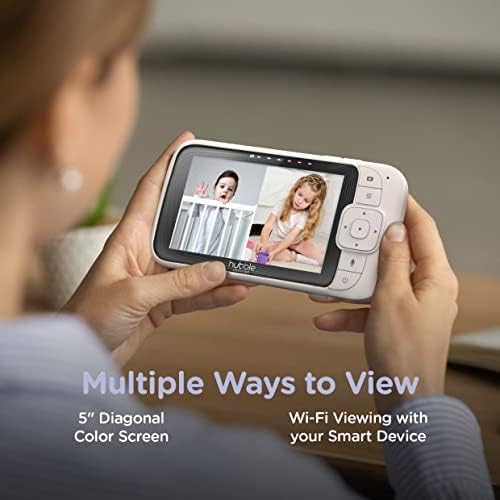
Image 5.3: The parent unit in a home setting, emphasizing its long battery life and extended range.
6. Одржување
To ensure the longevity and optimal performance of your baby monitor:
- Чистење: Wipe the parent unit and cameras with a soft, dry, lint-free cloth. Do not use cleaning sprays or liquid cleaners.
- Складирање: If storing the unit for an extended period, ensure the parent unit battery is fully charged and then store in a cool, dry place.
- Нега на батеријата: Avoid fully discharging the parent unit battery frequently to prolong its lifespan.
7 Смена на проблеми
If you encounter issues with your Hubble Nursery Pal Link Premium Twin, refer to the following common solutions:
| Проблем | Решение |
|---|---|
| Нема слика/звук на родителската единица. | Ensure both the parent unit and cameras are powered on and within range. Check power connections. |
| Лош квалитет на сликата. | Check for obstructions between the camera and parent unit. Ensure cameras are in a well-lit area or night vision is active. Adjust camera position. |
| Parent unit not connecting to Wi-Fi. | Verify your Wi-Fi network is 2.4GHz. Ensure correct Wi-Fi password. Restart your router and the parent unit. |
| Краток век на батеријата. | Reduce screen brightness. Limit continuous live viewing. Ensure the unit is fully charged before use. |
| App not receiving notifications. | Check app notification settings on your smartphone. Ensure the app has necessary permissions. Verify internet connectivity. |
8. Спецификации на производот
| Карактеристика | Детал |
|---|---|
| Број на модел | HCSNPLP2-2 |
| Приказ на родителска единица | 5-inch Diagonal Color Screen |
| Тип на камера | Digital Pan, Tilt, Zoom (x2) |
| Поврзување | Wi-Fi (2.4 GHz) |
| Резолуција за снимање видео | 1080 стр |
| Опсег | До 1,000 стапки (гледна линија) |
| Батерија на родителска единица | 3000 mAh Lithium Ion (up to 15 hours) |
| Посебни карактеристики | Two-way communication, Lullabies, Night Vision, Room Temperature Monitoring, Motion/Sound Detection |
| Тип на монтирање | Монтирање на ѕид |
| Тежина на ставката | 1.96 фунти (0.89 килограми) |
| UPC | 697333826898, 697333826928 |
9. Гаранција и поддршка
For warranty information and technical support, please refer to the warranty card included in your product packaging or visit the official Hubble Connected webстраница. Таму можете да најдете и често поставувани прашања и контакт информации за корисничка поддршка.
Hubble Connected Official Webсајт: www.hubbleconnected.com


