1. Вовед
This manual provides detailed instructions for the Keychron K8 Pro Wireless Custom Mechanical Keyboard. The K8 Pro is a QMK/VIA enabled, hot-swappable, tenkeyless mechanical keyboard designed for compatibility with Mac, Windows, and Linux operating systems. It supports both wireless (Bluetooth 5.1) and wired (USB Type-C) connectivity, offering a versatile and customizable typing experience.
2. Содржина на пакетот
Verify that all items are present in your Keychron K8 Pro package:
- 1x Fully Assembled Keyboard (including PCB, Steel Plate, Sound Absorbing Foam)
- 1x Силиконски долен подлога
- 5 Sets of Stabilizers (PCB Screw-In)
- 1 set x Keycaps (Double-Shot PBT)
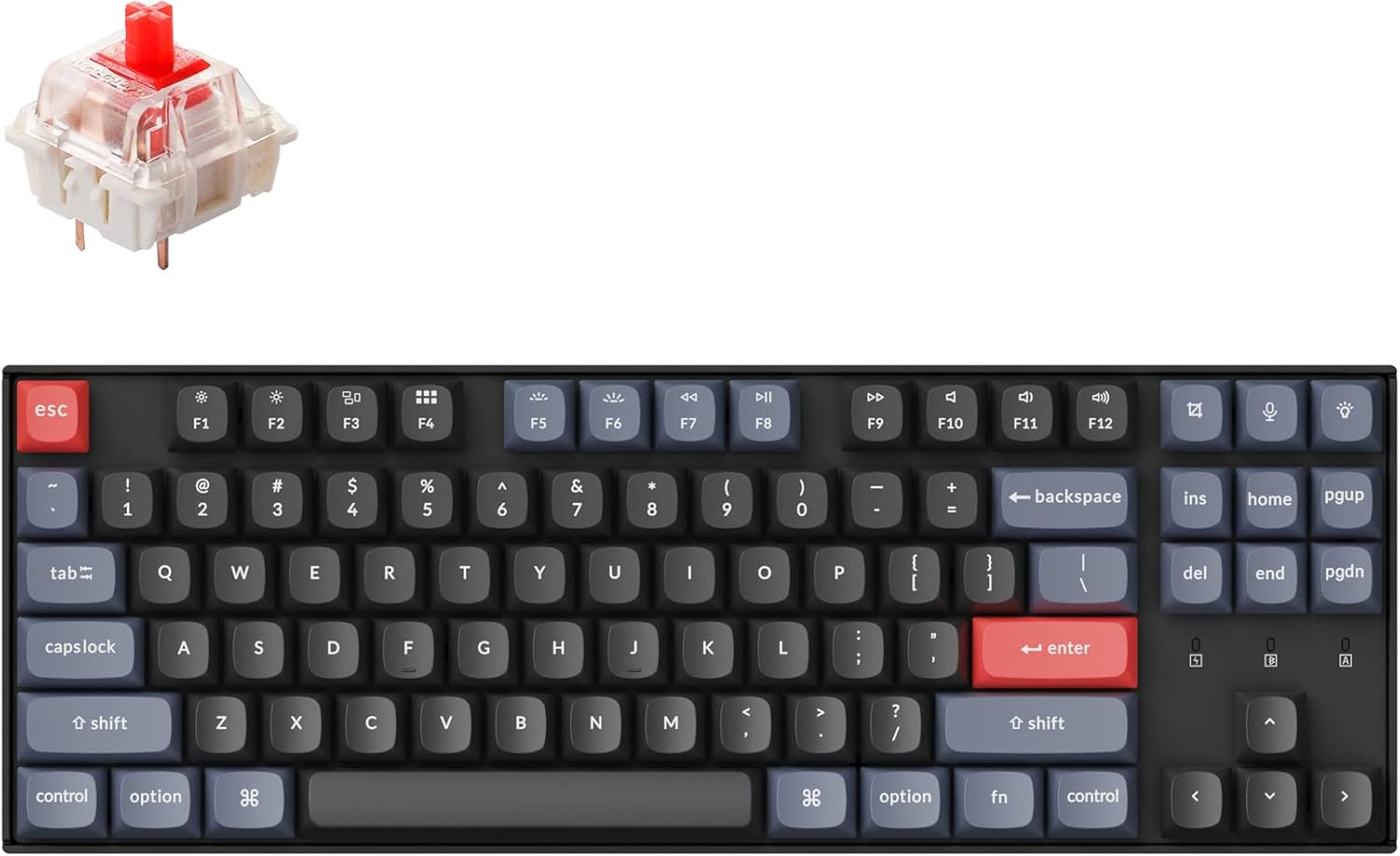
- 1 set x Switches (Gateron G Pro Red)
- 1x Кабел од тип А до тип Ц
- 1x Извлекувач на прекинувач
- 1x Извлекувач на капачиња
- 1x шрафцигер
- Keycaps for both Windows and macOS layouts
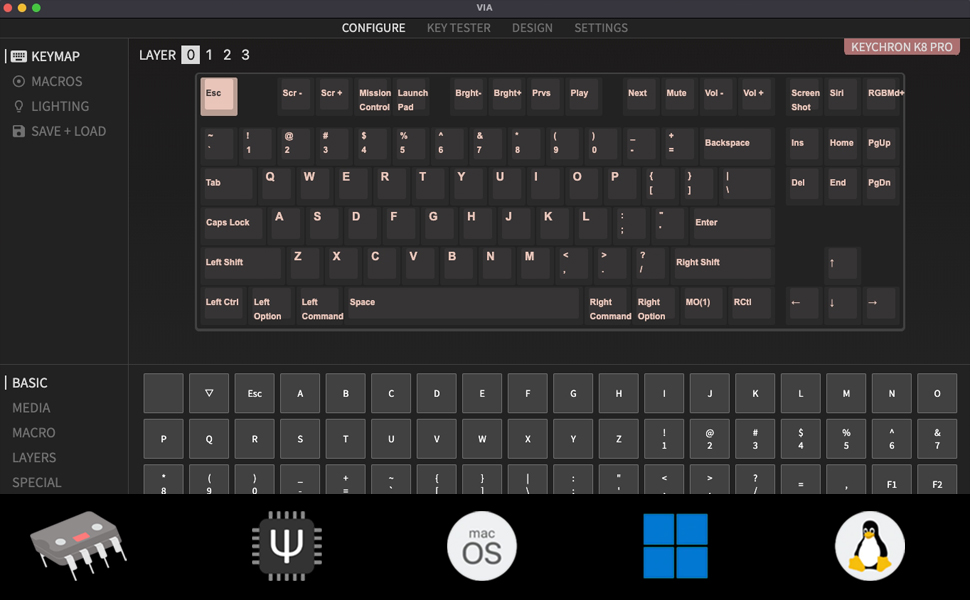
3. Поставување
3.1 Почетно полнење
Before first use, connect the keyboard to a power source using the provided USB Type-C cable to ensure it is fully charged. The battery indicator will show charging status.
3.2 Режими на поврзување
The K8 Pro supports both wireless Bluetooth and wired USB-C connections.

3.2.1 Bluetooth конекција
- Locate the mode switch on the side of the keyboard.
- Лизнете го прекинувачот во положба „Bluetooth“.
- На вашиот уред (лаптоп, телефон, таблет), овозможете Bluetooth и пребарајте достапни уреди.
- Select 'Keychron K8 Pro' from the list to pair.
- The keyboard can connect to up to 3 devices. Use Fn + 1, Fn + 2, or Fn + 3 to switch between paired devices.
3.2.2 Жична USB-C конекција
- Locate the mode switch on the side of the keyboard.
- Slide the switch to the 'Cable' position.
- Connect the provided USB Type-C cable from the keyboard to your computer's USB port.
3.3 Префрлувач на распоред на оперативниот систем
The K8 Pro features a switch to toggle between Mac and Windows layouts, ensuring full compatibility with your operating system.

- Пронајдете го прекинувачот за оперативниот систем на страната од тастатурата.
- Slide the switch to the appropriate position for your operating system (Mac or Windows).
4. Упатства за работа
4.1 Основни функции на копчињата
The K8 Pro is a tenkeyless keyboard with standard alphanumeric keys, function row (F1-F12), and navigation keys. Specific multimedia and function keys can be accessed using the 'Fn' key in combination with other keys.
4.2 Контрола на позадинско осветлување
The K8 Pro features a white backlight. Use the dedicated backlight key (often located near the top right) or Fn + specific keys to cycle through backlight effects and adjust brightness levels.
4.3 Ergonomic Angle Adjustment
The keyboard includes adjustable feet to set your preferred typing angle.

5. Прилагодување
5.1 Програмабилност на QMK/VIA
The Keychron K8 Pro supports QMK/VIA, allowing users to remap keys, create macros, and customize keyboard layers. This functionality is accessible via the VIA software.
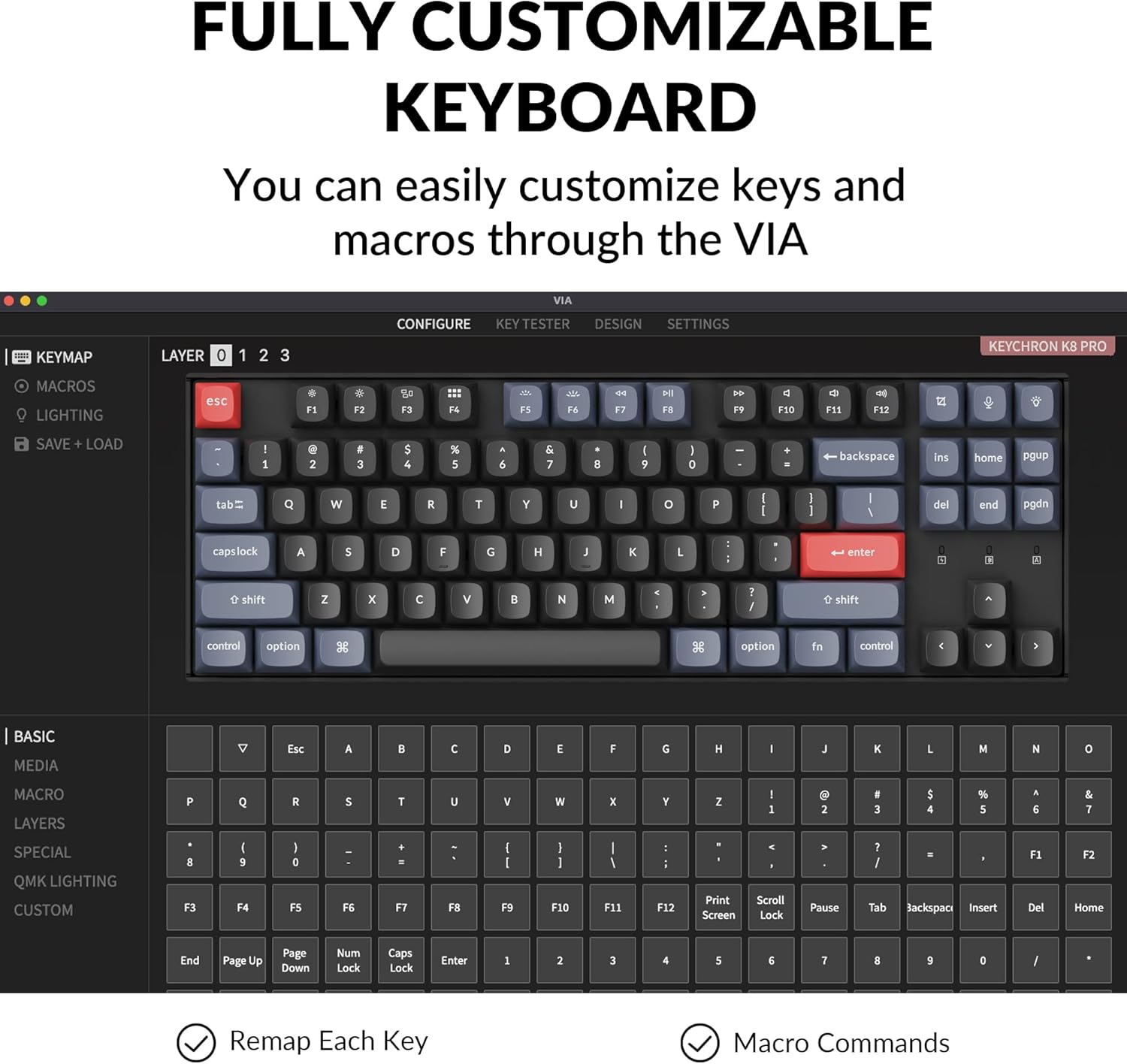
За да користите VIA:
- Преземете го софтверот VIA од официјалниот Keychron webсајт.
- Connect the K8 Pro to your device using the USB-C cable. Key remapping is performed in wired mode.
- Стартувајте го софтверот VIA. Тастатурата треба автоматски да се детектира.
- Drag and drop desired keys or macro commands to remap any key. Changes are saved to the keyboard's firmware and will function in both wired and wireless modes.
5.2 Прекинувачи што може да се заменат со топла струја
The K8 Pro features hot-swappable switch sockets, allowing you to change mechanical switches without soldering. It is compatible with most 3-pin and 5-pin MX mechanical switches.
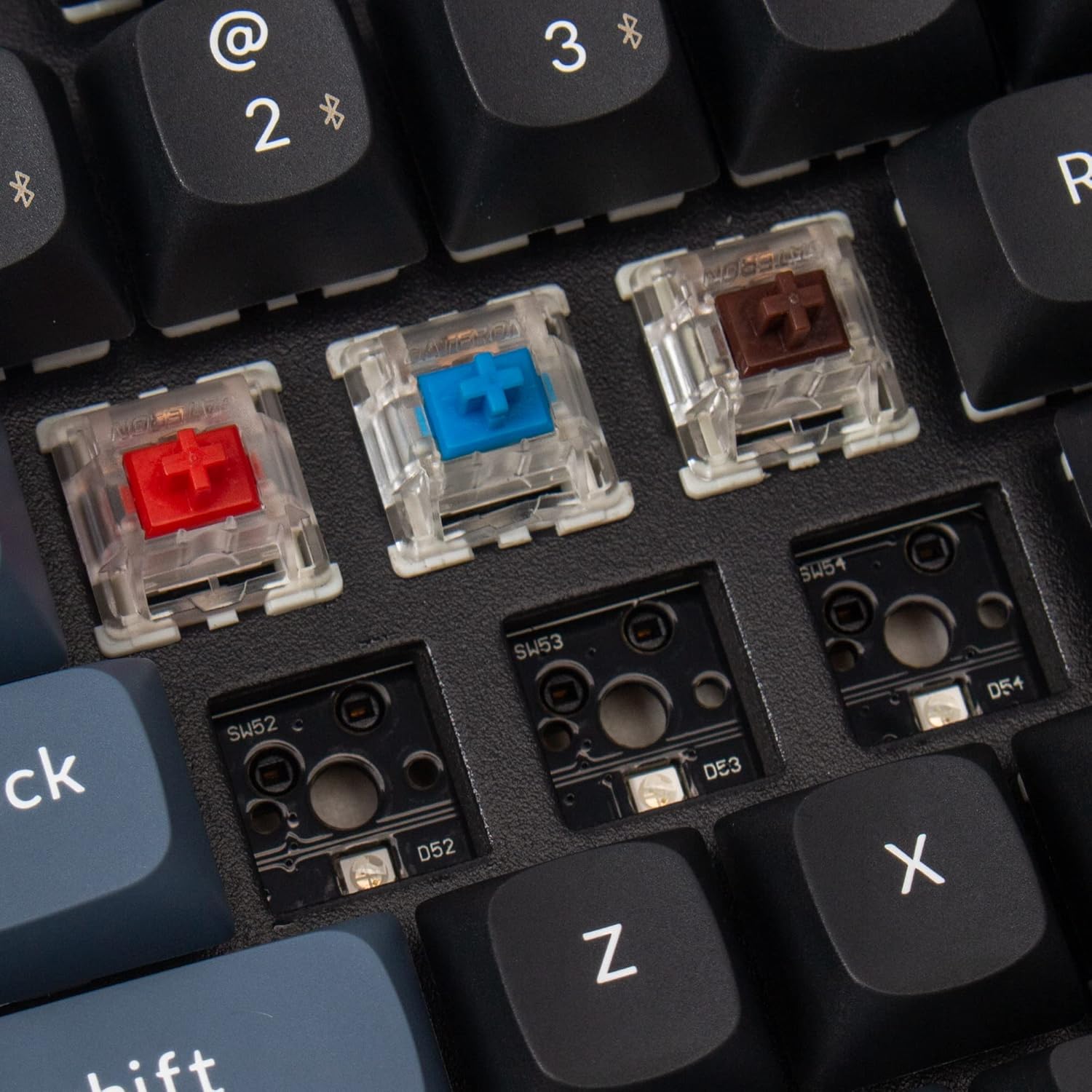
За да ги замените прекинувачите:
- Користете го испорачаниот извлекувач на капачето за тастатура за внимателно да го отстраните посакуваното капаче за тастатура.
- Use the provided switch puller to gently grasp and pull the switch upwards from its socket.
- Порамнете ги пиновите на новиот прекинувач со дупките на печатената плочка и цврсто притиснете додека не кликне на своето место. Уверете се дека пиновите не се свиткани.
- Повторно прицврстете го капачето на клучот.
5.3 Double-Shot PBT Keycaps
The K8 Pro comes with durable double-shot PBT keycaps, designed for enhanced feel and oil resistance.

6. Одржување
6.1 Чистење
To clean the keyboard, power it off and disconnect it from any devices. Use a soft, dry cloth to wipe the keycaps and chassis. For deeper cleaning, keycaps can be removed using the provided keycap puller and cleaned with a mild solution. Ensure all parts are completely dry before reassembly and use.
6.2 Грижа за батерии
The K8 Pro is equipped with a 4000 mAh lithium-ion battery. To prolong battery life, avoid fully discharging the keyboard frequently and store it in a cool, dry place when not in use for extended periods.
7 Смена на проблеми
7.1 Проблеми со поврзувањето
- Bluetooth не се поврзува: Ensure the keyboard is in Bluetooth mode and discoverable. Remove previous pairings from your device and try pairing again. Ensure the keyboard battery is charged.
- Жичната врска не работи: Verify the USB-C cable is securely connected to both the keyboard and the computer. Ensure the keyboard is switched to 'Cable' mode. Try a different USB port or cable.
7.2 Key Programming Issues (VIA)
- VIA software not detecting keyboard: Ensure the keyboard is connected via USB-C cable and the OS switch is set correctly. Restart the VIA software and/or your computer.
- Remapped keys not working: Confirm that the changes were successfully saved in VIA. Remember that key remapping must be done in wired mode.
7.3 Backlight Visibility
The K8 Pro features south-facing LEDs. While this design offers compatibility with a wider range of custom keycaps, it may result in less illumination of keycap legends compared to keyboards with north-facing LEDs, especially in low-light conditions. This is a design characteristic and not a defect.
7.4 Physical Fit/Feel
Some users may experience the keyboard's frame being slightly higher than the keycaps, potentially affecting the feel of certain keys like the spacebar. This is part of the keyboard's design and construction.
8. Спецификации
| Димензии на производот | 13.98 x 4.84 x 1.55 инчи |
| Тежина на ставката | 3.41 фунти |
| Производител | Keychron |
| Број на модел на ставка | K8P-G1 |
| Батерии | 1 Lithium Ion battery required (4000 mAh) |
| Компатибилни уреди | Лаптоп, компјутер, паметен телефон, таблет |
| Технологија за поврзување | Bluetooth 5.1, USB-C |
| Опис на тастатурата | Mechanical, Tenkeyless |
| Препорачана употреба | Игри на среќа, канцеларија |
| Посебни карактеристики | Wireless, Bluetooth, Wired, White Backlighting, QMK/VIA, Hot-swappable |
| Тип на прекинувач | Gateron G Pro Red Switch |
9. Гаранција и поддршка
Keychron products are covered by a manufacturer's warranty. For specific warranty terms, duration, and to access technical support, please visit the official Keychron webлокација или директно контактирајте ја нивната служба за корисници. Зачувајте го доказот за купување за гаранциски барања.
For further assistance, please refer to the official Keychron support resources:
- Официјален претставник на Keychron Webсајт: www.keychron.com
- Страна за поддршка: Consult the support section on the Keychron website for FAQs, firmware updates, and contact information.


