1. Започнување
1.1 Unboxing Your Tablet
Carefully remove all items from the packaging. Ensure all components are present before discarding the box.
Видео 1: This video demonstrates the unboxing process of the Blackview Tab 6, showing the tablet and included accessories such as the charger, USB cable, and SIM eject pin.
1.2 Содржина на пакетот
- Црнотоview Таблет 6
- Адаптер за напојување
- USB кабел за полнење
- ПИН за исфрлање на SIM картичката
- Упатство за употреба (овој документ)
1.3 Вметнување на SIM/SD картичка
Locate the SIM/SD card tray on the side of your tablet. Use the provided SIM eject pin to open the tray. Insert your Nano-SIM card(s) and/or microSD card into the designated slots, ensuring correct orientation. Gently push the tray back into the tablet until it clicks into place.
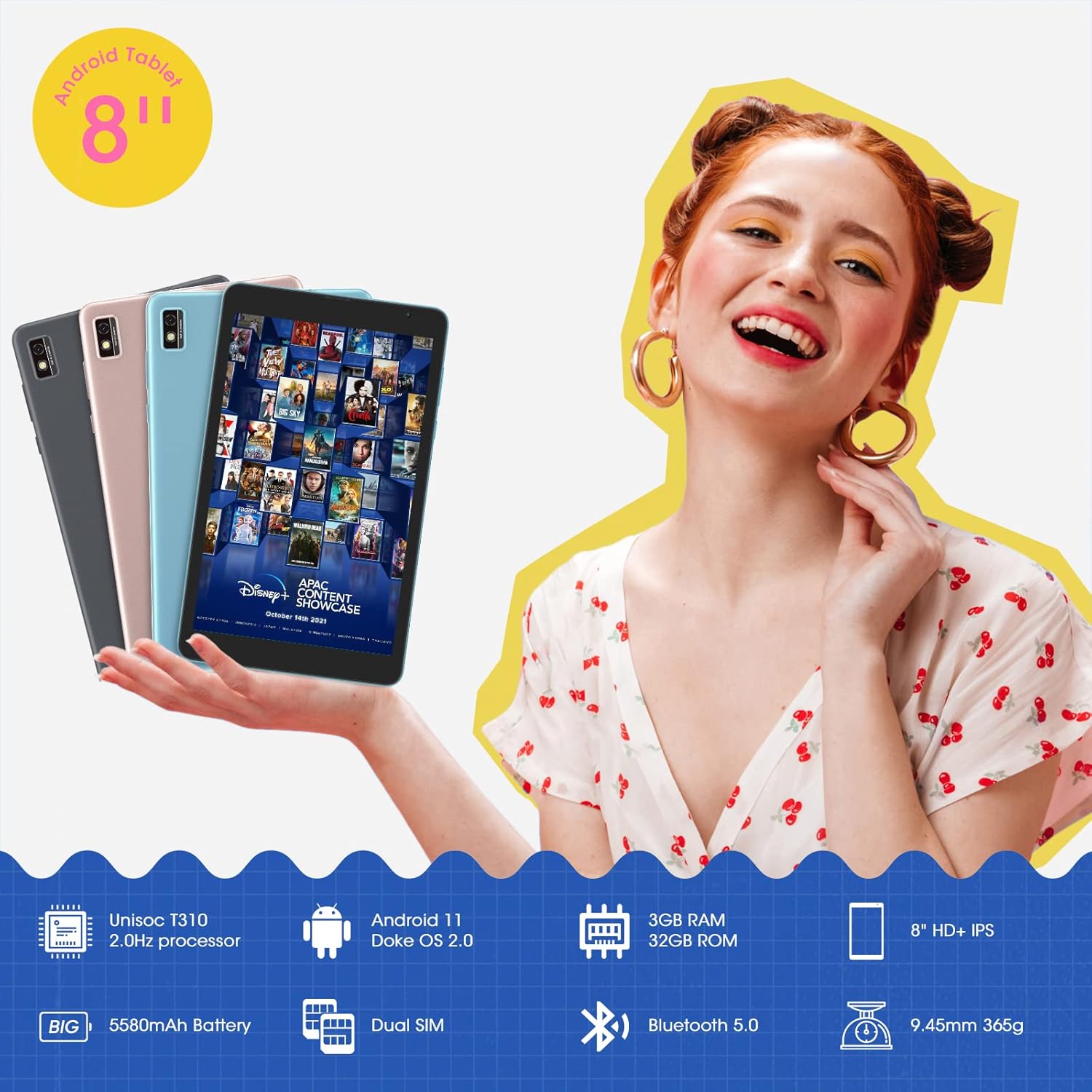
This image shows the Blackview Tab 6 with its dual SIM slots, highlighting its connectivity features and key specifications like the 5580mAh battery and 8-inch HD+ IPS display.
1.4 Почетно полнење и вклучување
Before first use, fully charge your tablet using the provided power adapter and USB cable. Connect the USB cable to the tablet's charging port and the adapter to a power outlet. The battery indicator on the screen will show charging status. Once charged, press and hold the power button on the side of the tablet until the Blackview logo appears to power it on.
2. Ракување со вашиот таблет
2.1 Основна навигација
Црнотоview Tab 6 runs on Android 11 with Doke OS 2.0, offering an intuitive user experience. Use touch gestures for navigation:
- Допрете: Изберете ставка или отворете апликација.
- Повлечете: Скролувајте низ екрани, листи или страници.
- Штипнете за зумирање: Зголемување или намалување на фотографиите и web страници.
- Долго притискање: Пристапете до контекстуални менија или преместете икони на апликации.

This image illustrates the user interface of the Blackview Tab 6, showcasing the Android 11 operating system with Doke OS 2.0 features like gesture control and dark theme.
2.2 Режими на прикажување
The tablet offers various display modes to optimize your viewискуство:
- Ebook Mode: Adjusts the screen for comfortable reading, reducing eye strain.
- Нормален режим: Standard display settings for general use.
- Режим за удобност на очите: Filters blue light to protect your eyes, especially in low-light conditions.

This image displays the various screen modes available on the Blackview Tab 6, including Ebook Mode, Normal Mode, and Eye Comfort Mode, designed for different viewпреференци
2.3 Поврзување
The Tab 6 supports a range of connectivity options:
- Wi-Fi: Supports 2.4G and 5G dual-band Wi-Fi for fast internet access.
- Bluetooth 5.0: За поврзување на безжични додатоци како слушалки и звучници.
- 4G глобална мрежа: Allows for mobile data and call functionality (where supported by your SIM card and carrier).

This image highlights the Blackview Tab 6's connectivity features, including 4G Global Network and 5G Wi-Fi support, emphasizing its versatility as a multi-functional device.
2.4 GPS навигација
The Tab 6 is equipped with a high-precision quad navigation system (GPS, GLONASS, Beidou, Galileo) for accurate location tracking and route planning. The large 8-inch screen and automatic brightness adjustment ensure clear readability of navigation information in various conditions.

This image shows the Blackview Tab 6 displaying a navigation map, illustrating its use for route guidance and location services.
Видео 2: This video demonstrates various uses of the Blackview Tab 6, including gaming, note-taking, and GPS navigation, showcasing its performance and display quality.
3. Одржување
3.1 Грижа за батерии
The tablet is equipped with a 5580mAh battery, providing up to 8 hours of average use. To prolong battery life:
- Избегнувајте екстремни температури.
- Не дозволувајте батеријата редовно да се празни целосно.
- За оптимално полнење користете го оригиналниот полнач и кабел.
- Затворете ги неискористените апликации што работат во заднина.

This image highlights the 5580mAh battery of the Blackview Tab 6, indicating its long standby time and estimated usage durations for talking, music, and video playback.
3.2 Управување со складирање
The tablet comes with 32GB of internal storage and supports expansion up to 128GB via a microSD card. Regularly manage your storage by:
- Бришење непотребни fileи апликации.
- Преместување на големо files на microSD картичка.
- Utilizing cloud storage services.

This image illustrates the storage capabilities of the Blackview Tab 6, showing its 3GB RAM, 32GB ROM, and support for up to 128GB storage expansion, alongside various application icons.
3.3 Чистење на вашиот таблет
Користете мека крпа што не остава влакненца за чистење на екранот и телото на таблетот. Избегнувајте употреба на груби хемикалии или абразивни материјали што би можеле да ја оштетат површината.
4 Смена на проблеми
4.1 Заеднички прашања и решенија
- Таблетот не се вклучува: Проверете дали батеријата е наполнета. Поврзете ја со полначот и обидете се повторно.
- Бавни перформанси: Close unused apps, clear cache, or restart the tablet.
- Проблеми со Wi-Fi конекција: Restart your router and tablet. Forget and reconnect to the Wi-Fi network.
- Проблеми со полнење: Ensure the charging cable and adapter are securely connected and undamaged. Try a different compatible charger if available.
4.2 Фабричко ресетирање
Доколку се соочувате со постојани проблеми со софтверот, ресетирањето на фабричките поставки може да ги реши. Предупредување: Ова ќе ги избрише сите податоци на вашиот таблет. Направете резервна копија на важните податоци пред да продолжите.
- Одете на Поставки.
- Изберете Систем > Ресетирајте ги опциите.
- Изберете Избриши ги сите податоци (фабрички ресетирање).
- Потврдете го вашиот избор и следете ги упатствата на екранот.
5. Спецификации
| Карактеристика | Спецификација |
|---|---|
| Големина на екранот | 8 инчи |
| Резолуција на екранот | 1280 x 800 HD IPS |
| Процесор | 2.0GHz Quad-Core (Unisoc T310) |
| RAM меморија | 3 GB |
| Внатрешно складирање | 32 GB |
| Складирање што може да се прошири | До 128 GB (микроSD) |
| Оперативен систем | Android 11 (Doke OS 2.0) |
| Капацитет на батеријата | 5580 mAh |
| Задна камера | 5 MP |
| Поврзување | 2.4G+5G Dual WiFi, Bluetooth 5.0, 4G LTE |
| Димензии (ДxШxВ) | 8 x 4.5 x 0.4 инчи |
| Тежина на ставката | 1.42 фунти (приближно 644 г) |
6. Информации за гаранцијата
Your Blackview Tab 6 tablet comes with a standard manufacturer's warranty. Please refer to the warranty card included in your product packaging for specific terms, conditions, and duration. Keep your proof of purchase for warranty claims.
7. Поддршка
For technical assistance, troubleshooting, or further inquiries, please visit the official Blackview поддршка website or contact their customer service. Contact details can typically be found on the Blackview website or in the warranty information provided with your device.