Вовед
The Crosley Voyager Record Player is designed to combine classic vinyl listening with modern audio technology. This portable turntable supports multiple record speeds and features built-in speakers, Bluetooth connectivity for both input and output, and various audio ports for versatile use. This manual provides essential information for setting up, operating, and maintaining your record player.
Што има во кутијата
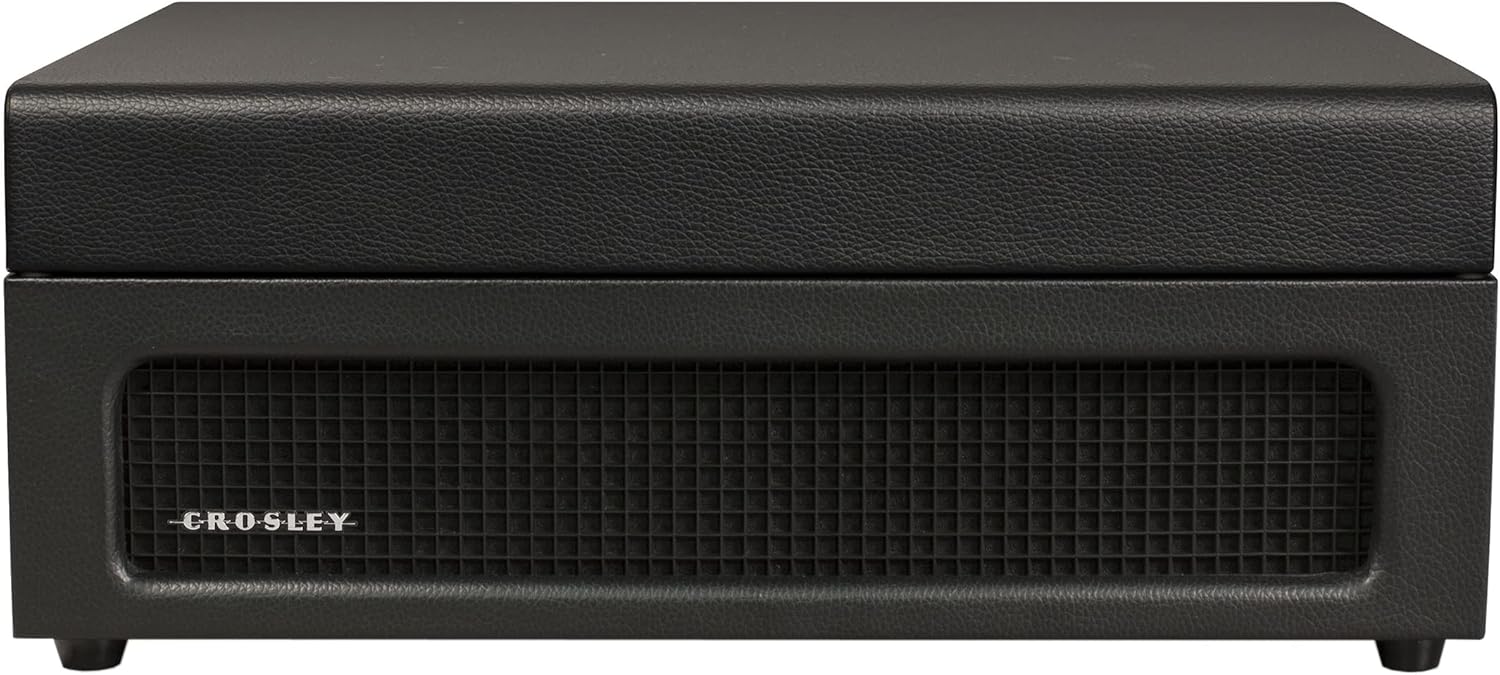
- CR8017B-BK Turntable Unit
- Адаптер за 45 вртежи во минута
- Адаптер за напојување
Карактеристики на производот
- Three-Speed Belt-Drive Turntable: Репродуцира 33 плочи со 1/3, 45 и 78 вртежи во минута.
- Прилагодлива контрола на висината на тонот: Fine-tune playback speed.
- Рачка за извлекување: Gently lowers and raises the needle.
- Bluetooth In: Stream digital music from your device to the turntable's built-in speakers.
- Bluetooth излез: Connect the turntable wirelessly to external Bluetooth speakers.
- Built-in Dynamic Full-Range Stereo Speakers: Интегриран аудио излез.
- Помошен влез: Поврзете надворешни аудио извори преку 3.5 мм аудио кабел.
- Излез на RCA: Connect to an external stereo system for enhanced audio.
- Jackек за слушалки: За приватно слушање.
- Дизајн на пренослив куфер: Compact and easy to transport with a carry handle.

Image: Key features of the Crosley Voyager turntable, highlighting the 3-speed selector, compact and portable design, and built-in stereo speakers.
Поставување
- Распакувајте го грамофонот: Carefully remove all components from the packaging. Ensure all packing materials are removed from the turntable platter and tonearm.
- Поставете го грамофонот: Position the turntable on a flat, stable surface away from direct sunlight, heat sources, or excessive vibration.
- Поврзете напојување: Insert the power adaptor into the DC 12V input jack on the back of the turntable, then plug the adaptor into a wall outlet.
- Отстранете го заштитникот за пенкало: Gently remove the white plastic stylus protector from the needle.
- Почетно вклучување: Свртете го копчето POWER/VOLUME во насока на стрелките на часовникот за да го вклучите уредот. Индикаторското светло за напојување ќе светне.

Image: Rear panel of the turntable, displaying the DC 12V power input, RCA Line Out, and Aux In ports for external connections.
Упатства за работа
Репродукција на записи
- Изберете брзина: Set the speed selector switch (33, 45, or 78 RPM) to match the record you are playing. Use the included 45 RPM adapter for 7-inch records with large center holes.
- Запис за место: Ставете плоча на плочата за грамофон.
- Unlock Tonearm: Release the tonearm clip.
- Raise Tonearm: Lift the cueing lever to raise the tonearm.
- Позиција на тонераторот: Manually move the tonearm over the desired track of the record.
- Долна рачка на носот: Gently lower the cueing lever to place the stylus on the record. The platter will begin to spin.
- Прилагодете ја јачината на звукот: Rotate the POWER/VOLUME knob to adjust the sound level.
- Прилагоди го тонот: Use the PITCH control knob to fine-tune the playback speed if needed.
- Крај на репродукцијата: When the record finishes, the tonearm will automatically return to its rest position (if auto-stop is enabled). Lift the tonearm, return it to the rest, and secure the clip.
Слика: Од горе надолу view of the turntable with a record spinning, illustrating the tonearm in position and the control panel.
Bluetooth влез (стриминг на грамофон)
- Изберете режим на Bluetooth: Slide the PHONO/BT switch to the BT position. The Bluetooth indicator light will flash blue.
- Спари уред: On your Bluetooth-enabled device (e.g., smartphone, tablet), search for "Crosley Voyager" in the Bluetooth settings and pair. Once connected, the indicator light will glow solid blue.
- Пушти музика: Start playing music on your device. The audio will stream through the turntable's built-in speakers.
- Прилагодете ја јачината на звукот: Control the volume using both your device and the turntable's POWER/VOLUME knob.
Image: The turntable with a smartphone icon and Bluetooth logo, indicating the ability to stream digital music through its built-in speakers.
Bluetooth излез (стриминг од грамофон)
- Овозможи спарување на надворешен звучник: Put your external Bluetooth speaker into pairing mode.
- Select Bluetooth Output Mode: Slide the PHONO/BT switch to the BT position. The Bluetooth indicator light will flash blue.
- Започнете со спарување: The turntable will automatically search for and connect to the nearest Bluetooth speaker in pairing mode. Once connected, the indicator light will glow solid blue.
- Пушти запис: Place a record and begin playback as described above. The audio will now stream to your external Bluetooth speaker.

Image: The turntable with a Bluetooth logo, illustrating its capability to stream vinyl audio to external Bluetooth speakers (speaker not included).
Using Aux Input or Headphone Jack
- Помошен влез: Connect an external audio device (e.g., MP3 player) to the AUX IN port on the back of the turntable using a 3.5mm audio cable. The audio will play through the turntable's speakers.
- Jackек за слушалки: For private listening, plug headphones into the headphone jack on the front panel. The built-in speakers will be muted.
Одржување
- Чистење на пенкалото: Use a soft brush to gently clean the stylus (needle) from back to front. Avoid touching the stylus with your fingers.
- Чистење на грамофонот: Wipe the turntable cabinet with a soft, dry cloth. Do not use harsh chemicals or abrasive cleaners.
- Грижа за картоните: Чувајте ги плочите чисти и без прашина. Чувајте ги вертикално во нивните обвивки за да спречите искривување.
- Замена на пенкало: The stylus has a limited lifespan. If sound quality deteriorates, replace the stylus. Consult Crosley support for compatible replacement styli.
Решавање проблеми
If you experience issues with your Crosley Voyager turntable, please refer to the following common solutions:
- Без моќност: Ensure the power adaptor is securely connected to both the turntable and a working wall outlet. Check if the POWER/VOLUME knob is turned on.
- Нема звук:
- Check the POWER/VOLUME knob and turn it up.
- If using Bluetooth output, ensure the external speaker is powered on and paired correctly.
- If using RCA output, verify connections to your stereo system and its input selection.
- Доколку користите слушалки, проверете дали се целосно вклучени.
- Ensure the stylus protector has been removed.
- Прескокнување или искривен звук:
- Исчистете ја плочата и пенкалото.
- Осигурајте се дека грамофонската плоча е на стабилна, рамна површина.
- Check if the record is warped or damaged.
- Verify the correct speed setting (33 1/3, 45, or 78 RPM) is selected.
- Проблеми со спарување Bluetooth:
- Ensure the turntable is in the correct Bluetooth mode (input or output).
- Make sure your device or external speaker is in pairing mode and within range.
- Try restarting both the turntable and the Bluetooth device.
Спецификации
| Димензии на производот: | 12 x 14.5 x 6 инчи |
| Тежина на ставката: | 7.25 фунти |
| Максимална брзина на ротација: | 78 вртежи во минута |
| Материјал: | Пластика |
| Стил: | Bluetooth In/Out |
| Боја: | Црното |
| Име на модел: | Војаџер |
| Компатибилни уреди: | Звучник, слушалки |

Image: Detailed diagram illustrating the overall dimensions of the Crosley Voyager turntable.
Официјално видео за производот
Видео: Официјална видео презентација на производотasing the Crosley CR8017B-BK Voyager Record Player, highlighting its design and features.
Гаранција и поддршка
Crosley products are proudly designed in the USA and come with USA-based customer support. For warranty information, technical assistance, or replacement parts, please visit the official Crosley webлокација или контактирајте го нивниот оддел за корисничка поддршка. Зачувајте ја сметката за гаранциски барања.
Предлог 65 Предупредување: Овој производ може да содржи хемикалии за кои државата Калифорнија знае дека предизвикуваат рак и вродени дефекти или други репродуктивни штети. За повеќе информации, посетете ја страницата www.P65Warnings.ca.gov.


