1. Вовед
Thank you for choosing the InFocus P120 INL412 Multimedia Projector. This manual provides essential information for the safe and efficient operation of your projector. Please read it thoroughly before using the device and retain it for future reference. The InFocus P120 INL412 is designed for versatile multimedia presentations, offering clear and vibrant images for various applications.
2. Информации за безбедност
To ensure safe operation and prevent damage to the projector, please observe the following safety precautions:
- Не ги блокирајте отворите за вентилација. Обезбедете доволен простор околу проекторот за правилен проток на воздух за да спречите прегревање.
- Избегнувајте да гледате директно во објективот на проекторот кога lamp е вклучено, бидејќи силната светлина може да предизвика оштетување на очите.
- Do not place the projector on an unstable cart, stand, or table. The projector may fall, causing serious injury to a child or adult, and serious damage to the unit.
- Disconnect the power cord from the wall outlet if the projector will not be used for an extended period.
- За сите сервиси обратете се кај квалификуван сервисер. Не обидувајте се сами да го отворите или поправите проекторот.
- Keep the projector away from water or moisture. Do not expose it to rain or immerse it in liquid.
- Use only the power cord supplied with the projector or an authorized replacement.
3. Содржина на пакетот
Verify that all items listed below are included in your projector package:
- InFocus P120 INL412 Multimedia Projector
- Кабел за напојување
- Далечински управувач со батерии
- VGA кабел
- Упатство за употреба (овој документ)
- Водич за брз почеток
4. Производот завршиview
Familiarize yourself with the main components of your InFocus P120 INL412 projector.
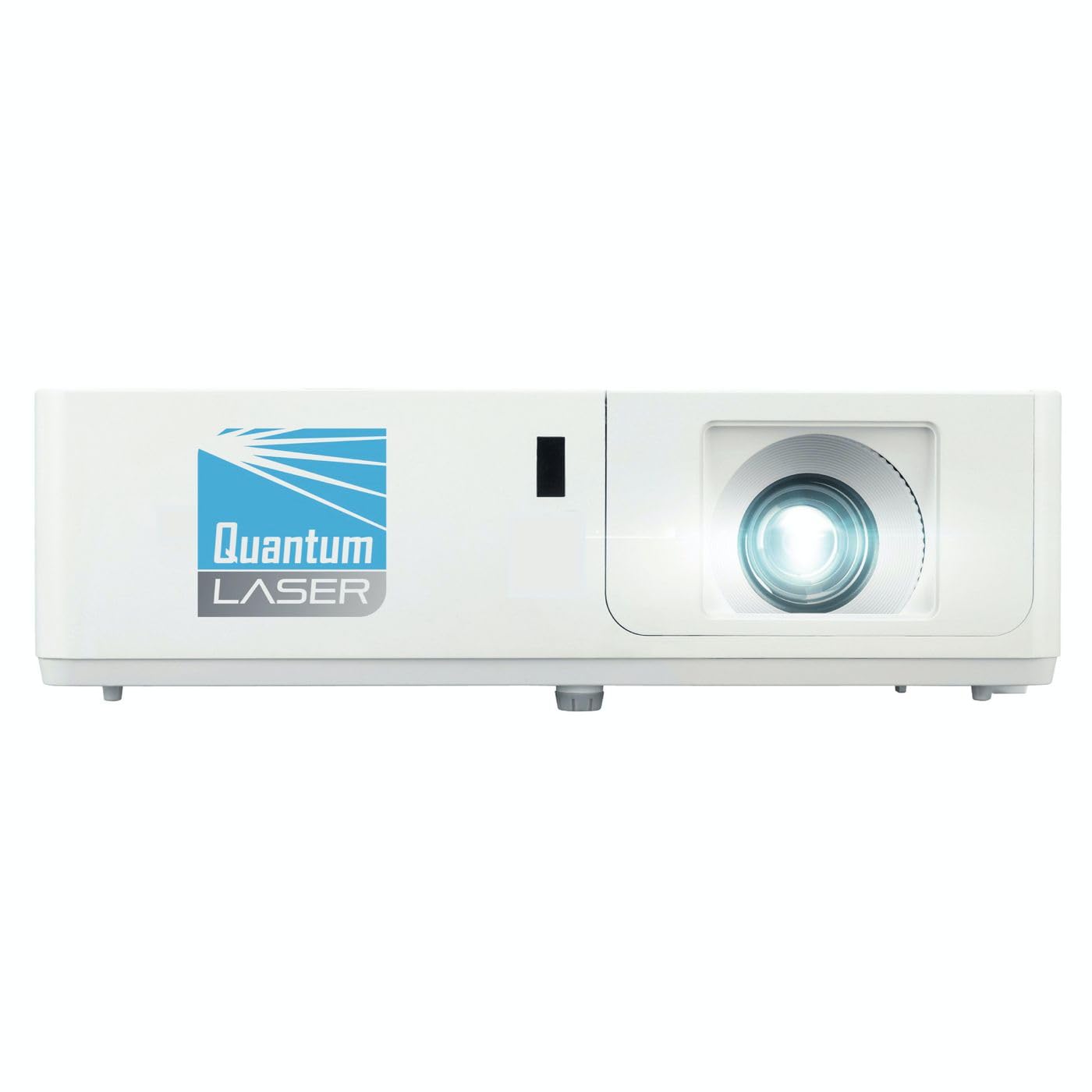
Слика 1: напред view of the InFocus P120 INL412 Multimedia Projector, showing the lens and ventilation grilles.
4.1 Преден панел
- Проекциски објектив: Ја емитува сликата на екранот.
- Фокус прстен: Ја прилагодува јасноста на проектираната слика.
- Прстен за зумирање: Ја прилагодува големината на проектираната слика.
- IR приемник: Прима сигнали од далечинскиот управувач.
4.2 Топ панел
- Контролен панел: Buttons for power, menu navigation, source selection, and keystone correction.
- Индикаторски светла: Display the projector's status (e.g., power, lamp, temperature).
4.3 Заден панел (Поврзување)
- HDMI влез: Connects to HDMI-enabled devices (laptops, Blu-ray players).
- Влез VGA: Connects to computers with VGA output.
- USB порта: For service or connecting USB devices (if supported by model).
- Аудио Влез/Излез: За поврзување на надворешни аудио извори или звучници.
- Влез за напојување: Го поврзува кабелот за напојување.
5. Поставување
Следете ги овие чекори за првичното поставување на вашиот проектор:
- Поставување: Place the projector on a stable, flat surface or mount it securely. Ensure the projector is positioned at an appropriate distance from the screen to achieve the desired image size.
- Поврзување за напојување: Поврзете го кабелот за напојување со приклучокот за напојување на проекторот, а потоа со заземјен електричен штекер.
- Поврзете го изворниот уред: Connect your source device (e.g., laptop, DVD player) to the projector using an appropriate cable (HDMI, VGA, etc.). Ensure the cable is securely connected to both the source and the projector.
- Вклучување: Press the power button on the projector's control panel or the remote control to turn on the projector. The power indicator light will illuminate.
- Adjust Focus and Zoom: Once an image is projected, rotate the focus ring on the lens until the image is sharp and clear. Use the zoom ring to adjust the image size to fit your screen.
- Корекција на клучниот камен: If the image appears trapezoidal, use the keystone correction function (either via buttons on the projector/remote or through the on-screen menu) to square the image.
6. Упатства за работа
6.1 Вклучување/исклучување
- За вклучување: Press the power button once. The projector will go through a warm-up sequence.
- За исклучување: Press the power button twice. The first press will prompt a shutdown confirmation; the second press will initiate shutdown. Allow the projector to cool down completely before unplugging.
6.2 Избор на извор
Press the 'Source' button on the projector or remote control to cycle through available input sources (HDMI, VGA, etc.) until your desired source is displayed.
6.3 Навигација на мени
Press the 'Menu' button to access the on-screen display (OSD) menu. Use the arrow buttons to navigate through options and 'Enter' or 'OK' to select. Use the 'Exit' or 'Menu' button to close the OSD.
- Поставки за слика: Прилагодете ја осветленоста, контрастот, бојата, соодносот на ширина и висина и режимот на слика.
- Поставувањата на екранот: Configure keystone, projection mode (front/rear, desktop/ceiling), and resolution.
- Аудио поставки: Control volume and audio output options.
- Системски поставки: Manage language, timer, power-saving modes, and factory reset.
7. Одржување
Редовното одржување обезбедува оптимални перформанси и го продолжува животниот век на вашиот проектор.
- Чистење леќи: Нежно избришете го објективот на проекторот со мека крпа без влакненца, специјално дизајнирана за оптички површини. Не користете абразивни средства за чистење или прекумерна сила.
- Чистење на кабинетот: Use a soft, dry cloth to clean the projector's exterior. For stubborn marks, dampen the cloth slightly with water. Avoid using harsh chemicals.
- Чистење/Замена на филтерот за воздух: Check the air filter periodically. If your model has a removable filter, clean it with a soft brush or vacuum cleaner. Replace the filter as recommended in the on-screen menu or when visibly dirty to maintain proper ventilation.
- Lamp Замена: Проекторот лamp има ограничен животен век. Кога лamp life indicator appears, or the image brightness significantly decreases, replace the lamp according to the instructions provided in the full service manual or by a qualified technician. Always allow the projector to cool down completely before attempting lamp замена.
8 Смена на проблеми
Погледнете ја табелата подолу за вообичаени проблеми и нивни решенија:
| Проблем | Можна причина | Решение |
|---|---|---|
| Нема прикажана слика | Power cord disconnected, incorrect input source, source device off. | Check power connections. Select correct input source. Ensure source device is powered on. |
| Сликата е матна | Lens out of focus, incorrect projection distance. | Adjust the focus ring on the lens. Reposition the projector closer or further from the screen. |
| Сликата е трапезоидна | Проекторот не е нормален на екранот. | Use keystone correction (manual or automatic) to square the image. |
| Проекторот се прегрева и се исклучува | Blocked ventilation, dirty air filter. | Обезбедете слободен простор околу отворите за вентилација. Исчистете го или заменете го филтерот за воздух. |
| Далечинскиот управувач не работи | Dead batteries, obstruction between remote and projector, incorrect angle. | Replace batteries. Ensure clear line of sight to IR receiver. Point remote directly at the projector. |
9. Спецификации
Key technical specifications for the InFocus P120 INL412 Multimedia Projector:
| Карактеристика | Спецификација |
|---|---|
| Број на модел | P120 INL412 (Item model number: 7296144) |
| Тип на дисплеј | DLP |
| Мајчин резолуција | 1280 x 800 |
| Максимална резолуција на екранот | 1280 x 800 |
| Технологија за поврзување | USB (and other standard inputs like HDMI, VGA) |
| Димензии на производот | 5.25 x 0.31 x 1.66 инчи |
| Тежина на ставката | 6.6 фунти |
| Производител | Во Фокус |
10. Гаранција и поддршка
The InFocus P120 INL412 Multimedia Projector comes with a standard manufacturer's warranty. Please refer to the warranty card included in your package for specific terms and conditions, including warranty duration and coverage details. For technical support, service, or further inquiries, please visit the official InFocus support webсајт или контактирајте со нивниот оддел за услуги на клиентите.
За најактуелни информации за поддршка, посетете ја страницата: www.infocus.com/support


