1. Вовед
Welcome to the world of smart cooking with the CREATE IKOHS Chefbot Touch. This innovative kitchen robot is designed to simplify your cooking process, offering a wide range of functions and pre-programmed recipes to help you prepare delicious meals with ease. With its intuitive touch screen and integrated WiFi, the Chefbot Touch brings convenience and versatility to your kitchen.
Please read this manual carefully before using the appliance to ensure safe and optimal operation. Keep this manual for future reference.

Image: The CREATE IKOHS Chefbot Touch, a versatile kitchen robot featuring a stainless steel mixing bowl and an interactive touchscreen interface.
2. Клучни карактеристики
The CREATE IKOHS Chefbot Touch is equipped with advanced features to enhance your culinary experience:
- Интегриран WiFi: Allows for periodic updates of recipes and software.
- 5-инчен екран на допир: For easy navigation and recipe selection.
- 24 автоматски програми: Pre-set functions for various cooking tasks.
- 12 Speeds + Turbo Function: For precise control over mixing and processing.
- Температурен опсег: Прилагодлива температура од 37°C до 120°C.
- Време за готвење: До 90 минути континуирана работа.
- 140+ Preloaded Recipes: A wide variety of recipes available directly on the device.
- Разновидни функции: Capable of beating, whipping, emulsifying, mixing, stirring, confiting, precision cooking (degree by degree), kneading, boiling, keeping warm, fermenting, poaching, bain-marie, low-temperature cooking, slow cooking, steaming, crushing, chopping, grinding, grating, peeling, slicing, dicing, and pulverizing.
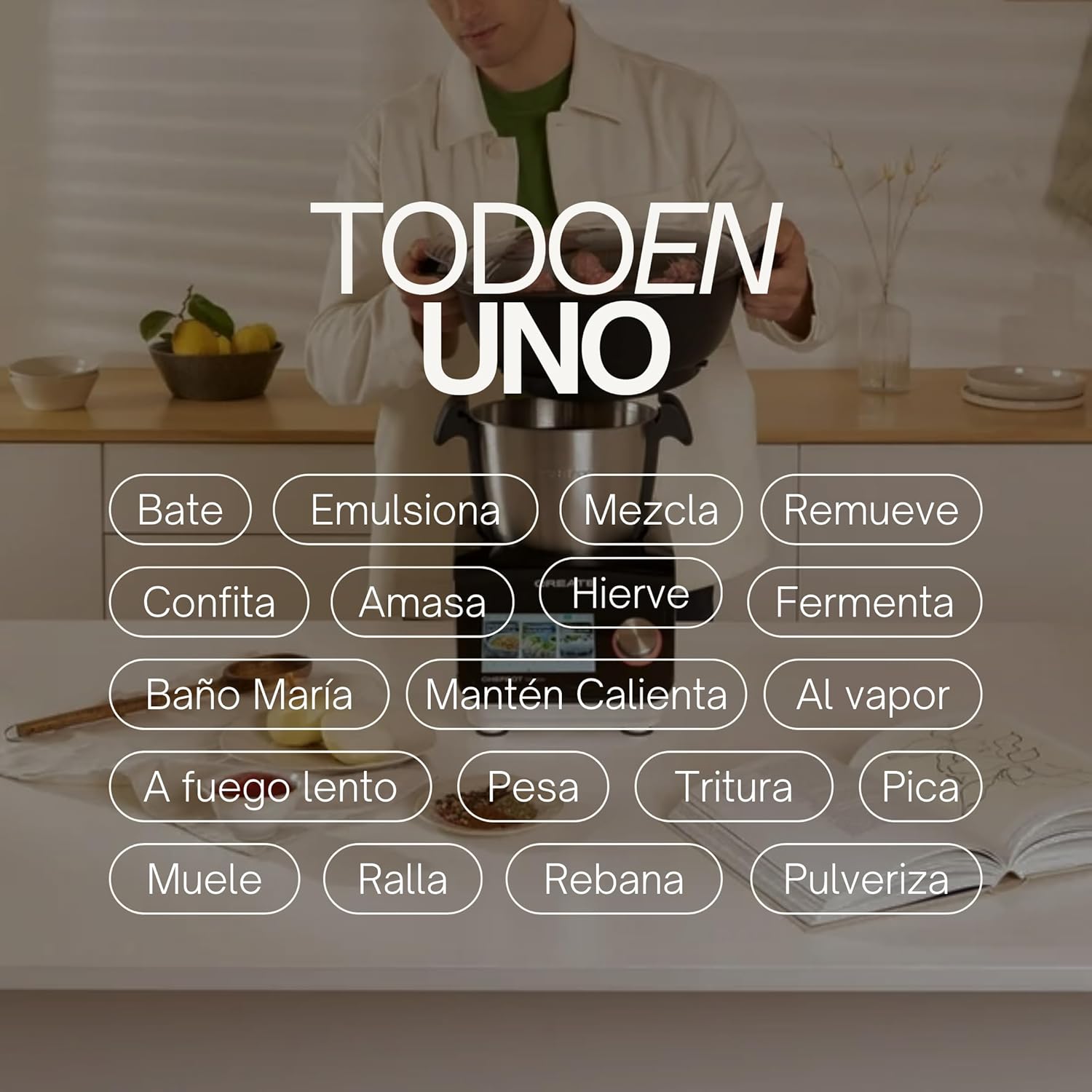
Image: An illustration highlighting the "All-in-One" capabilities of the Chefbot Touch, including functions such as beating, emulsifying, mixing, and more.

Image: A visual summary of the Chefbot Touch's core features: 24 automatic programs, 12 speeds with turbo, and over 140 pre-installed recipes.
3. Компоненти и додатоци
The Chefbot Touch comes with a comprehensive set of accessories to support its many functions:
- Ice-crushing Blades: For crushing ice and hard ingredients.
- Весло за мешање: For gentle stirring and mixing.
- Hand Spatula: За стружење и мешање.
- Separator Basket: For cooking ingredients separately within the bowl.
- Чаша за Мерење: За прецизни мерења на течности.
- Маталка за пеперутки: For whipping and emulsifying.
- Reversible Cutting Disc: For slicing and grating.
- Food Processor Lid: For use with the cutting disc.
- Туркач на храна: For safely guiding food into the cutting disc.
- 2-level Steamer Basket: For steaming multiple ingredients simultaneously.

Image: The Chefbot Touch displayed with its full set of ten accessories, designed for various cooking tasks.
4. Поставување
4.1 Распакување и првично поставување
Carefully remove all components from the packaging. Place the Chefbot Touch on a stable, flat, and dry surface. Ensure there is adequate ventilation around the unit. Keep the appliance away from heat sources and direct sunlight.
4.2 Поврзување за напојување
Поврзете го кабелот за напојување во заземјен штекер. Осигурајте се дека јачината на звукотtage одговара на спецификациите на вашиот апарат (110 волти).
4.3 Почетно чистење
Before first use, clean all removable parts (bowl, lid, accessories) with warm soapy water. Rinse thoroughly and dry completely. Wipe the main unit with a damp крпа. Не го потопувајте главниот уред во вода.
4.4 WiFi конекција
To access online recipes and updates, connect your Chefbot Touch to your home WiFi network.
- Turn on the Chefbot Touch.
- Navigate to the settings menu on the touch screen.
- Select "WiFi" or "Network Settings".
- Choose your WiFi network from the list.
- Внесете ја вашата лозинка за WiFi ако е побарано.
- Confirm the connection. Once connected, the device will be able to download recipe updates.
5. Упатства за работа
5.1 Општа операција
The Chefbot Touch is operated primarily through its 5-inch touch screen and the control knob.
- Екран на допир: Use to select programs, recipes, and adjust settings.
- Контролно копче: Rotate to adjust values (time, temperature, speed) and press to confirm selections.
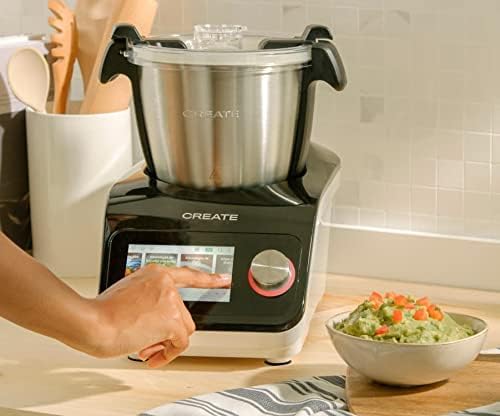
Image: A user demonstrating interaction with the Chefbot Touch's intuitive touchscreen interface.
5.2 Користење на автоматски програми
The 24 automatic programs simplify complex cooking tasks.
- From the main menu, select "Programs".
- Browse through the available programs (e.g., Knead, Steam, Chop).
- Select the desired program. The device will guide you through the necessary steps and settings.
5.3 Following Preloaded Recipes
Access over 140 preloaded recipes directly on the device.
- Изберете „Рецепти“ од главното мени.
- Browse or search for a recipe.
- Select the recipe. The screen will display step-by-step instructions, including ingredients, quantities, and cooking parameters.
- Follow the on-screen prompts to add ingredients and operate the machine.
5.4 Рачен режим
For custom cooking, use the manual mode to set time, temperature, and speed independently.
- Select "Manual" or "Custom" mode.
- Use the touch screen and control knob to set the desired cooking time (up to 90 minutes), temperature (37°C to 120°C), and speed (1-12 or Turbo).
- Притиснете старт за да започнете со готвење.
5.5 Безбедносни мерки на претпазливост за време на работа
- Always ensure the lid is properly secured before operating, especially when using high speeds or hot liquids.
- Не го преполнувајте садот.
- Be cautious when handling hot liquids or steam.
- Use the provided spatula or other appropriate utensils to scrape down ingredients, always stopping the machine first.
- Keep hands and utensils away from moving blades.
6. Одржување и чистење
Regular cleaning ensures the longevity and optimal performance of your Chefbot Touch.
6.1 Cleaning the Bowl and Accessories
- The stainless steel bowl should be washed by hand with warm soapy water. Rinse thoroughly and dry immediately to prevent water spots.
- Most accessories are dishwasher safe. Refer to individual accessory instructions for specific cleaning guidelines.
- За тврдокорни остатоци од храна, потопете ги деловите во топла вода со сапуница пред чистење.
6.2 Чистење на главниот уред
- Избришете ја надворешноста на главниот уред со мека, дamp крпа.
- Не користете абразивни средства за чистење или жлебови за гребење, бидејќи тие можат да ја оштетат површината.
- Никогаш не ја потопувајте главната единица во вода или која било друга течност.
- Уверете се дека уредот е исклучен пред да го чистите.
6.3 Складирање
Store the Chefbot Touch and its accessories in a clean, dry place when not in use. Ensure all parts are completely dry before storage.
7 Смена на проблеми
If you encounter issues with your Chefbot Touch, refer to the following common problems and solutions:
| Проблем | Можна причина | Решение |
|---|---|---|
| Апаратот не се вклучува. | Не е вклучен во штекер; прекинувачот е исклучен; исклучено напојувањеtage. | Ensure power cord is securely plugged in. Check the main power switch. Verify power supply. |
| Моторот запира за време на работата или се прегрева. | Overload; prolonged continuous use; safety mechanism activated. | Reduce the amount of ingredients. Allow the appliance to cool down for at least 30-60 minutes before resuming use. This is a safety feature to prevent damage. |
| Lid not closing properly. | Obstruction; incorrect alignment. | Check for any food particles or accessories blocking the lid. Ensure the lid is correctly aligned and locked into place. |
| Проблеми со WiFi конекција. | Incorrect password; weak signal; router issues. | Double-check the WiFi password. Move the unit closer to the router. Restart your router. |
| Порака за грешка на екранот. | Специфично оперативно прашање. | Note the error code or message. Refer to the digital manual on the device or contact customer support for specific guidance. |
Доколку проблемот продолжи и по обидот за овие решенија, контактирајте ја поддршката за корисници на CREATE.
8. Спецификации
Technical specifications for the CREATE IKOHS Chefbot Touch:
| Карактеристика | Спецификација |
|---|---|
| Бренд | КРЕИРАЈ |
| Модел | Chefbot Touch |
| Боја | Црното |
| Моќ | 1400 вати |
| Voltage | 110 волти |
| Материјал | Stainless Steel (bowl), Aluminum (body) |
| Број на брзини | 12 + Турбо |
| Температурен опсег | 37°C до 120°C |
| Максимално континуирано работење | 90 минути |
| Компатибилни уреди | IOS, Android |
| Димензии на производот (Д x Ш x В) | 38 x 24 x 23 cm |
| Тежина на производот | 10 кг |

Слика: напред view of the Chefbot Touch, illustrating its dimensions (465mm height, 380mm width) and 3.5L bowl capacity.
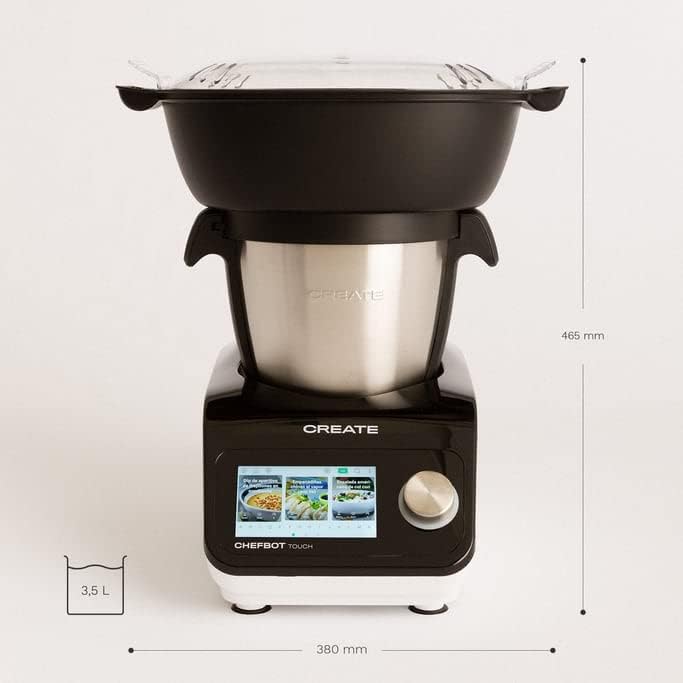
Слика: Страна view of the Chefbot Touch, showing its depth dimension of 380mm.
9. Гаранција и поддршка
For information regarding warranty coverage, terms, and conditions, please refer to the documentation included with your purchase or visit the official CREATE webсајт.
If you require technical assistance, have questions about your product, or need to report an issue, please contact CREATE customer support through their official channels.
Производител: КРЕИРАЈ IKOHS


