1. Вовед
This manual provides detailed instructions for the installation, operation, and maintenance of your Vivotek IB9380-H 5MP IR Outdoor Network Bullet Camera. Please read this manual thoroughly before using the product to ensure proper setup and optimal performance. This camera is designed for outdoor security surveillance, offering high-resolution imaging and infrared capabilities for reliable monitoring.
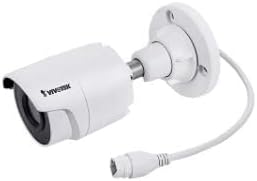
Image 1.1: Vivotek IB9380-H 5MP IR Outdoor Network Bullet Camera overview.
2. Информации за безбедност
- Извор на енергија: Use only the specified AC/DC power adapter. Ensure the power supply is stable and meets the camera's requirements (3.5 watts).
- Околина за инсталација: This camera is rated for outdoor use (IP9380). Avoid installing in locations with extreme temperatures, high humidity, or corrosive substances beyond its operating specifications.
- Ракување: Do not drop or subject the camera to severe shock. Avoid touching the lens directly.
- Расклопување: Не обидувајте се да ја расклопите или модифицирате камерата. Ова може да ја поништи гаранцијата и да предизвика штета.
- Кабелирање: Ensure all cables are properly secured and protected from environmental damage or tampеренг.
3. Содржина на пакетот
Проверете дали сите артикли се присутни во пакувањето:
- Vivotek IB9380-H 5MP IR Outdoor Network Bullet Camera
- Комплет за монтирање (завртки, ѕидни анкери)
- Водич за брза инсталација
- Водоотпорен конектор за етернет кабел
4. Поставување
4.1. Физичка инсталација и монтажа
The Vivotek IB9380-H camera is designed for wall mount installation. Choose a suitable location that provides the desired field of view и е во дофат на електрична енергија и мрежни приклучоци.
- Подгответе ја површината за монтирање: Mark the drilling points on the wall using the mounting template (if provided) or by holding the camera's base against the surface.
- Дупчете дупки: Drill pilot holes at the marked positions. Insert wall anchors if mounting on drywall or masonry.
- Обезбедете ја камерата: Attach the camera's mounting base to the wall using the provided screws. Ensure it is firmly secured.
- Прилагодете го аголот: Олабавете ги завртките за прилагодување на телото на фотоапаратот за да ја поставите саканата viewing angle. Tighten the screws once the angle is satisfactory.

Image 4.1: Camera dimensions and mounting diagram for installation planning.
4.2. Кабелско поврзување
Connect the necessary cables to the camera:
- Етернет кабел: Connect a standard Ethernet cable (RJ45) to the camera's network port. Use the waterproof connector to protect the connection if exposed to weather.
- Кабел за напојување: Connect the power adapter to the camera's power input. Ensure the connection is secure.

Image 4.2: Close-up of an Ethernet cable connector, similar to what is used for the camera's network connection.
4.3. Првично вклучување
Once all cables are connected, plug the power adapter into an electrical outlet. The camera will power on and initiate its startup sequence. Observe any indicator lights for status.
5. Упатства за работа
5.1. Network Configuration and Access
The Vivotek IB9380-H supports Wi-Fi connectivity. For initial setup, it is recommended to connect via Ethernet to configure network settings.
- Откријте ја камерата: Use the Vivotek IP Search utility or your network router's client list to find the camera's assigned IP address.
- Пристап Web Интерфејс: Отвори a web browser and enter the camera's IP address. Log in using the default credentials (refer to the Quick Installation Guide for details).
- Конфигурирајте Wi-Fi: Navigate to the network settings within the web interface. Select your Wi-Fi network, enter the password, and save the settings. Once configured, you may disconnect the Ethernet cable if desired.
5.2. Во живо View и Снимање
After network setup, you can access the camera's live feed and configure recording options.
- Во живо View: Од web interface or a compatible mobile application, select the camera to view неговиот пренос во живо.
- Поставување на снимање: Configure recording schedules, continuous recording, or event-triggered recording (e.g., motion detection). Recordings can be stored on a network video recorder (NVR) or a local storage device if supported.
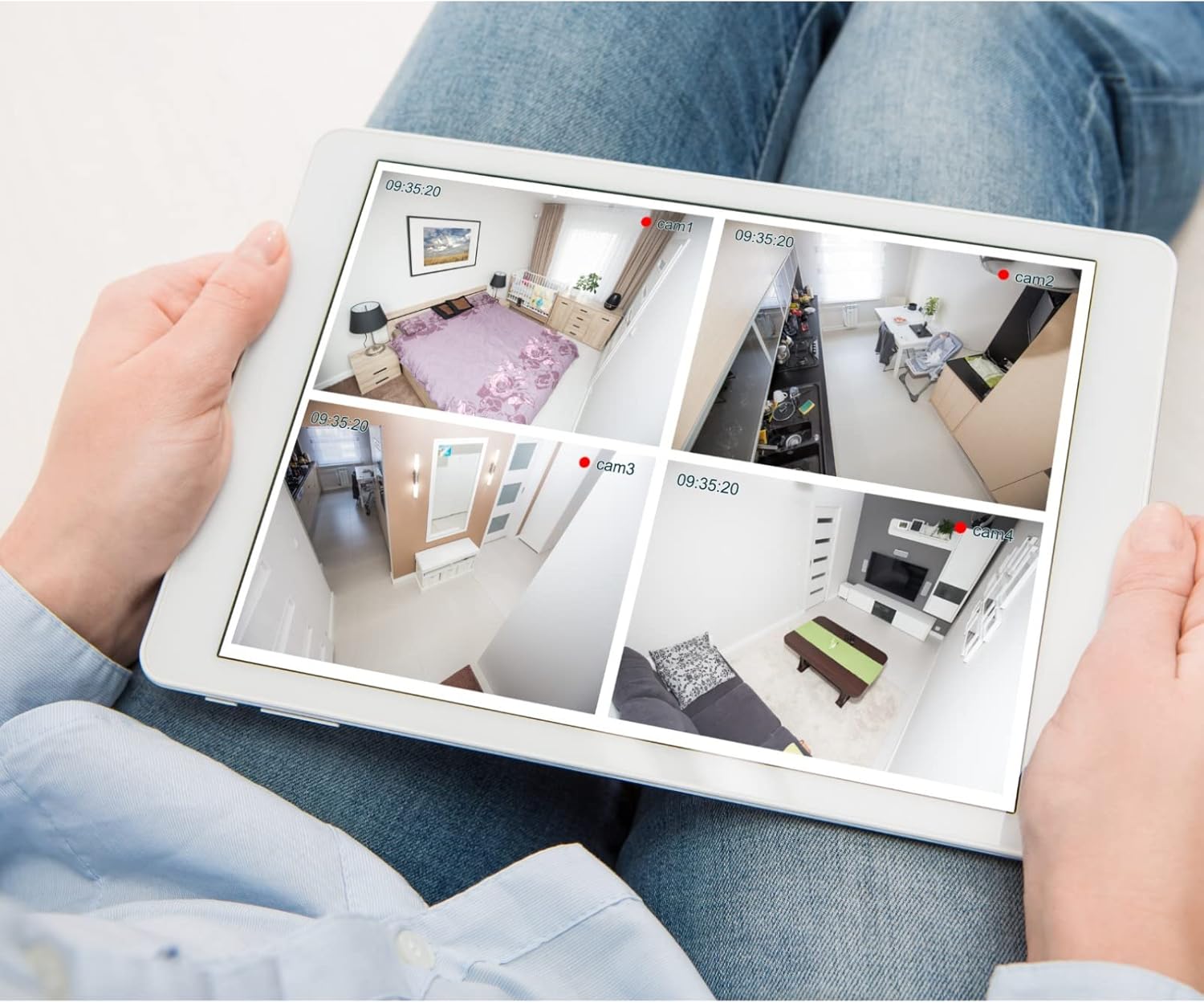
Слика 5.1: На пр.ample of a tablet displaying multiple camera feeds, illustrating remote monitoring capabilities.
5.3. Motion Detection Setup
The camera supports motion-only alerts.
- Access Alert Settings: In the camera's web interface, navigate to the event or alert settings section.
- Configure Motion Detection: Enable motion detection and define the detection zones and sensitivity levels.
- Set Actions: Specify actions to be taken upon motion detection, such as recording, sending email notifications, or triggering alarms.
5.4. Ноќно гледање
The camera features IR (Infrared) and Night Color low light technology for clear imaging in various lighting conditions. These features typically activate automatically based on ambient light levels.
6. Одржување
- Чистење на објективот: Нежно избришете го објективот на камерата со мека, чиста крпа. За тврдокорна нечистотија, користете раствор за чистење објективи наменет за оптички површини. Не користете абразивни средства за чистење.
- Ажурирања на фирмверот: Periodically check the Vivotek webстраница за ажурирања на фирмверот. Ажурирањето на фирмверот обезбедува оптимални перформанси, безбедност и пристап до нови функции.
- Проверка на животната средина: Regularly inspect the camera and its mounting for any signs of wear, damage, or loose connections, especially after severe weather conditions.
- Циклус на напојување: If the camera experiences minor issues, try power cycling it by disconnecting and reconnecting the power supply.
7 Смена на проблеми
| Проблем | Можна причина | Решение |
|---|---|---|
| Нема моќ | Адаптерот за напојување е исклучен или неисправен; проблем со штекерот. | Check power connections. Test the outlet with another device. Try a different power adapter if available. |
| Нема видео довод | Проблем со мрежната врска; неточна IP адреса; камерата не е конфигурирана. | Verify network cable connection or Wi-Fi settings. Confirm camera's IP address. Ensure camera is properly configured in your viewинг софтвер. |
| Лош квалитет на сликата | Dirty lens; low light conditions; incorrect resolution settings. | Clean the camera lens. Ensure sufficient lighting or verify night vision is active. Check video resolution settings in the camera's interface. |
| Откривањето на движење не работи | Motion detection disabled; incorrect sensitivity; detection zones not set. | Enable motion detection in settings. Adjust sensitivity and define detection zones. |
8. Спецификации
| Карактеристика | Детал |
|---|---|
| Модел | IB9380-H |
| Ефективна сепак резолуција | 5 MP |
| Резолуција за снимање видео | 1080 стр |
| Стапка на слики | 20 fps |
| Технологија на слаба осветленост | Ноќна боја |
| Форма фактор | Куршум |
| Внатрешна/надворешна употреба | На отворено |
| Тип на монтирање | Монтирање на ѕид |
| Безжична комуникација | Wi-Fi |
| Протокол за поврзување | Wi-Fi |
| Извор на енергија | AC/DC |
| Ватtage | 3.5 вати |
| Тип на сигнализација | Само движење |
| Контролен метод | Далечински |
| Димензии (Д x Ш x В) | 3.59 x 3.59 x 6.96 инчи |
| Оценка за меѓународна заштита | IP9380 |
| UPC | 655255870887, 681541834035 |
9. Информации за гаранцијата
This Vivotek product is covered by a manufacturer's limited warranty. Please refer to the warranty card included in your package or visit the official Vivotek website for detailed terms and conditions regarding warranty coverage, duration, and claims procedures. Keep your proof of purchase for warranty service.
10. Поддршка за корисници
For technical assistance, troubleshooting beyond this manual, or warranty inquiries, please contact Vivotek customer support. You can typically find contact information (phone, email, support portal) on the official Vivotek webстраницата или во документацијата што е испорачана со вашиот производ.
Онлајн ресурси: www.vivotek.com