Вовед
Thank you for choosing the Inateck KB02017 AZERTY Keyboard. This manual provides detailed instructions for setting up, operating, and maintaining your keyboard to ensure optimal performance and longevity. Please read this manual thoroughly before use.
Компатибилност
The Inateck KB02017 keyboard is compatible with the following iPad models:
- iPad 10.2-inch (9th Generation, 2021)
- iPad 10.2-inch (8th Generation, 2020)
- iPad 10.2-inch (7th Generation, 2019)
- iPad Air 3 (10.5-inch, 2019)
- iPad Pro 10.5 инчи

This image illustrates the compatible iPad models and how to locate your iPad's model number for verification.
Содржина на пакетот
Ве молиме проверете го пакувањето за следните ставки:
- Inateck KB02017 Magnetic Detachable Keyboard
- Заштитна футрола
- USB кабел за полнење
- Упатство за употреба
Карактеристики на производот
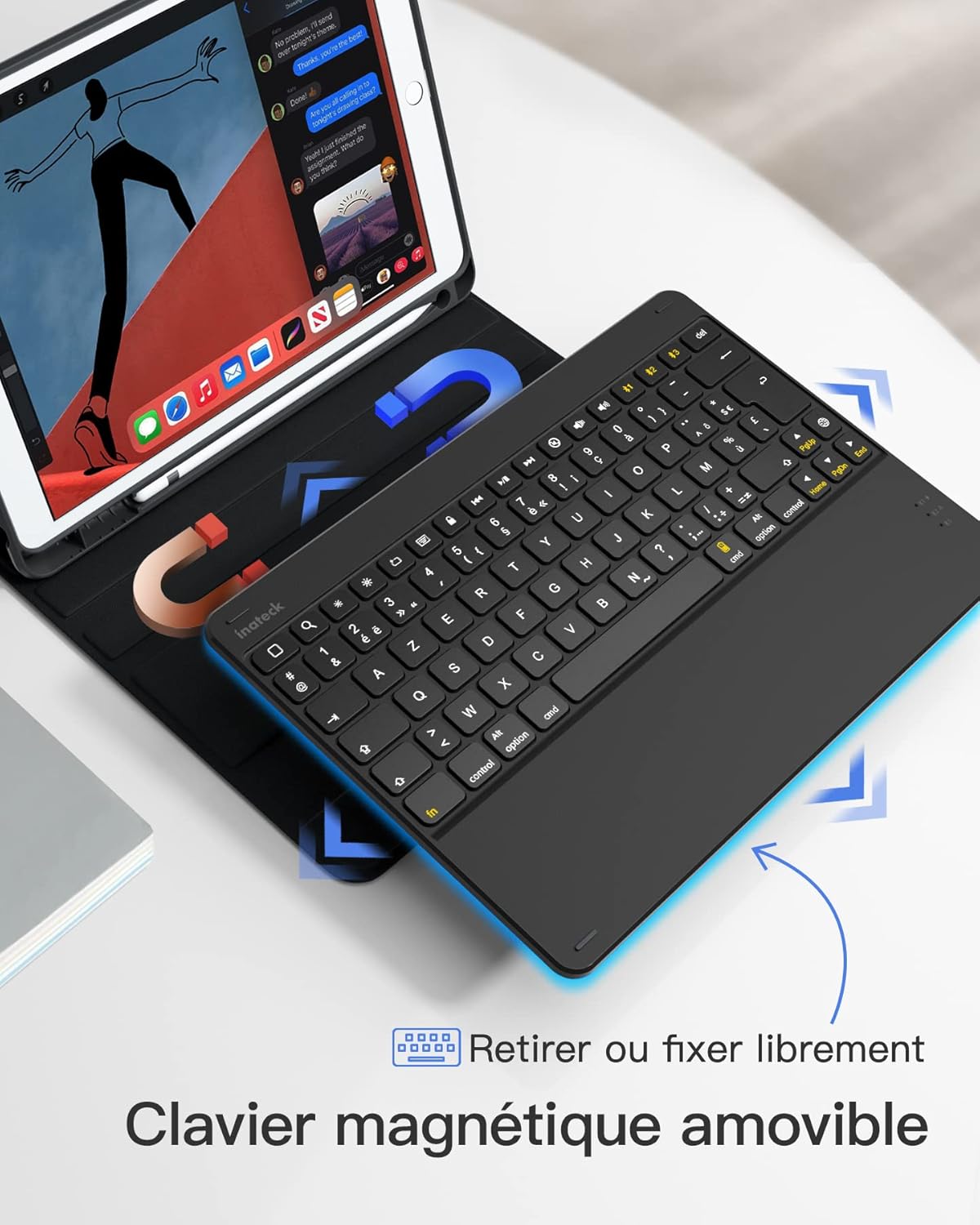
- Magnetic Detachable Design: The keyboard can be easily detached from the protective case, offering flexibility and portability. This allows you to use the iPad with or without the keyboard.
- True French AZERTY Layout: Designed with a genuine French AZERTY keyboard layout for comfortable and familiar typing.
- Повеќекратни Viewагли: The case supports three adjustable viewагли на пишување, овозможувајќи ви да ја пронајдете најудобната положба за пишување, viewцртање или цртање.
- Independent iOS Shortcut Keys: A dedicated row of shortcut keys provides quick access to various iOS functions, enhancing productivity.
- Целосна заштита: The flexible and shock-resistant protective case safeguards your iPad from daily bumps and scratches.
- Долг век на батеријата: Enjoy up to 100 hours of continuous operation or 50 days of standby time on a single charge.

The keyboard features a magnetic detachable design for versatile use.

The keyboard features a true French AZERTY layout.

Прилагодлив viewing angles provide ergonomic comfort.
Поставување
1. Полнење на тастатурата
Before first use, fully charge the keyboard. Connect the provided USB charging cable to the keyboard's charging port and a USB power source. The charging indicator light will show the charging status.
2. Bluetooth спарување
- Осигурајте се дека тастатурата е наполнета и вклучена.
- На вашиот iPad, одете на Поставки > Bluetooth и вклучете го Bluetooth.
- Притиснете и задржете го Fn + C keys simultaneously on the keyboard for 3 seconds. The Bluetooth indicator light will start flashing, indicating the keyboard is in pairing mode.
- On your iPad, look for "Inateck KB02017" (or similar name) in the list of available devices and tap to connect.
- Once connected, the Bluetooth indicator light on the keyboard will stop flashing and remain solid for a few seconds, then turn off.
The keyboard connects to your iPad via Bluetooth.
Упатства за работа
Користење на кратенки на тастатурата
The top row of the keyboard features dedicated iOS shortcut keys for quick access to various functions. These keys allow you to control your iPad efficiently without touching the screen.
| Клучна икона | Функција |
|---|---|
| Дома | Вратете се на почетниот екран |
| Барај | Activate Spotlight Search |
| Осветленост надолу | Намалете ја осветленоста на екранот |
| Осветленост горе | Зголемете ја осветленоста на екранот |
| Keyboard Hide/Show | Hide or show the on-screen keyboard |
| Претходна песна | Одете на претходната медиумска песна |
| Пушти/Пауза | Пушти или паузирај репродукција на медиуми |
| Следна песна | Одете на следната медиумска песна |
| Исклучи звук | Исклучи или вклучи звук |
| Намалување на јачината на звукот | Намалете ја јачината на звукот |
| Јачина на звук нагоре | Зголемете ја јачината на звукот |
| Заклучување на екранот | Lock the iPad screen |

Dedicated shortcut keys for iOS functions.
Одржување
Чистење
To clean the keyboard, gently wipe the surface with a soft, damp cloth. Avoid using harsh chemicals or abrasive materials. Ensure no liquid enters the keyboard's internal components.
Нега на батерии
The keyboard is powered by a rechargeable battery. To prolong battery life:
- Charge the keyboard regularly, even if not in frequent use.
- Избегнувајте изложување на тастатурата на екстремни температури.
- Доколку го складирате подолго време, наполнете ја батеријата до околу 50% пред складирање.

The keyboard offers long battery life for extended use.
Решавање проблеми
Keyboard Fails to Connect via Bluetooth
- Clear the paired device history for "Inateck KB02017" on your iPad.
- Deactivate and then reactivate the keyboard's Bluetooth.
- Притиснете и задржете го Fn + C keys for 3 seconds to enter Bluetooth pairing mode.
- Tap on "Inateck KB02017" in your iPad's Bluetooth device list to pair.
Some Keys Transmit Incorrect Values
If keys are not producing the expected characters (e.g., 'A' instead of 'Q' for AZERTY layout), ensure the correct keyboard layout is selected on your iPad:
- Одете на Поставки > Општо > Тастатура.
- Допрете на Тастатури, тогаш Add New Keyboard... if 'French (AZERTY)' is not listed.
- Под Хардверска тастатура, ensure the correct 'French (AZERTY)' layout is selected for your Inateck KB02017.

Common troubleshooting steps for connectivity and key input issues.
Спецификации
| Карактеристика | Детал |
|---|---|
| Бренд | Инатек |
| Број на модел | KB02017 |
| Боја | Темно сива боја |
| Технологија за поврзување | Bluetooth |
| Тип на енергија | Напојува со батерија |
| Опис на тастатурата | Самостоен |
| Компатибилни уреди | iPad 2021/2020/2019 (9th/8th/7th Generation), iPad Air 3, iPad Pro 10.5 |
| Димензии на ставката (Д x Ш x В) | 25.5 x 19.8 x 1.8 cm |
| Тежина на производот | 0.65 кг (1.43 фунти) |
| Специјална карактеристика | Лесни |
| Материјал | Aluminum, Polycarbonate, PBT |
Гаранција и поддршка
For warranty information or technical support, please refer to the documentation included with your purchase or visit the official Inateck website. Contact details for customer service can typically be found on the product packaging or the brand's support page.


