Вовед
This manual provides detailed instructions for the installation, operation, and maintenance of your WGP Teleheer T6 Plus Motorcycle Bluetooth Headset. Please read this manual thoroughly before using the device to ensure proper function and safety. The T6 Plus is designed for motorcycle riders, offering full-duplex Bluetooth real-time intercom communication, hands-free calling, music playback, and voice assistant integration.
Клучни карактеристики
- Full Duplex Bluetooth Real-time Intercom: Stable signal transmission up to 1500 meters (93 MPH) with ceramic antenna.
- Hands-free & Multi-function Keys: Bluetooth 5.1 connectivity, supports call handling (answer/refuse/redial), music playback. Automatic switch to phone mode for incoming calls. Large button design for easy operation with gloves.
- IP65 Waterproof & Dustproof Design: Withstands various weather conditions, operational down to -15°F.
- HD Speakers & Ultra High Quality Sound: High-definition sound quality, especially for bass, with effective wind noise reduction.
- All-in-One Type-C Port: Integrated audio, data transfer, and charging.
- Долг век на батеријата: 850 mAh battery providing 30 hours of continuous use and 500 hours standby.
Содржина на пакетот
Ве молиме проверете дали сите артикли се присутни во вашиот пакет:
- WGP Teleheer T6 Plus Bluetooth Headset Unit (2 units for 2-pack)
- Звучници за шлемови
- Microphone (boom mic for open-face helmets, soft mic for full-face helmets)
- Mounting Clip (clamp and adhesive options)
- Кабел за полнење USB Type-C
- Упатство за употреба

Image: A detailed diagram illustrating the components of the WGP Teleheer T6 Plus headset, including the main unit with its Type-C port, indicator light, and control buttons (OFF/ON, Volume+, Volume-, Telephone, Connect). It also shows the securing clip, microphone, and trumpet (speakers), providing a clear visual guide to the parts included and their connections.
Поставување и инсталација
1. Полнење на уредот
Before first use, fully charge the T6 Plus headset. Connect the provided USB Type-C cable to the headset's Type-C port and the other end to a USB power adapter (not included). The indicator light will show charging status and turn off when fully charged.
- Време на полнење: Приближно 2-3 часа.
- Indicator light: Red during charging, off when fully charged.
2. Инсталирање на слушалките во вашата кацига
The T6 Plus can be installed using either the clamp mount or the adhesive mount.
- Изберете локација за монтирање: Select a flat area on the left side of your helmet where the headset unit can be easily accessed.
- Инсталирајте звучници: Attach the speakers inside the helmet's ear pockets using the adhesive pads. Ensure they are positioned directly over your ears for optimal sound quality.
- Инсталирајте микрофон:
- For full-face helmets: Use the soft wire microphone and position it inside the chin bar, close to your mouth.
- For open-face or modular helmets: Use the boom microphone and position it in front of your mouth.
- Монтирајте ја главната единица:
- Clamp Монтирање: Лизнете го clamp between the helmet shell and the inner padding. Secure it tightly.
- Леплива монтажа: Clean the chosen surface on the helmet. Peel off the protective film from the adhesive mount and firmly press it onto the helmet for at least 30 seconds. Allow 24 hours for the adhesive to cure before use.
- Поврзете кабли: Plug the speaker/microphone cable into the Type-C port on the main headset unit.

Image: A WGP Teleheer T6 Plus headset unit mounted on the side of a motorcycle helmet. This image demonstrates the typical installation position of the headset on a helmet, showing its compact design and how it integrates with the helmet's exterior. The control buttons are visible, indicating ease of access for the rider.
Упатства за работа
1. Вклучување/исклучување
- Вклучување: Притиснете и задржете го Копче за напојување for 3 seconds until the indicator light flashes.
- Исклучено: Притиснете и задржете го Копче за напојување for 3 seconds until the indicator light turns off.
2. Bluetooth спарување со мобилен телефон
- Ensure the T6 Plus is powered off.
- Притиснете и задржете го Копче за напојување for approximately 5-7 seconds until the indicator light flashes red and blue alternately, indicating pairing mode.
- On your mobile phone, enable Bluetooth and search for "Teleheer T6 Plus".
- Select "Teleheer T6 Plus" from the list of available devices to connect. Once connected, the indicator light will flash blue slowly.
3. Intercom Pairing (Two Units)
To establish intercom communication between two T6 Plus units:
- Ensure both T6 Plus units are powered off.
- On Unit 1, press and hold the Копче за напојување for 5-7 seconds until the indicator light flashes red and blue alternately.
- On Unit 2, press and hold the Копче за напојување for 5-7 seconds until the indicator light flashes red and blue alternately.
- Накратко притиснете го Копче за напојување on either Unit 1 or Unit 2 (one short press). The units will search for each other.
- Once connected, the indicator lights on both units will flash blue slowly, and you will hear a confirmation tone.
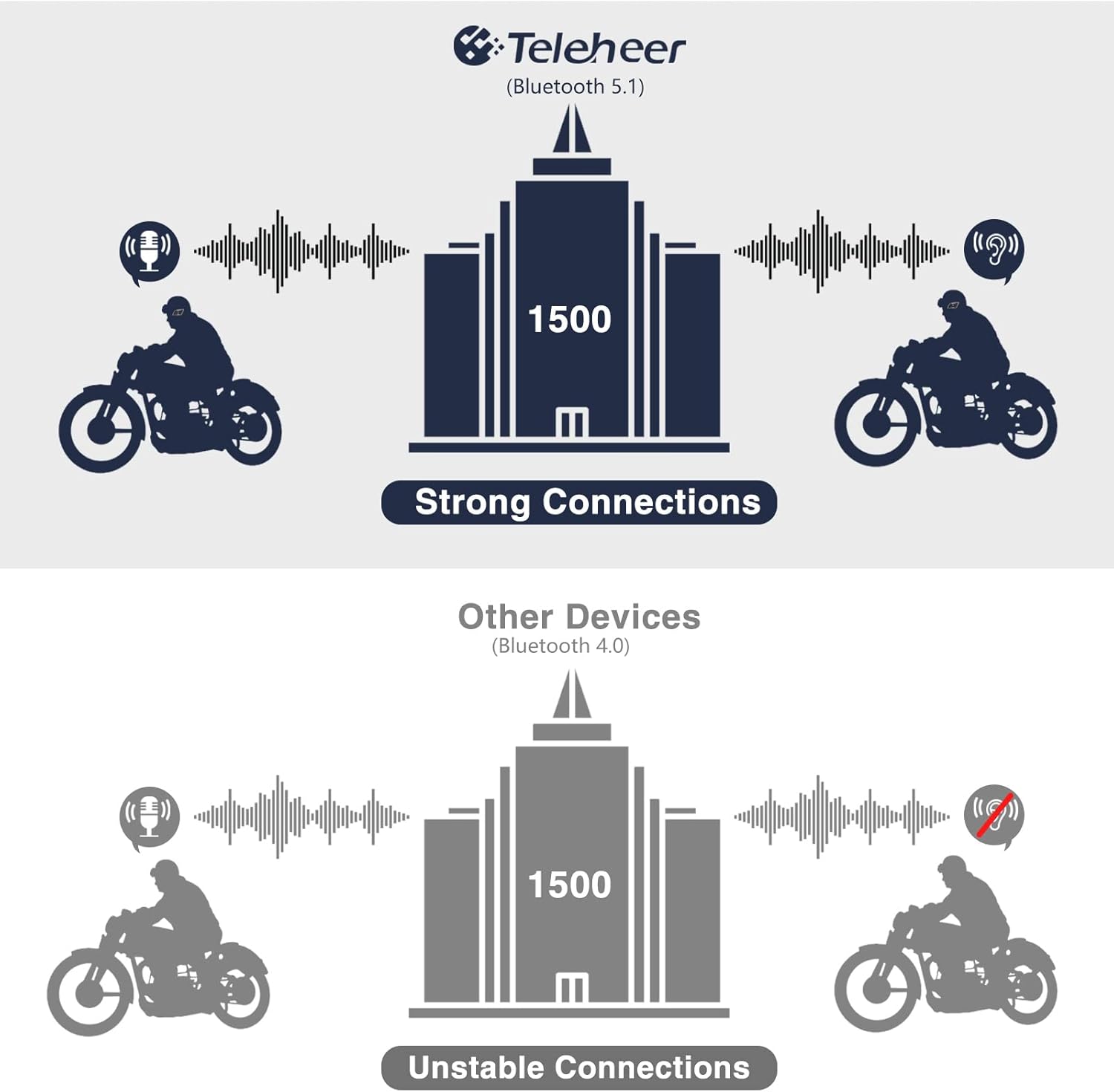
Image: A graphic illustrating the effective intercom range of the Teleheer T6 Plus (Bluetooth 5.1) compared to older Bluetooth 4.0 devices. The T6 Plus shows stable connections over 1500m, while older devices show unstable connections over shorter distances. This highlights the improved signal stability and range due to Bluetooth 5.1 and the ceramic antenna.
4. Функции за телефонски повици
- Одговори на повикот: Кратко притиснете го Копче за телефон.
- Крај на повикот: Кратко притиснете го Копче за телефон.
- Одбиј повик: Притиснете и задржете го Копче за телефон за 2 секунди.
- Повторно бирајте последен број: Двојно притиснете го Копче за телефон.
5. Репродукција на музика
- Пушти/Пауза: Кратко притиснете го Копче за телефон.
- Следна песна: Кратко притиснете го Копче за зголемување на јачината на звукот.
- Претходна песна: Кратко притиснете го Копче за јачина на звук.
- Прилагодување на јачината на звукот: Притиснете и задржете го Копчиња за зголемување/намалување на јачината на звукот за зголемување или намалување на јачината на звукот.
6. Гласовен асистент (Siri/Google Assistant)
- Активирајте го гласовниот асистент: Двојно притиснете го Копче за напојување.

Image: A graphic depicting the voice assistant feature of the Teleheer T6 Plus, showing a helmeted rider interacting with their phone via voice commands like "Hey Siri" or "Ok Google". This illustrates the hands-free convenience for navigation, calls, and other smartphone functions while riding.
Одржување и нега
- Чистење: Избришете ја слушалката со мека, дamp крпа. Не користете груби хемикалии или абразивни средства за чистење.
- Отпорност на вода: The device is IP65 waterproof. While it can withstand water jets, avoid submerging it in water for extended periods. Ensure the Type-C port cover is securely closed when not charging.
- Складирање: Чувајте го уредот на ладно и суво место кога не е во употреба. Избегнувајте екстремни температури.
- Нега на батеријата: To prolong battery life, avoid fully discharging the battery frequently. Charge the device regularly, even if not in use for long periods.

Image: A WGP Teleheer T6 Plus headset unit partially submerged in water with splashes, demonstrating its IP65 waterproof rating. The image emphasizes the device's ability to withstand water exposure, making it suitable for various weather conditions during riding.
Решавање проблеми
| Проблем | Можна причина | Решение |
|---|---|---|
| Уредот не се вклучува. | Слаба батерија. | Наполнете го уредот целосно. |
| Не може да се спари со телефон. | Device not in pairing mode; Bluetooth off on phone; too many paired devices. | Ensure device is in pairing mode (red/blue flashing). Turn on phone's Bluetooth. Delete old Bluetooth connections on phone. |
| Интерфонската врска е нестабилна или има краток домет. | Obstructions; out of range; interference. | Ensure clear line of sight. Stay within 1500m range. Avoid strong electromagnetic interference. |
| Нема звук од звучниците. | Звучниците не се правилно поврзани; јачината на звукот е прениска. | Check speaker connection to Type-C port. Increase volume. |
| Микрофонот не го фаќа гласот. | Microphone not connected properly; microphone position. | Check microphone connection. Ensure microphone is close to your mouth. |
| Wind noise during calls/intercom. | High speed; improper microphone placement. | Ensure microphone is positioned correctly to minimize wind exposure. The device has DSP noise suppression, but extreme conditions may affect performance. |
Спецификации
| Карактеристика | Детал |
|---|---|
| Име на моделот | Teleheer T6 Plus |
| Bluetooth верзија | Bluetooth 5.1 |
| Опсег на домофон | Up to 1500 meters (93 MPH) |
| Капацитет на батеријата | 850 mAh |
| Време на континуирана употреба | 30 часа |
| Време на мирување | 500 часа |
| Порта за полнење | Тип-C |
| Отпорност на вода | IP65 (Jet-proof) |
| Работна температура | До -15°F |
| Материјал за антена | Керамика |
| Контролен метод | Touch / Physical Buttons |
| Тежина на ставката | 14.4 унци (приближно 408 грама) |
| Димензии (пакет) | 8.54 x 3.9 x 2.95 инчи |
Гаранција и поддршка
For warranty information and technical support, please refer to the official WGP webстраницата или директно контактирајте ја нивната служба за корисници. Чувајте ја сметката за купување како доказ за купување за гаранциски побарувања.
За дополнителна помош, можете да ја посетите страница на производот на Amazon or contact the seller directly through the Amazon platform.


