Вовед
Thank you for choosing the Nedis SmartLife Wireless Camera System SLNVR201CWT. This system is designed to provide comprehensive home security with advanced features. This manual will guide you through the installation, operation, and maintenance of your new camera system, ensuring optimal performance and security.
The system includes a Network Video Recorder (NVR) and two Full HD (1080p) wireless cameras. Key features include motion and sound detection with adjustable sensitivity, instant smartphone notifications, a wide 180-degree viewing angle, night vision capabilities up to 5 meters, and two-way audio communication. Recordings are stored on a Micro SD card (not included) for convenient playback.
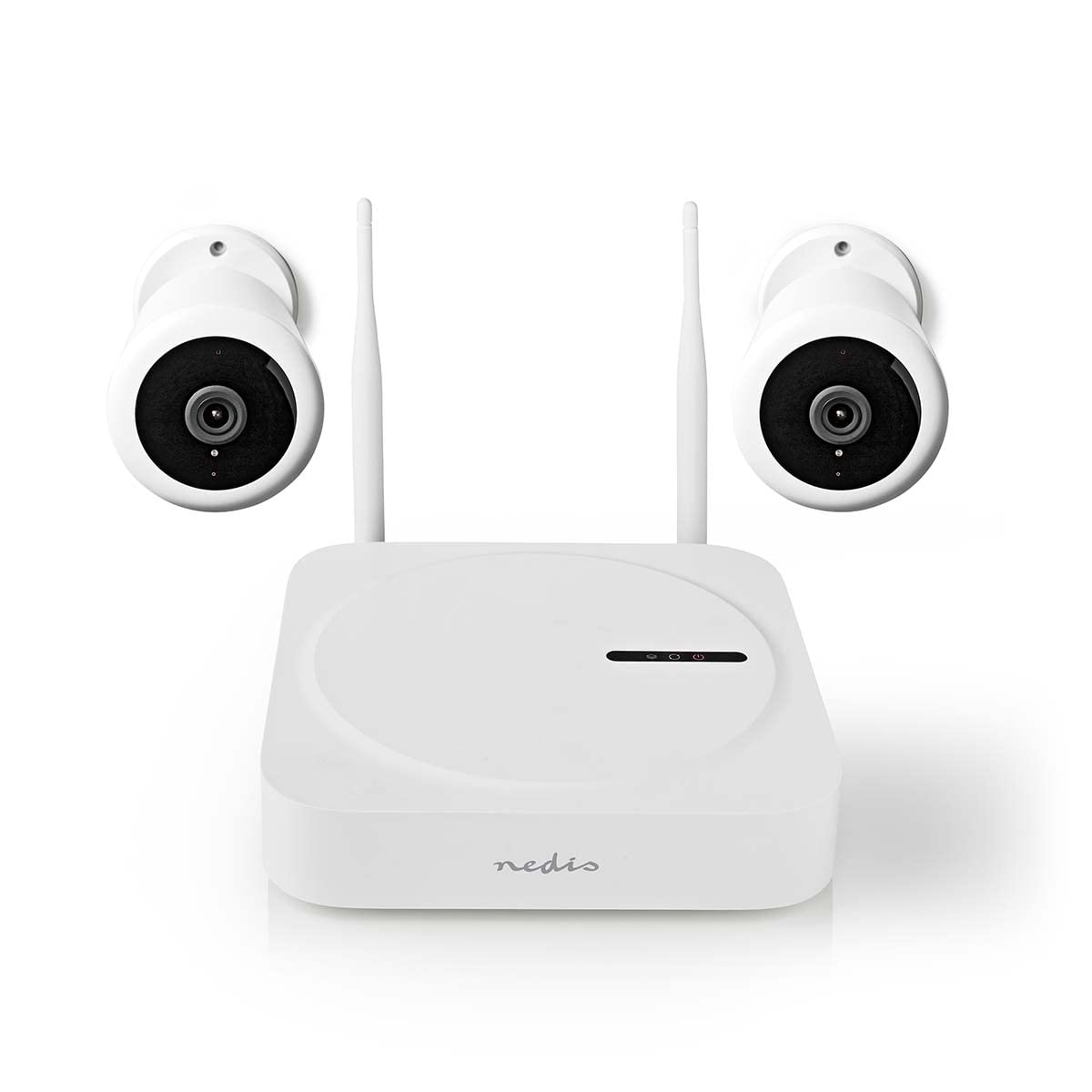
Image: The Nedis SmartLife Wireless Camera System, showing the central NVR unit and two wireless cameras.
Информации за безбедност
- Внимателно прочитајте ги сите упатства пред употреба.
- Чувајте го ова упатство за идна референца.
- Use only the power adapters supplied with the product. Using unauthorized power sources may damage the device and void the warranty.
- Не го изложувајте уредот на екстремни температури, влажност или директна сончева светлина.
- Ensure proper ventilation around the NVR unit to prevent overheating.
- Avoid placing the cameras in locations where they could be easily tampered with or damaged.
- Овој производ не е играчка. Да се чува подалеку од дофат на деца.
- For indoor and outdoor use. Ensure outdoor cameras are installed in a sheltered location to protect from direct heavy rain.
Содржина на пакетот
Внимателно распакувајте ја кутијата и проверете дали сите предмети се присутни и во добра состојба. Доколку некои предмети недостасуваат или се оштетени, ве молиме контактирајте го вашиот продавач.
- 1 x Nedis SmartLife Wireless NVR Unit
- 2 x Nedis SmartLife Wireless Cameras
- 3 x Power Adapters (for NVR and cameras)
- 1 x USB глушец
- Монтирачки завртки и ѕидни приклучоци
- Шаблони за вежбање
- Упатство за употреба (овој документ)
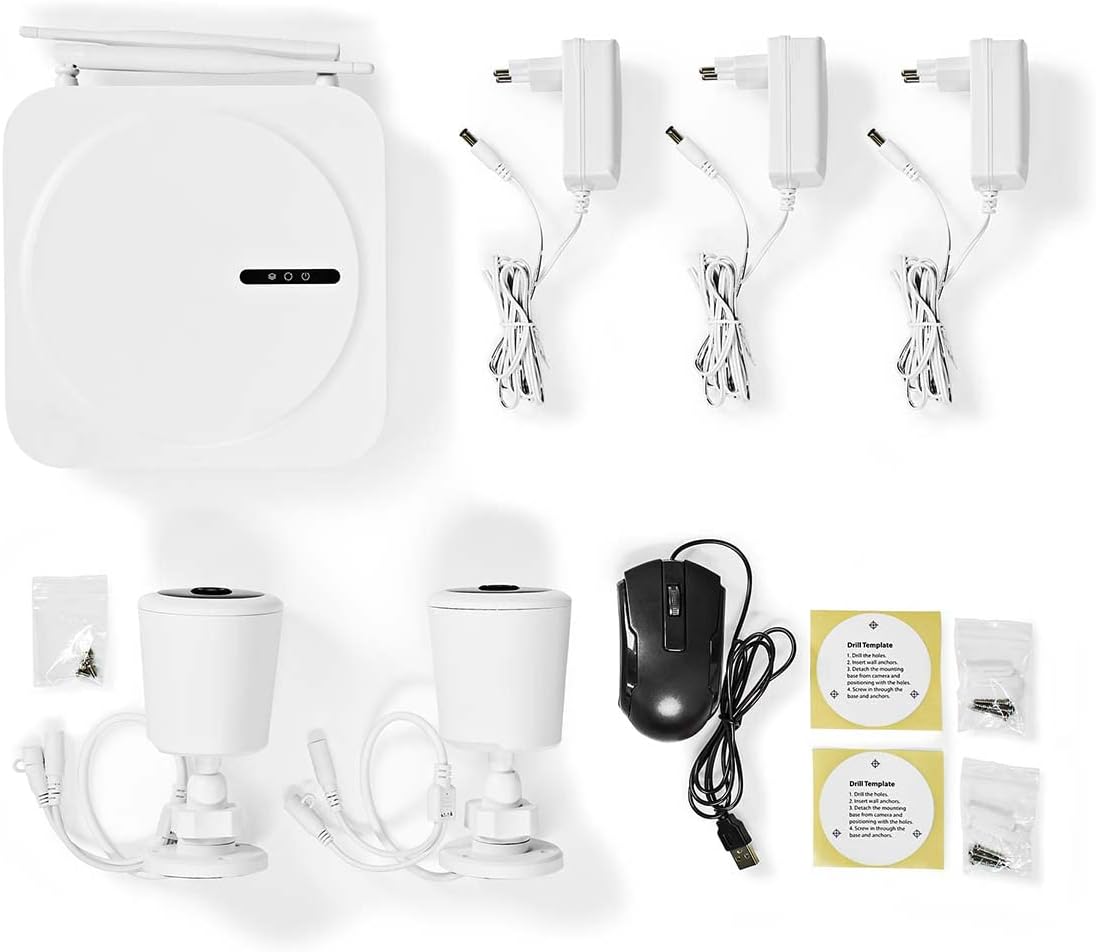
Image: All components included in the Nedis SmartLife Wireless Camera System package.
Поставување
1. NVR Unit Connection
- Place the NVR unit in a central location, ensuring good Wi-Fi signal strength for the cameras.
- Connect the NVR to a power outlet using one of the provided power adapters.
- Connect the USB mouse to the NVR's USB port.
- If desired, connect the NVR to your router via an Ethernet cable for a stable network connection.

Слика: напред view of the Nedis SmartLife NVR unit with indicator lights.
2. Инсталација на фотоапаратот
- Choose suitable locations for your cameras, considering the 180-degree viewing angle and night vision range (up to 5 meters).
- Use the drill templates to mark the screw positions on the wall or ceiling.
- Drill holes, insert wall plugs, and secure the camera mounts with screws.
- Attach the cameras to their mounts and adjust the angle as needed.
- Connect each camera to a power outlet using the remaining power adapters.

Image: Close-up of a Nedis SmartLife camera, highlighting the lens and sensor.
3. Инсталација на апликација и спарување
- Download the 'Nedis SmartLife' app from your smartphone's app store (available for Android and iOS).
- Регистрирајте се за нова сметка или најавете се ако веќе имате.
- Follow the in-app instructions to add your NVR system. The app will guide you through the pairing process for the cameras.
- Insert a Micro SD card (up to 128GB, not included) into the NVR for local storage of recordings.
Работење со системот
Во живо View и Репродукција
- Open the Nedis SmartLife app on your smartphone.
- Select your camera system to view преноси во живо од сите поврзани камери.
- Use the app interface to switch between cameras, access recorded footage, и прилагодете ги поставките.
- На view снимен footage, navigate to the playback section in the app and select the desired date and time.
Детекција на движење и звук
- The system is equipped with motion and sound detection. When triggered, it sends instant notifications to your smartphone.
- Adjust the sensitivity of both motion and sound detection within the Nedis SmartLife app settings for each camera to minimize false alarms.
- You can set specific detection zones for motion detection to focus on critical areas.
Двонасочно аудио
- The cameras feature built-in microphones and speakers, enabling two-way communication.
- Од во живо view in the app, tap the microphone icon to speak through the camera's speaker. Tap again to end.
- This feature allows you to communicate with visitors or deter intruders remotely.
Ноќна визија
- The cameras automatically switch to night vision mode in low-light conditions.
- Night vision provides clear black-and-white video footage up to 5 meters, ensuring 24-hour surveillance.
Одржување
Чистење
- Уверете се дека уредот е исклучен и исклучен од струја пред да го чистите.
- Use a soft, dry cloth to clean the NVR unit and camera bodies.
- For camera lenses, use a specialized lens cleaning cloth to avoid scratches.
- Do not use liquid or aerosol cleaners, as they may damage the components.
Ажурирања на фирмверот
- Periodically check the Nedis SmartLife app for available firmware updates.
- Keeping your system's firmware up-to-date ensures optimal performance, security, and access to new features.
- Follow the in-app instructions carefully when performing updates.
Складирање
- If storing the system for an extended period, ensure it is clean and dry.
- Да се чува на ладно и суво место подалеку од директна сончева светлина и екстремни температури.
Решавање проблеми
| Проблем | Можна причина | Решение |
|---|---|---|
| No image/video from camera | Camera not powered on; Wi-Fi signal too weak; Camera not paired. | Check power connection; Move camera closer to NVR/router; Re-pair camera via app. |
| Нема добиено известувања | Notifications disabled in app/phone settings; Detection sensitivity too low. | Enable notifications in Nedis SmartLife app and phone settings; Increase motion/sound sensitivity. |
| Лош квалитет на ноќно гледање | Obstruction in front of camera; Camera too far from subject. | Clear any obstructions; Ensure subject is within 5-meter night vision range. |
| Двонасочниот звук не работи | Microphone/speaker permissions not granted; Volume too low. | Check app permissions for microphone; Adjust volume settings in app. |
| System offline in app | NVR not connected to internet; NVR powered off. | Check NVR's internet connection (Ethernet/Wi-Fi); Ensure NVR is powered on. |
Спецификации
| Карактеристика | Спецификација |
|---|---|
| Број на модел | SLNVR201CWT |
| Бренд | Недис |
| Резолуција за снимање видео | 1080p (Full HD) |
| Боја | Бело |
| Број на канали | 4 |
| Безжична технологија | Wi-Fi |
| Viewинголен агол | 180 степени |
| Стапка на слики | 30 кадри во секунда |
| Voltage | 220 волти |
| Ватtage | 48 вати |
| Компатибилност на оперативниот систем | Андроид, iOS |
| Вклучени батерии | бр |
| Препорачана употреба | Ноќно гледање, домашна безбедност |
| Посебни карактеристики | High Definition, Motion Sensor, Two-Way Audio |
| Околина за користење | Затворен, Надворешен |
| Компатибилни уреди | Паметен телефон |
| Извор на енергија | Електричен со кабел |
| Протокол за комуникација | Wi-Fi |
Гаранција и поддршка
Nedis products are manufactured to high quality standards and are covered by a warranty period from the date of purchase. For detailed warranty terms and conditions, please refer to the warranty card included with your product or visit the official Nedis webсајт.
For technical support, troubleshooting assistance, or to report any issues with your product, please contact Nedis customer service. Contact information can typically be found on the Nedis webна локацијата или во пакувањето на вашиот производ.
Please have your model number (SLNVR201CWT) and proof of purchase ready when contacting support.