1. Вовед
This manual provides essential information for the safe and effective operation of your EXO Cinemaster 2-4K UHD Camera Drone. Please read this manual thoroughly before operating the drone to ensure proper usage and to maximize your flying experience. The EXO Cinemaster 2 is designed for capturing stunning aerial photography and videography with its advanced camera system and intelligent flight features.

The EXO Cinemaster 2-4K UHD Camera Drone, its remote controller, and included accessories.
2. Што има во кутијата
Проверете дали сите артикли се присутни во вашиот пакет:
- EXO Cinemaster 2 Drone
- Далечински управувач
- 3 Lithium Polymer Batteries
- Полнач за батерии
- Propeller Set (spare propellers may be included)
- USB кабел за полнење
- Упатство за употреба (овој документ)
3. Компоненти надview
Familiarize yourself with the main components of your EXO Cinemaster 2 drone.

The drone features an 11MP photo resolution camera capable of 4K UHD video, mounted on a 3-axis gimbal for stable footage.
Дрон
- Камера: 11MP photo, 4K UHD video, 1080p 60FPS slow-motion, 1/2.3in Sony Sensor, 50mbps bitrate.
- Гимбал: 3-axis stabilization for smooth video.
- Motors & Propellers: High-efficiency motors for stable flight.
- Оддел за батерии: Сместува батеријата за летање.
- Сензори: GPS for precise positioning, obstacle avoidance sensors.
Далечински управувач
- Контролни стапчиња: За насока на летот и надморска височина.
- Држач за паметен телефон: To mount your smartphone for live video feed and app control.
- Функциски копчиња: For various flight modes and camera controls.
- Антени: For signal transmission to the drone.
4. Поставување
Follow these steps to prepare your EXO Cinemaster 2 for its first flight.
4.1 Полнење батерии
- Поврзете го полначот на батерии со извор на енергија.
- Insert the drone batteries into the charger.
- Allow batteries to fully charge. Indicator lights on the charger will show charging status.
4.2 Прикачување на пропелери
- Осигурајте се дека дронот е исклучен.
- Match propellers with their corresponding motor arms (usually marked A and B).
- Securely attach each propeller by twisting or pressing down until locked. Refer to the drone's markings for correct orientation.
4.3 Подготовка на далечински управувач
- Наполнете го далечинскиот управувач.
- Extend the smartphone holder and securely place your smartphone.
- Download and install the official EXO drone application from your device's app store.
4.4 Почетна врска
- Вклучете го дронот, а потоа и далечинскиот управувач.
- Open the EXO drone app on your smartphone.
- Follow the in-app instructions to connect your smartphone to the drone via Wi-Fi.
- Wait for GPS signal acquisition (indicated by solid green lights on the drone and/or app).
5. Управување со дронот
Learn how to fly your Cinemaster 2 and utilize its advanced features.
5.1 Основни контроли за летање
The remote controller provides intuitive control over the drone's movement:
- Лев стап: Ја контролира надморската височина (горе/долу) и скршнувањето (ротирање лево/десно).
- Десен стап: Контролира движење напред/назад и лево/десно.
- Копче за полетување/слетување: One-tap automatic takeoff and landing.

The remote controller provides precise and intuitive flight control.
5.2 Работа со камерата
The Cinemaster 2's camera system allows for high-quality media capture:
- Резолуција на фотографијата: Capture still images at 11 megapixels.
- Видео резолуција: Record videos in stunning 4K UHD.
- Бавно движење: Achieve cinematic effects with 1080p 60FPS slow-motion recording.
- 3-осен гимбал: Обезбедува стабилна и мазна хранаtage by compensating for drone movements.
- Sony Sensor: The 1/2.3in Sony Sensor delivers rich, true-to-life colors with a 50mbps bitrate for detailed recordings.
5.3 Перформанси и карактеристики на летот
Experience robust flight performance and intelligent modes:
- Време на лет: Enjoy up to 28 minutes of flight per battery.
- Опсег: Control the drone up to half a mile away.
- Отпорност на ветер: Designed with Level 5 wind resistance for stable flight in various conditions.
- Спортски режим: Reach speeds of up to 27 MPH for dynamic aerial maneuvers.
- One-Tap Return to Home: The drone automatically returns to its takeoff point.
- Follow-Me Mode: The drone tracks your movements, capturing hands-free footage.
- Circle-Me Feature: The drone orbits around a designated subject for captivating shots.
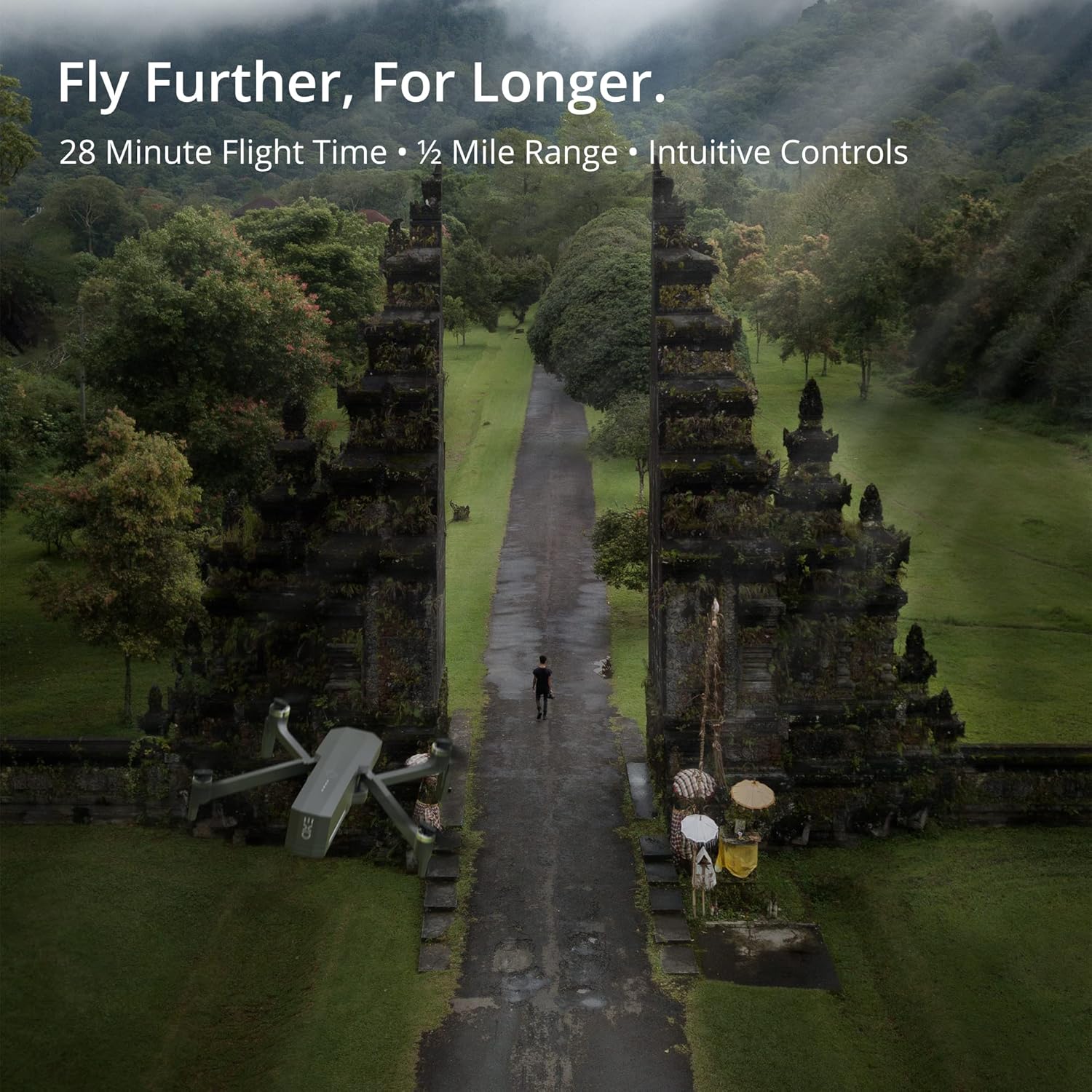
The Cinemaster 2 offers extended flight time and range for comprehensive aerial exploration.

Smart features like Auto Return Home simplify operation and enhance safety.

The drone's robust design provides stability even in windy conditions.
5.4 Официјални видеа за производи
Introducing Cinemaster 2: Ова видео дава крајview of the EXO Cinemaster 2 drone's features and capabilities, showcasing its camera quality and flight performance.
Drone Features Demonstration: This video demonstrates general drone features, including obstacle avoidance and high-resolution remote control, applicable to advanced drone models like the Cinemaster 2.
6. Одржување
Редовното одржување обезбедува долготрајност и оптимални перформанси на вашиот дрон.
- Нега на батеријата: Store batteries at approximately 50% charge if not used for extended periods. Avoid overcharging or fully discharging.
- Инспекција на пропелер: Regularly check propellers for cracks, bends, or damage. Replace damaged propellers immediately.
- Чистење: Користете мека, сува крпа за чистење на телото на дронот и објективот на камерата. Избегнувајте употреба на груби хемикалии.
- Ажурирања на фирмверот: Check the EXO drone app periodically for firmware updates to ensure your drone has the latest features and performance enhancements.
7 Смена на проблеми
Еве решенија за вообичаени проблеми со кои може да се соочите:
- Drone Not Connecting to Remote/App: Ensure both drone and remote are powered on and fully charged. Restart both devices and the app. Verify Wi-Fi connection.
- Слаб GPS сигнал: Fly in an open area away from tall buildings or strong magnetic interference. Wait for the GPS indicator to show a strong signal.
- Нестабилен лет: Check propellers for damage and ensure they are correctly installed. Calibrate the drone's compass and IMU as per app instructions.
- Camera Issues (No Image/Poor Quality): Ensure the camera lens is clean. Check app settings for resolution and frame rate. Verify sufficient storage on the SD card.
- Drone Does Not Respond: Ensure batteries are charged and properly inserted. Check for any physical obstructions to propellers.
8. Спецификации
| Карактеристика | Спецификација |
|---|---|
| Бренд | EXO |
| Име на моделот | EXO Cinemaster 2 |
| Тежина на ставката | 1.43 фунти |
| Димензии на производот | 12.6 x 4.72 x 9.45 инчи |
| Батерии | 3 литиум полимерни батерии (вклучени) |
| Посебни карактеристики | GPS |
| Резолуција за снимање видео | 4K UHD (1080p for slow motion) |
| Тип на флеш меморија | SD |
| Поддржан аудио формат | AAC |
| Технологија за поврзување | Wi-Fi |
| Тип на видео камера | Видео камера |
| Датум прв на располагање | 30 март 2022 година |
9. Гаранција и поддршка
For any questions, technical assistance, or warranty claims, please contact EXO's dedicated customer service team. Our Utah-based support is available to ensure a smooth and enjoyable experience with your Cinemaster 2 drone.
Refer to the official EXO webстраницата или вашата документација за купување за специфични гарантни услови и информации за контакт.


