1. Вовед
This manual provides comprehensive instructions for the proper use, setup, and maintenance of your boAt Immortal IM 300 Over-Ear Wired Gaming Headphones. Please read this manual thoroughly before using the product to ensure optimal performance and longevity.

Image 1.1: The boAt Immortal IM 300 Over-Ear Wired Gaming Headphones, showcasing неговиот дизајн и RGB осветлување.
2. Содржина на пакетот
Проверете дали сите артикли наведени подолу се присутни во пакувањето на вашиот производ:
- boAt Immortal IM-300 Gaming Headphones
- Кабел од тип C до тип А
- Кабел од тип C до тип C
- Упатство за употреба (овој документ)
- Гарантна картичка
3. Производот завршиview
The boAt Immortal IM 300 headphones are designed for an immersive audio experience, featuring advanced drivers, dual microphone options, and customizable settings.
3.1. Клучни карактеристики
- 50мм драјвери: Engineered for a powerful and immersive auditory experience.
- Двоен еквилајзер режими: Switch between 3D Spatial Sound for gaming and boAt Signature Sound for music and movies.
- RGB LED диоди: Integrated RGB lighting for visual customization.
- Двојни микрофони: Includes a detachable boom mic for clear communication and a passive mic for general use.
- Приспособување: Audio and mic driver settings can be adjusted via boAt Plugin Labz software.
- Удобен дизајн: Lightweight, over-ear design with soft earmuffs for extended wear.
- Жична врска: USB Type-C connection for reliable audio transmission.
- Компатибилност со повеќе платформи: Designed for use with PCs, laptops, smartphones, and gaming consoles.

Слика 3.1: Експлодира view illustrating the 50mm audio drivers within the headphone earcups.
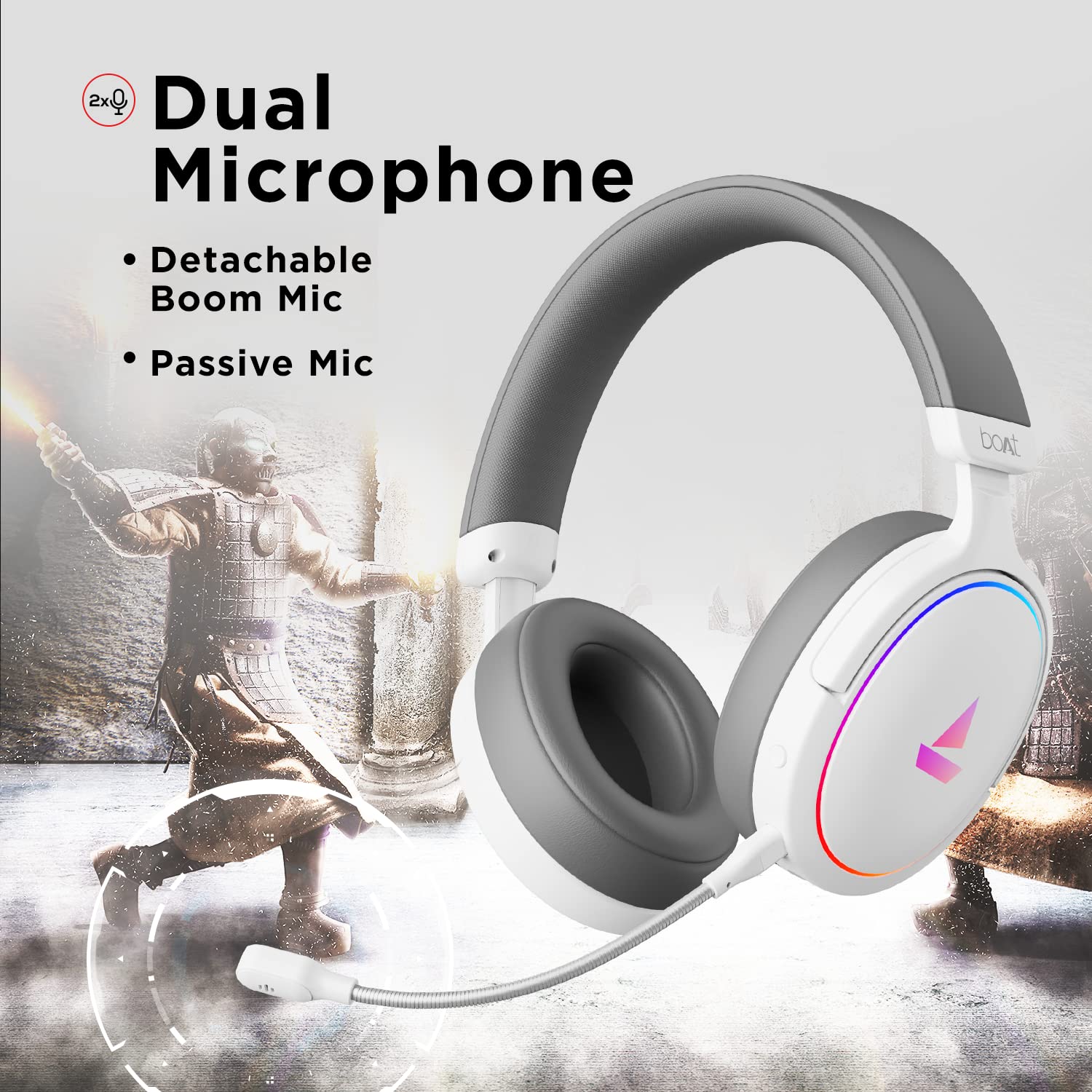
Image 3.2: The headphones featuring the detachable boom microphone, highlighting the dual microphone system.
4. Поставување
4.1. Поврзување со вашиот уред
The Immortal IM 300 headphones connect via USB. Use the appropriate cable for your device:
- За компјутер/лаптоп: Use the provided Type-C to Type-A cable. Connect the Type-C end to the headphone and the Type-A end to an available USB port on your computer.
- For Smartphones/Other Type-C Devices: Use the provided Type-C to Type-C cable. Connect one end to the headphone and the other to your device's Type-C port.
Once connected, your device should automatically detect the headphones. You may need to select the "Immortal IM-300" as the audio output and input device in your system's sound settings.
4.2. Attaching the Boom Microphone
The boom microphone is detachable. To attach it, align the microphone's connector with the port on the left earcup and gently push until it clicks into place. Ensure it is securely connected for optimal voice pickup.
To detach, gently pull the microphone straight out from the port.
5. Упатства за работа
5.1. Audio Modes (Dual EQ)
The headphones feature two distinct audio equalization (EQ) modes:
- 3D Spatial Sound Mode: Optimized for gaming, providing enhanced directional audio cues.
- Music Mode (boAt Signature Sound): Балансиран аудио професионалецfile suitable for listening to music and watching movies.
Refer to the inline remote control or the boAt Plugin Labz software for instructions on switching between these modes.

Image 5.1: Illustration of the Dual EQ Modes, highlighting the 3D Spatial Audio and Music Mode functionalities.
5.2. RGB LED Control
The headphones are equipped with RGB LEDs. These lights can be customized or turned off. Specific controls for RGB lighting are typically located on the inline remote or accessible through the boAt Plugin Labz software.

Image 5.2: The headphones showcasing their RGB lighting, indicating customization options via boAt Plugin Labz.
5.3. Употреба на микрофон
The Immortal IM 300 offers two microphone options:
- Бум микрофон: For clear and focused voice communication, especially during gaming. Ensure it is positioned correctly near your mouth.
- Passive Microphone: An integrated microphone for casual use when the boom mic is detached.
Use the inline remote to mute/unmute the microphone as needed.
6. Customization via boAt Plugin Labz
For advanced audio and microphone settings, download and install the boAt Plugin Labz software. This application allows you to fine-tune your listening experience and microphone performance.
Please visit the official boAt website for download instructions and compatibility information for the Plugin Labz software.
7. Одржување
7.1. Чистење
- Избришете ги слушалките со мека, сува крпа.
- Не користете груби хемикалии, растворувачи за чистење или силни детергенти.
- Keep the earcups clean to prevent debris buildup.
7.2. Складирање
- Слушалките чувајте ги на ладно и суво место, подалеку од директна сончева светлина и екстремни температури.
- Избегнувајте поставување тешки предмети врз слушалките.
- When not in use, consider storing them in a protective case to prevent damage.
8 Смена на проблеми
| Проблем | Можна причина | Решение |
|---|---|---|
| Нема звук од слушалките. |
|
|
| Микрофонот не работи. |
|
|
| RGB LEDs are not lighting up. |
|
|
9. Спецификации
| Карактеристика | Детал |
|---|---|
| Име на моделот | Immortal IM-300 |
| Технологија за поврзување | Жичен (USB тип-C) |
| Големина на драјвер за аудио | 50 мм |
| Облик на слушалката | Чаши за преку уво |
| Формат на микрофон | Boom (detachable) & Passive |
| Контрола на бучава | Пасивно поништување на шум |
| Опсег на фреквенција | 50-10 KHz |
| Тежина на ставката | 260 грама |
| Димензии на производот (ДxШxВ) | 20 x 18 x 8 cm |
| Компатибилни уреди | Паметни телефони, лаптопи, десктоп компјутери, играчки конзоли |
| Материјал | Пластика |
| Контролен метод | Далечински |

Слика 9.1: Готовоview of key features including multi-platform compatibility, lightweight construction, wired connection, and passive noise isolation.
10. Гаранција и поддршка
Your boAt Immortal IM 300 headphones come with a 1 година гаранција од датумот на купување. Ве молиме зачувајте ја вашата сметка за гаранциски барања.
For technical support, warranty claims, or further assistance, please contact boAt customer service through their official webстраницата или контакт информациите наведени на вашата гарантна картичка.
За повеќе информации, посетете ја официјалната Продавница за бродови.