1. Производот завршиview
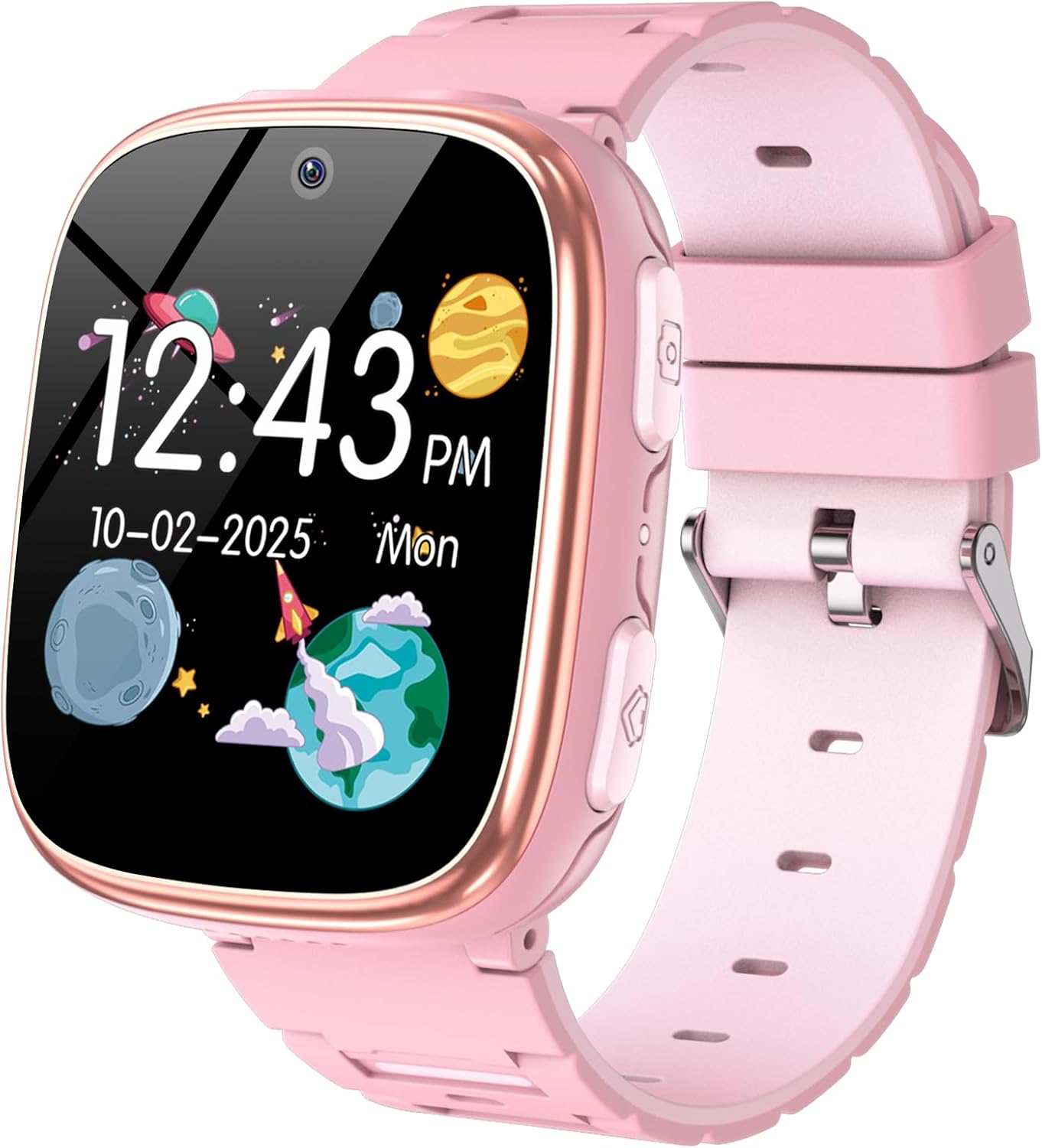
The Berilona Kids Smart Watch is designed to provide entertainment and educational features for children aged 4-12. It includes a variety of functions such as games, a camera, video and music playback, a pedometer, alarm clock, flashlight, and parental control options. This manual provides detailed instructions for setting up, operating, and maintaining your new smartwatch.
2. Што е вклучено
- Детски паметен часовник
- Прирачник за користење
- Кабел за полнење
3. Водич за поставување
3.1 Почетно полнење
Before first use, fully charge the smartwatch. Connect the provided charging cable to the watch's USB charging port (refer to Figure 2 for port location) and plug the other end into a compatible USB power adapter (not included). A full charge typically takes 2-3 hours.
3.2 Вклучување/исклучување
To power on the watch, press and hold the Home Button (refer to Figure 2) for a few seconds until the screen lights up. To power off, press and hold the Home Button again until the power-off option appears on the screen, then confirm.
3.3 Основна навигација
The smartwatch features a smooth touchscreen for navigation. Swipe left or right to browse through different applications and features. Tap on an icon to open an application. Use the Home Button to return to the main clock interface.

4. Упатства за работа
The Berilona Kids Smart Watch comes packed with various features to engage and educate children. Below are instructions for key functionalities:
4.1 Time Display & Customization
The main screen displays the time and date. Swipe across the clock face to change between various analog and digital watch faces. This allows for personalization and fun.


4.2 Camera & Video
Capture photos and record videos directly from the watch. Tap the 'Camera' icon to open the camera interface. Press the Camera Button (refer to Figure 2) or tap the screen to take a photo or start/stop video recording. Photos and videos are saved to the watch's internal memory.
4.3 игри
The watch comes pre-loaded with 15 puzzle games for entertainment. Access them via the 'Games' icon. Parental control settings can be used to limit game time.
4.4 Музички плеер
Load MP3 audio files onto the watch's memory via the charging cable. Access and play music through the 'Music' or 'Player' application. The watch has a volume control feature.
4.5 Педометар
The built-in pedometer tracks your child's steps throughout the day, encouraging physical activity. View step count via the 'Pedometer' application.
4.6 фенерче
Activate the flashlight feature from the main menu for convenient illumination in dark environments. Remember to keep the light away from eyes.
4.7 Time Teacher & Sound Teacher
These innovative features help children learn about time and sounds in an interactive way.
4.8 Audiobook
Enjoy 8 interesting audiobook stories directly on the watch, providing an engaging listening experience.
4.9 Habit Tracking
This feature helps cultivate good habits and time management concepts by allowing you to set reminders for daily routines like breakfast, homework, and bedtime.

4.10 Родителска контрола
Access parental control settings to manage watch usage and set time limits for games, ensuring a balanced experience for your child.

5. Спецификации
| Карактеристика | Детал |
|---|---|
| Димензии на производот | 5 x 1.57 x 0.39 инчи |
| Тежина на ставката | 2.12 унци (60 грама) |
| Број на модел на ставка | X38 |
| Батерии | Потребна е 1 литиум полимерна батерија |
| Големина на приказ на стоечки екран | 1.54 инчи |
| Капацитет за складирање на меморија | 8000 MB |
| Оперативен систем | Don't Need (Standalone) |
| Посебни карактеристики | Camera, Games, Music, Flashlight, Alarm Clock, Video, Pedometer, Calendaring, Parental Control Function, Audiobook, Time Teacher, Sound Teacher, Habit Tracking, Camera Sticker |
| Капацитет на батеријата | 670 милиониamp Часови |
| Технологија за поврзување | USB |
| Стандард за безжична комуникација | Радио фреквенција од 900 MHz |
| Состав на батериски ќелии | Литиум полимер |
| GPS | Нема GPS |
| Облик | Плоштад |
6. Одржување
To ensure the longevity and optimal performance of your Berilona Kids Smart Watch, follow these maintenance guidelines:
- Чистење: Wipe the watch screen and band with a soft, dry cloth. For stubborn dirt, slightly dampИзмијте ја крпата со вода. Избегнувајте груби хемикалии или абразивни материјали.
- Полнење: Always use the provided charging cable. Do not overcharge the battery; disconnect once fully charged.
- Отпорност на вода: The watch is designed for everyday use but is not fully waterproof. Avoid submerging it in water or exposing it to heavy rain.
- Складирање: Чувајте го часовникот на ладно и суво место, подалеку од директна сончева светлина и екстремни температури кога не го користите подолг период.
7 Смена на проблеми
If you encounter any issues with your smartwatch, please refer to the following common solutions:
- Часовникот не се вклучува: Проверете дали часовникот е целосно наполнет. Поврзете го со полначот и почекајте неколку минути пред да се обидете повторно да го вклучите.
- Екранот не реагира: Try restarting the watch by holding down the Home Button until it powers off, then power it back on.
- Функциите не работат: Check if the watch has sufficient battery. Some features may require adequate charge. If the issue persists, try a factory reset (refer to Settings menu, if available).
- Проблеми со звукот: Check the volume settings in the 'Settings' menu. Ensure the volume is not muted or set too low.
8. Гаранција и поддршка
Berilona products are manufactured with high-quality standards. For warranty information or technical support, please refer to the contact details provided on the product packaging or visit the official Berilona webсајт. Чувајте ја вашата потврда за купување за барања за гаранција.


