Вовед
Thank you for choosing the HTC True Wireless Earbuds 7. This manual provides essential information for setting up, operating, maintaining, and troubleshooting your new earbuds. Please read it thoroughly before use to ensure optimal performance and longevity of your device.
Содржина на пакетот
Проверете дали сите предмети се присутни во пакувањето:
- 2 x HTC Wireless Earbuds (Left and Right)
- 1 x торбичка за полнење
- 1 x USB-C кабел
- 2 Pairs x Silicone Earplugs (S, L) - Note: Medium size earplugs are pre-installed on the earbuds.
- 1 x English Manual (This document)

Image: HTC True Wireless Earbuds 7, charging case, and USB-C cable.
Водич за поставување
1. Почетно полнење
Пред првата употреба, целосно наполнете ги слушалките и кутијата за полнење.
- Ставете ги двете слушалки во кутијата за полнење.
- Connect the provided USB-C cable to the charging port on the case and a power source (e.g., USB wall adapter, computer USB port).
- The indicator lights on the charging case will illuminate to show charging status. All three indicator lights will show blue when fully charged.
Време на полнење:
- Слушалки: приближно 40 минути
- Торба за полнење: Приближно 1.5 часа

Image: HTC True Wireless Earbuds 7 charging case showing battery indicator lights.
Video: Demonstrates charging the HTC True Wireless Earbuds 7 charging case using the USB-C cable.
2. Спарување со вашиот уред (спарување во еден чекор)
The earbuds utilize advanced Bluetooth 5.3 technology for fast and stable connection.
- Отворете ја кутијата за полнење. Слушалките автоматски ќе влезат во режим на спарување.
- На вашиот уред (паметен телефон, таблет, компјутер), овозможете Bluetooth.
- Пребарај за "HTC TWS7" in the list of available Bluetooth devices.
- Select "HTC TWS7" to connect. Once paired, the earbuds will automatically connect to your device in the future when taken out of the case.
Important Tip: When pairing for the first time, please take both earbuds out of the charging box for pairing.

Image: Illustrates the one-step pairing process with a smartphone.
3. Adjusting Earplugs for Best Fit
For optimal sound quality and comfort, choose the silicone earplugs that best fit your ears. The earbuds come with medium-sized earplugs pre-installed, and S/L sizes are included in the package.
- Gently remove the pre-installed earplug from the earbud.
- Select a different size (S or L) and carefully attach it to the earbud's nozzle, ensuring it is securely fastened.
- Test the fit and sound quality. A good seal will provide better bass and noise isolation.

Image: Close-up of an earbud highlighting the soft silicone eartips for a comfortable fit.
Упатства за работа
Паметни контроли на допир
The HTC True Wireless Earbuds 7 feature intuitive touch controls on each earbud. The touch-sensitive area is located on the outer surface of each earbud.
| Функција | Акција |
|---|---|
| Пушти/Пауза | Допрете на која било слушалка еднаш. |
| Одговори/исклучи повик | Допрете на која било слушалка еднаш. |
| Претходна песна | Допрете двапати на левата слушалка. |
| Следна песна | Допрете двапати на десната слушалка. |
| Гласовен асистент | Допрете трипати на која било слушалка. |
| Одбијте го повикот | Допрете и задржете 2 секунди. |
| Вклучување/исклучување на режимот на игра | Допрете и задржете 2 секунди. |
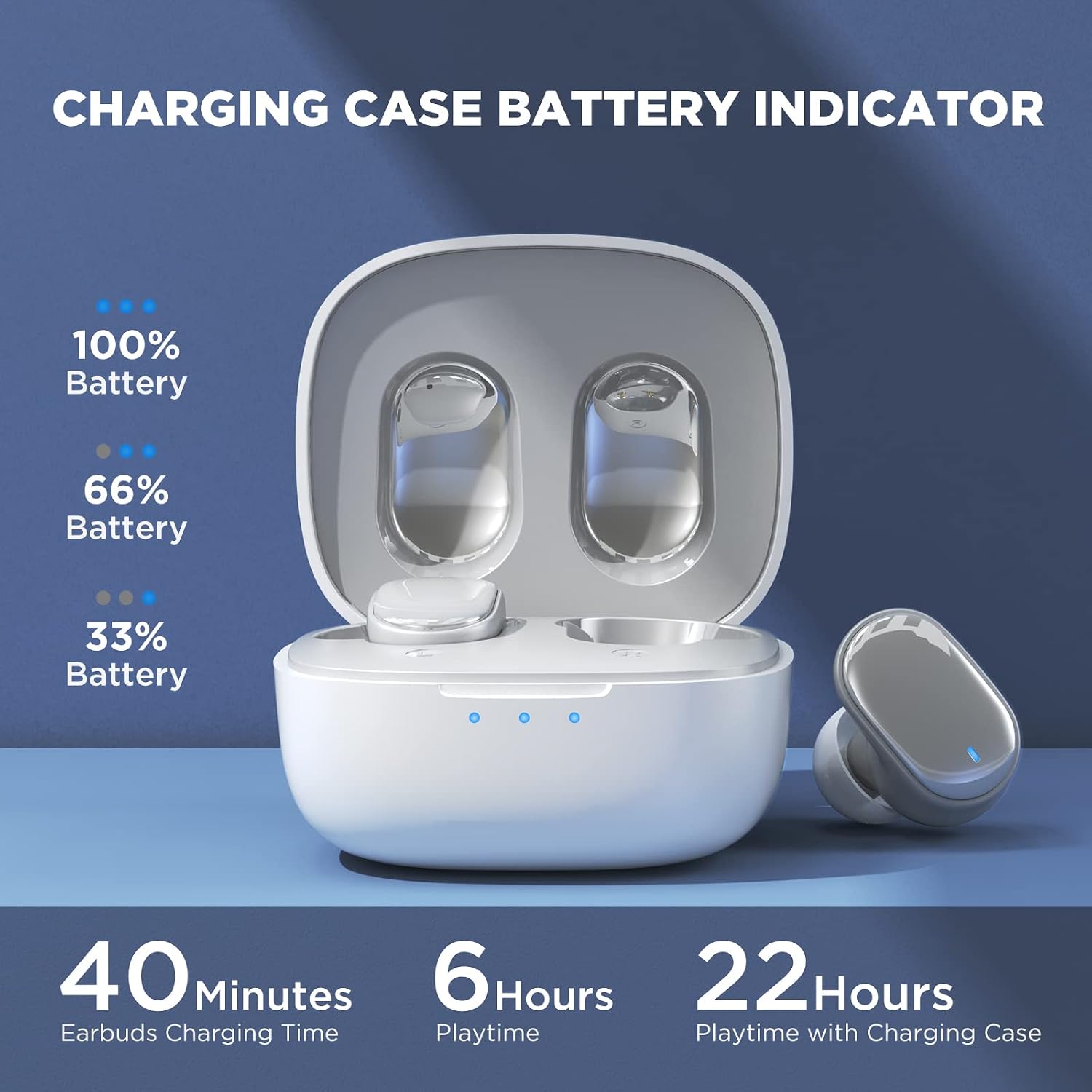
Image: Visual guide to the smart touch controls on the earbud.
Режим на игра
Designed specifically for gaming, Game Mode provides an ultra-low latency of 45ms, ensuring audio and video remain synchronized for a smoother gaming experience. To activate or deactivate Game Mode, tap and hold either earbud for 2 seconds.
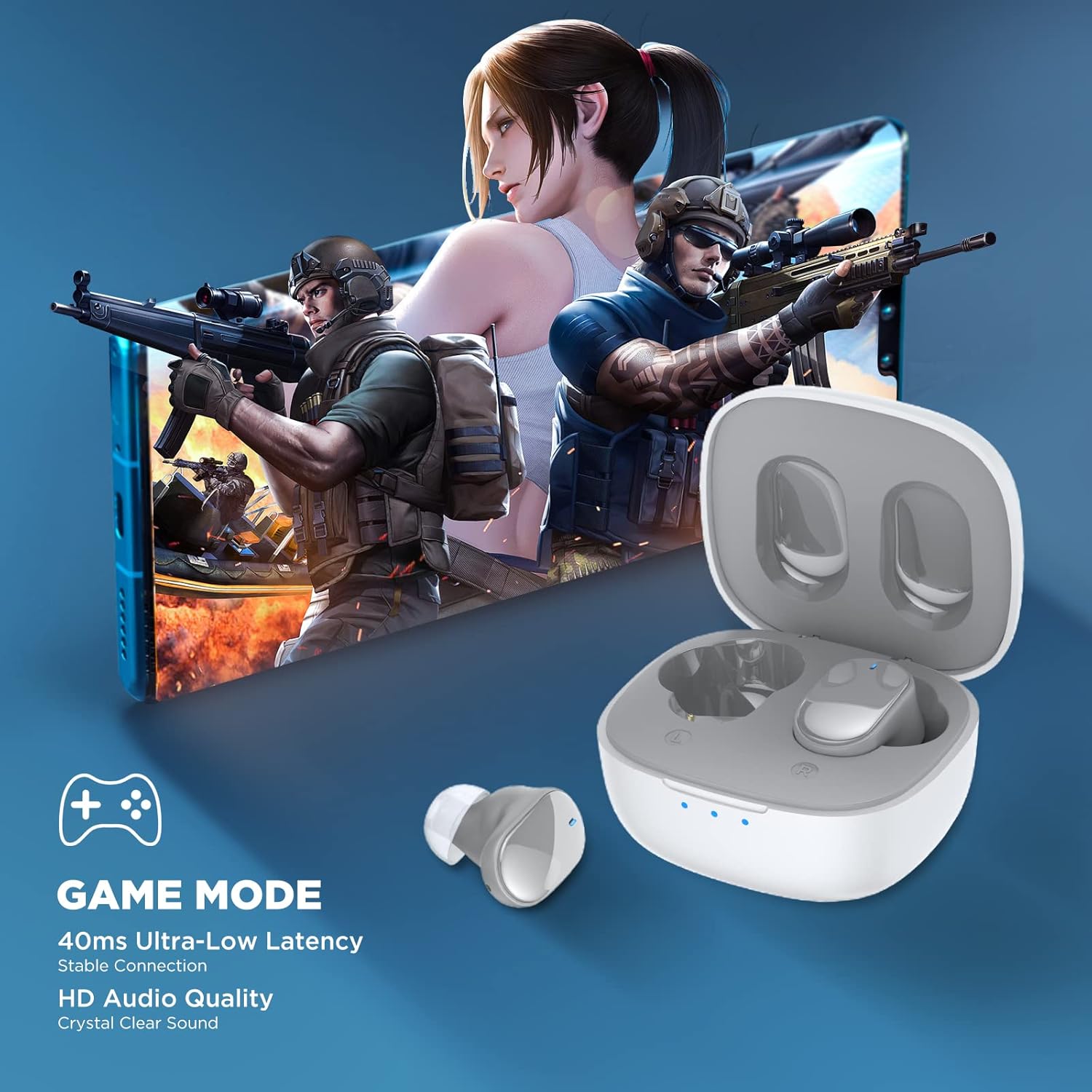
Image: Earbuds shown in a gaming context, highlighting the 40ms ultra-low latency Game Mode.
Аудио квалитет
The earbuds are equipped with 10mm drivers, producing powerful bass and stunning treble for a rich audio experience.

Слика: Експлодирана view diagram illustrating the 10mm speaker driver components.
Одржување и нега
- Чистење: Редовно чистете ги слушалките и кутијата за полнење со мека, сува крпа што не остава влакненца. Не користете груби хемикалии или абразивни материјали.
- Грижа за чепови за уши: Remove the silicone earplugs periodically and clean them with mild soap and water. Ensure they are completely dry before reattaching.
- Отпорност на вода: The earbuds are IPX4 waterproof, meaning they are resistant to sweat and splashing water. Do not submerge them in water or expose them to heavy rain.
- Складирање: Кога не ги користите, чувајте ги слушалките во нивната кутија за полнење за да ги заштитите и да ги држите наполнети. Чувајте ги на ладно и суво место, подалеку од екстремни температури.
- Траење на батеријата: За да го продолжите траењето на батеријата, избегнувајте често целосно празнење на слушалките и кутијата за полнење. Полнете ги редовно, дури и ако не се користат подолг период.
Решавање проблеми
| Проблем | Можно решение |
|---|---|
| Слушалките не се спаруваат со уредот. |
|
| Работи само една слушалка. |
|
| Ниска јачина на звук или лош квалитет на звукот. |
|
| Слушалките не се полнат. |
|
| Контролите на допир не реагираат. |
|
Спецификации
| Карактеристика | Детал |
|---|---|
| Име на моделот | TWS7 |
| Bluetooth верзија | 5.3 |
| Технологија за поврзување | Безжичен (Bluetooth) |
| Аудио латентност | 45 милисекунди (режим на игра) |
| Време за играње (едно полнење) | Над 6 часа |
| Вкупно време за играње (со футрола за полнење) | До 22 часа |
| Време на полнење на слушалките | 40 минути |
| Куќиште за полнење Време на полнење | 1.5 часа |
| Големина на возачот | Динамички драјвер од 10 мм |
| Отпорност на вода | IPX4 (отпорен на потење) |
| Тип на контрола | Контрола на допир, Гласовна контрола |
| Опсег на Bluetooth | До 10 метри (32.8 стапки) |
| Опсег на фреквенција | 20 Hz - 20,000 Hz |
| Компатибилни уреди | iOS, Android, Windows уреди |
Информации за гаранцијата
Your HTC True Wireless Earbuds 7 come with a 360 Days Warranty Extension. Please retain your proof of purchase for warranty claims.
This warranty covers manufacturing defects and issues arising from normal use. It does not cover damage caused by misuse, accidents, unauthorized modifications, or improper maintenance.
Поддршка за корисници
For any questions, concerns, or technical assistance, please contact HTC customer support:
- Поддршка за разговор во живо: Available 7 days a week, 24 hours a day. Refer to the product packaging or official HTC webстраница за конкретни контакт информации.
- Онлајн ресурси: Visit the official HTC website for FAQs, updated manuals, and additional support resources.
We are committed to ensuring your satisfaction with our in-ear headphones.