1. Производот завршиview
The Brook Wingman PS2 Converter allows users to connect modern game controllers wirelessly or wired to PlayStation 2 (PS2), PlayStation 1 (PS1), and PlayStation Classic consoles. This device enhances the retro gaming experience by providing compatibility with a wide range of contemporary controllers, including those from PlayStation 5, PlayStation 4, Xbox Series X/S, Xbox One, and Nintendo Switch Pro.
Клучни карактеристики:
- Broad Controller Compatibility: Supports wireless connections for Xbox Series X/S/Elite 2/One (Bluetooth models), PS5/PS4/PS3, and Nintendo Switch Pro controllers. Supports wired connections for Xbox 360 controllers.
- Функционалност Plug-and-Play: Designed for easy setup and immediate use.
- Турбо функција: Offers 5 adjustable turbo levels for enhanced gameplay.
- Повторно мапирање на копчињата: Allows for self-defined button configurations.
- Ниска латентност: Utilizes Brook's exclusive technology for stable, ultra-low latency performance.

Image 1.1: Brook Wingman PS2 Converter and its retail packaging.

Слика 1.2: напред view of the Brook Wingman PS2 Converter, highlighting its compact design.
2. Содржина на пакетот
Ве молиме проверете дали сите артикли се присутни во вашиот пакет:
- Brook Wingman PS2 Converter (1 unit)
- Упатство за употреба (овој документ)
3. Распоред на уредот и порти
The Wingman PS2 Converter features several ports for connectivity:
- PS2 Port: Connects directly to the controller port of your PS2 or PS1 console.
- Микро USB порта: Used for connecting to PS Classic consoles, PC (XID mode), and for providing additional power if needed (e.g., for some PS2 models).
- USB порт (тип А): For wired controller connections and automatic device registration.
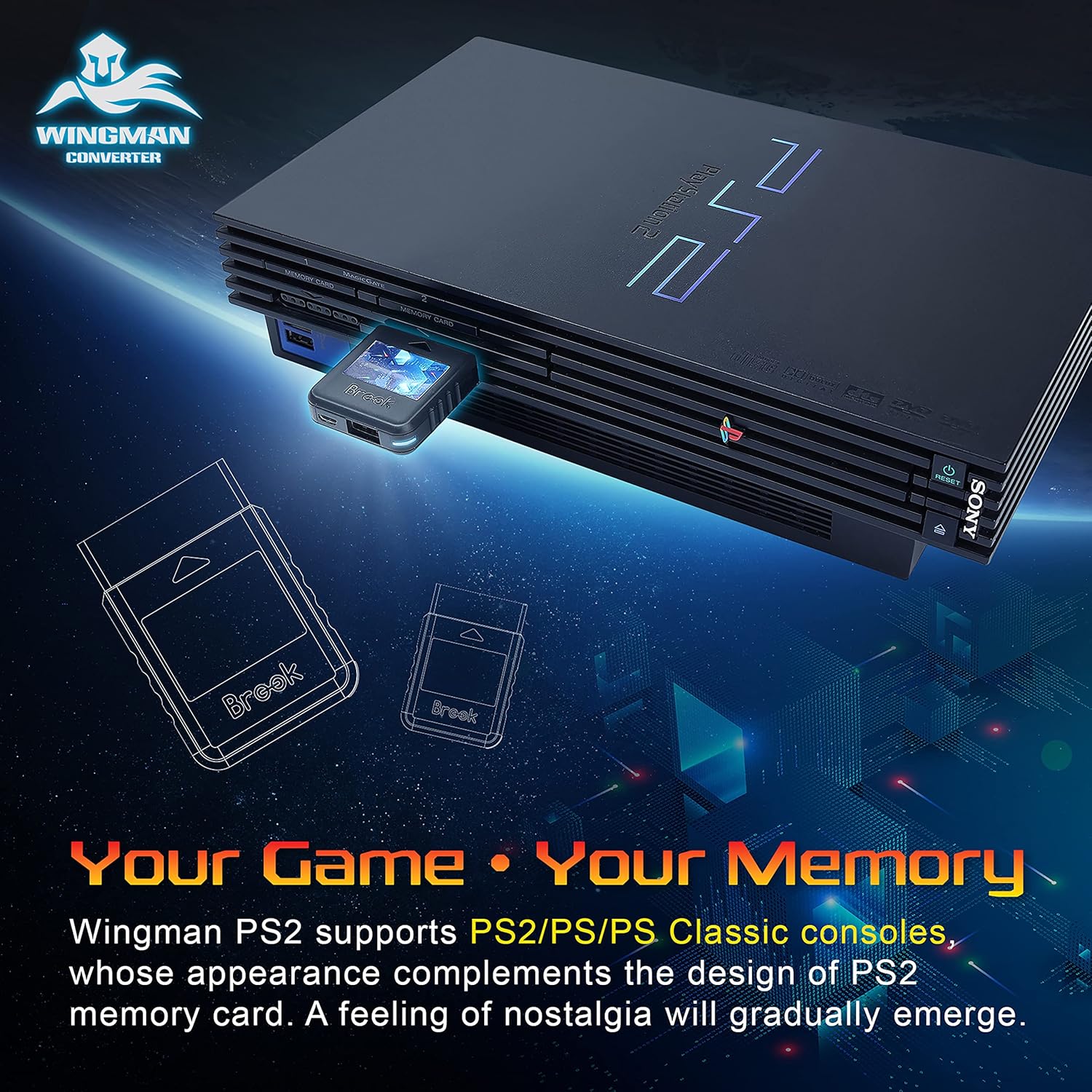
Image 3.1: Diagram illustrating the various ports and their functions on the Wingman PS2 Converter.
4. Упатства за поставување
4.1 Почетна врска
- Insert the Wingman PS2 Converter into an available controller port on your PlayStation 2, PlayStation 1, or PlayStation Classic console.
- For PlayStation Classic or PC (XID mode), connect a Micro USB cable from the converter's Micro USB port to the console/PC.
- If your PS2 console's rumble fuse is burnt out or if the converter does not power on, connect a Micro USB cable from the converter's Micro USB port to a USB port on your PS2 console or an external USB power source.

Image 4.1: The Wingman PS2 Converter inserted into a PlayStation 2 console's memory card slot.
4.2 Controller Pairing (Wireless)
To pair a wireless controller:
- Ensure the Wingman PS2 Converter is connected to your console and powered on.
- Activate the pairing mode on your wireless controller (refer to your controller's manual for specific instructions).
- The converter will automatically detect and pair with the controller. A successful connection will be indicated by a stable LED light on the converter.
- Each Wingman PS2 Converter can pair with one wireless device at a time.
4.3 Wired Controller Connection
To connect a wired controller:
- Connect your wired controller (e.g., Xbox 360) to the USB Type-A port on the Wingman PS2 Converter.
- The converter will automatically register the device, and it will be ready for use.

Image 4.2: A visual guide to controller compatibility with the Wingman PS2 Converter, including wired and wireless options.
5. Упатства за работа
5.1 Турбо функција
The turbo function allows for rapid, continuous input of a button press without repeatedly pressing the button. This can reduce hand fatigue during gameplay.
- The Wingman PS2 Converter offers 5 selectable turbo levels. Refer to the official Brook website or product documentation for specific button combinations to activate and adjust turbo settings.
- Once activated, the assigned button will continuously register input at the selected turbo speed.

Image 5.1: Visual representation of the five adjustable turbo frequency levels (5, 10, 15, 20, 25 inputs per second).
5.2 Button Remapping
Customize your gaming experience by remapping controller buttons to suit your preferences.
- Consult the official Brook website or product documentation for detailed instructions on how to access and configure button remapping.
- Self-defined buttons allow for a personalized control scheme.

Image 5.2: A modern controller with highlighted buttons, demonstrating the flexibility of button remapping.
6. Ажурирања на фирмверот
Brook periodically releases firmware updates to improve product performance, add new features, and enhance controller compatibility. It is recommended to keep your Wingman PS2 Converter's firmware up to date.
- Visit the official Brook webсајт (www.brookaccessory.com) to check for the latest firmware versions.
- Download the firmware update tool and follow the provided instructions carefully to update your device.
- Ensure the converter remains connected to your computer throughout the update process to prevent interruption.
7 Смена на проблеми
If you encounter issues with your Wingman PS2 Converter, please refer to the following common solutions:
- Converter Not Powering On: Ensure the converter is fully inserted into the PS2/PS1 controller port. If using a PS2 console, some models may require additional power. Connect a Micro USB cable from the converter's Micro USB port to a USB port on your PS2 or an external USB power adapter.
- Controller Not Connecting/Pairing:
- Verify that your controller is supported by the Wingman PS2 Converter (refer to Section 1.1).
- Проверете дали контролорот е во режим на спарување.
- Try re-pairing the controller.
- If using a wired connection, ensure the USB cable is securely connected to both the controller and the converter.
- Влезно задоцнување: The Wingman PS2 Converter is designed for ultra-low latency. If you experience noticeable input lag, ensure your console and display settings are optimized for gaming. Verify that the converter's firmware is up to date.
- Unexpected Disconnections: Ensure the converter is firmly seated in the console port. If using a wireless controller, check for potential interference from other wireless devices.
For further assistance, please visit the official Brook support webсајт.
8. Спецификации
| Карактеристика | Детал |
|---|---|
| Димензии на производот | 2.23 x 1.71 x 0.51 инчи |
| Тежина на ставката | 0.64 унци |
| Компатибилни уреди | Xbox Series X/S/Elite 2/One (BT model), PS5/PS4/PS3, Switch Pro, Xbox 360 (wired) |
| Тип на конектор | USB тип А, микро USB |
| Компатибилност со конзола | PlayStation 2, PlayStation 1, PlayStation Classic |
9. Информации за гаранцијата
Brook products are covered by a manufacturer's warranty against defects in materials and workmanship. The specific warranty period and terms may vary by region. Please retain your proof of purchase for warranty claims.
For detailed warranty information, please visit the official Brook webсајт или контактирајте со нивната поддршка за корисници.
10. Поддршка за корисници
For technical support, frequently asked questions, and additional resources, please visit the official Brook webсајт:
You may also find helpful information and community support through online forums dedicated to retro gaming and Brook products.


