1. Вовед
Thank you for choosing the Oakcastle CD100 Portable Bluetooth CD Player. This manual provides essential information for setting up, operating, and maintaining your device. Please read it thoroughly before use and keep it for future reference.
Информации за безбедност
- Не го изложувајте уредот на дожд, влага или екстремни температури.
- Избегнувајте паѓање или изложување на уредот на силни удари.
- Не го расклопувајте уредот. За сите сервиси обратете се на квалификуван персонал.
- Чувајте го уредот подалеку од силни магнетни полиња.
- Користете го само наведениот кабел за полнење.
2. Што има во кутијата
Carefully unpack your Oakcastle CD100 and ensure all items are present:
- 1x Oakcastle CD100 Portable CD Player
- 1x Wired Headphones
- 1x кабел за полнење микро USB
- 1x 3.5mm to 3.5mm AUX Cable
- 1x Упатство за употреба (овој документ)
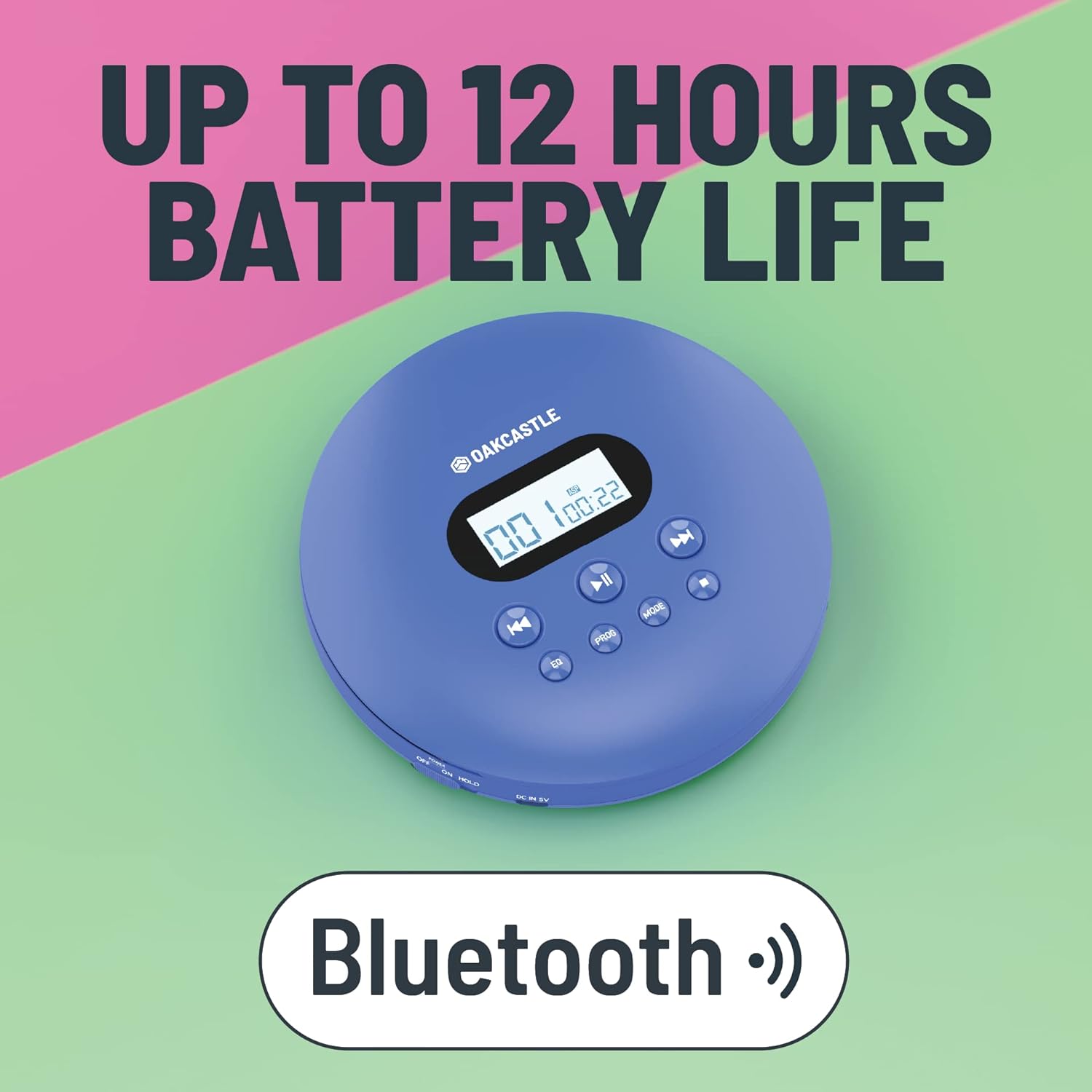
3. Производот завршиview
Familiarize yourself with the controls and ports of your Oakcastle CD100:

Контроли и пристаништа:
- Екран за прикажување: Го прикажува бројот на песната, времето и режимот.
- Play/Pause (►►): Започнува или паузира репродукција на CD.
- Стоп (■): Ја запира репродукцијата на ЦД.
- Previous/Rewind (◀◀): Прескокнува на претходната песна или ја премота назад тековната песна.
- Next/Fast Forward (►►): Прескокнува на следната песна или брзо ја премотува тековната песна напред.
- EQ: Cycles through equalizer presets (e.g., Bass, Pop, Jazz, Rock, Classic).
- ПРОГ: Enters program mode to create a custom playlist.
- МОД: Cycles through playback modes (e.g., Repeat One, Repeat All, Random).
- DC IN 5V (Charge Port): Micro USB input for charging.
- Приклучок за слушалки (3.5 мм): За поврзување на жични слушалки.
- AUX Out (3.5mm): For connecting to external speakers or car audio systems.
- OPEN Slider: Slides to open the CD compartment.
- Прекинувач за држење: Ги заклучува копчињата за да спречи случајно притискање.
4. Поставување
4.1 Полнење на уредот
The Oakcastle CD100 has a built-in rechargeable battery. Before first use, fully charge the device.
- Connect the Micro USB charging cable to the 'DC IN 5V' port on the CD player.
- Поврзете го другиот крај од USB кабелот со USB адаптер за напојување (не е вклучен) или со USB порт на компјутерот.
- Индикаторското светло за полнење ќе светне. Ќе се исклучи или ќе ја промени бојата кога ќе се наполни целосно.
Целосно полнење овозможува до 12 часа време на репродукција.

4.2 Почетно вклучување
After charging, slide the 'HOLD' switch to the 'OFF' position (if it's on 'HOLD'). Press and hold the Play/Pause button to power on the device.
5. Упатства за работа
5.1 Репродукција на ЦД
- Slide the 'OPEN' switch to open the CD compartment lid.
- Carefully place a CD onto the spindle, label side up, and gently press down until it clicks into place.
- Цврсто затворете го капакот на преградата за ЦД-а.
- Press the Play/Pause (►►) button to start playback. The display will show the track number and elapsed time.
- Use the Previous/Rewind (◀◀) and Next/Fast Forward (►►) buttons to navigate tracks. Press and hold to fast forward or rewind.
- Press the Stop (■) button to stop playback.
The CD100 features anti-skip technology to ensure smooth playback even during movement.
5.2 Bluetooth конекција
The CD100 can connect wirelessly to Bluetooth headphones or speakers.
- Проверете дали CD плеерот е вклучен.
- Activate Bluetooth pairing mode on your external Bluetooth device (headphones/speaker).
- The CD100 will automatically enter Bluetooth pairing mode when a CD is playing and no wired headphones are connected. The Bluetooth icon on the display will flash.
- Once connected, the Bluetooth icon will become solid.
5.3 AUX конекција
Connect your CD100 to external audio systems like car stereos or home speakers using the included 3.5mm AUX cable.
- Connect one end of the 3.5mm AUX cable to the 'AUX Out' port on the CD player.
- Connect the other end to the 'AUX In' port on your external audio system.
- Ensure your external audio system is set to the AUX input.

5.4 Поставки за еквилајзер
Press the 'EQ' button repeatedly to cycle through different equalizer presets (e.g., Bass, Pop, Jazz, Rock, Classic, Off) to customize your audio experience.
5.5 Program Playback
To create a custom playback order:
- While the CD is stopped, press the 'PROG' button.
- Use the Previous/Next buttons to select the desired track number.
- Press 'PROG' again to add the track to the program list.
- Repeat steps 2-3 for up to 20 tracks.
- Press Play/Pause to start programmed playback.
Копче 5.6 режим
Press the 'MODE' button to cycle through playback modes such as Repeat One (repeats current track), Repeat All (repeats all tracks on the CD), and Random (plays tracks in a random order).
6. Одржување
6.1 Чистење на уредот
- Избришете ја надворешноста на плеерот со мека, сува крпа.
- For the optical lens, use a specialized CD lens cleaning kit. Do not touch the lens directly.
- Не користете абразивни средства за чистење или растворувачи.
6.2 Грижа за батерии
- За да го продолжите животниот век на батеријата, избегнувајте често целосно празнење на батеријата.
- Полнете го уредот редовно, дури и ако не го користите подолг временски период.
- Чувајте го уредот на ладно и суво место.
7 Смена на проблеми
If you encounter issues with your Oakcastle CD100, refer to the following common problems and solutions:
| Проблем | Можна причина | Решение |
|---|---|---|
| Уредот не се вклучува. | Low battery; HOLD switch is on. | Charge the device; Slide HOLD switch to OFF. |
| ЦД-то не се репродуцира. | CD inserted incorrectly; CD is dirty/scratched; Lid not closed properly. | Reinsert CD correctly; Clean or try another CD; Ensure lid is fully closed. |
| Нема звук од слушалките/звучниците. | Headphones/AUX cable not fully plugged in; Volume too low; Incorrect input selected on external device. | Check connections; Increase volume; Select correct AUX input on external device. |
| Bluetooth не се поврзува. | External device not in pairing mode; Too far from device. | Ensure external device is in pairing mode; Move closer to the CD player. |
8. Спецификации
- Бренд: Оуккасл
- Модел: CD100
- Боја: Сино
- Технологија за поврзување: Помошен, Bluetooth
- Посебни карактеристики: Portable, Rechargeable, Anti-skip
- Компатибилни уреди: Speakers, Headphones, Car Audio Systems
- Батерија на полнење: Да
- Поддржан аудио формат: WMA (and standard CD audio)
- Број на дискови: 1
- Број на канали: 2
- Димензии на производот: 14.2L x 14.2W x 3H сантиметри
- Тип на конектор: Џек од 3.5 мм
9. Гаранција и поддршка
Your Oakcastle CD100 comes with a standard manufacturer's warranty. Please refer to the warranty card included in your packaging for specific terms and conditions.
For technical support, troubleshooting, or warranty claims, please contact Oakcastle customer service through their official webлокацијата или продавачот на мало каде што сте го купиле производот.
Ве молиме зачувајте го доказот за купување за целите на гаранцијата.


