1. Вовед
This manual provides detailed instructions for the proper use and maintenance of your Obbug Bluetooth Headset, Model YYK-530. Please read this manual thoroughly before using the product to ensure optimal performance and longevity.
2. Содржина на пакетот
Проверете дали сите артикли се присутни во вашиот пакет:
- 1 x Obbug Bluetooth Headset
- 1 x торбичка за полнење
- 1 x USB тип-C кабел за полнење
- 1 x Ear Hat (replacement ear tip)
- 1 x Упатство за употреба
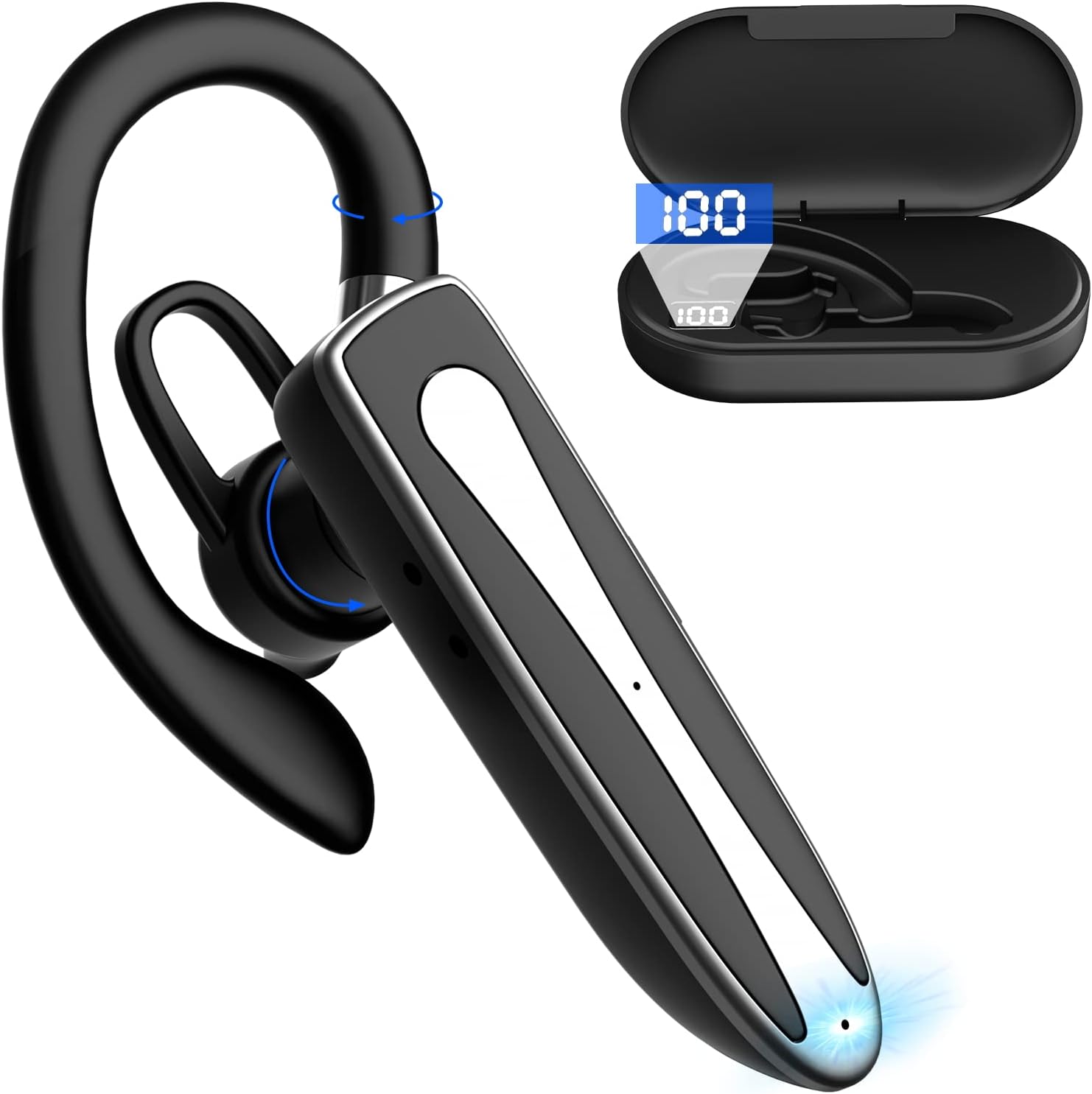
Image 2.1: Obbug Bluetooth Headset YYK-530 and its charging case.
3. Карактеристики на производот
- Технологија Bluetooth 5.1: Provides stable connection and clear audio.
- Продолжен век на батеријата: Up to 80 hours of continuous use with the charging case.
- Удобен и прилагодлив дизајн: Flexible earhook and rotatable boom mic for left or right ear wear.
- CVC8.0 Noise Reduction: Ја подобрува јасноста на повикот со намалување на бучавата во позадина.
- Широка компатибилност: Connects with most Bluetooth-enabled devices including smartphones, tablets, and computers.
- Повикување без раце: Integrated microphone for convenient communication.

Image 3.1: Illustration of CVC8.0 Noise Reduction for clear audio.
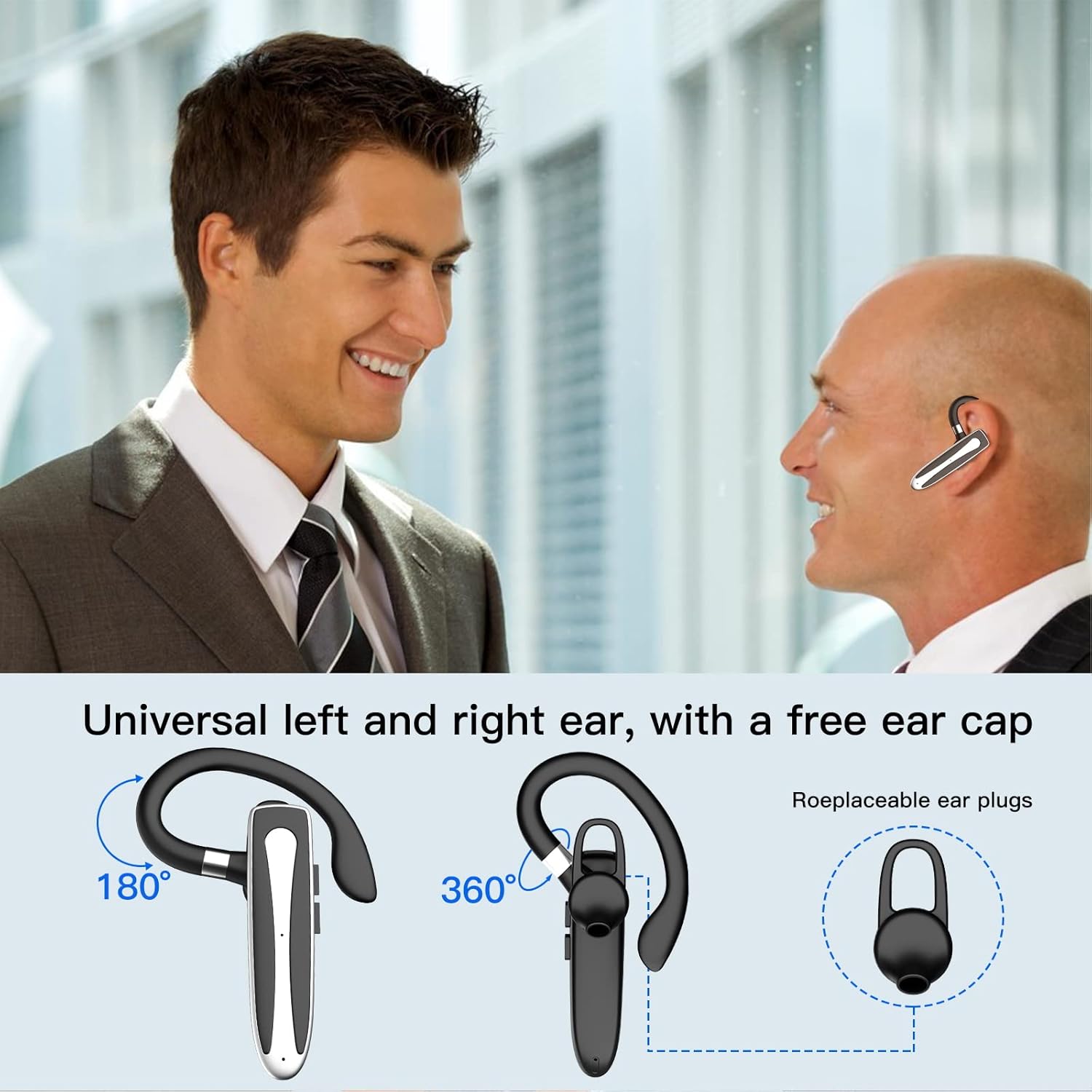
Image 3.2: Diagram illustrating the dual microphone noise reduction processing.
4. Поставување
4.1 Полнење на слушалките и футролата
Before first use, fully charge the headset and its charging case.
- Place the headset into the charging case.
- Connect the USB Type-C cable to the charging port on the case and to a power source (e.g., USB wall adapter, computer USB port).
- The charging indicator on the case will show charging status. A full charge typically takes 1.5 hours.

Image 4.1: The Type-C charging port on the charging case.

Image 4.2: Battery life and charging time information for the headset and case.
4.2 Спарување со уред
The headset uses Bluetooth 5.1 for wireless connection.
- Вклучување: Take the headset out of the charging case, or press and hold the Multi-function Button until the indicator light flashes blue and red, indicating pairing mode.
- Активирајте Bluetooth: На вашиот уред (паметен телефон, таблет итн.), одете во поставките за Bluetooth и вклучете го Bluetooth.
- Изберете уред: In the list of available devices, select "YYK-530".
- Потврдете ја врската: Once connected, the headset indicator light will flash blue slowly, and your device will show "Connected".

Image 4.3: Illustration of optimal Bluetooth connection distance (within 10 meters).
4.3 Connecting to Two Devices Simultaneously
The headset supports connecting to two Bluetooth devices at the same time.
- Connect the headset to the first device (e.g., Phone A) as described in Section 4.2.
- Turn off Bluetooth on the first device. The headset will re-enter pairing mode.
- Connect the headset to the second device (e.g., Phone B) as described in Section 4.2.
- Turn on Bluetooth on the first device. The headset should automatically reconnect to both devices.
You can now answer calls or play music from either connected device.

Image 4.4: Step-by-step guide for connecting the headset to two devices.
4.4 Носење на слушалките
The headset is designed for comfortable wear on either the left or right ear.
- The earhook can rotate 360° vertically and 360° horizontally to fit your preferred angle.
- The retractable earhook can be adjusted to fit the shape of your ear.

Image 4.5: The headset's adjustable design for left or right ear wearing.
5. Упатства за работа
5.1 Вклучување/исклучување
- Вклучување: Take the headset out of the charging case, or press and hold the Multi-function Button for approximately 3 seconds until the indicator light flashes blue.
- Исклучено: Place the headset back into the charging case, or press and hold the Multi-function Button for approximately 5 seconds until the indicator light flashes red and then turns off.
5.2 Управување со повици
- Одговори/заврши повик: Притиснете го копчето за повеќе функции еднаш.
- Одбијте го повикот: Press and hold the Multi-function Button for approximately 2 seconds.
- Повторно бирајте последен број: Двоен притисок на копчето за повеќе функции.
5.3 Репродукција на музика
- Пушти/Пауза: Притиснете го копчето за повеќе функции еднаш.
- Следна песна: Притиснете и задржете го копчето за зголемување на јачината на звукот.
- Претходна песна: Притиснете и задржете го копчето за намалување на јачината на звукот.
5.4 Контрола на јачината на звукот
- Зголемете ја јачината на звукот: Притиснете го копчето за зголемување на јачината на звукот.
- Намалување на јачината на звукот: Притиснете го копчето за намалување на јачината на звукот.
5.5 Активирање на гласовен асистент
Activate your device's voice assistant (Siri, Google Assistant) directly from the headset.
- Активирајте го гласовниот асистент: Трикратно притиснете го копчето за повеќе функции.

Image 5.1: The headset supports activation of Siri and Google Assistant.
6. Одржување
- Clean the headset and charging case regularly with a soft, dry cloth.
- Избегнувајте изложување на уредот на екстремни температури, влажност или корозивни супстанции.
- Store the headset in its charging case when not in use to protect it and keep it charged.
- Не обидувајте се сами да го расклопите или поправате уредот. Контактирајте со службата за корисници за помош.
7 Смена на проблеми
7.1 Headset Not Powering On
- Ensure the headset is fully charged. Place it in the charging case and connect the case to a power source.
- Press and hold the Multi-function Button for 3-5 seconds to power on.
7.2 Не може да се спари со уред
- Ensure the headset is in pairing mode (indicator flashes blue and red).
- Исклучете го Bluetooth на вашиот уред и повторно вклучете го.
- Ensure the headset is within 10 meters of your device and there are no significant obstacles.
- Исчистете ја листата за спарување преку Bluetooth на вашиот уред и обидете се повторно да спарите.
7.3 Нема звук или звукот е слаб
- Прилагодете ја јачината на звукот и на слушалките и на поврзаниот уред.
- Осигурајте се дека слушалките се правилно поврзани со вашиот уред.
- Приближете се до вашиот уред за да се осигурате дека сте во опсег на Bluetooth.
- Проверете дали има пречки од други безжични уреди.
8. Спецификации
| Карактеристика | Спецификација |
|---|---|
| Име на моделот | YYK-530 |
| Бренд | Забелешка |
| Технологија за поврзување | Безжичен (Bluetooth) |
| Bluetooth верзија | 5.1 |
| Опсег на Bluetooth | До 33 стапки (10 метри) |
| Контрола на бучава | Sound Isolation (CVC8.0 Noise Reduction) |
| Облик на слушалката | Кука за уши |
| Траење на батеријата (слушалки) | 5 часа (приближно) |
| Траење на батеријата (со кутија за полнење) | Up to 80 Hours (approx.) |
| Време на полнење | 1.5 часа |
| Порта за полнење | USB тип-C |
| Ниво на отпорност на вода | Водоотпорен |
| Тежина на ставката | 4.9 унци (0.14 килограми) |
| Опсег на фреквенција | 20Hz - 20,000Hz |
| Компатибилни уреди | Cellphones, Desktops, Laptops, Telephones |

Image 8.1: The headset is compatible with a wide range of Bluetooth-enabled devices.
9. Гаранција и корисничка поддршка
The Obbug Bluetooth Headset comes with a 1-month replacement warranty.
For any questions, issues, or support needs, please contact our customer service. We offer 24-hour customer service to assist you.
Ве молиме погледнете ја документацијата за купување за конкретни контакт информации.


