Вовед
This manual provides detailed instructions for the setup, operation, maintenance, and troubleshooting of your STEELPLAY Wireless Controller, model LA-0HNY-U4YG. Please read this manual carefully before using the product to ensure proper functionality and to prevent damage.
Поставување
Содржина на пакетот
Проверете дали сите артикли се присутни во пакувањето:
- STEELPLAY Wireless Controller (LA-0HNY-U4YG)
- USB кабел за полнење
- Упатство за употреба (овој документ)
Полнење на контролорот
Before first use, fully charge the controller. Connect the USB charging cable to the controller's charging port and the other end to a powered USB port (e.g., gaming console, PC, USB wall adapter).
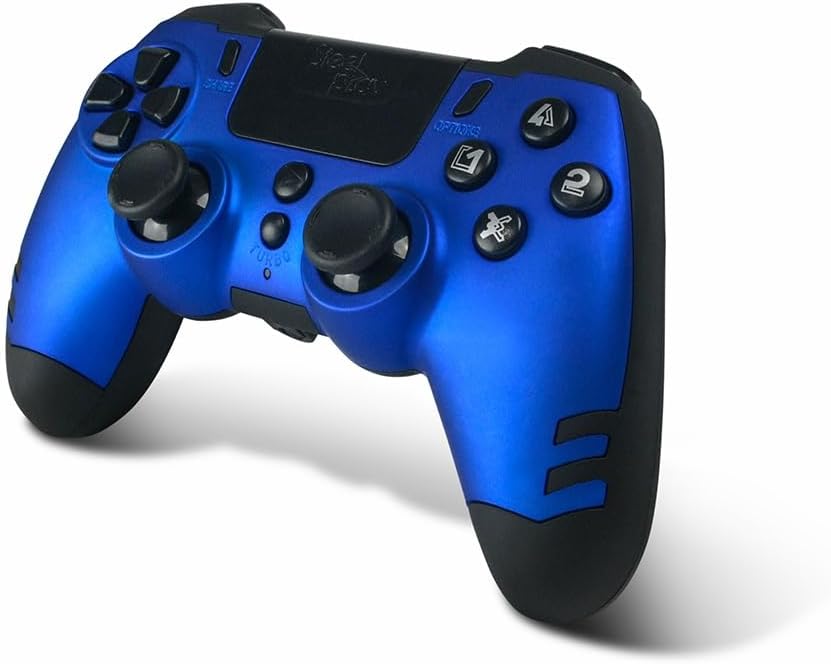
Image: The STEELPLAY Wireless Controller with a charging cable connected. This image illustrates the controller's design and potential charging port location.
Спарување со уред
Follow these steps to pair your wireless controller with your gaming console or PC:
- Осигурајте се дека контролерот е наполнет.
- Turn on your gaming console or PC.
- На контролорот, притиснете и задржете го СПОДЕЛИ копчето и PS button simultaneously until the light bar begins to flash.
- On your device, navigate to Bluetooth settings and select the "STEELPLAY Wireless Controller" from the list of available devices.
- Once paired, the light bar will stop flashing and remain lit, indicating a successful connection.
Упатства за работа
Основни контроли
The STEELPLAY Wireless Controller features standard gamepad controls. Familiarize yourself with the button layout:
- Насочна табла (D-табла): За прецизен насочен внес.
- Леви/десни аналогни стапчиња: За движење и контрола на камерата.
- Копчиња за акција (триаголник, круг, крст, квадрат): За акции во играта.
- Раменски копчиња (L1, R1) и активирачи (L2, R2): За различни функции во играта.
- Копче за СПОДЕЛИ: To share gameplay content.
- Копче ОПЦИИ: To access in-game menus or pause.
- PS копче: To access the console's home menu or power on/off the controller.
- Подлога за допир: For additional input, often used for navigation or specific game mechanics.
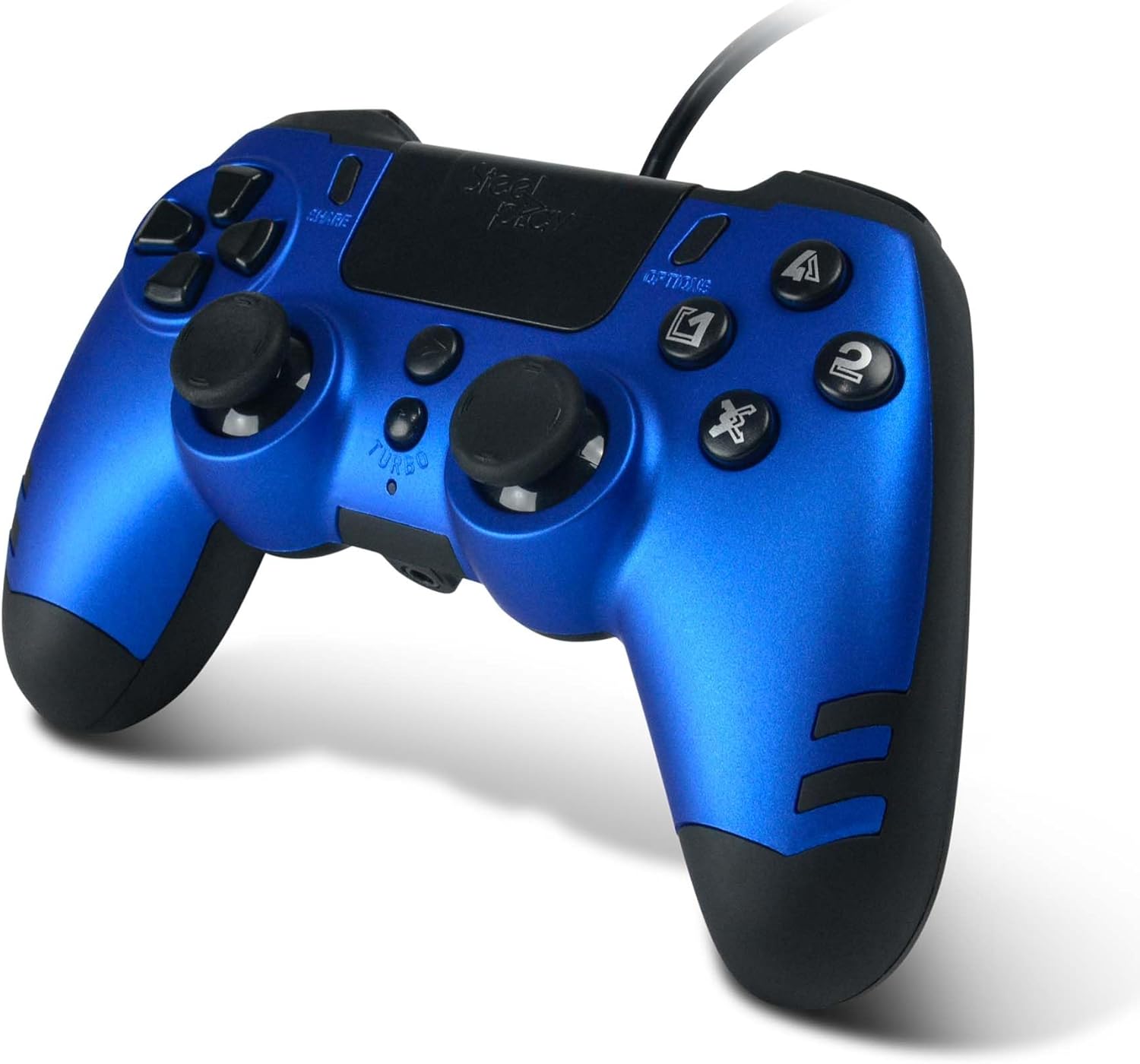
Слика: Детална view of the STEELPLAY Wireless Controller, highlighting the layout of its 14 buttons, D-pad, and analog sticks.
Вклучување/исклучување
- За вклучување: Притиснете го PS копче.
- За исклучување: Притиснете и држете го PS button for approximately 10 seconds until the controller powers down.
Повторно поврзување
Once paired, the controller should automatically reconnect to the last paired device when powered on. If it does not, press the PS button to initiate reconnection.
Одржување
Чистење
За чистење на контролерот, користете мека, сува крпа. За тврдокорна нечистотија, малкуampen the cloth with water. Do not use harsh chemicals, solvents, or abrasive cleaners, as these can damage the controller's finish and internal components.
Складирање
Чувајте го контролерот на ладно и суво место, подалеку од директна сончева светлина и екстремни температури. Избегнувајте поставување тешки предмети врз контролерот.
Нега на батерии
The controller contains a rechargeable battery. To prolong battery life:
- Избегнувајте често целосно празнење на батеријата.
- Charge the controller regularly, even if not in use for extended periods.
- Do not expose the controller to temperatures above 60°C (140°F).
Решавање проблеми
- Controller does not power on:
- Ensure the controller is fully charged. Connect it to a power source using the USB cable and allow it to charge for at least 30 minutes before attempting to power it on again.
- Controller does not connect or pair:
- Ensure the controller is in pairing mode (light bar flashing).
- Verify that the device you are trying to connect to has Bluetooth enabled.
- Отстранете ги сите претходни спарувања на контролерот од поставките за Bluetooth на вашиот уред и обидете се повторно да го спарите.
- Move the controller closer to the device to ensure a strong signal.
- Рестартирајте ги и контролерот и уредот.
- Input lag or unresponsive buttons:
- Ensure the controller is fully charged. Low battery can affect performance.
- Намалете ги пречките со оддалечување од други безжични уреди (Wi-Fi рутери, други Bluetooth уреди).
- If possible, try connecting the controller via a USB cable to see if the issue persists (if wired mode is supported).
Спецификации
| Карактеристика | Детал |
|---|---|
| Име на моделот | LA-0HNY-U4YG |
| Brand (Manufacturer) | STEELPLAY |
| Brand (Retail) | Лексип |
| Поврзување | Безжичен |
| Број на копчиња | 14 |
| Димензии | 17.5 x 13 x 8.3 cm |
| Тежина | 350 гр |
| Вклучени батерии | No (Features an internal rechargeable battery) |
Гаранција и поддршка
Specific warranty information is not provided in this manual. Please refer to the retailer's purchase terms or the manufacturer's official webстраница за детални политики за гаранција и информации за контакт за поддршка.
For further assistance, please contact STEELPLAY customer support through their official channels.


