1. Вовед
Thank you for choosing the ZACO A11s Pro Robot Vacuum and Mop Cleaner. This device is designed to provide efficient and automated cleaning for your home, combining powerful vacuuming with effective mopping capabilities. Featuring advanced laser navigation (LDS) and obstacle detection (TOF), the A11s Pro intelligently maps your home, ensuring thorough coverage and avoiding collisions. With 4000 Pa suction power and a long battery life of up to 150 minutes, it is suitable for various floor types, including hard floors and carpets, and is particularly effective at handling pet hair. This manual provides essential information for setup, operation, maintenance, and troubleshooting to ensure optimal performance of your robot cleaner.

Image 1.1: The ZACO A11s Pro Robot Vacuum and Mop Cleaner.
2. Инструкции за безбедност
Before using the ZACO A11s Pro, please read all safety instructions carefully to prevent injury or damage. Keep this manual for future reference.
- Овој апарат може да го користат деца на возраст од 8 години и повеќе и лица со намалени физички, сетилни или ментални способности или недостаток на искуство и знаење доколку им се дадени надзор или инструкции за користење на апаратот на безбеден начин и ги разбираат вклучените опасности .
- Децата не смеат да си играат со апаратот. Чистењето и одржувањето на корисникот не смеат да го вршат деца без надзор.
- Користете само оригинален адаптер за напојување што го обезбедува производителот.
- Do not use the robot in environments with open flames, flammable materials, or corrosive liquids.
- Ensure the charging dock is placed against a wall on a level surface, with adequate clear space around it.
- Отстранете ги сите лабави кабли, мали предмети или кршливи предмети од патеката за чистење пред употреба за да спречите заплеткување или оштетување.
- Не го потопувајте роботот или неговите електронски компоненти во вода.
- Regularly clean the brushes and filters to maintain optimal performance and prevent blockages.
- Ако кабелот за напојување е оштетен, тој мора да биде заменет од производителот, неговиот сервисер или слично квалификувани лица за да се избегне опасност.
3. Содржина на пакетот
Внимателно распакувајте ја кутијата и проверете дали сите предмети се присутни и во добра состојба. Доколку некои предмети недостасуваат или се оштетени, ве молиме контактирајте ја службата за корисници.
- ZACO A11s Pro Robot Vacuum and Mop Cleaner
- Док за полнење
- Адаптер за напојување
- Дастин
- Резервоар за вода (за бришење)
- Странични четки (2 пара)
- Филтер со висока ефикасност (претходно инсталиран)
- Алатка за чистење
- Упатство за употреба

Image 3.1: The ZACO A11s Pro with its various accessories, including brushes, charging dock, and cleaning tools.
4. Поставување
4.1 Поставување на док за полнење
Place the charging dock against a wall in an open area, ensuring there is at least 0.5 meters (1.6 feet) of clear space on both sides and 1.5 meters (4.9 feet) in front. Connect the power adapter to the charging dock and plug it into a power outlet. Ensure the power cord is neatly arranged to prevent entanglement.
4.2 Почетно полнење
Place the robot onto the charging dock. The robot will automatically align and begin charging. For first-time use, fully charge the robot for at least 6 hours. The indicator light on the robot will show charging status.
4.3 Преземање на апликација и поврзување
Download the ZACO app from your smartphone's app store (available for iOS and Android). Follow the in-app instructions to connect your ZACO A11s Pro to your home Wi-Fi network. This will enable advanced features like remote control, scheduling, and map management.
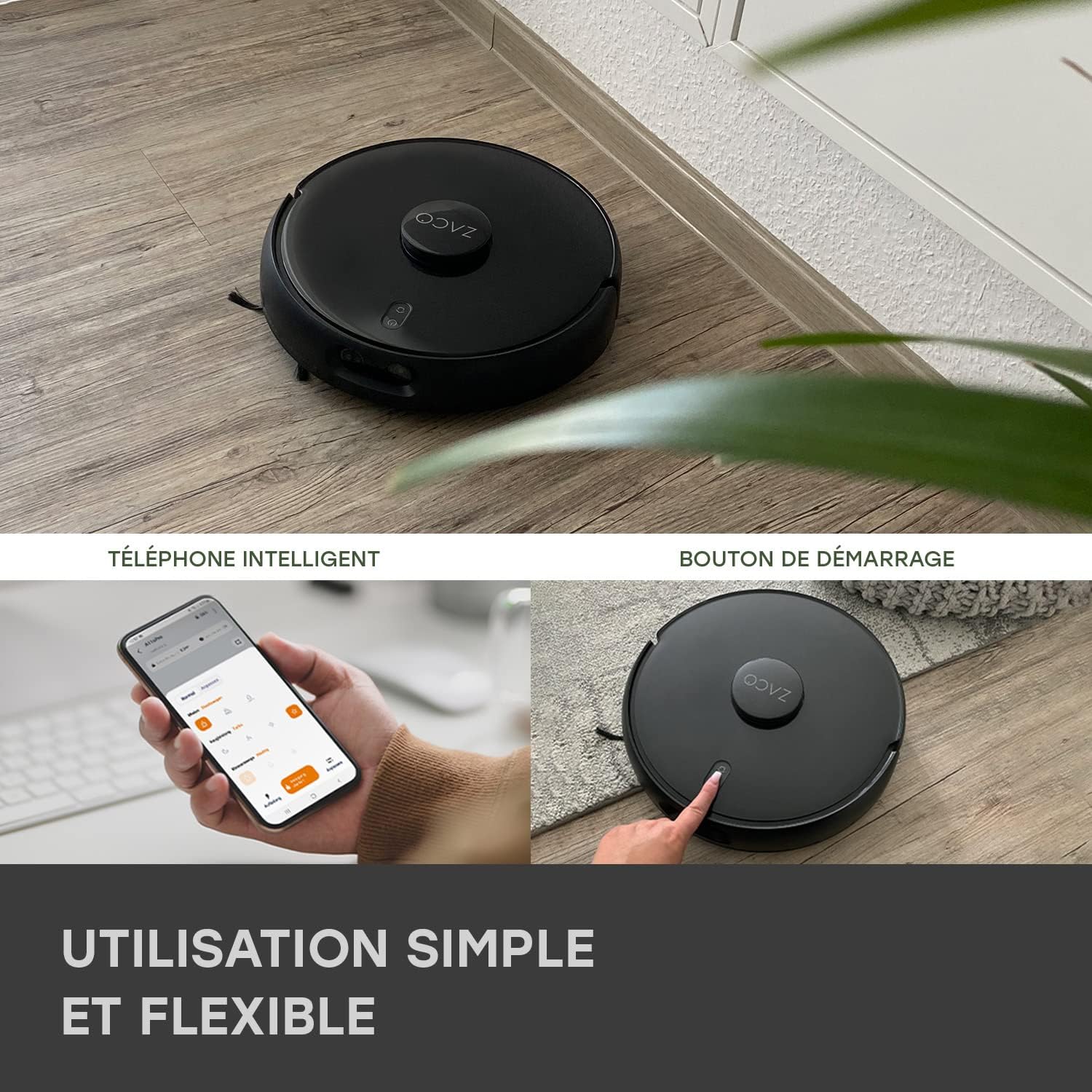
Image 4.1: The ZACO A11s Pro can be controlled via a smartphone app or by pressing the start button on the device.
4.4 Map Creation
For optimal navigation, allow the robot to complete a full cleaning cycle to create an initial map of your home. Ensure all doors are open to areas you wish to be mapped. The laser navigation system (LDS) will accurately scan and store the layout.

Image 4.2: The robot uses Laser Navigation (LDS) and Obstacle Detection (TOF) to map its environment and avoid obstacles.
5. Упатства за работа
5.1 Започнување/Запирање на чистењето
- Рачен почеток: Press the power button on the robot once to start a cleaning cycle. Press again to pause.
- Контрола на апликацијата: Open the ZACO app, select your robot, and tap 'Start' to begin cleaning. You can also pause or send the robot back to its charging dock via the app.
5.2 Режими на чистење
The A11s Pro offers versatile cleaning modes:
- Само правосмукалка: Use the dustbin for dry vacuuming. Ideal for carpets and general debris.
- Само крпа за бришење: Install the water tank and mopping pad for wet mopping. The active mopping function with ultrasonic vibration ensures effective cleaning of hard floors.
- Правосмукалка и бришење: Use the combined dustbin/water tank for simultaneous vacuuming and mopping.

Image 5.1: The ZACO A11s Pro features an active mopping function with ultrasonic vibration, suitable for parquet, tile, and vinyl floors.
5.3 Scheduling and Zone Cleaning
Using the ZACO app, you can:
- Поставете распореди за чистење за одредени времиња и денови.
- Define virtual walls or no-go zones to restrict the robot from certain areas.
- Select specific rooms or areas for targeted cleaning.
5.4 Интеграција на гласовен асистент
The ZACO A11s Pro is compatible with Amazon Echo and Google Home. Follow the instructions in the ZACO app to link your robot with your preferred voice assistant for convenient voice control.
6. Одржување
Regular maintenance is crucial for the longevity and optimal performance of your robot cleaner. Always turn off the robot and disconnect it from the charging dock before performing any maintenance.
6.1 Чистење на корпата за ѓубре и филтерот
- Испразнете ја корпата за отпадоци по секој циклус на чистење.
- Tap the filter to remove dust. Rinse the filter under running water if necessary, but ensure it is completely dry before re-installing. Replace the filter every 3-6 months depending on usage.
6.2 Главна четка и странични четки
- Извадете ја главната четка и користете ја алатката за чистење за да исечете и отстраните заплеткана коса или остатоци.
- Check side brushes for wear and tear. Replace them if they are bent or damaged.
6.3 Water Tank and Mopping Pad
- Испразнете ја преостанатата вода од резервоарот по секое бришење.
- Clean the mopping pad thoroughly. It can be hand-washed or machine-washed.
6.4 Сензори и контакти за полнење
- Wipe the cliff sensors, obstacle detection sensors, and charging contacts on both the robot and the charging dock with a clean, dry cloth.
7 Смена на проблеми
If you encounter issues with your ZACO A11s Pro, refer to the following common problems and solutions:
| Проблем | Можна причина | Решение |
|---|---|---|
| Роботот не се стартува ниту реагира. | Слаба батерија; прекинувачот за напојување е исклучен; роботот е заглавен. | Ensure robot is charged; check power switch; clear any obstructions. |
| Лоши перформанси на вшмукување. | Полн корпа за ѓубре; затнат филтер; заплеткани четки. | Испразнете ја кантата за прашина; исчистете/заменете го филтерот; исчистете ги главните и страничните четки. |
| Роботот не може да го пронајде приклучокот за полнење. | Докот за полнење е блокиран; роботот е предалеку од докот. | Ensure clear space around dock; manually place robot closer to dock. |
| Navigation errors or rooms not recognized. | Sensors dirty; new obstacles; map corruption. | Clean all sensors; remove new obstacles; reset map in app if necessary. |
| Функцијата за бришење не работи. | Empty water tank; clogged water outlet; incorrect tank installed. | Fill water tank; clean water outlet; ensure mopping tank is correctly installed. |
| Проблеми со поврзувањето со апликацијата. | Неточна лозинка за Wi-Fi; проблеми со рутерот; роботот е офлајн. | Verify Wi-Fi password; restart router; re-pair robot with app. |
8. Спецификации
| Карактеристика | Детал |
|---|---|
| Бренд | ЗАКО |
| Број на модел | A11s Pro |
| Боја | Црното |
| Димензии (Д x Ш x В) | 35 x 35 x 9.5 cm (13.8 x 13.8 x 3.7 инчи) |
| Тежина | 3.4 килограми (7.5 фунти) |
| Моќ на вшмукување | 4000 Па |
| Траење на батеријата | До 150 минути |
| Тип на батерија | Литиум-јон (1 вклучен) |
| Капацитет на резервоар за вода | 550 милилитри |
| Моќ | 50 вати |
| Voltage | 14.4 волти |
| Ниво на бучава | 65 децибели |
| Тип на навигација | Laser Navigation (LDS) & Obstacle Detection (TOF) |
| Тип на контролер | Контрола на апликацијата |
| Компатибилност на производот | Amazon Echo, Google Home, паметен телефон |
| Препорака за површина | Carpets, Hard Floors, Parquet |
| Посебни карактеристики | Hard floor brush, Pet hair cleaning |
9. Гаранција и поддршка
ZACO is committed to providing high-quality products and customer satisfaction. The ZACO A11s Pro comes with a commitment to spare parts availability for 2 years. For any questions, technical support, or warranty claims, please contact ZACO customer service. Our German support team is available to assist you.
For further assistance, please visit the official ZACO website or contact our support team directly via the contact information provided on our webсајт.


