Вовед
This manual provides detailed instructions for the setup, operation, maintenance, and troubleshooting of your MageGee Star98 Wired Mechanical Gaming Keyboard. This keyboard features a 98-key layout, Red mechanical switches, and customizable backlighting, designed for an enhanced typing and gaming experience.
Што има во кутијата
- MageGee Star98 Mechanical Keyboard
- USB кабел
- Additional Red Keycaps (quantity may vary)
Инструкции за поставување
- Поврзете ја тастатурата: Plug the provided USB cable into the USB port on the keyboard and then into an available USB port on your computer.
- Инсталација на драјвери: The keyboard is plug-and-play and does not require additional driver installation for basic functionality. Your operating system (Windows, Mac, Linux, Android) will automatically recognize the device.
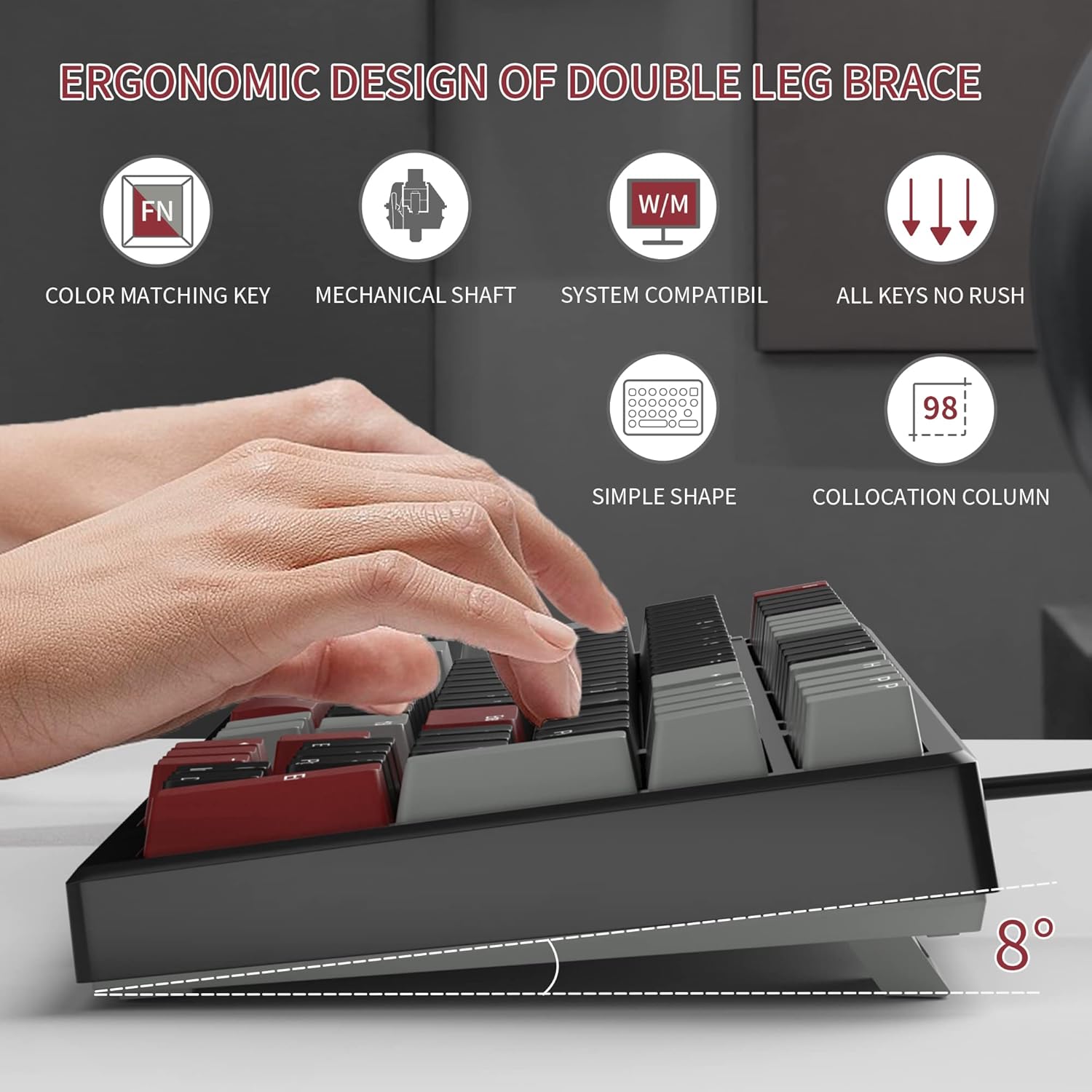
- Adjust Tilt Legs: For ergonomic comfort, you can extend the adjustable tilt legs located on the underside of the keyboard.
Упатства за работа
Клучни карактеристики
- Распоред со 98 копчиња: This compact layout retains most standard keyboard functionality while saving desk space.
- Црвени механички прекинувачи: Provides a fast response with tactile feedback for typing and gaming.
- Анти-духови: All 98 keys support anti-ghosting for simultaneous key presses.
- Дизајн со топла замена: Compatible with most 3-pin and 5-pin mechanical switches, allowing for customization.
- Задно осветлување: Features solid sea blue backlighting with multiple operational modes.
- Заклучување со WIN копче: Function to prevent accidental presses of the Windows key during gaming.
Режими на позадинско осветлување
The keyboard's backlight has multiple operational modes. Refer to the keyboard's function key combinations (usually Fn + specific keys) for cycling through modes or turning the backlight off. Specific key combinations are typically printed on the keycaps or detailed in a quick start guide.
Прекинувачи со жешка замена
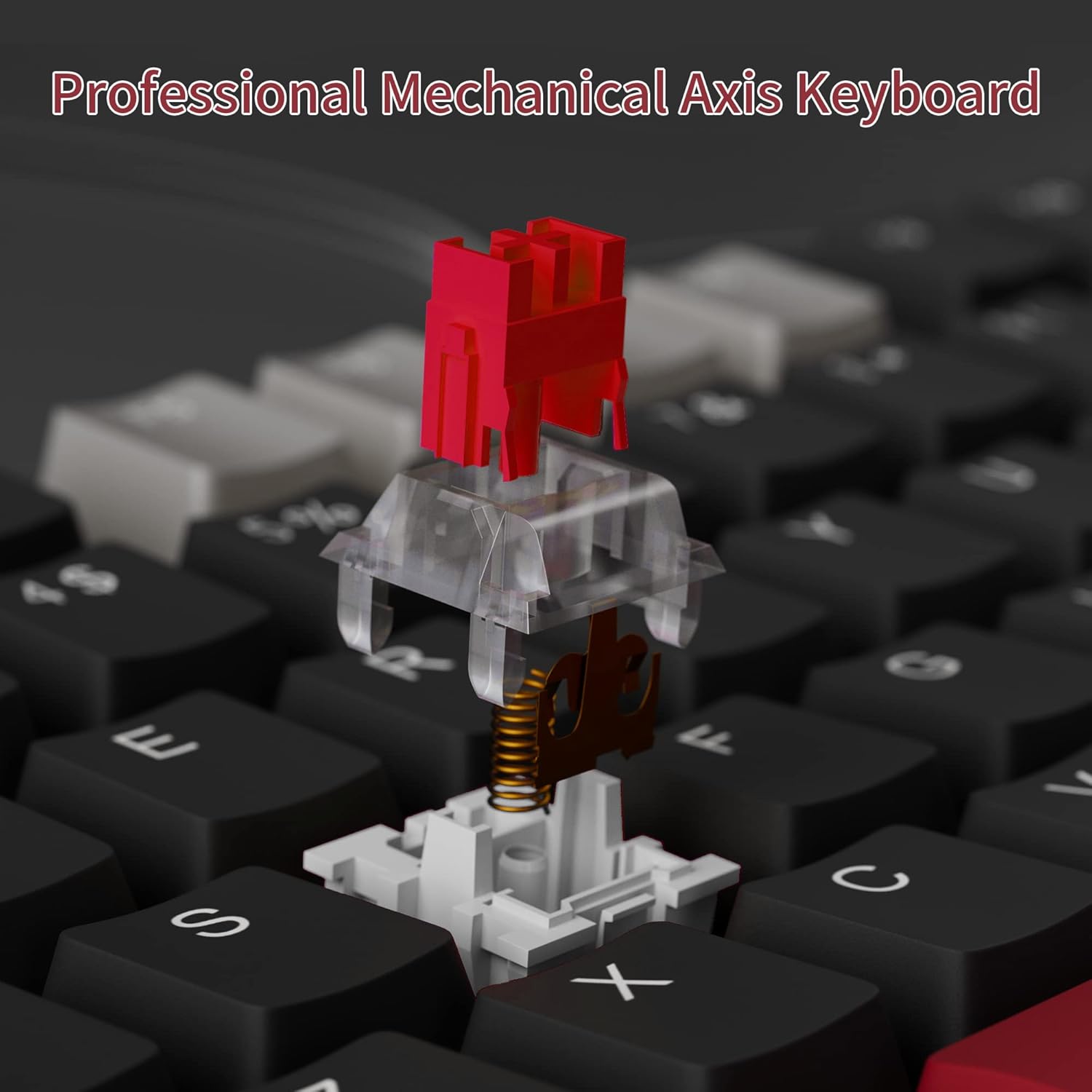
The MageGee Star98 keyboard features a hot-swappable design, allowing users to change mechanical switches without soldering. This feature supports most 3-pin and 5-pin switches available on the market.
- Отстранете го копчето: Use a keycap puller to gently remove the desired keycap.
- Отстранете го прекинувачот: Use a switch puller to carefully extract the mechanical switch from its socket.
- Вметни нов прекинувач: Порамнете ги пиновите на новиот прекинувач со дупките на печатената плочка и цврсто притиснете додека не кликне на своето место. Уверете се дека пиновите не се свиткани.
- Заменете го капачето на клучот: Вратете го капачето на копчето на новото стебло на прекинувачот.


Одржување
- Чистење на копчињата: Користете мека, гamp cloth to wipe down keycaps. For deeper cleaning, keycaps can be removed using a keycap puller and washed with mild soap and water, then thoroughly dried before reattaching.
- Чистење под копчињата: Use compressed air to remove dust and debris from between the switches and under the keycaps.
- Грижа за кабел: Избегнувајте остри свиткувања или прекумерно влечење на USB кабелот за да спречите оштетување.
Решавање проблеми
- Тастатурата не реагира:
- Осигурајте се дека USB кабелот е безбедно поврзан и со тастатурата и со компјутерот.
- Обидете се да ја поврзете тастатурата во друг USB порт на вашиот компјутер.
- Тестирајте ја тастатурата на друг компјутер за да исклучите проблеми специфични за системот.
- Клучевите не се регистрираат или се пишуваат двојно:
- Remove the keycap and switch for the affected key. Inspect for any debris or bent pins on the switch.
- If the switch is damaged, replace it with a new one (utilizing the hot-swappable feature).
- Осигурајте се дека прекинувачот е целосно поставен во својот приклучок.
- Backlight not working or incorrect mode:
- Refer to the keyboard's function key combinations to cycle through backlight modes or turn it on/off.
- Осигурајте се дека тастатурата добива доволно напојување од USB-портата.
Спецификации
| Карактеристика | Детал |
|---|---|
| Бренд | МејџГи |
| Модел | Ѕвезда98 |
| Технологија за поврзување | Iredичен (USB) |
| Опис на тастатурата | Механички |
| Тип на прекинувач | Црвени прекинувачи |
| Број на клучеви | 98 Клучеви |
| Задно осветлување | Solid Sea Blue (Single Color) |
| Компатибилност | Win2000, Win XP, Win ME, Vista, Win7, Win8, Win10, Android, Linux, Mac |
| Материјал | Акрилонитрил бутадиен стирен (ABS) |
| Тежина на ставката | 2.16 фунти |
| Димензии на пакетот | 16.14 x 6.97 x 1.77 инчи |
Гаранција и поддршка
For warranty information and customer support, please refer to the official MageGee website or contact their customer service directly. Details are typically provided with the product packaging or on the manufacturer's webсајт.


