1. Вовед
Thank you for choosing the Ctronics Outdoor Wi-Fi Security Camera. This manual provides detailed instructions for setting up, operating, and maintaining your camera to ensure optimal performance and security. This advanced surveillance camera features 5MP Ultra HD resolution, dual-band 2.4GHz/5GHz Wi-Fi connectivity, intelligent human detection with auto-tracking, color night vision, two-way audio, and robust IP66 waterproof construction.

Figure 1: Ctronics Outdoor Wi-Fi Security Camera Overview
2. Клучни карактеристики
- Dual-Band Wi-Fi & Enhanced Antenna: Supports both 2.4GHz and the latest 5GHz Wi-Fi for more stable, faster, and smoother data transmission with less interference. Equipped with a reinforced 5DBi antenna for improved signal stability, especially in outdoor environments.

Figure 2: Dual-band Wi-Fi and 5DBi antenna for stable connection.
- 5MP Ултра HD резолуција: Captures crystal-clear 5-megapixel video, allowing for precise identification of details like facial expressions, clothing, and accessories, crucial for evidence collection. Supports 4x digital zoom.

Figure 3: High-definition 5MP video capture.
- Advanced Night Vision & Two-Way Audio: Offers full-color night vision for clear identification of subjects even in low light. Features a high-quality built-in microphone and speaker for clear two-way communication without noise.

Figure 4: Color and Infrared night vision modes.
- 360° Pan-Tilt & Smart Detection: Provides a 360° surveillance range with Pan 350° and Tilt 90° capabilities. Equipped with intelligent human detection to minimize false alarms (over 95% accuracy) and an auto-tracking function that follows detected subjects and returns to the preset position after they leave the frame.

Figure 5: Pan-Tilt functionality for comprehensive coverage.

Figure 6: Human detection and auto-tracking in action.
- Durable Construction & Multiple Recording Options: Features a metal front cover for superior heat dissipation, fire resistance, and extended lifespan compared to plastic alternatives. IP66 waterproof and dustproof rating ensures reliable outdoor performance. Supports 24-hour continuous recording, motion-triggered recording, human detection recording, and schedule recording. Compatible with up to 128GB SD cards, ONVIF, NVR, and FTP.

Figure 7: Durable metal construction for longevity.

Figure 8: Multiple recording modes and storage options.
3. Водич за поставување
3.1 Содржина на пакетот
Пред да започнете, проверете дали сите елементи се присутни во пакувањето:
- Ctronics Outdoor Wi-Fi Security Camera
- Адаптер за напојување
- Монтажни завртки и сидра
- LAN кабел
- Налепница за предупредување
- Упатство за употреба (овој документ)
3.2 Почетно поставување
- Поврзување за напојување: Поврзете го фотоапаратот со извор на енергија користејќи го дадениот адаптер за напојување.
- Преземање на апликација: Download the "Ctronics" app from the App Store (iOS) or Google Play Store (Android).
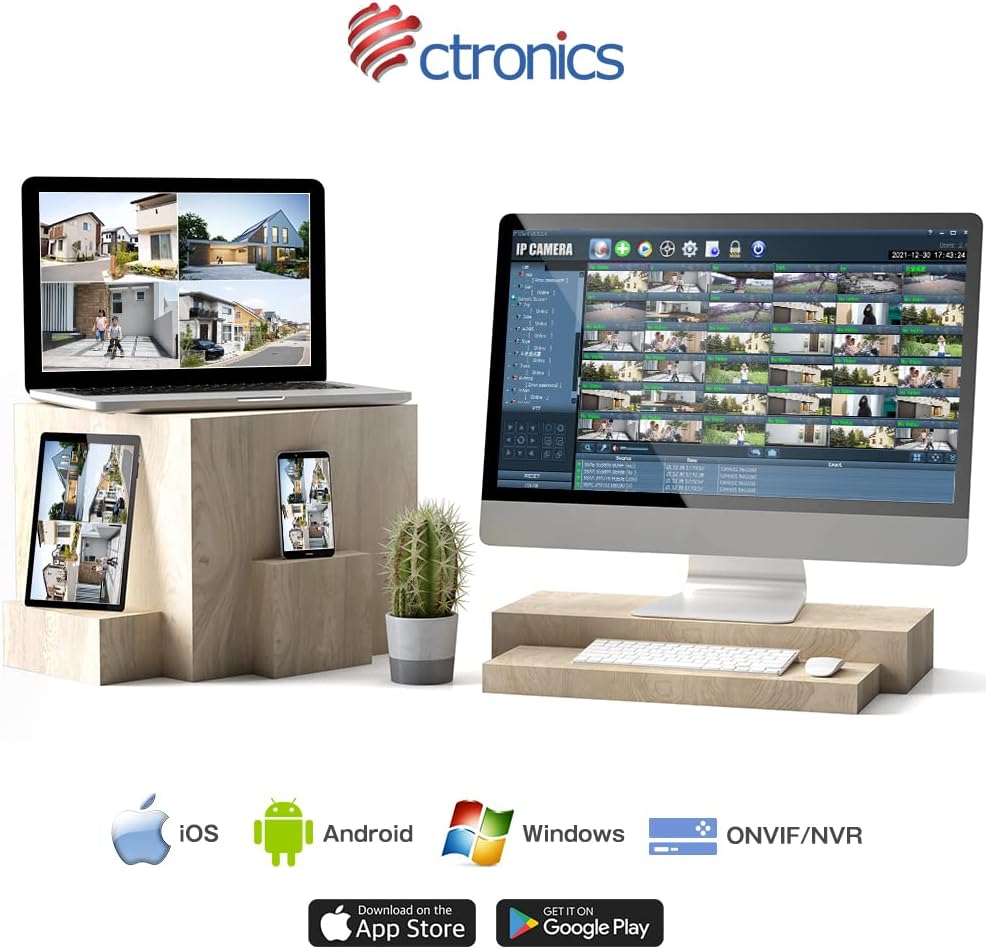
Figure 9: Ctronics App for mobile devices.
- Регистрација на сметка: Отворете ја апликацијата и регистрирајте нова сметка или најавете се ако веќе имате.
- Додај уред: Следете ги упатствата во апликацијата за да ја додадете вашата камера. Ова обично вклучува скенирање QR-код на камерата или рачно внесување на нејзиниот ID.
- Мрежна конфигурација: Select your preferred Wi-Fi network (2.4GHz or 5GHz) and enter the password. Ensure your camera is within range of your Wi-Fi router. For initial setup, it is recommended to place the camera close to the router.
- Монтирање: Once configured, choose a suitable outdoor location for mounting. Use the provided screws and anchors to securely attach the camera. Ensure the camera has a clear view од областа што сакате да ја следите.
4. Упатства за работа
4.1 Во живо View
Open the Ctronics app and select your camera from the device list to access the live video feed. You can view храната во реално времеtage од каде било со интернет конекција.
4.2 Контрола на панорамирање и навалување
Во живо view screen, use the directional controls to remotely adjust the camera's pan (horizontal) and tilt (vertical) angles. The camera supports 350° pan and 90° tilt.
4.3 Режими на снимање
The camera offers several recording options:
- 24-часовно континуирано снимање: Records continuously to the inserted SD card or connected NVR/FTP server.
- Снимање на движење: Снима само кога ќе се детектира движење.
- Human Detection Recording: Records specifically when a human figure is detected, reducing false alarms.
- Распоред на снимање: Set specific times or days for recording.
Recordings can be stored on a microSD card (up to 128GB, not included), or via ONVIF/NVR/FTP for external storage solutions.
4.4 Двонасочно аудио
Tap the microphone icon in the app to speak through the camera's speaker. Tap the speaker icon to listen to audio from the camera's microphone.
4.5 Аларм и известувања
When motion or human detection is triggered, the camera can:
- Испраќајте push известувања на вашиот мобилен уред.
- Activate a sensor light to deter intruders.
- Trigger a customizable alarm sound.

Figure 10: Alarm and push notification system.
5. Одржување
- Чистење: Редовно чистете го објективот и куќиштето на камерата со мека, дamp крпа за да се обезбеди јасен квалитет на сликата. Не користете груби хемикалии или абразивни материјали.
- Ажурирања на фирмверот: Check the Ctronics app periodically for firmware updates. Keeping your camera's firmware up-to-date ensures optimal performance, security, and access to new features.
- Напојување: Ensure the power adapter and cable are not damaged and are securely connected.
- Еколошки услови: While the camera is IP66 waterproof, avoid direct exposure to extreme weather conditions if possible, such as prolonged heavy rain or direct sunlight in very hot climates, to maximize its lifespan.

Figure 11: IP66 waterproof and wide operating temperature range.
6 Смена на проблеми
| Проблем | Можна причина | Решение |
|---|---|---|
| Камерата е офлајн/Не може да се поврзе со Wi-Fi | Слаб Wi-Fi сигнал; Неточна Wi-Fi лозинка; Проблеми со рутерот; Камерата е премногу далеку од рутерот. | Ensure camera is within Wi-Fi range. Check Wi-Fi password. Restart router and camera. Try connecting to 2.4GHz if 5GHz is unstable, or vice versa. |
| Лош квалитет на сликата | Dirty lens; Insufficient light; Network bandwidth issues. | Clean the lens. Ensure adequate lighting or enable night vision. Check network speed. |
| False alarms/Too many notifications | Motion detection sensitivity too high; Non-human objects triggering detection. | Adjust motion detection sensitivity in the app. Enable human detection only. Adjust detection zones. |
| SD картичката не снима | SD card full or corrupted; Incorrect recording settings. | Format the SD card in the app. Check recording schedule and mode settings. Ensure SD card is inserted correctly. |
7. Спецификации
| Карактеристика | Детал |
|---|---|
| Бренд | Ctronics |
| Број на модел | CTIPC-380C-5MP-BW |
| Технологија за поврзување | Wireless (2.4GHz & 5GHz Wi-Fi) |
| Резолуција за снимање видео | 5 Megapixels (2560x1920) |
| Опсег на пан/навалување | Пан 350 °, Навалување 90 ° |
| Посебни карактеристики | Human Detection, Auto Tracking, Color Night Vision, Two-Way Audio, Alarm Notification, IP66 Waterproof |
| Материјал | Metal (front cover) |
| Извор на енергија | Електричен со кабел |
| Ватtage | 5 W |
| Извор на светлина | Infrared, White Light |
| Поддршка за складирање | MicroSD card (up to 128GB), ONVIF/NVR/FTP |
| Компатибилност на оперативниот систем | iOS, Android, Windows, MAC |
| Тежина на ставката | 800 гр |
| Димензии на пакетот | 21.1 x 20.3 x 13.7 cm |
8. Гаранција и поддршка
Ctronics provides a two-year quality warranty за овој производ.
If you encounter any malfunctions or issues with your security camera during the warranty period, you are eligible for a new product replacement, return, or refund.
For any inquiries or support, please feel free to contact our customer service team at: support.jp@ctronics.com


