1. Вовед
This manual provides comprehensive instructions for the setup, operation, maintenance, and troubleshooting of your KLIM Discman Portable CD Player. This device is designed for playing audio CDs, CD-R, CD-RW, and MP3 discs, offering a versatile listening experience. Please read this manual thoroughly before using the product to ensure proper function and longevity.

Image 1.1: KLIM Discman with headphones and accessories.
2. Содржина на пакетот
Проверете дали сите артикли се присутни во пакувањето:
- KLIM Discman CD Player
- KLIM Headset (Foldable Headphones)
- Earphone Accessories
- USB-C кабел за полнење
- Торбичка за носење
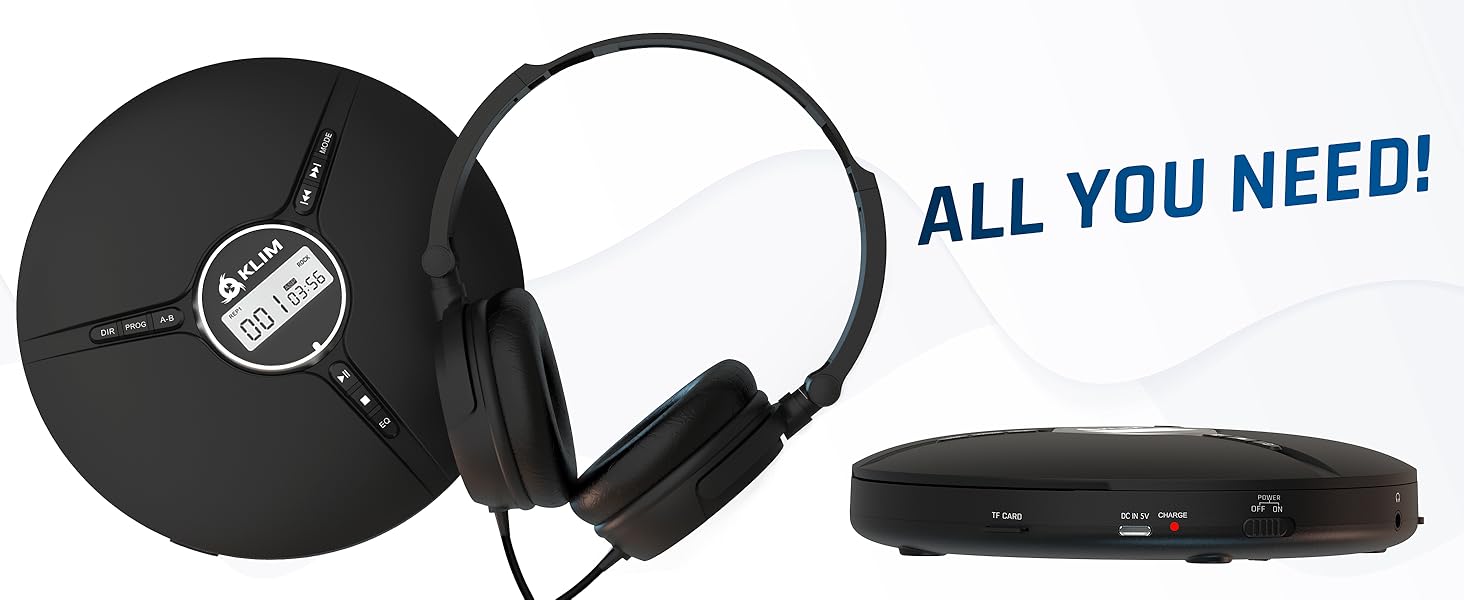
Image 2.1: All included components.
3. Производот завршиview
Familiarize yourself with the various parts and controls of your KLIM Discman.

Image 3.1: Labeled diagram of the KLIM Discman controls and ports.
Контроли и пристаништа:
- Дигитален екран: Shows track number, time, and playback status.
- Копче DIR: Directory navigation for MP3 discs.
- Копче PROG: Program playback order.
- Копче AB: Повторете одреден дел од аудио записот.
- Копче MODE: Selects playback modes (e.g., repeat one, repeat all).
- Previous/Rewind Button (◀◀): Прескокнува на претходната песна или ја премотува назад тековната песна.
- Next/Fast Forward Button (▶▶): Skips to the next track or fast forwards current track.
- Копче за репродукција/пауза (▶/‖‖): Ја започнува или паузира репродукцијата.
- Копче за запирање (■): Ја запира репродукцијата.
- EQ копче: Cycles through various equalizer presets.
- Контрола на јачината на звукот: Го прилагодува нивото на аудио излезот.
- AUX / Jack 3.5 mm Input: За поврзување на надворешни аудио уреди или слушалки.
- Слот за картичка TF: For inserting a MicroSD card (up to 32 GB) for MP3 playback.
- Приклучок за полнење USB-C: За полнење на внатрешната батерија.
- ON/OFF and HOLD Button: Powers the device on/off and locks buttons to prevent accidental presses.
4. Поставување
4.1. Полнење на батеријата
The KLIM Discman features a built-in rechargeable battery. Before first use, fully charge the device.
- Connect the provided USB-C charging cable to the USB-C port on the Discman.
- Поврзете го другиот крај од USB-C кабелот со USB адаптер за напојување (не е вклучен) или со USB порт на компјутерот.
- Индикаторското светло за полнење ќе светне. Откако целосно ќе се наполни, светлото може да ја промени бојата или да се исклучи, во зависност од моделот.
- Целосно полнење овозможува до 14 часа репродукција.
4.2. Вметнување на CD
- Нежно лизгајте го прекинувачот OPEN за да го отворите капакот на преградата за CD.
- Place the CD with the label side facing up onto the center spindle. Ensure the CD is securely seated.
- Цврсто затворете го капакот на преградата за ЦД-а додека не кликне на своето место.
4.3. Поврзување слушалки
Connect the included KLIM headset or your preferred 3.5mm headphones to the AUX / Jack 3.5 mm input port on the Discman.
4.4. Inserting a TF Card (MicroSD)
If playing MP3 files from a TF card:
- Locate the TF Card slot on the side of the Discman.
- Insert the TF card (up to 32 GB) into the slot until it clicks. Ensure the card is inserted in the correct orientation.
- За да ја извадите, нежно притиснете ја картичката додека не испадне.
5. Упатства за работа
5.1. Power On/Off and Hold Function
- Вклучување: Поставете го прекинувачот ВКЛУЧЕНО/ИСКЛУЧЕНО во положба „ВКЛУЧЕНО“.
- Исклучено: Поставете го прекинувачот ВКЛУЧЕНО/ИСКЛУЧЕНО во положба „ИСКЛУЧЕНО“.
- Функција за задржување: Slide the ON/OFF switch to the 'HOLD' position to lock all buttons and prevent accidental operation during transport. The display will show 'HOLD'.
5.2. Основна репродукција
- After powering on and inserting a CD, the player will typically begin playback automatically.
- Притиснете го ▶/‖‖ копче за паузирање на репродукцијата. Притиснете повторно за да продолжите.
- Притиснете го ▶▶ button to skip to the next track. Press and hold to fast forward.
- Притиснете го ◀◀ button to skip to the beginning of the current track. Press twice to skip to the previous track. Press and hold to rewind.
- Притиснете го ■ копче за запирање на репродукцијата.
5.3. Прилагодување на јачината на звукот
Adjust the volume using the dedicated volume control buttons or dial on the device (if present, otherwise volume is controlled by connected headphones/speakers).
5.4. Поставки на еквилајзерот (EQ)
Притиснете го EQ button repeatedly to cycle through available sound equalizer presets (e.g., Bass, Pop, Jazz, Rock, Classic, etc.) to customize your audio experience.
5.5. Repeat and Program Functions
- Копче MODE: Press to select different repeat modes (e.g., repeat one track, repeat all tracks, random play).
- Копче PROG: Allows you to program a specific order of tracks to play. Refer to the on-screen display for programming steps.
- Копче AB: Press once at the start point (A) and again at the end point (B) of a section you wish to repeat. The player will continuously loop this section. Press a third time to cancel.
- DIR Button (for MP3 discs): If your MP3 disc contains multiple folders, press DIR to navigate between directories.
5.6. Репродукција на TF картичка
If a TF card is inserted, the player may automatically switch to TF card mode or require you to press a MODE button to select it. Playback controls are similar to CD playback.
5.7. Connecting to External Audio Devices
The Discman can connect to external speakers or car audio systems via the 3.5mm AUX output. Use a 3.5mm audio cable (not included) to connect the Discman to the AUX input of your external device.

Image 5.1: Connectivity options for the KLIM Discman.
6. Одржување
6.1. Cleaning the Discman
- Избришете ја надворешноста на плеерот со мека, сува крпа.
- Не користете абразивни средства за чистење, растворувачи или јаки детергенти.
- To clean the optical lens, use a specialized CD lens cleaning kit. Avoid touching the lens directly.
6.2. Нега на батерии
- За да го продолжите животниот век на батеријата, избегнувајте често целосно празнење на батеријата.
- Полнете го уредот редовно, дури и ако не е во употреба, за да ја одржите состојбата на батеријата.
- Чувајте го уредот на ладно и суво место кога не го користите подолг временски период.
6.3. CD and TF Card Handling
- Handle CDs by their edges to avoid fingerprints and scratches on the playing surface.
- Store CDs in their cases when not in use.
- Ensure TF cards are inserted and removed correctly to prevent damage to the card or slot.
7 Смена на проблеми
If you encounter issues with your KLIM Discman, refer to the following common problems and solutions:
| Проблем | Можна причина | Решение |
|---|---|---|
| Уредот не се вклучува. | Battery is depleted. Device is in HOLD mode. | Charge the battery. Slide the ON/OFF switch out of 'HOLD' position. |
| CD does not play / 'DISC' error. | CD is dirty, scratched, or inserted incorrectly. Disc format is not supported. | Clean the CD. Reinsert the CD correctly. Ensure the disc is CD Audio, CD-R, CD-RW, or MP3 format. |
| Нема звук од слушалките. | Headphones not connected properly. Volume is too low. Headphones are faulty. | Ensure headphones are fully plugged in. Increase volume. Test with another pair of headphones. |
| Music skips or stutters. | CD is scratched or dirty. Excessive movement. | Clean the CD. The anti-shock protection buffers 100 seconds of audio, but extreme movement can still cause skips. |
| TF картичката не е препознаена. | TF card inserted incorrectly. Card is corrupted or unsupported format. | Reinsert the TF card. Ensure it is formatted correctly (FAT32) and contains supported MP3 files. Max capacity 32GB. |
8. Спецификации
Technical details for the KLIM Discman Portable CD Player.
| Карактеристика | Детал |
|---|---|
| Име на моделот | KLIM Nomad |
| Димензии на производот | 5.51 x 5.51 x 1.1 инчи |
| Тежина на ставката | 8.1 унци |
| Батерија | 1 литиум-јонска батерија (вклучена) |
| Време на репродукција | До 14 часа (приближно) |
| Компатибилност | CD Audio, CD-R, CD-RW, MP3 |
| Поддршка за TF картичка | До 32 GB |
| Поврзување | 3.5mm Auxiliary Jack, USB-C (charging) |
| Посебни карактеристики | Anti-skip/Anti-shock protection (100s), Digital Equalization, HOLD function |

Слика 8.1: Димензии на производот.
9. Гаранција и поддршка
The KLIM Discman comes with a 5-годишна гаранција. This warranty covers manufacturing defects and ensures the product meets quality standards for an extended period.
For technical support, warranty claims, or any questions regarding your KLIM Discman, please visit the official KLIM webвеб-страница или контактирајте ја нивната служба за корисници. Можете да најдете повеќе информации на www.klimtechs.com.
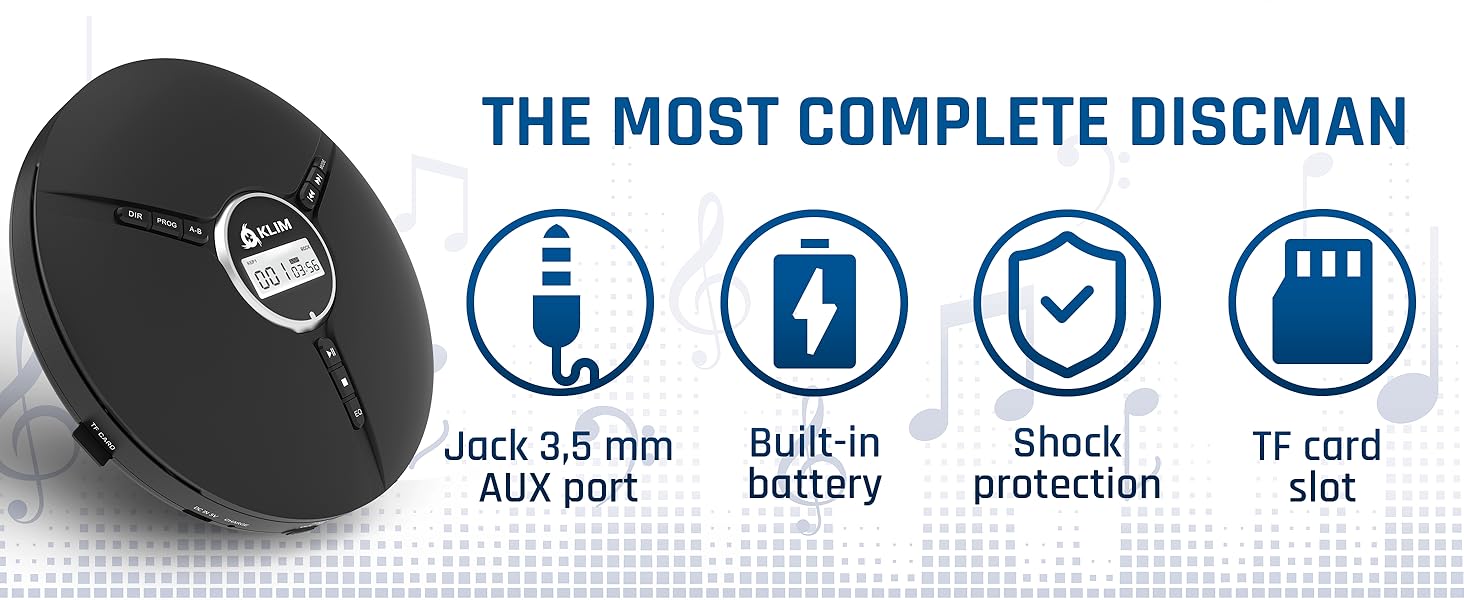
Image 9.1: Key features including shock protection and built-in battery.


