Вовед
The Megacom DuoMon is an advanced auto-catching accessory designed for Pokémon Go players. It allows two separate accounts to automatically catch Pokémon and spin PokéStops simultaneously, enhancing gameplay efficiency. This manual provides comprehensive instructions for setting up, operating, maintaining, and troubleshooting your DuoMon device.
Содржина на пакетот

Image: Contents of the Megacom DuoMon package. This includes the DuoMon device, a black wrist strap with a carabiner, a metal keychain ring, and a small black strap with a ring.
- Megacom DuoMon Device (1)
- Wrist Strap with Carabiner (1)
- Keychain Ring (1)
- Small Strap with Ring (1)
- Упатство за употреба (овој документ)
Карактеристики
- Dual Account Support: Connects to two Pokémon Go accounts simultaneously for efficient item collection and Pokémon catching.
- Automatic Catch & Spin: Automatically catches nearby Pokémon and spins PokéStops without manual intervention.
- Voice Notifications: Provides audible alerts for successful catches, item collection, lost connection, and full item bag.
- Компактен и лесен дизајн: Easy to carry with dimensions of 2.36" x 2.36" x 0.51" and a weight of 0.91 oz.
- Стабилна Bluetooth конекција: Maintains a reliable wireless connection up to 65 feet (20 meters).
- One-Touch Reconnection: Simplifies reconnecting to the game by tapping the screen.
- Прилагодливи известувања: Adjust sound and vibration settings, and enable/disable notifications for new Pokémon.

Image: Diagram illustrating the DuoMon's easy-to-use features, including auto-catch, auto-spin, and simple pairing with two smartphones.

Image: Diagram detailing how to customize notifications on the DuoMon, with settings for sound (yellow LED), vibration (purple LED), and new Pokémon alerts (white LED).

Image: Visual representation of the DuoMon's one-touch reconnection feature, highlighting its convenience for users on the go, including while driving.
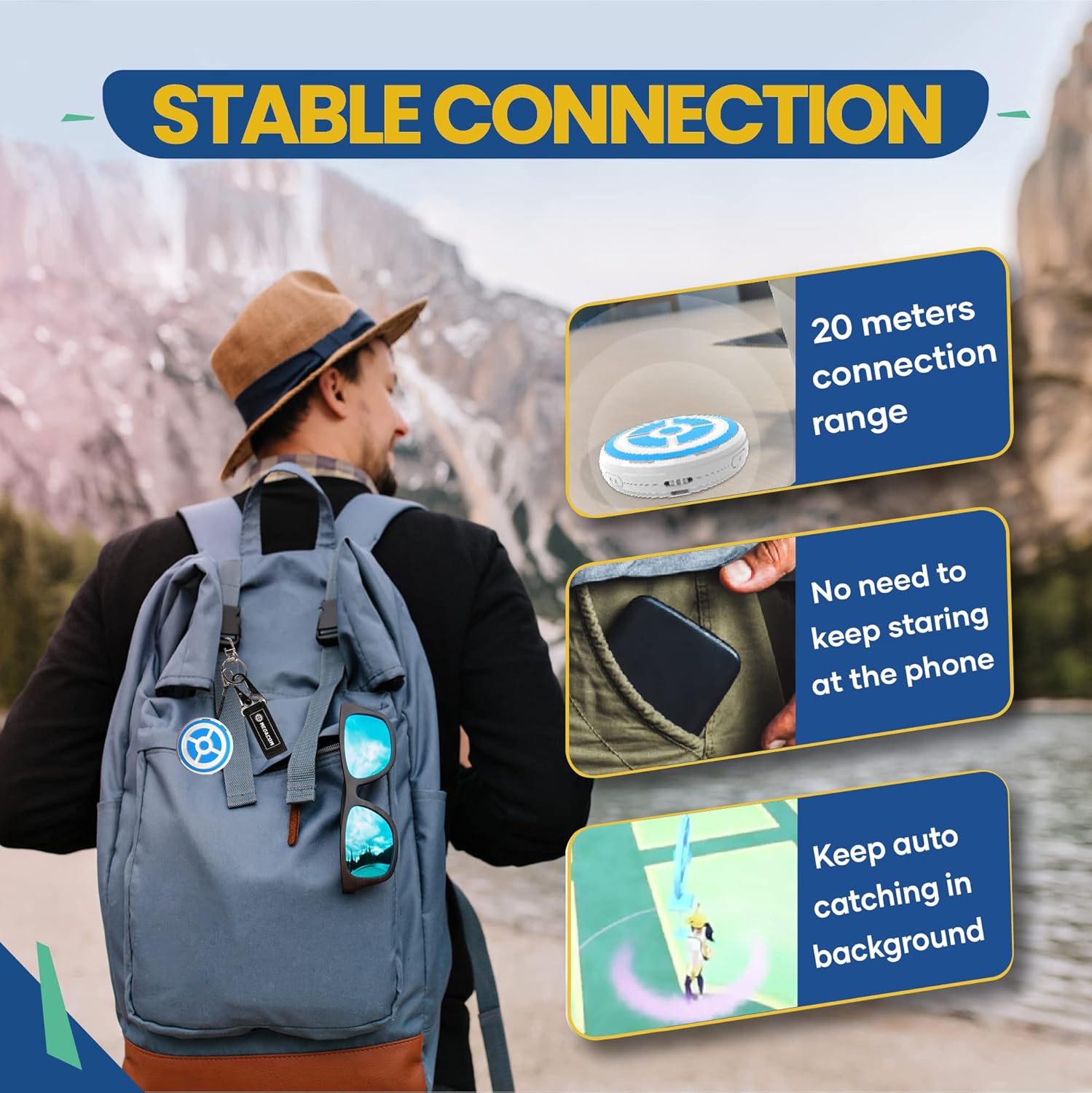
Image: Illustration of the DuoMon's stable Bluetooth connection, showing a 20-meter range and the ability to auto-catch in the background without constant phone interaction.

Image: Depiction of the DuoMon's live broadcast feature, providing audio notifications for events such as quantity caught/spun, lost connection, and a full item bag.
Поставување
1. Инсталација на батерија
The Megacom DuoMon requires 2 AAA batteries (not included). To install:
- Locate the battery compartment on the back of the DuoMon device.
- Отворете го капакот на батеријата.
- Вметнете 2 AAA батерии, внимавајќи на правилниот поларитет (+/-).
- Добро затворете го капакот на батеријата.
2. Initial Pairing with Pokémon Go
Follow these steps to connect your DuoMon to your Pokémon Go application:
- Проверете дали Bluetooth е овозможен на вашиот паметен телефон.
- Open the Pokémon Go application.
- Tap the Main Menu button (Poké Ball icon).
- Tap "Settings" (gear icon) in the top right corner.
- Scroll down and tap "Pokémon Go Plus".
- Turn on your DuoMon device using the ON/OFF switch. The device will begin searching for a connection.
- On the "Pokémon Go Plus" screen in the app, you should see the DuoMon listed as an available device. Tap on it to connect.
- Once connected, the icon next to the DuoMon in the app will turn blue, and the DuoMon's LED will indicate a successful connection.

Image: Steps for connecting the DuoMon to Pokémon Go via Bluetooth settings within the game.
Упатства за работа
Automatic Catching and Spinning
Once connected, the DuoMon will automatically perform the following actions:
- Catch Pokémon: When a Pokémon appears within range, the DuoMon will attempt to catch it using standard Poké Balls.
- Spin PokéStops/Gyms: When you are near a PokéStop or Gym, the DuoMon will automatically spin it to collect items.
The device will provide voice notifications for these actions and other important events.
Dual Account Operation
The DuoMon supports simultaneous connection to two Pokémon Go accounts. Each account will operate independently, allowing both players to benefit from auto-catching and spinning.

Image: Two individuals simultaneously using the DuoMon with their respective smartphones, demonstrating its dual account capability.
Повторно поврзување
If the connection is lost (e.g., due to distance or app closure), you can easily reconnect:
- Open the Pokémon Go app.
- Tap the Pokémon Go Plus icon on the main map screen (usually located below the compass).
- The DuoMon will attempt to reconnect automatically.
For quick reconnection, simply tap the screen of your smartphone when the DuoMon is nearby and the app is open.
Режим на спиење
To conserve battery, the DuoMon will enter sleep mode when not in use or after a period of inactivity. To reactivate, simply turn the device off and then on again, or attempt to reconnect via the Pokémon Go app.
Customizing Notifications
The DuoMon features LED indicators and voice prompts to provide feedback. You can customize these settings:
- Yellow LED: Sound Setting
- Јачина на звук нагоре
- Намалување на јачината на звукот
- Исклучено
- Purple LED: Vibration Setting
- On
- Исклучено
- White LED: New Pokémon Notification
- On
- Исклучено
Refer to the device's physical buttons or a specific sequence of button presses (if applicable, not detailed in provided data) to cycle through these settings. The LED color will indicate the current setting being adjusted.
Image: Diagram illustrating the LED indicators and their corresponding notification settings for sound, vibration, and new Pokémon alerts.
Одржување
- Чистење: Избришете го уредот со мека, сува крпа. Не користете абразивни средства за чистење и не го потопувајте уредот во вода.
- Складирање: Store the DuoMon in a cool, dry place away from direct sunlight and extreme temperatures. If storing for extended periods, remove the AAA batteries to prevent leakage.
- Замена на батерија: Replace batteries when the device's performance degrades or when low battery indicators are present.
Решавање проблеми
| Проблем | Можна причина | Решение |
|---|---|---|
| DuoMon does not turn on. | Мртви или неправилно инсталирани батерии. | Заменете ги AAA батериите, внимавајќи на правилниот поларитет. |
| Cannot connect to Pokémon Go. | Bluetooth off, device too far, app issue, or previous connection not properly disconnected. |
|
| DuoMon is not catching Pokémon or spinning PokéStops. | No Poké Balls, full item bag, out of range, or game settings. |
|
| Voice notifications are not working. | Sound setting is off or phone volume is low. | Adjust the DuoMon's sound setting (Yellow LED) to "Volume Up" or "Volume Down". Check your phone's media volume. |
Спецификации
| Карактеристика | Детал |
|---|---|
| Број на модел | DM-1277 |
| Димензии | 2.36 x 2.36 x 0.51 инчи |
| Тежина | 0.91 унци |
| Извор на енергија | 2 x AAA батерии (не се вклучени) |
| Поврзување | Bluetooth |
| Опсег | До 65 стапки (20 метри) |
| Производител | SPERRY Corporation |
| Прво достапен датум | 26 април 2022 година |
Гаранција и поддршка
For warranty information and technical support, please contact the manufacturer, SPERRY Corporation, or the retailer where you purchased the Megacom DuoMon. Keep your proof of purchase for warranty claims.
You can also visit the official Megacom store for additional resources and support:


