1. Вовед
Thank you for choosing the KLIM Tandem Wireless Keyboard and Mouse Set. This product is designed to provide a seamless and responsive wireless experience for both gaming and office use. This manual will guide you through the installation, operation, and maintenance of your new device.

Image 1: The KLIM Tandem wireless keyboard and mouse set, featuring RGB backlighting and a compact USB receiver.
2. Содржина на пакетот
Ве молиме осигурајте се дека сите артикли се присутни во вашиот пакет:
- KLIM Tandem Wireless Keyboard
- KLIM Tandem Wireless Mouse
- USB Wireless Receiver (located in the mouse battery compartment)
- USB Charging Cable (for both keyboard and mouse)
- Упатство за употреба
3. Упатства за поставување
3.1 Поврзување на уредите
- Пронајдете го USB безжичниот приемник. Обично се чува во преграда на долната страна од глувчето.
- Вклучете го USB безжичниот приемник во слободен USB порт на вашиот компјутер.
- Turn on the keyboard using the power switch, usually located on the top edge.
- Вклучете го глувчето користејќи го прекинувачот за вклучување, кој обично се наоѓа на долната страна.
- Вашиот компјутер треба автоматски да ги детектира и инсталира потребните драјвери. Уредите се подготвени за употреба откако ќе бидат детектирани.

Image 2: Close-up of the KLIM Tandem mouse and its USB receiver, ready for connection.
3.2 Почетно полнење
For optimal performance, it is recommended to fully charge both the keyboard and mouse before first use. Use the provided USB charging cable to connect the devices to your computer or a USB wall adapter. An indicator light will typically show charging status and turn off or change color when fully charged.
4. Упатства за работа
4.1 Функции на тастатурата
- Контрола на задно осветлување: The keyboard features RGB backlighting. Use the dedicated backlight key (often labeled with a lightbulb icon or combined with Fn key) to cycle through brightness levels or turn the backlight on/off. Note that the keyboard's colors are fixed in a rainbow pattern.
- Функциски копчиња (Fn): The keyboard includes a special Function (Fn) key. Press and hold the Fn key, then press the corresponding F1-F12 keys to access multimedia controls and other shortcuts (e.g., volume control, media playback).
- Автоматски режим на спиење: To conserve battery, the keyboard backlight will automatically turn off after a period of inactivity. Press any key to reactivate it.
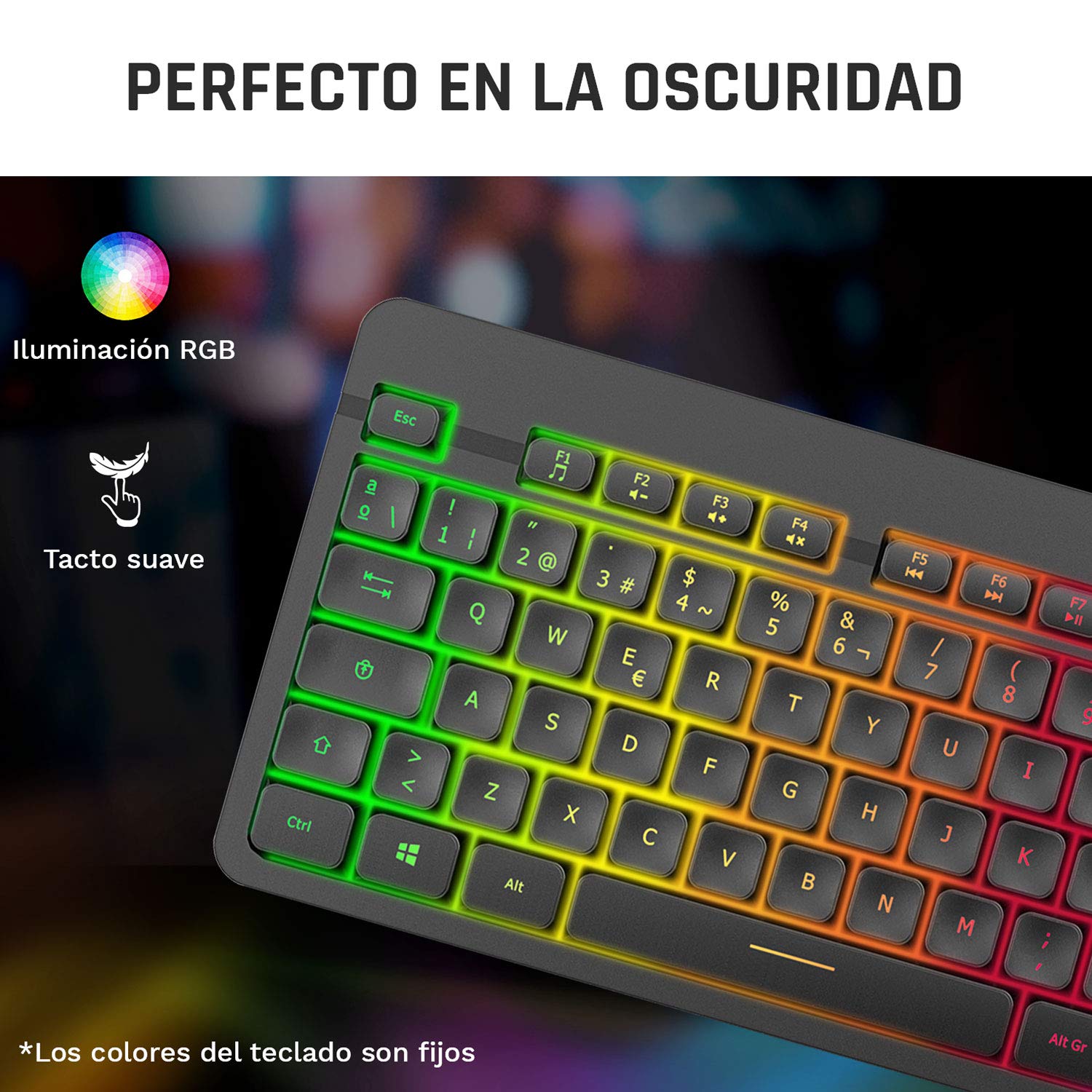
Image 3: Close-up of the KLIM Tandem keyboard showcasing its RGB illumination and soft-touch keys.
4.2 Функции на глувчето
- Прилагодување на DPI: The mouse features adjustable DPI (Dots Per Inch) settings, allowing you to change cursor sensitivity. Use the dedicated DPI button (usually located behind the scroll wheel) to cycle through different sensitivity levels.
- Странични копчиња: The mouse includes side buttons, typically used for forward and backward navigation in web browsers or customizable for gaming.
- Осветлено лого: The mouse features an illuminated KLIM logo. This lighting can usually be toggled on or off via a switch on the underside of the mouse, separate from the main power switch.
- Ергономски дизајн: The mouse is designed for an ergonomic grip, recommended for right-hand users.
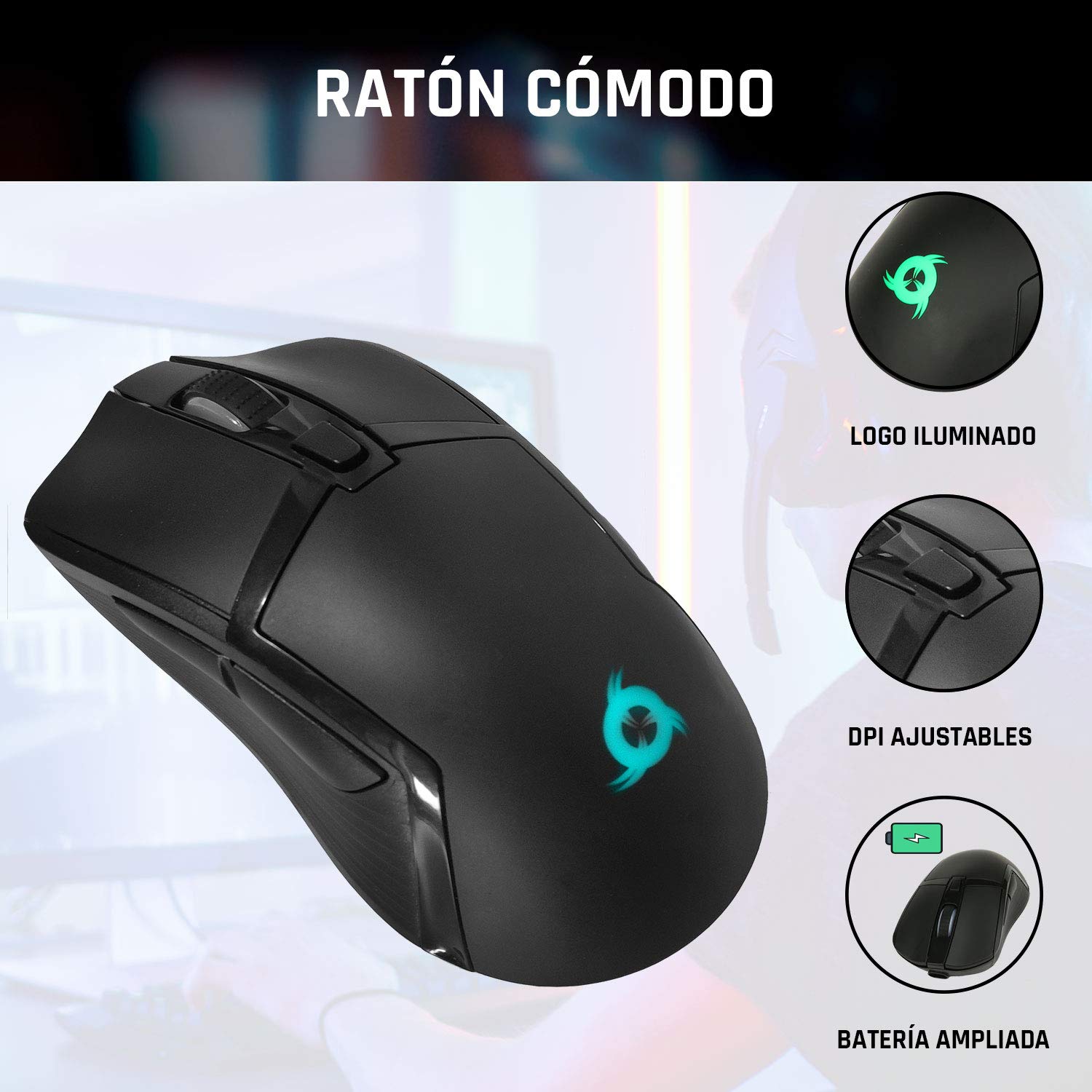
Image 4: The KLIM Tandem mouse highlighting its illuminated logo, adjustable DPI settings, and extended battery capacity.
5. Полнење и траење на батеријата
Both the KLIM Tandem keyboard and mouse are equipped with built-in rechargeable batteries. Use the provided USB cable to charge them. You can continue to use the devices while they are charging.
- Индикатор за полнење: A small LED light on each device will indicate charging status. Refer to the device for specific light behavior (e.g., red for charging, off for full).
- Оптимизација на траење на батеријата: Lowering the keyboard's backlight brightness or turning it off will significantly extend battery life. The mouse's illuminated logo can also be toggled off to save power.
- Предупредување за слаба батерија: Devices will typically provide a visual cue (e.g., flashing indicator light) when the battery is low, signaling that charging is required.
6. Одржување
To ensure the longevity and optimal performance of your KLIM Tandem set, follow these maintenance guidelines:
- Чистење: Use a soft, dry cloth to wipe down the keyboard and mouse. For stubborn dirt, a slightly damp cloth with mild soap can be used, ensuring no liquid enters the device. Avoid harsh chemicals.
- Складирање: Чувајте ги уредите на ладно и суво место, подалеку од директна сончева светлина и екстремни температури.
- Избегнувајте излевање: While the keyboard is designed to be resistant to minor spills, it is best to avoid liquid contact to prevent damage.
- USB-приемник: When not in use, the USB receiver can be stored in the mouse's dedicated compartment to prevent loss.
7 Смена на проблеми
If you encounter any issues with your KLIM Tandem set, please refer to the following table:
| Прашање | Можна причина | Решение |
|---|---|---|
| Тастатурата/глушецот не реагираат | Low battery; Devices turned off; USB receiver disconnected; Driver issue. | Charge devices; Ensure power switches are ON; Re-plug USB receiver; Restart computer. |
| Позадинското осветлување не работи | Backlight turned off; Low battery; Brightness set to minimum. | Press backlight key; Charge keyboard; Adjust brightness. |
| Mouse cursor erratic or slow | Dirty sensor; Incompatible surface; Low DPI setting. | Clean mouse sensor; Use a mouse pad; Adjust DPI setting. |
| Краток век на батеријата | High backlight brightness; Frequent use. | Reduce backlight brightness; Ensure full charge before use. |
8. Спецификации
Key technical specifications for the KLIM Tandem Wireless Keyboard and Mouse Set:
- Поврзување: 2.4 GHz Wireless (single USB receiver)
- Безжичен опсег: До 10 метри
- Keyboard Key Type: Мембрана
- Задно осветлување на тастатурата: Fixed RGB (rainbow pattern)
- Времетраење на тастатурата: Над 10 милиони кликања
- DPI на глувчето: Adjustable (multiple levels)
- Mouse Lifetime: Над 10 милиони кликања
- Батерија: Built-in rechargeable (long-lasting)
- Материјал: Издржлив ABS
- Компатибилност: PC, Mac, PS4, Xbox One (check specific game/system compatibility)

Image 5: Multilingual specifications sheet for the KLIM Tandem wireless keyboard and mouse set.
9. Гаранција и поддршка
KLIM Technologies offers a 5 година гаранција on the KLIM Tandem Wireless Keyboard and Mouse Set, demonstrating confidence in product quality. For any questions, technical assistance, or warranty claims, please contact KLIM Customer Service. Our team is available to assist you and aims to respond within 24 hours.
For further support, please visit the official KLIM webстраницата или погледнете ги контакт информациите дадени со пакувањето на вашиот производ.


