Вовед
This manual provides essential instructions for the safe and efficient operation of your Herneum FC Portable CD Player Boombox. Please read this manual thoroughly before using the device and retain it for future reference.
Карактеристики на производот
- Пренослив ЦД плеер: Top-loading CD player with play/pause, skip, and repeat functions.
- ФМ радио: Built-in FM radio with telescopic antenna for enhanced reception.
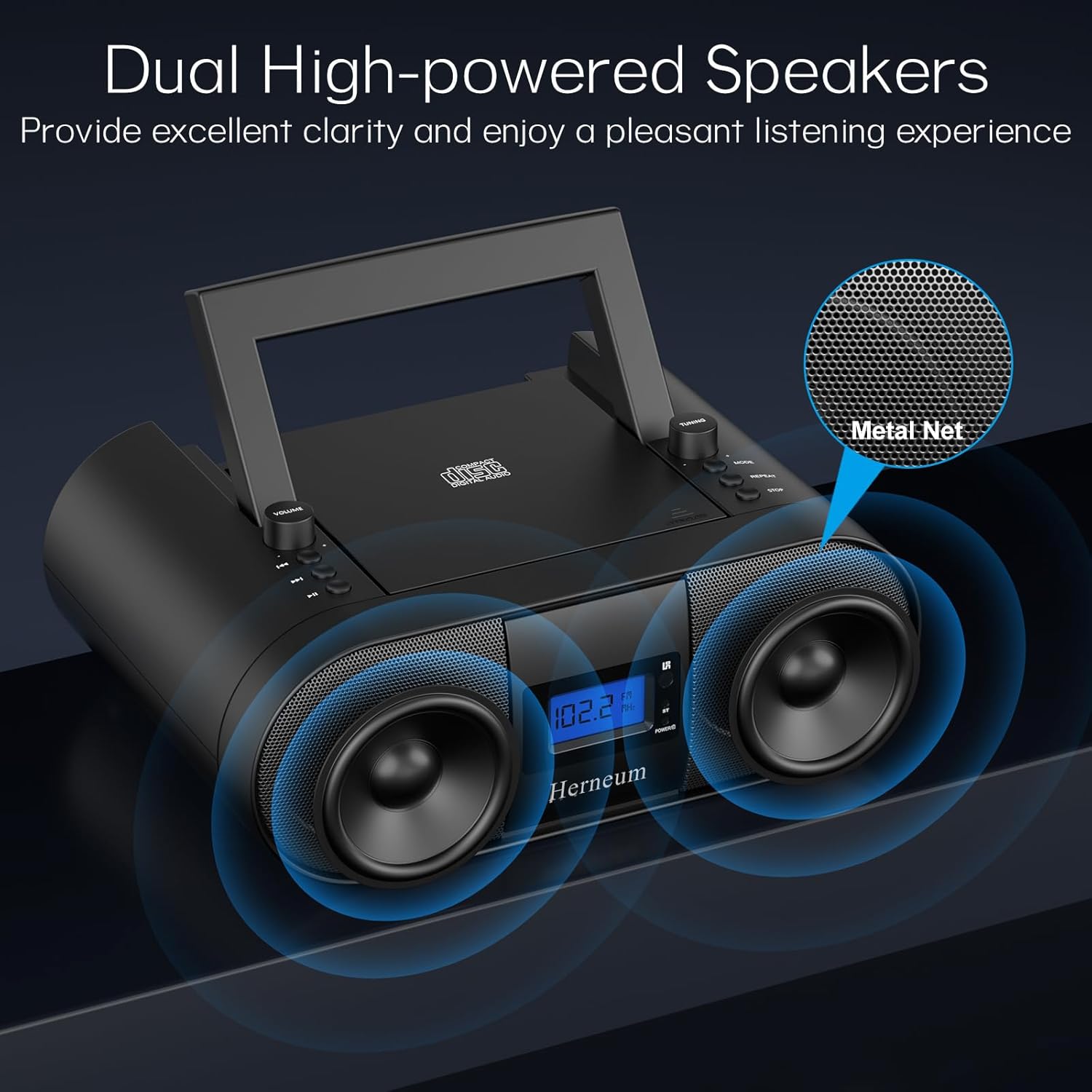
- Dual Stereo Sound System: High-performance speakers for clear audio.
- Батерија на полнење: Integrated 2000mAh battery providing 4-5 hours of playback.
- Bluetooth поврзување: Безжично аудио стриминг од компатибилни уреди.
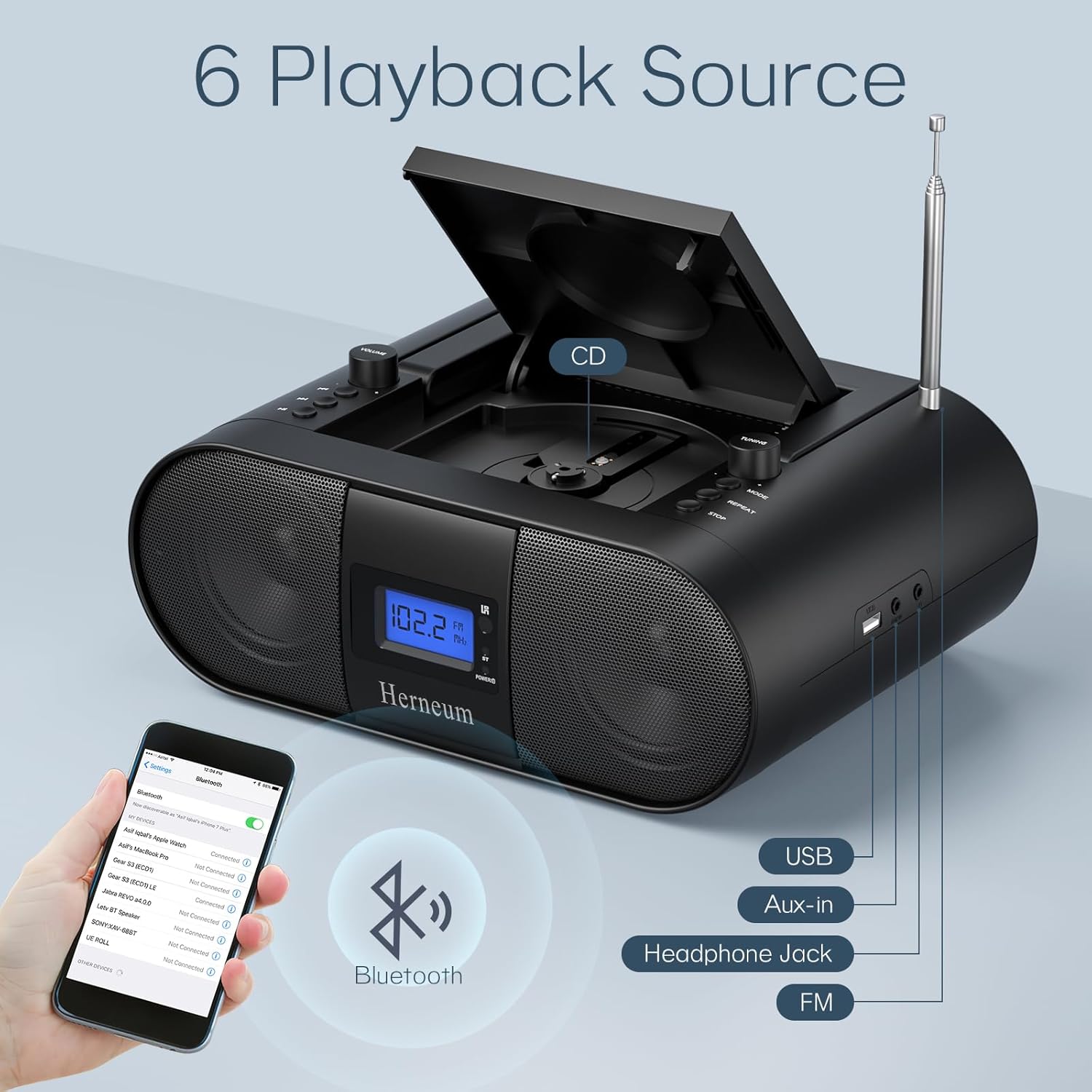
- Повеќекратни влезови: Supports USB and AUX-in for versatile audio sources.
- Излез за слушалки: За приватно слушање.
- Далечински управувач: Convenient operation from a distance, including sleep timer function.
Содржина на пакетот
По отпакувањето, осигурајте се дека сите артикли се присутни:
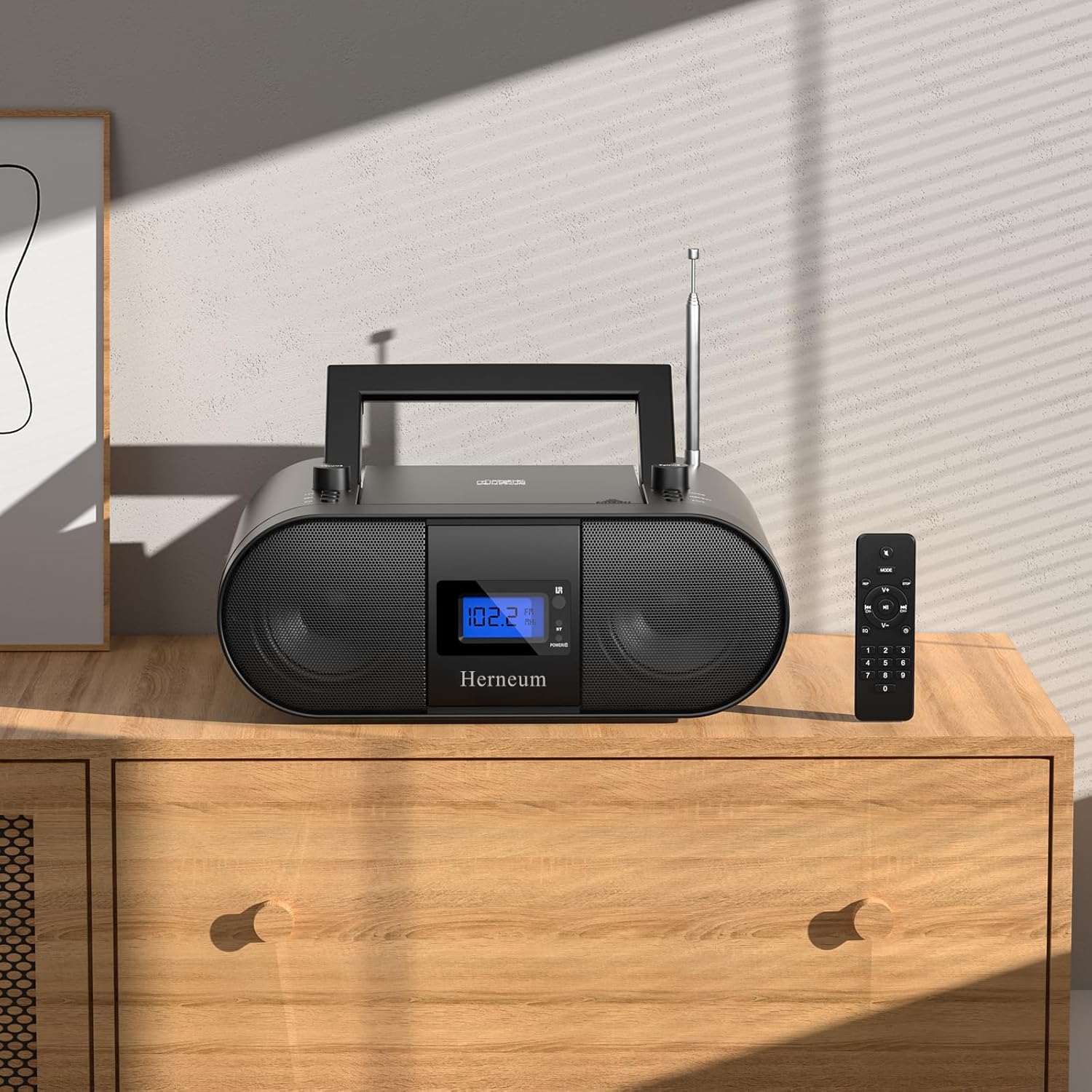
- Herneum FC Portable CD Player Boombox
- Далечински управувач
- Упатство за употреба
- Кабел за напојување
Информации за безбедност
- Не го изложувајте уредот на дожд или влага.
- Избегнувајте да го ставате уредот во близина на извори на топлина или на директна сончева светлина.
- Не го отворајте уредот casing; обратете се за сервисирање кај квалификуван персонал.
- Да се чува подалеку од дофат на деца.
- Користете го само дадениот адаптер за напојување.
Поставување
1. Напојување на уредот
The Herneum FC can be powered by its internal rechargeable battery or by connecting it to an AC power outlet.
- AC напојување: Connect the provided power cable to the "Power socket" (19) on the back of the unit and then to a wall outlet.
- Батерија на полнење: The unit has a built-in 2000mAh rechargeable battery. It charges automatically when connected to AC power. A full charge provides approximately 4-5 hours of playback.
2. Прилагодување на антената
For optimal FM radio reception, extend the telescopic antenna fully and adjust its position.

Упатства за работа
1. Општи контроли
The device features various controls on its top panel and a remote control for convenient operation.

- Прекинувач за напојување (18): Се наоѓа на задната страна на единицата.
- Volume +/- (1): Го прилагодува нивото на аудио излез.
- Режим (7): Switches between CD, FM, Bluetooth, USB, and AUX modes.
- Екран (14): Shows current mode, track number, and FM frequency.
2. Репродукција на ЦД
- Open the CD compartment (10) by gently lifting the lid.
- Ставете го ЦД-то со страната со етикетата свртена нагоре.
- Затворете ја преградата за ЦД.
- Притиснете го Режим button (7) to select CD mode.
- Притиснете Пушти/Пауза (4) за да започне репродукцијата.
- Користете Претходна песна (2) и Следна песна (3) to navigate tracks.
- Притиснете Повторете (8) for single track or all track repeat.
- Притиснете Стоп (9) to end playback.
3. Работа на FM радио
- Продолжете ја телескопската антена.
- Притиснете го Режим button (7) to select FM radio mode.
- Користете Подесување +/- (6) to manually tune to a station.
- For automatic scanning, press and hold Подесување +/- (6).
4. Bluetooth поврзување
- Притиснете го Режим button (7) to select Bluetooth mode. The display will show "BT" and flash, indicating it's ready for pairing.
- On your mobile device, enable Bluetooth and search for "Herneum FC" (or similar device name).
- Select the device to pair. Once connected, the "BT" indicator will stop flashing.
- You can now stream audio from your device to the boombox.
5. Репродукција преку USB
- Insert a USB drive containing MP3/WMA files into the USB PORT (11).
- Притиснете го Режим button (7) to select USB mode.
- Playback will start automatically. Use track navigation buttons to select songs.
6. AUX-влез за поврзување
- Connect an external audio device (e.g., smartphone, MP3 player) to the AUX-in jack (12) using a 3.5mm audio cable.
- Притиснете го Режим button (7) to select AUX mode.
- Контролирајте ја репродукцијата и јачината на звукот од вашиот надворешен уред.
7. Употреба на слушалки
Plug headphones into the Headphone jack (13) for private listening. The speakers will automatically mute.
8. Далечински управувач
The included remote control allows for convenient operation of all functions from a distance. Insert 2 x AAA batteries (not included) into the remote.
- Исклучи/вклучи звук: Temporarily silences or restores audio.
- Прескокни ја песната: Navigates to the next or previous track.
- Change Radio: Ја прилагодува FM фреквенцијата.
- Контролна јачина на звук: Зголемува или намалува јачината на звукот.
- Stop Playing: Halts current playback.
- EQ режим: Adjusts sound equalization settings.
- Тајмер за спиење: Set preferred running time (15, 30, 45, 60, or 90 minutes).

Одржување
- Чистење: Користете мека, сува крпа за чистење на надворешноста на уредот. Не користете абразивни средства за чистење или растворувачи.
- Грижа за ЦД: Држете ги ЦД-ата за нивните рабови. Чистете ги валканите ЦД-а со мека крпа што не остава влакненца, бришејќи од центарот кон надвор.
- Складирање: When not in use for extended periods, store the boombox in a cool, dry place.
Решавање проблеми
| Проблем | Можна причина | Решение |
|---|---|---|
| Нема моќ | Power cable not connected; battery drained; power switch off. | Check power cable connection; charge battery; ensure power switch (18) is ON. |
| ЦД-то не се репродуцира/прескокнува | ЦД-то е валкано или изгребано; ЦД-то е неправилно вметнато; преградата за ЦД не е затворена. | Clean or replace CD; ensure CD is label-side up; close compartment firmly. |
| Лош FM прием | Antenna not extended/adjusted; weak signal. | Extend and adjust antenna; try moving the unit to a different location. |
| Bluetooth не се спарува | Уредот не е во режим на спарување; Bluetooth е исклучен на надворешниот уред. | Ensure boombox is in Bluetooth mode; enable Bluetooth on your device and search again. |
| Далечинскиот управувач не работи | Batteries drained or inserted incorrectly; obstruction between remote and unit. | Replace remote batteries; ensure correct polarity; remove obstructions. |
Спецификации
- Модел: FC
- Бренд: Хернеум
- Димензии на производот: 12.6 x 8.66 x 5.9 инчи
- Тежина на ставката: 4.36 фунти
- Технологија за поврзување: Bluetooth, CD, USB, AUX-in, FM Radio
- Боја: Црното
- Тип на звучник: Двоен звучник
- Батерија: Вградена батерија на полнење од 2000 mAh
- Playback Time (Battery): 4-5 часа
Гаранција и поддршка
The Herneum FC Portable CD Player Boombox comes with an 18-month warranty. For warranty claims, technical support, or any inquiries, please contact Herneum customer service.
Visit the official Herneum store for more information: Herneum Store


