1. Производот завршиview
The Nulea M501 is an ergonomic wireless trackball mouse designed for comfort and precision. It features multi-device connectivity, a rechargeable battery, and adjustable DPI settings, making it suitable for various computing environments and tasks.

Figure 1.1: Nulea M501 Wireless Trackball Mouse.
2. Содржина на пакетот
Проверете ја содржината на пакувањето за да се осигурате дека сите артикли се присутни:
- Безжичен Trackball глушец Nulea M501
- USB кабел за полнење
- Упатство за употреба (овој документ)
- 2.4G USB приемник (складиран во глувчето)
3. Карактеристики на производот

Figure 3.1: Key components of the Nulea M501 mouse.
- 1. Back/Forward Buttons: (Non-programmable) For navigation.
- 2. DPI Level Indicator: Ги прикажува моменталните поставки за DPI.
- 3. Skin-friendly Surface: For improved tactility and comfort.
- 4. Detachable Ball: За лесно чистење.
- Ergonomic Design and Smooth Thumb Control: Designed to reduce wrist and arm strain by allowing cursor movement via a smooth trackball. The optimal angle promotes a natural hand position for all-day comfort.
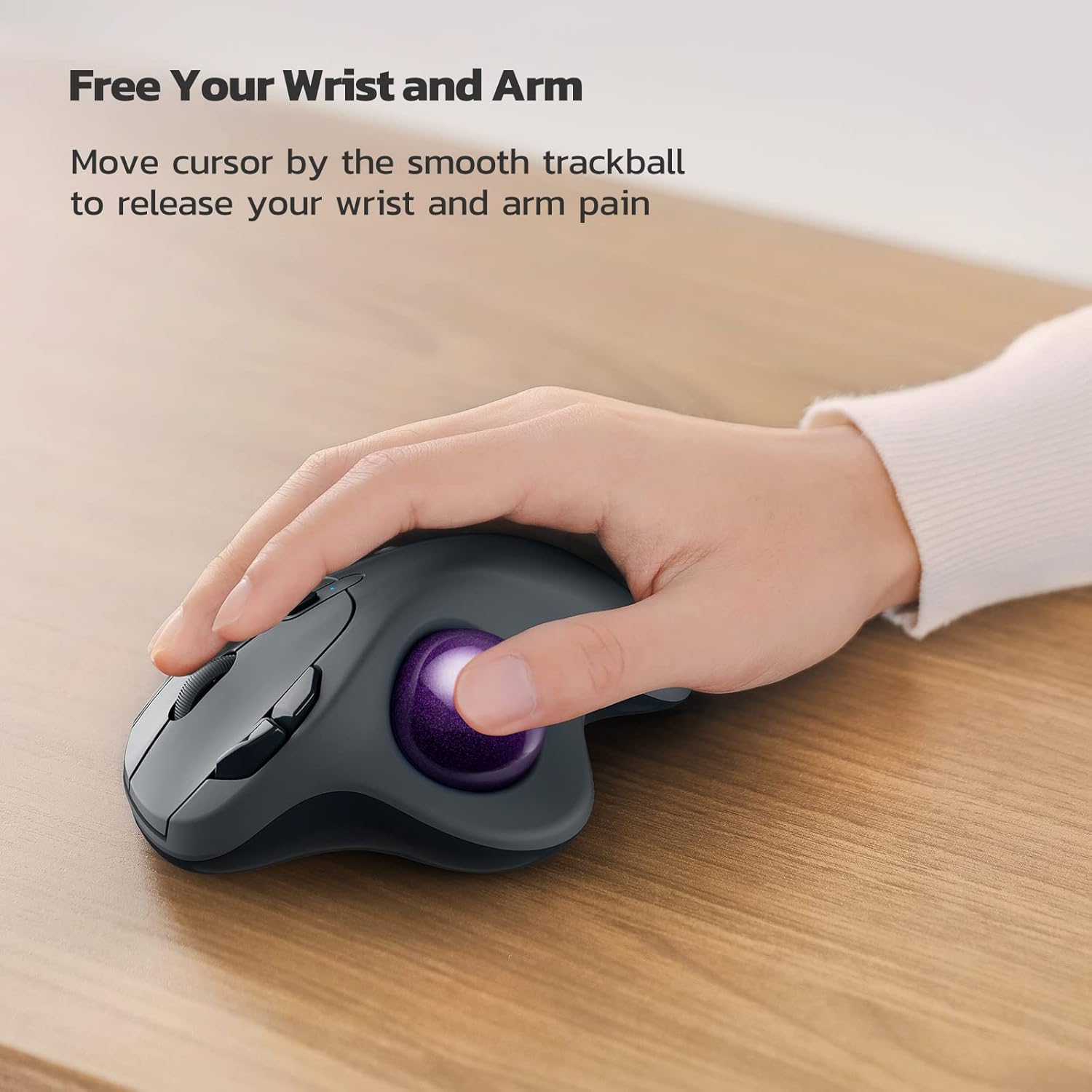
Figure 3.2: Ergonomic design for wrist and arm comfort.

Figure 3.3: The 49.5° angle promotes a natural hand position.
- Accurate Tracking with Adjustable DPI: Provides precise cursor movement with excellent accuracy and control. The smooth trackball enhances productivity in various environments, especially in narrow spaces.
Figure 3.4: Ideal for use in narrow spaces.
- True Wireless Freedom (Multi-Device Connectivity): Connects up to 3 devices via Bluetooth or the 2.4G USB dongle. Easily switch between connected devices using the button on the bottom of the mouse.

Figure 3.5: Seamless switching between up to three devices.
- Rechargeable Built-in Battery: Features a long-lasting rechargeable battery, eliminating the need for disposable dry cells.

Figure 3.6: Charging the Nulea M501 mouse.
- 6-Button High Performance: Includes ergonomic details and an elegant curved shape, along with back and forward buttons for enhanced productivity. Note: All buttons are non-programmable.
4. Поставување
4.1 Почетно полнење
Before first use, please fully charge the mouse. Use the included USB charging cable to connect the mouse to a PC's USB port or a 5V charger. Do not use a fast charger.
4.2 Поврзување преку 2.4G USB приемник
- Locate the 2.4G USB receiver stored in the compartment at the bottom of the mouse.
- Приклучете го USB-приемникот во достапна USB порта на вашиот компјутер.
- Вклучете го глувчето користејќи го прекинувачот за напојување на дното.
- Глувчето треба автоматски да се поврзе со компјутерот.
4.3 Поврзување преку Bluetooth
- Вклучете го глувчето користејќи го прекинувачот за напојување на дното.
- Press the mode switch button on the bottom of the mouse to select a Bluetooth channel (e.g., BT1 or BT2). The indicator light will blink.
- На вашиот компјутер или уред, овозможете Bluetooth и пребарајте нови уреди.
- Select "Nulea M501" from the list of available devices to pair.
- Откако ќе се поврзе, индикаторското светло ќе престане да трепка и ќе остане непрекинато.
5. Упатства за работа
5.1 Прилагодување на DPI
The Nulea M501 trackball mouse features adjustable DPI settings for precise cursor control. Press the DPI button (usually located near the scroll wheel) to cycle through different DPI levels. The indicator light will change or blink to show the current setting.
5.2 Префрлување помеѓу уреди
If you have connected the mouse to multiple devices (via 2.4G USB and Bluetooth), you can switch between them by pressing the mode switch button on the bottom of the mouse. Each press will cycle to the next connected device.
5.3 Функции на копчињата
- Лев клик: Standard selection.
- Десен клик: Контекстно мени.
- Тркало за лизгање: Скролувајте нагоре/надолу, кликнете со среден клик.
- Копчиња за назад/напред: Навигација web pages or folders. (Note: These buttons are non-programmable.)
- Копче DPI: Adjust cursor sensitivity.
6. Одржување
6.1 Чистење на тракболот
Со текот на времето, околу трекболот може да се насоберат прашина и остатоци, што ќе влијае на неговата мазност. За чистење:
- Gently push the trackball from the bottom of the mouse to remove it.
- Користете мека крпа без влакненца за да го избришете тракболот.
- Clean the inside cavity of the mouse, paying attention to the three small support points where the ball rests.
- Вратете го тракболот во неговиот приклучок.
6.2 Општа нега
- Избегнувајте изложување на глувчето на екстремни температури, директна сончева светлина или висока влажност.
- Не го расклопувајте глувчето, бидејќи тоа може да ја поништи гаранцијата.
- Use a dry, soft cloth to clean the exterior of the mouse.
7 Смена на проблеми
| Проблем | Можна причина | Решение |
|---|---|---|
| Глувчето не реагира | Low battery; USB receiver disconnected; Bluetooth not paired. | Charge the mouse; Re-insert USB receiver; Re-pair Bluetooth. |
| Движењето на курсорот е неправилно или лепливо | Trackball or internal sensors are dirty. | Clean the trackball and its cavity (refer to Section 6.1). |
| Не може да се префрла помеѓу уреди | Incorrect mode selected; Devices not properly paired. | Ensure devices are paired; Press the mode switch button firmly. |
| Bluetooth врската е нестабилна | Пречки; Уредот е предалеку; Слаба батерија. | Move closer to the device; Reduce interference; Charge the mouse. |
8. Спецификации
| Карактеристика | Детал |
|---|---|
| Број на модел | М501 |
| Поврзување | Bluetooth, 2.4G USB безжичен |
| Компатибилен ОС | Windows, Mac OS |
| Технологија за откривање на движење | Трекбол |
| Копчиња | 6 (Left/Right Click, Scroll Wheel, Back/Forward, DPI) |
| Тип на батерија | Вградена батерија што се полни |
| Боја | Blue (with purple trackball) |
| Димензии (Д x Ш x В) | Приближно 14.1 х 11.1 х 6.1 см |
| Тежина | Прибл. 240 гр |
9. Гаранција и поддршка
Nulea products are designed and manufactured to the highest quality standards. For warranty information and technical support, please refer to the warranty card included with your product or visit the official Nulea webстраница. Ве молиме задржете го доказот за купување за гаранциски барања.
For further assistance, you may contact Nulea customer service through the contact information provided on the product packaging or the official webсајт.


