Вовед
This manual provides detailed instructions for the Angetube 4K AI Webcam (Model 913AI). It covers product features, setup, operation, maintenance, troubleshooting, and technical specifications to ensure optimal performance and user experience.
Што има во кутијата
- Webкамера
- Далечински управувач
- USB 3.0 кабел за поврзување
- Адаптер USB-C на USB-A
Производот завршиview и Клучни карактеристики

The Angetube 4K AI Webcam, shown with its remote control, USB 3.0 cable, and USB-C to USB-A adapter.
4K Sony CMOS Sensor
На webcam features a high-quality Sony CMOS sensor, delivering 3840x2160 UHD resolution at 30 fps or 1080p at 60fps. This sensor ensures vivid imagery with exceptional clarity, vibrant colors, and sharp details, even in low-light conditions due to its super high SNR (Signal-to-Noise Ratio) capability.
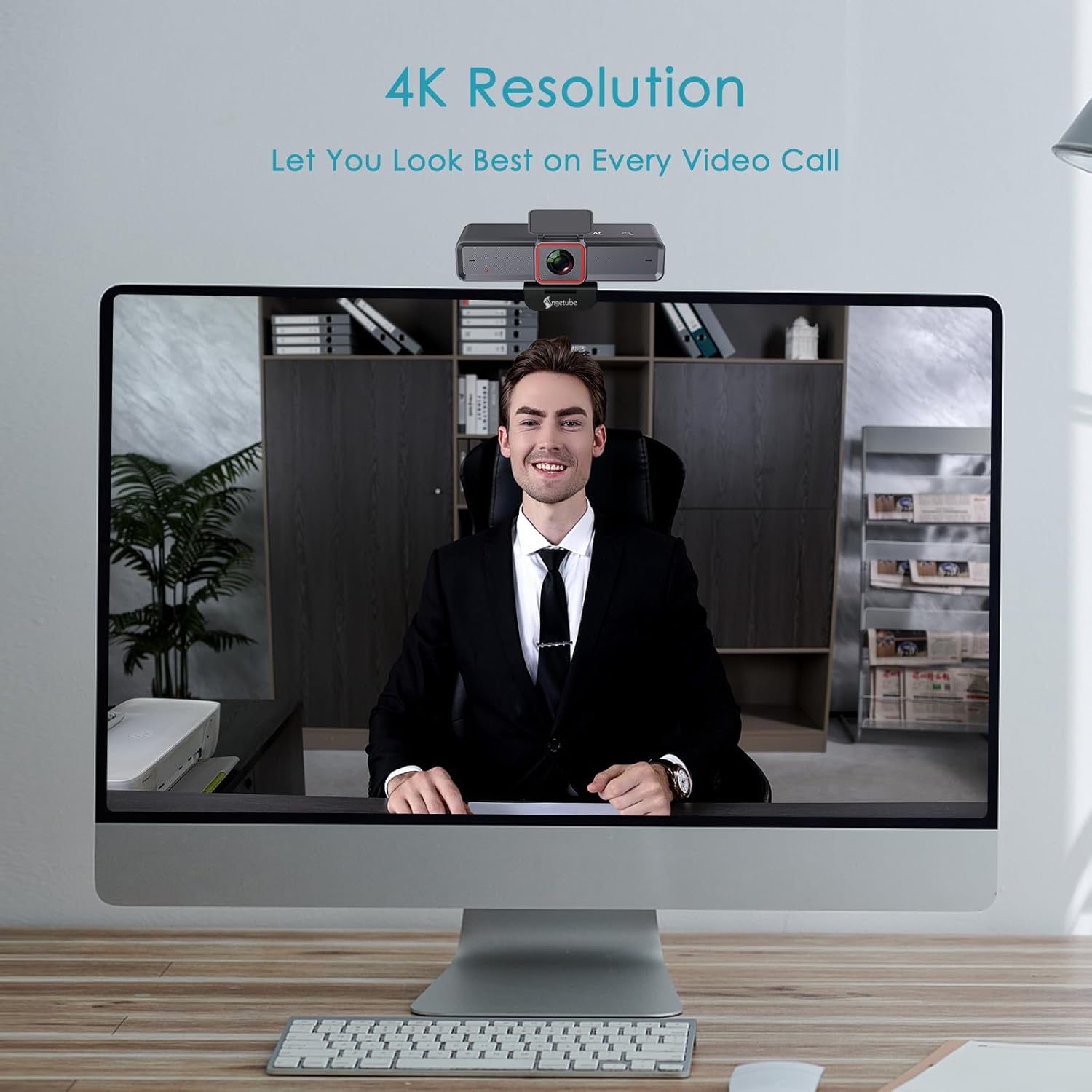
На webcam provides clear 4K resolution for video calls, ensuring high visual quality.
AI-Tracking with Auto-Framing
Advanced face detection AI automatically frames the video based on the number of participants, keeping the focus centralized. The presenter tracking feature intelligently follows the presenter as they move. AI functions can be activated via the remote control or touch switch.

The AI-tracking feature keeps the subject in frame, even when moving.
Demonstration of the 4K AI webcam's features, including 3DNR and true color reproduction, and remote control functionality.
Remote Control and 10X Digital Zoom
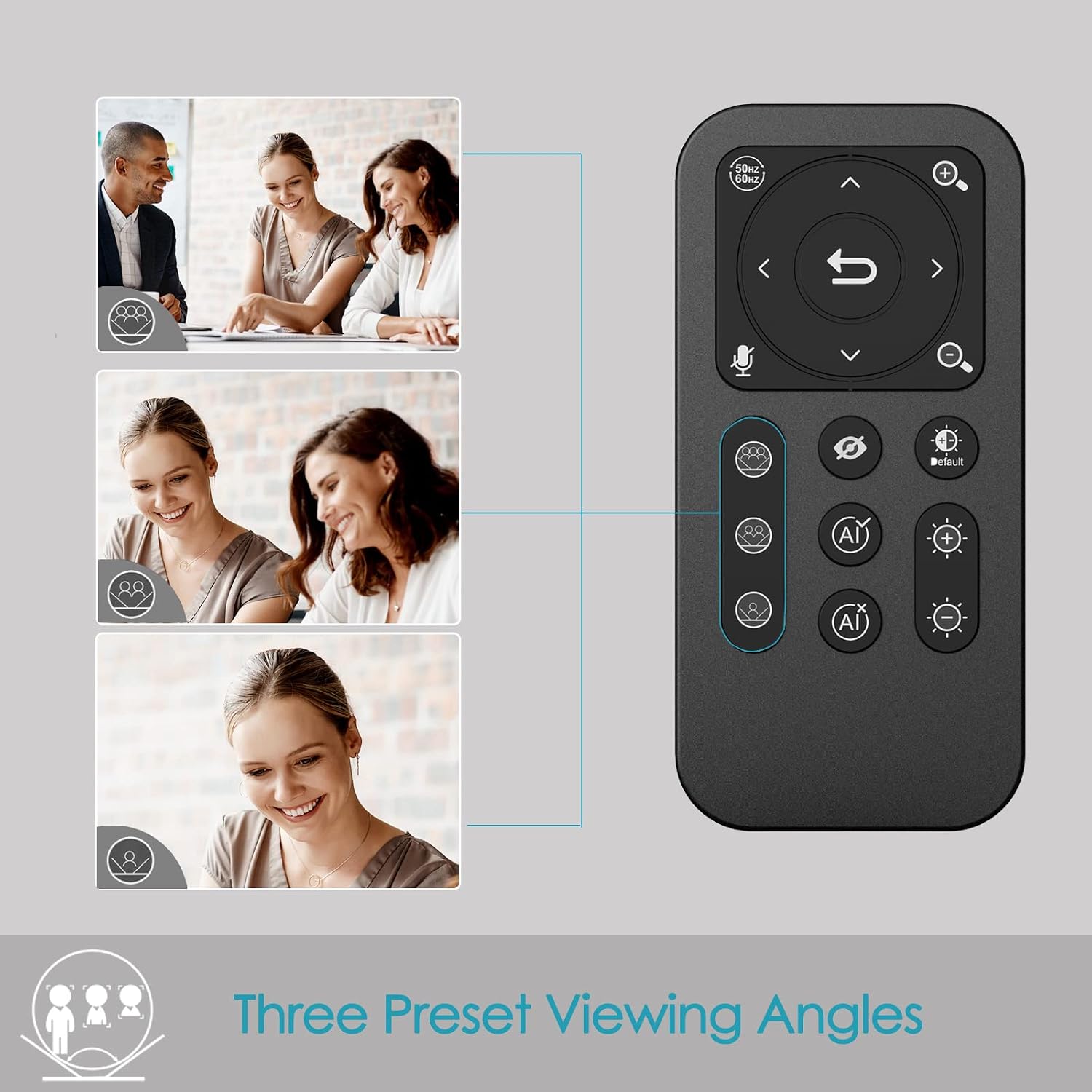
The included remote control allows for convenient operation away from the desk. Functions include activating/deactivating AI, 10X digital zoom, disabling video, muting the microphone, and flipping the image. Brightness can also be adjusted without software. Забелешка: To manually zoom, first turn off AI.

На webcam offers up to 10X digital zoom, controllable via the remote or touch controls.

The remote control provides access to various webcam functions, including AI mode, zoom, and privacy settings.
High-Speed USB 3.0 Connectivity
На webcam connects via a lightning-fast USB 3.0 port, providing a 5Gbps camera signal for maximum video performance without compression. It features a plug-and-play USB-C connector, requiring no driver installation.

The USB 3.0 interface ensures fast data transfer for smooth, high-quality video.
Clear Voice Pickup with Dual AI Noise-Cancelling Microphones
Built-in dual AI noise-cancelling microphones remove ambient sounds, ensuring clear voice pickup up to 5m/16ft. This feature enhances audio clarity for all participants.
HDR-Enabled
Activate HDR at 30FPS to enhance your stream with a full spectrum of vibrant colors. HDR improves the video's dynamic range and corrects over and underexposed areas, providing a more balanced image.
HDR mode provides perfect lighting and color balance in various environments.
Водич за поставување
1. Поврзување на Webкамера
The Angetube 4K AI Webcam is designed for plug-and-play functionality. Simply connect the provided USB 3.0 cable from the webcam to an available USB 3.0 port on your computer. If your computer only has USB-C ports, use the included USB-C to USB-A adapter.
2. Монтирање на Webкамера
На webcam features an integrated mounting clip that can be securely placed on top of your monitor or laptop screen. Ensure the clip is stable and the webcam is level. Alternatively, the webcam is compatible with standard tripods for flexible placement.

На webcam can be mounted on a monitor or used with a tripod for versatile setup.
3. Initial Software Recognition
Upon connecting, your operating system should automatically recognize the webcam. No additional drivers are typically required. You can then select the Angetube 4K AI Webcam as your video and audio input device within your preferred video conferencing or streaming application.
Упатства за работа
Користење на далечинскиот управувач
The remote control provides comprehensive control over the webcam's features:
- AI Function On/Off: Toggle AI-tracking and auto-framing.
- Дигитален зум: Use the zoom buttons to magnify the image up to 10X. Remember to turn off AI before manual zooming.
- Video Disable: Turn off the video feed for privacy.
- Исклучување на микрофонот: Mute the built-in microphones.
- Флип на слика: Adjust image orientation.
- Прилагодување на осветленоста: Control exposure for optimal lighting.
- Поле на View (FOV) Adjustment: Use arrow buttons to pan/tilt the view.
- Копче за ресетирање: Return FOV and zoom to default settings.
Touch Controls on Webкамера
На webcam also features touch-sensitive controls for quick adjustments:
- AI Touch On/Off: Activate or deactivate AI features by touching the designated area on the webкамера
- Zoom Touch Adjustment: Fine-tune zoom levels directly from the webкамера
Карактеристики на приватност
For enhanced privacy, the webcam includes a physical privacy cover that can be closed over the lens when not in use. Additionally, the remote control offers a one-touch button to disable the video feed.
Enhanced Control with Angetube Webкамери софтвер
For advanced settings and fine-tuning, Angetube provides dedicated webcam software. This software allows you to customize various parameters to ensure your webcam performs optimally for your specific needs.
Please visit the official Angetube website for software download and installation instructions. The software provides controls for brightness, contrast, saturation, white balance, and other image properties.
Компатибилност
The Angetube 4K AI Webcam is widely compatible with various operating systems and popular video conferencing platforms:
Оперативни системи:
- Windows 7, 8, 10, 11
- Mac OS 10.6 или понова верзија
- Linux
- Хром ОС
- Убунту
- Андроид V5.0 или погоре
Video Calling Software:
- Зумирајте
- Skype
- Facetime
- Фејсбук
- Тимови на Мајкрософт
- YouTube
- Hangouts
- LifeSize
- OBS
- Миксер
Одржување
To ensure the longevity and optimal performance of your Angetube 4K AI Webкамера, следете ги овие упатства за одржување:
- Чистење: Користете мека, сува крпа за чистење на webлеќата и телото на камерата. Избегнувајте абразивни средства за чистење или растворувачи кои би можеле да ги оштетат површините.
- Складирање: Кога не се користи, чувајте го webкамерата чувајте ја на ладно и суво место, подалеку од директна сончева светлина и екстремни температури.
- Грижа за кабел: Handle the USB cable carefully. Avoid sharp bends or excessive pulling that could damage the cable or connectors.
- Ажурирања на фирмверот: Periodically check the Angetube official website for any available firmware updates. Keeping the firmware updated can improve performance and add new features.
Решавање проблеми
If you encounter issues with your Angetube 4K AI Webcam, погледнете ги следните вообичаени чекори за решавање проблеми:
- Нема слика/видео:
Осигурајте се дека USB кабелот е безбедно поврзан и со двете webcam and your computer. Try a different USB port or a different computer to rule out port or system issues.
Потврдете дека webcam е избран како примарен видео уред во поставките на вашата апликација (на пр., Zoom, Teams).
Check if the physical privacy cover is open.
- Нема аудио/Лош квалитет на аудио:
Потврдете дека на webcam's microphone is selected as the audio input device in your application's settings.
Ensure the microphone is not muted via the remote control or software.
Check your computer's sound settings to ensure the microphone input level is adequate.
- AI-Tracking Not Working:
Ensure the AI function is enabled via the remote control or the touch switch on the webкамера
Make sure there is sufficient lighting and clear visibility of the subject for the AI to function correctly.
- Image Quality Issues (Blurry, Grainy, Incorrect Colors):
Check lighting conditions. Ensure adequate and balanced lighting in your environment.
Adjust brightness and HDR settings using the remote control or Angetube software.
Исчистете го webcam lens with a soft, dry cloth.
Ensure you are using a USB 3.0 port for optimal performance.
- Далечинскиот управувач не реагира:
Check the battery in the remote control and replace if necessary (CR2 battery).
Погрижете се да нема пречки помеѓу далечинското и webкамера
- Прегревање:
While some warmth is normal during operation, excessive heat could indicate an issue. Ensure the webcam has adequate ventilation and is not covered.
Доколку прегревањето продолжи, прекинете со употреба и контактирајте ја службата за корисници.
Доколку овие чекори не го решат вашиот проблем, ве молиме погледнете го делот „Гаранција и поддршка“ за дополнителна помош.
Спецификации
| Карактеристика | Детал |
|---|---|
| Бренд | Angetube |
| Број на модел | 913AI |
| Максимална резолуција на екранот | 4K UHD (3840x2160) at 30fps, 1080p at 60fps |
| Технологија на фотосензор | Sony CMOS |
| Технологија за поврзување | USB 3.0 (USB-C plug) |
| Микрофони | Dual AI Noise-Cancelling Microphones (up to 5m/16ft pickup) |
| Дигитален зум | 10X |
| Карактеристики на вештачка интелигенција | AI-Tracking, Auto-Framing, Presenter Tracking |
| Поддршка за HDR | Да |
| Компатибилност на оперативниот систем | Windows 7/8/10/11, Mac OS X, Linux, Chrome OS, Ubuntu |
| Тежина на ставката | 13.2 унци |
| Димензии на производот (ДxШxВ) | 5.14 x 1.93 x 2.74 инчи |
| Батерии (далечински управувач) | 1 батерија CR2 (вклучена) |
Гаранција и поддршка
Angetube offers comprehensive customer support for its products. For warranty information, technical assistance, or further inquiries, please visit the official Angetube webсајт или контактирајте со нивниот тим за услуги на клиентите.
Quick response within 24 hours.
Return within 30 days for an exchange or refund.
Lifetime technical customer support.
Повеќе информации и контакт информации можете да најдете на Angetube Store on Amazon.


