1. Вовед
This manual provides essential information for the safe and effective use of your Laserliner 082.262A Inspection Camera. Please read these instructions carefully before operating the device and keep them for future reference. The Laserliner 082.262A is a robust inspection camera designed for visual inspection of inaccessible areas, featuring a 5mm diameter and 1m length probe.
2. Информации за безбедност
Секогаш почитувајте ги следниве безбедносни мерки за да спречите повреди и оштетување на уредот:
- Do not immerse the main unit in water. The camera probe is water-resistant, but the display unit is not.
- Do not use the device in explosive atmospheres or near flammable gases or liquids.
- Чувајте го уредот подалеку од дофат на деца.
- Не обидувајте се да го модифицирате или расклопувате уредот. За сите сервисирања обратете се на квалификуван персонал.
- Проверете дали батериите се вметнати со правилен поларитет. Отстранете ги батериите ако уредот нема да се користи подолг период.
- Avoid direct eye exposure to the camera's LED lights.
3. Содржина на пакетот
Проверете дали сите предмети се присутни при распакувањето:
- Laserliner 082.262A Inspection Camera (main unit with display)
- Flexible camera probe (5mm diameter, 1m length)
- Батерии (алкални)
- Упатство за употреба
4. Производот завршиview
Familiarize yourself with the components of your inspection camera.
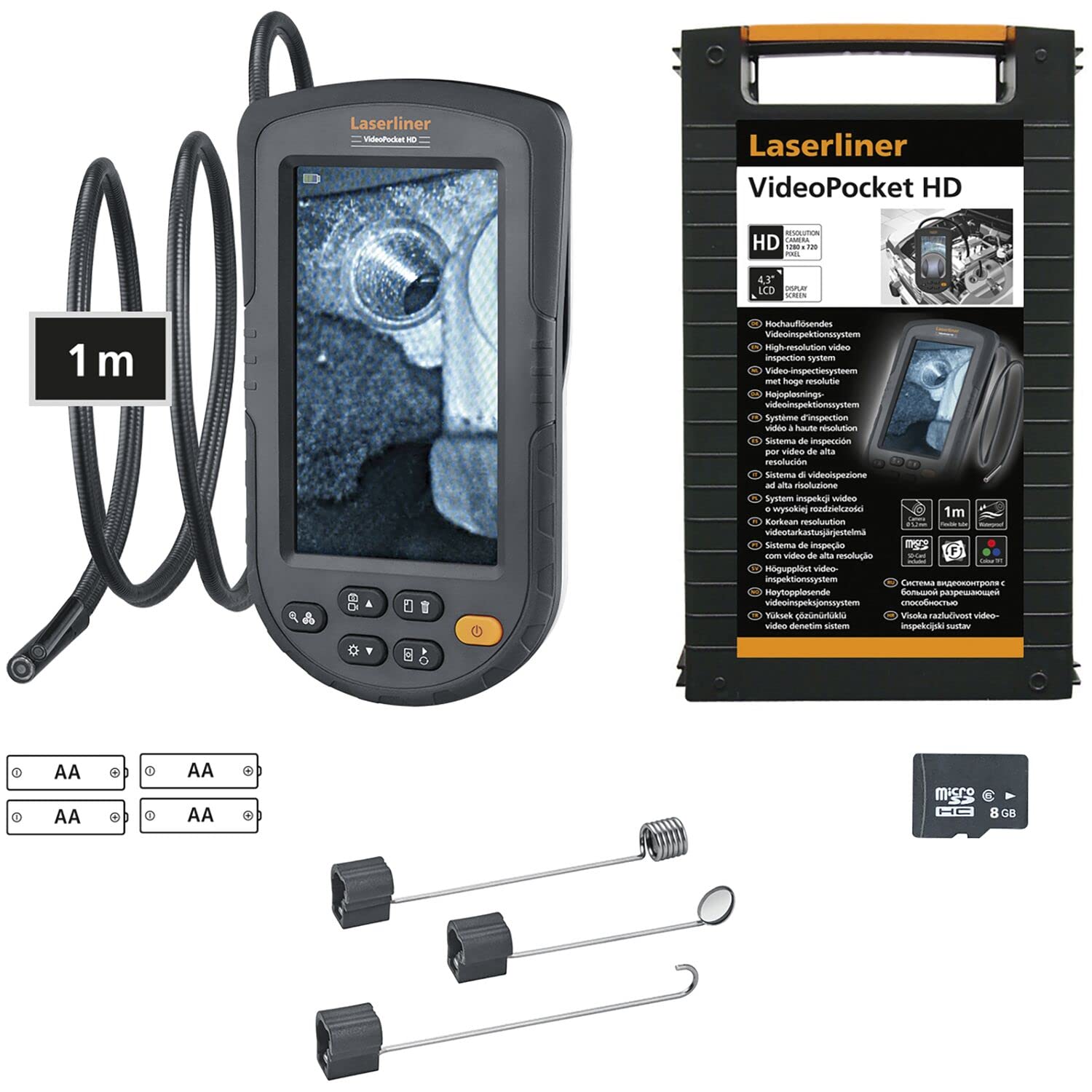
Figure 1: Laserliner 082.262A Inspection Camera. The image shows the handheld display unit connected to the flexible camera probe, ready for use.
The device consists of a main display unit with control buttons and a flexible probe with an integrated camera and LED lighting at its tip. The probe is designed to navigate tight spaces and transmit live video to the display.
5. Поставување
Follow these steps to prepare your inspection camera for first use:
- Инсталација на батерија: Open the battery compartment on the rear of the main unit. Insert the provided alkaline batteries, ensuring correct polarity (+/-). Close the compartment securely.
- Поврзување со сонда: Connect the flexible camera probe to the designated port on the main unit. Ensure a firm connection.

Слика 2: Заден дел view of the inspection camera. This image illustrates the back of the device, including the product label and the area where the flexible probe connects.
6. Упатства за работа
This section details how to operate your Laserliner 082.262A Inspection Camera.
6.1 Вклучување/исклучување
- To power on: Press and hold the power button (usually orange) until the display illuminates.
- За исклучување: Притиснете го и држете го копчето за вклучување повторно додека екранот не се исклучи.
6.2 Основни контроли
The main unit features several buttons for controlling the camera and display functions:
- LED осветленост: Adjust the intensity of the camera's LED lights for optimal visibility in dark environments.
- Ротација на слика: Rotate the image on the display for correct orientation, especially when the probe is twisted.

Figure 3: Image Rotation. This diagram illustrates how the image can be rotated on the display, showing 0, 90, 180, and 270-degree orientations.
6.3 Optimal Focus Distance
The camera has a fixed focus. For clear images, position the camera tip within the optimal focus range, typically a few centimeters from the object.
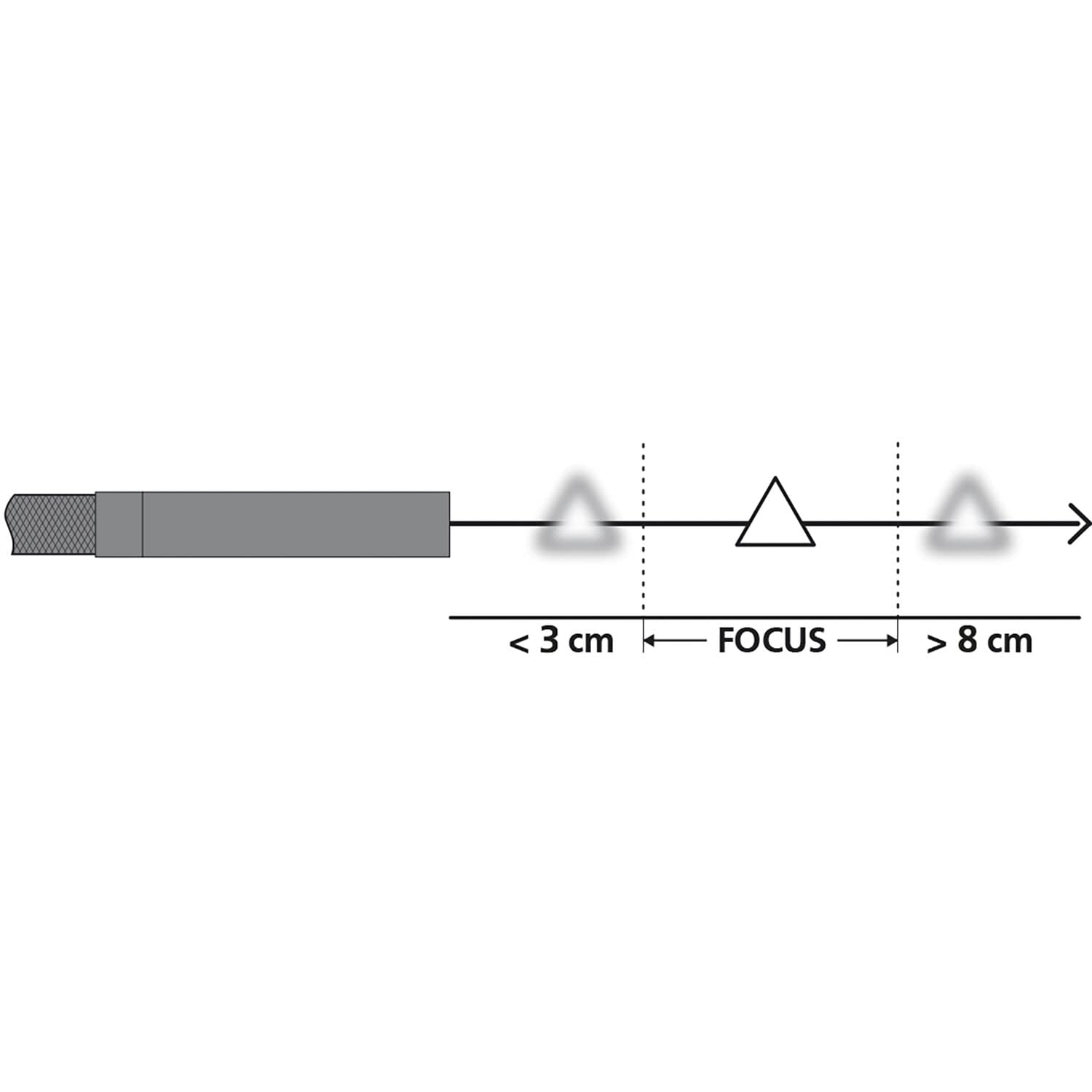
Figure 4: Focus Range. This diagram shows the recommended distance for clear imaging, indicating that objects too close (less than 3 cm) or too far (greater than 8 cm) may appear blurry, with an optimal focus zone in between.
6.4 Практични примени
The inspection camera is versatile for various tasks:
- Проверка на апаратот: Examine internal components of dishwashers or other household appliances.
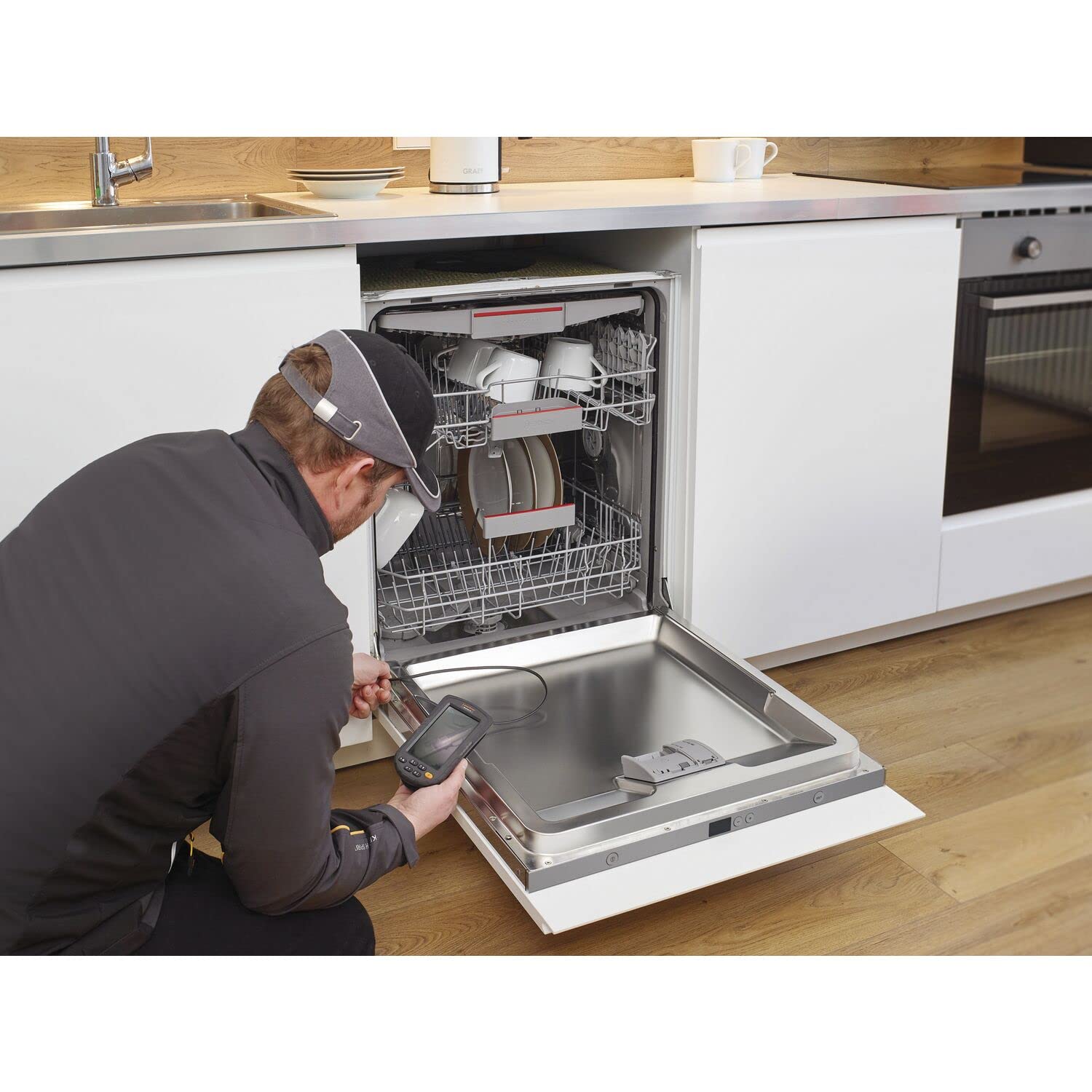
Figure 5: Dishwasher Inspection. A technician uses the inspection camera to view the internal workings of a dishwasher, checking for blockages or damage.
- Автомобилска дијагностика: Inspect engine compartments, cylinders, or other vehicle parts.

Figure 6: Engine Inspection. The camera probe is inserted into an engine bay, allowing for visual inspection of internal components without extensive disassembly.
- Plumbing and Drainage: Check pipes, drains, and sewage systems for clogs or damage.

Figure 7: Drain Inspection. The camera is used to inspect a floor drain, providing a clear view of the pipe's interior.
- Cavity and Wall Inspections: Explore behind walls, ceilings, or other enclosed spaces.

Figure 8: Ceiling Cavity Inspection. The camera probe is inserted into a ceiling opening to inspect the hidden space above.
- Sink and Shower Drains: Пристап и view blockages or issues in bathroom plumbing.

Figure 9: Sink Drain Inspection. The camera is positioned to inspect the U-bend of a sink drain, revealing any obstructions.

Figure 10: Shower Drain Inspection. The camera probe is inserted into a shower drain to check for blockages or pipe conditions.
- Gutter and Downspout Inspection: Identify debris or damage in exterior drainage systems.
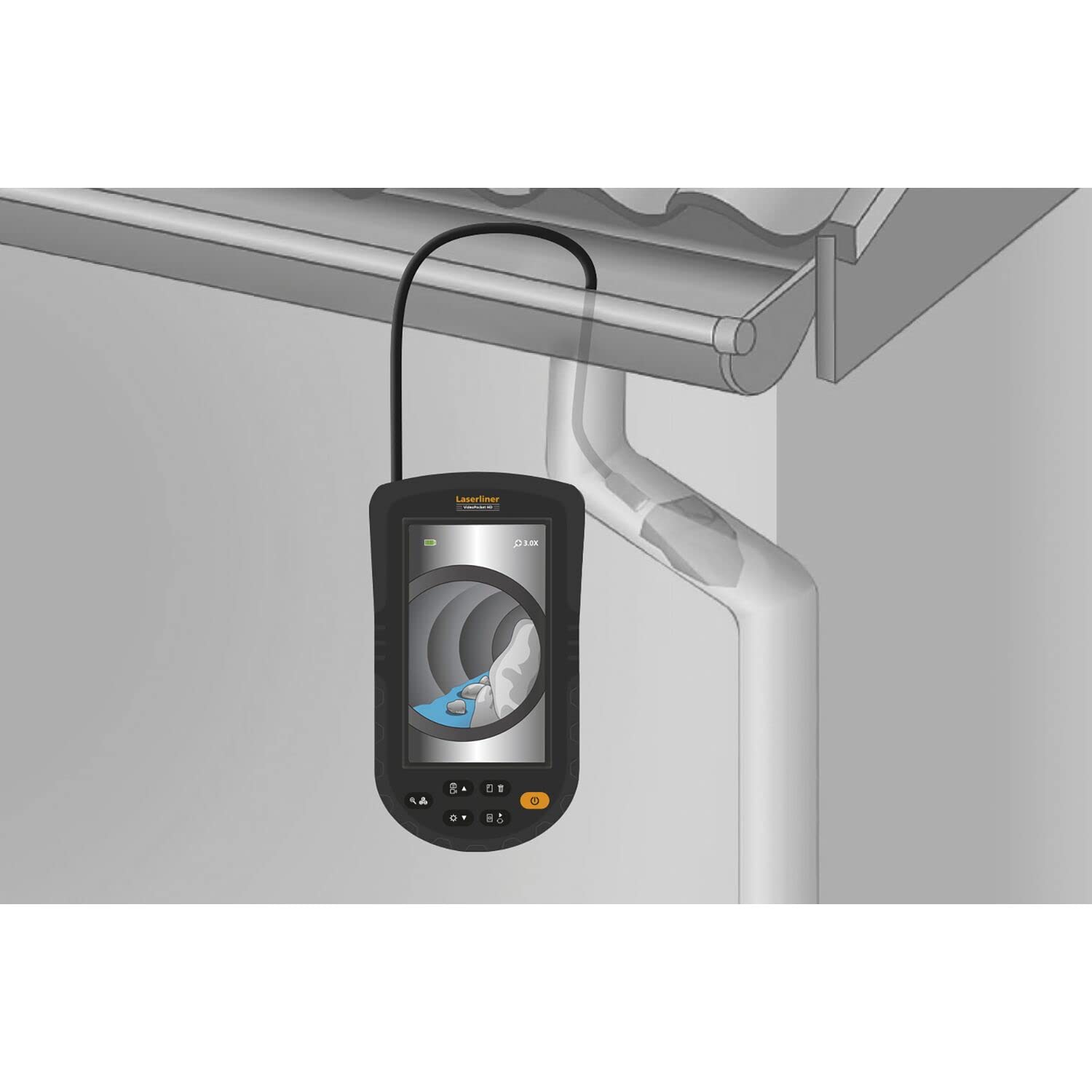
Figure 11: Gutter Inspection. The camera is used to inspect a gutter and downspout, showing the presence of leaves and debris.
7. Одржување
Правилното одржување гарантира долготрајност и перформанси на вашиот уред.
- Чистење: Избришете го главниот уред со мека, сува крпа. Сондата на камерата може да се исчисти со адamp cloth and mild detergent. Ensure no liquid enters the main unit.
- Нега на батеријата: Replace batteries when the low battery indicator appears. Remove batteries if the device is not used for extended periods to prevent leakage.
- Складирање: Store the device in a cool, dry place, away from direct sunlight and extreme temperatures. Coil the probe loosely to avoid kinking.
8 Смена на проблеми
Доколку наидете на проблеми, погледнете ги следните вообичаени проблеми и решенија:
| Проблем | Можна причина | Решение |
|---|---|---|
| Уредот не се вклучува | Low or dead batteries; Incorrect battery installation | Заменете ги батериите; проверете го поларитетот на батериите |
| Нема слика на екранот | Probe not connected properly; Damaged probe | Ensure probe is securely connected; Contact support if probe is damaged |
| Сликата е матна | Object too close or too far from camera; Dirty camera lens | Adjust distance to object (refer to focus diagram); Clean camera lens gently |
| LED светлата не работат | LED brightness set to minimum; Faulty LEDs | Increase LED brightness using controls; Contact support |
If the problem persists after trying these solutions, please contact Laserliner customer support.
9. Спецификации
Detailed technical specifications for the Laserliner 082.262A Inspection Camera:
| Карактеристика | Спецификација |
|---|---|
| Производител | Ласерлин |
| Димензии на производот (Д x Ш x В) | 12 x 19 x 14 cm |
| Број на модел на ставка | 082.262 А |
| Материјал | Пластика |
| Облик | Плоштад |
| Број на артикли во пакетот | 1 |
| Мерен систем | Индикатор |
| Вклучени батерии | Да |
| Потребни се батерии | Да |
| Состав на батерија | Алкален |
| Тежина на ставката | 370 грама |
| Земја на потекло | Кина |
| ASIN | B0BYKBV8ZC |
10. Гаранција и поддршка
For warranty information, please refer to the documentation provided with your purchase or visit the official Laserliner website. For technical support or service inquiries, contact Laserliner customer service directly.
Spare parts availability: Information unavailable.
11. Информации за отстранување
Electronic devices and batteries must not be disposed of with household waste. Please dispose of them according to local regulations at designated collection points for electronic waste and batteries. Proper disposal helps protect the environment and human health.