1. Вовед
Thank you for choosing the Delton Ergonomic Vertical Rechargeable Wireless Mouse S12. This manual provides detailed instructions for setting up, operating, and maintaining your new mouse. Designed for comfort and efficiency, this vertical mouse promotes a more natural hand and wrist posture, reducing strain during extended computer use.
Please read this manual thoroughly before use to ensure optimal performance and longevity of your device.
2. Содржина на пакетот
Проверете дали сите артикли се присутни во вашиот пакет:
- Delton Ergonomic Vertical Wireless Mouse
- USB Dongle (2.4GHz receiver)
- USB кабел за полнење
- Упатство за употреба (овој документ)
3. Производот завршиview
The Delton S12 mouse features an ergonomic vertical design, six programmable buttons, and adjustable DPI settings for precise control. It connects wirelessly via a 2.4GHz USB dongle and is powered by a rechargeable battery.

Image: The Delton S12 Ergonomic Vertical Wireless Mouse, shown with its accompanying USB dongle.
3.1 Ергономски дизајн
The vertical orientation of the mouse is designed to align your hand and wrist in a natural handshake position, which can help reduce muscle strain and discomfort often associated with traditional mice.

Image: A hand comfortably gripping the Delton vertical mouse, demonstrating the natural, ergonomic wrist position it promotes.
3.2 Безжично поврзување
The mouse connects wirelessly to your device via a 2.4GHz USB dongle, offering a stable connection up to 30 feet (10 meters). This provides flexibility and reduces cable clutter.

Image: The Delton vertical mouse wirelessly connected to a laptop, with the USB dongle inserted into the laptop's port.
3.3 Батерија на полнење
Equipped with a built-in rechargeable Lithium-Ion battery, the mouse offers up to 30 days of daily use and 12 months of standby time on a single charge. It can also be used while charging.

Image: The Delton vertical mouse being charged via a USB cable, illustrating its rechargeable feature.
3.4 Six Buttons Functionality
The mouse features six responsive buttons for enhanced productivity:
- Лев клик
- Десен клик
- Scroll Wheel (with click function)
- Копче за префрлување DPI
- Копче за напред
- Копче за назад

Image: A detailed diagram highlighting the location and function of the six buttons on the Delton vertical mouse.
3.5 Customizable DPI Levels
Adjust the mouse sensitivity with three DPI settings: 800, 1200, and 2400. An indicator light changes color to show the current DPI level.
- Сина: 800 DPI
- Црвено: 1200 DPI
- Зелена: 2400 DPI
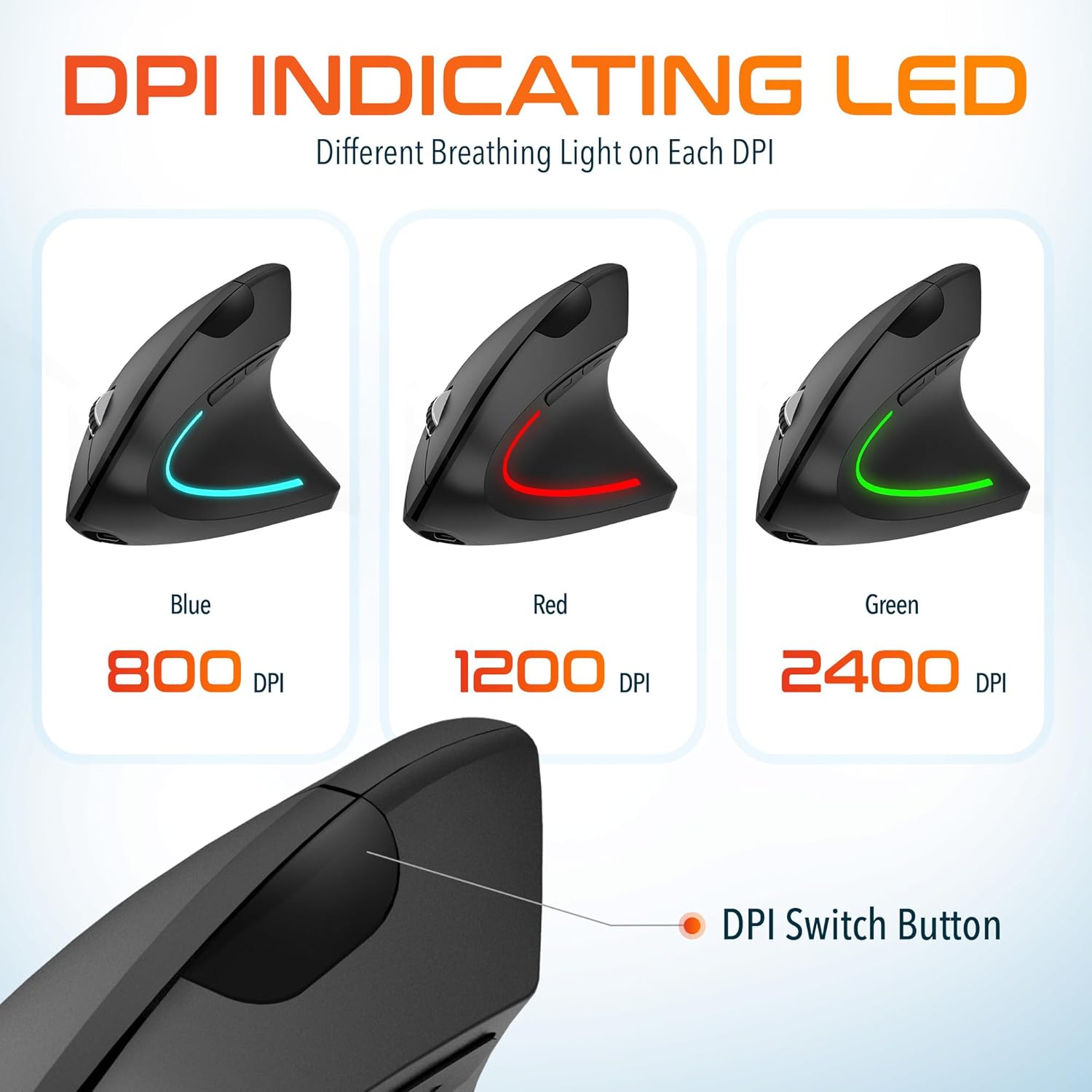
Image: The Delton vertical mouse displaying its LED indicator in blue (800 DPI), red (1200 DPI), and green (2400 DPI) to show current sensitivity settings.
4. Упатства за поставување
4.1 Полнење на глувчето
- Connect the provided USB charging cable to the charging port on the front of the mouse.
- Plug the other end of the USB cable into a USB power source (e.g., computer USB port, wall adapter, power bank).
- The LED indicator will illuminate during charging and turn off when fully charged. A full charge typically takes approximately 1 hour.
4.2 Connecting the USB Dongle
- Locate the USB dongle, usually stored in a compartment on the underside of the mouse.
- Insert the USB dongle into an available USB port on your computer (PC, Laptop, Mac, Chromebook).
- Системот автоматски ќе ги открие и инсталира потребните драјвери. Овој процес може да потрае неколку моменти.
4.3 Вклучување/исклучување
Пронајдете го прекинувачот за вклучување на долната страна од глувчето. Лизнете го прекинувачот во положба „ВКЛУЧЕНО“ за да го вклучите глувчето. Лизнете го во положба „ИСКЛУЧЕНО“ кога не го користите за да го заштедите траењето на батеријата.
5. Упатства за работа
5.1 Прилагодување на DPI
To change the mouse sensitivity (DPI), press the DPI switch button located on the top of the mouse, behind the scroll wheel. Each press cycles through the available DPI settings (800, 1200, 2400), indicated by the changing color of the LED light.
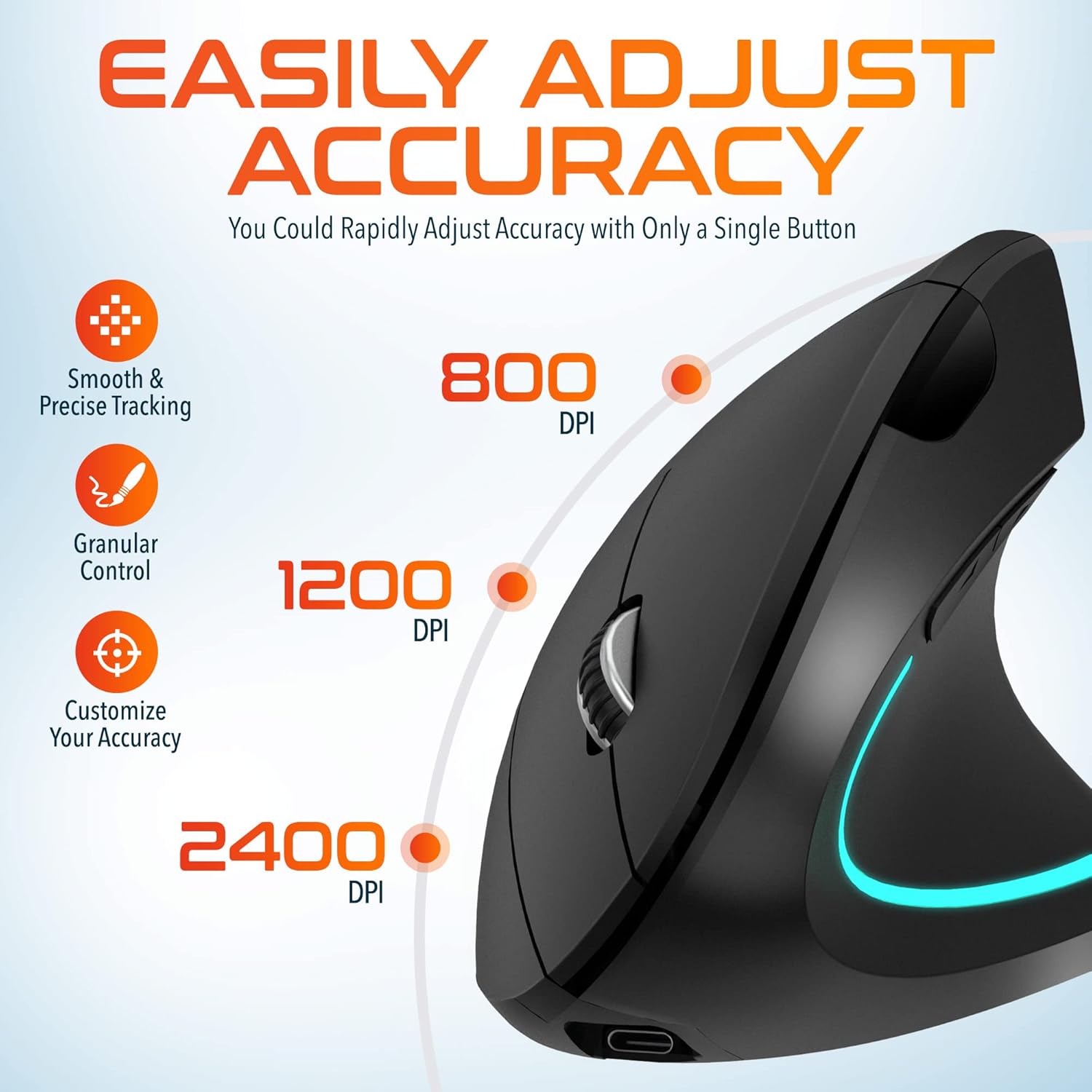
Image: A visual representation of the three adjustable DPI settings (800, 1200, 2400) and their corresponding cursor precision levels.
5.2 Функции на копчињата
- Лев клик: Стандардна функција за примарен клик.
- Десен клик: Стандардна функција за секундарен клик.
- Тркало за лизгање: Скролувајте нагоре или надолу низ документите и web страници. Притискањето на тркалцето за скролување делува како кликнување на средното копче.
- Копче за напред: Навигира напред во web прелистувачи или file истражувачи.
- Копче за назад: Навигира назад во web прелистувачи или file истражувачи.

Слика: Крупен план view of the mouse's scroll wheel and the conveniently placed forward and backward shortcut keys.
6. Одржување
- Чистење: Користете мека, сува крпа за чистење на глувчето. За тврдокорна нечистотија, малку дampИзмијте ја крпата со вода. Избегнувајте употреба на груби хемикалии или абразивни материјали.
- Складирање: When not in use for extended periods, store the mouse in a cool, dry place. Ensure the power switch is in the 'OFF' position to preserve battery life.
- Нега на батеријата: Избегнувајте често целосно празнење на батеријата. Полнете го глувчето редовно за да ја одржите состојбата на батеријата.
7 Смена на проблеми
| Проблем | Можна причина | Решение |
|---|---|---|
| Глувчето не реагира | Low battery; USB dongle not connected; Mouse not powered on; Driver issue | Charge the mouse; Ensure dongle is securely plugged in; Turn on the mouse; Try a different USB port; Restart computer |
| Наизменична врска | Interference; Dongle too far from mouse; Low battery | Move mouse closer to dongle; Remove obstacles; Charge the mouse; Avoid using near other 2.4GHz devices |
| DPI не се менува | DPI button not pressed correctly; Mouse unresponsive | Press the DPI button firmly; Check battery and connection |
| Курсорот на глувчето е неправилен | Dirty optical sensor; Uneven surface | Clean the optical sensor with a soft cloth; Use on a clean, flat mouse pad or surface |
8. Спецификации
| Карактеристика | Детал |
|---|---|
| Број на модел | S12 |
| Поврзување | 2.4 GHz безжичен (USB Dongle) |
| Нивоа на DPI | 800/1200/2400 |
| Копчиња | 6 (лево, десно, тркалце за скролување, DPI, напред, назад) |
| Тип на батерија | Литиум-јонска батерија што може повторно да се полни (вклучена) |
| Опсег | До 30 стапки (10 метри) |
| Димензии на производот | 5 x 2.6 x 3.25 инчи |
| Тежина на ставката | 4.9 унци |
| Компатибилност | PC, Laptop, Mac, Chromebook (Windows, macOS, iOS) |
9. Гаранција и поддршка
Delton products are designed for reliability and performance. For warranty information or technical support, please refer to the contact details provided with your purchase or visit the official Delton webлокација. Чувајте ја сметката како доказ за купување за гаранциски побарувања.


