1. Во текотview
This manual provides instructions for the Canon PowerShot ELPH 360 HS Digital Camera. It covers initial setup, basic operation, maintenance, and troubleshooting to help you get the most out of your camera.
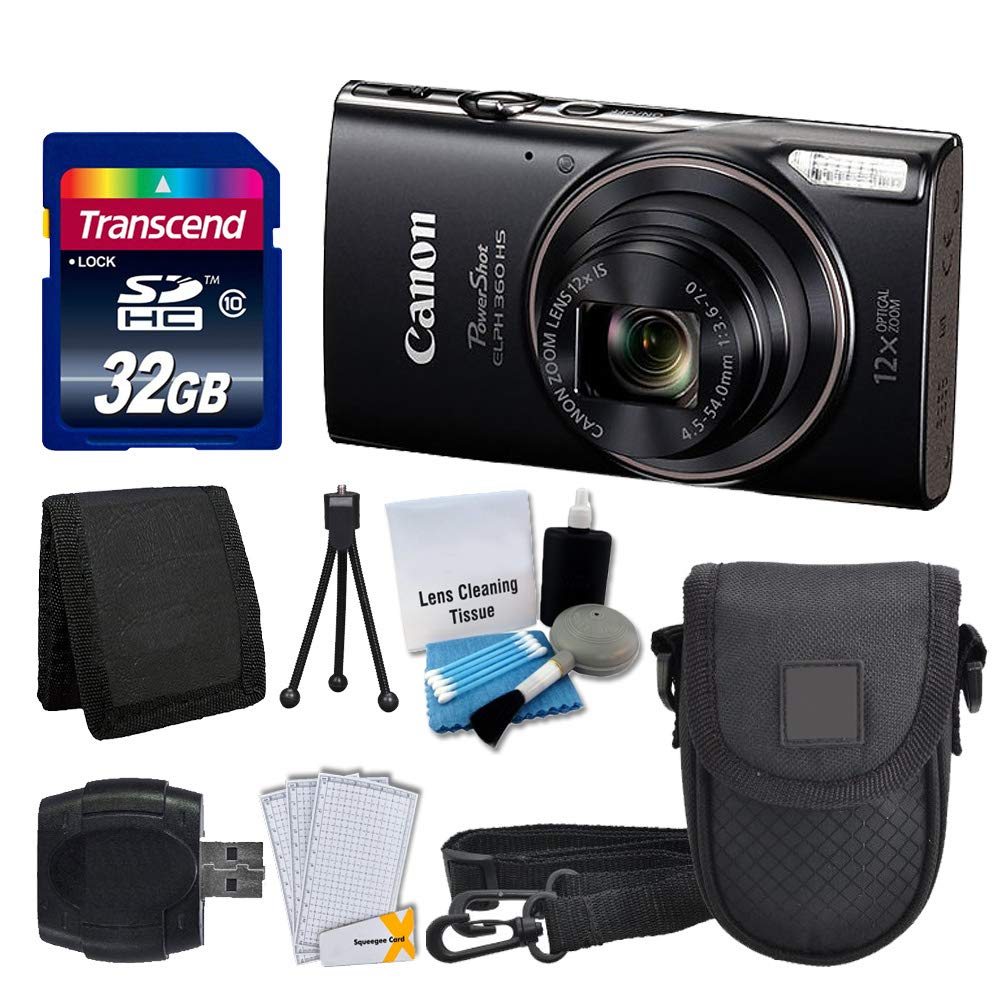
Слика 1.1: напред view of the Canon PowerShot ELPH 360 HS Digital Camera.
2. Што има во кутијата
Ве молиме проверете дали сите од следниве ставки се вклучени во вашиот пакет:
- Canon PowerShot ELPH 360 HS Digital Camera (Black)
- Transcend 32GB Memory Card
- Футрола за камера
- USB читач на картички
- Заштитници за LCD екрани
- Паричник за мемориски картички
- Пакет батерии и полнач
- Ремен за зглоб
- Cleaning Kit (Lens Cleaning Tissue, Blower, Brush, Cotton Swabs)

Image 2.1: The Canon PowerShot ELPH 360 HS camera with its battery, charger, and wrist strap.
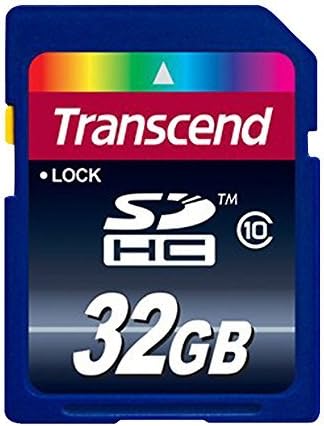
Image 2.2: A Transcend 32GB SDHC Memory Card, included for storage.
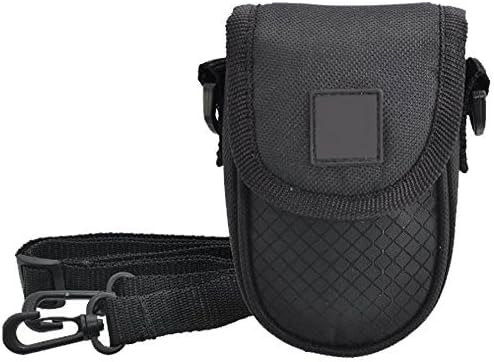
Image 2.3: A black camera case for protection and portability.

Image 2.4: The included cleaning kit for maintaining the camera's lens and body.
3. Поставување
3.1. Полнење на батеријата
- Insert the battery pack into the battery charger. Ensure the battery is correctly oriented.
- Вклучете го полначот во штекер. Индикаторската ламба за полнење ќе светне.
- Charging is complete when the indicator light changes color or turns off (refer to charger specific indicators).
3.2. Вметнување на батеријата и мемориската картичка
- Open the battery/card compartment cover on the camera.
- Insert the charged battery pack into the compartment, ensuring the contacts align. Push until it clicks into place.
- Insert the Transcend 32GB SDHC memory card into the card slot with the label facing the correct direction. Push until it clicks.
- Добро затворете го капакот на преградата.
3.3. Прикачување на ременот за зглоб
Thread the wrist strap through the strap mount on the camera body to prevent accidental drops.
4. Ракување со камерата
4.1. Вклучување/исклучување
Притиснете го [МОOWНОСТ] копче за вклучување или исклучување на камерата.
4.2. Фотографирање
- Вклучете ја камерата.
- Select your desired shooting mode (e.g., Automatic) using the mode dial or menu.
- Кадрирај ја твојата снимка користејќи го LCD екранот.
- Press the shutter button halfway down to focus. The focus frame will appear.
- Притиснете го копчето за бленда целосно надолу за да ја направите фотографијата.
4.3. Користење на зум
Use the zoom lever around the shutter button to adjust the optical zoom (12x) for closer or wider shots.
4.4. Снимање видеа
- In a shooting mode, press the dedicated [ФИЛМ] копче за да започнете со снимање.
- Притиснете го [ФИЛМ] повторно копче за да се запре снимањето.
4.5. Повторноviewслики и видеа
Притиснете го [PLAYBACK] button to enter playback mode. Use the directional buttons to navigate through your photos and videos.
4.6. Поврзување со компјутер (USB)
Connect the camera to a computer using a USB cable to transfer photos and videos. The camera will appear as a removable drive.
4.7. Wi-Fi и NFC поврзување
The camera supports Wi-Fi and NFC for wireless transfer of images to compatible devices or for remote control. Refer to the camera's on-screen menu for detailed setup instructions for these features.
5. Одржување
5.1. Чистење на камерата
- Објектив: Use a lens brush or a soft, clean microfiber cloth with lens cleaning solution (from the included kit) to gently wipe the lens. Avoid touching the lens with your fingers.
- LCD екран: Use a soft, dry cloth to clean the LCD screen. For stubborn smudges, use a screen protector cleaning solution.
- Тело на камерата: Избришете го телото на фотоапаратот со мека, сува крпа. Не користете органски растворувачи или силни средства за чистење.
5.2. Нега на батерии
- Чувајте ги батериите на ладно и суво место кога не ги користите.
- Избегнувајте често целосно празнење на батеријата за да го продолжите нејзиниот век на траење.
- Не ги изложувајте батериите на екстремни температури.
5.3. Складирање
When storing the camera for extended periods, remove the battery and memory card. Store the camera in a dry, dust-free environment, preferably in its camera case.
6 Смена на проблеми
| Проблем | Можна причина | Решение |
|---|---|---|
| Камерата не се вклучува. | Батеријата е празна или неправилно вметната. | Наполнете ја батеријата целосно и проверете дали е правилно вметната. |
| Не може да се фотографира. | Мемориската картичка е полна, заклучена или не е вметната. | Insert a memory card, unlock it, or delete unnecessary files. |
| Сликите се матни. | Тресење на фотоапаратот, неправилен фокус или валкан објектив. | Hold the camera steady, ensure proper focus, and clean the lens. |
| Wi-Fi/NFC поврзувањето не успева. | Incorrect settings or device incompatibility. | Check camera and device settings. Ensure devices are compatible and within range. |
7. Спецификации
- Име на модел: PowerShot ELPH 360 HS
- Бренд: Канон
- Резолуција на фотосензор: 20.2 MP
- Оптички зум: 12x
- Стабилизација на слика: Оптички
- Тип на објектив: Zoom (25-300 mm equivalent)
- Големина на екранот: 3 инчи LCD екран
- Поврзување: Wi-Fi, NFC, USB
- Поддржано File Формат: JPEG, RAW
- Видео резолуција: 1080 стр
- Тип на мемориска картичка: SD, SDHC (32GB included)
- Тип на батерија: Литиум Јон
- Боја: Црното
8. Гаранција и поддршка
8.1. Информации за гаранцијата
This Canon PowerShot ELPH 360 HS Digital Camera comes with a 90 дена ограничена гаранцијаВе молиме задржете го доказот за купување за гаранциски барања.
8.2. Поддршка за корисници
For further assistance, technical support, or service inquiries, please refer to the official Canon support website or contact their customer service. Contact information can typically be found on the manufacturer's webна самото место или во оригиналното пакување на производот.