Вовед
This manual provides instructions for the Trust 25025 AZERTY Wireless Keyboard and Mouse Set. This comfortable wireless set features silent keys and buttons, and is constructed using 85% recycled materials. It is designed for ease of use and long-lasting performance.
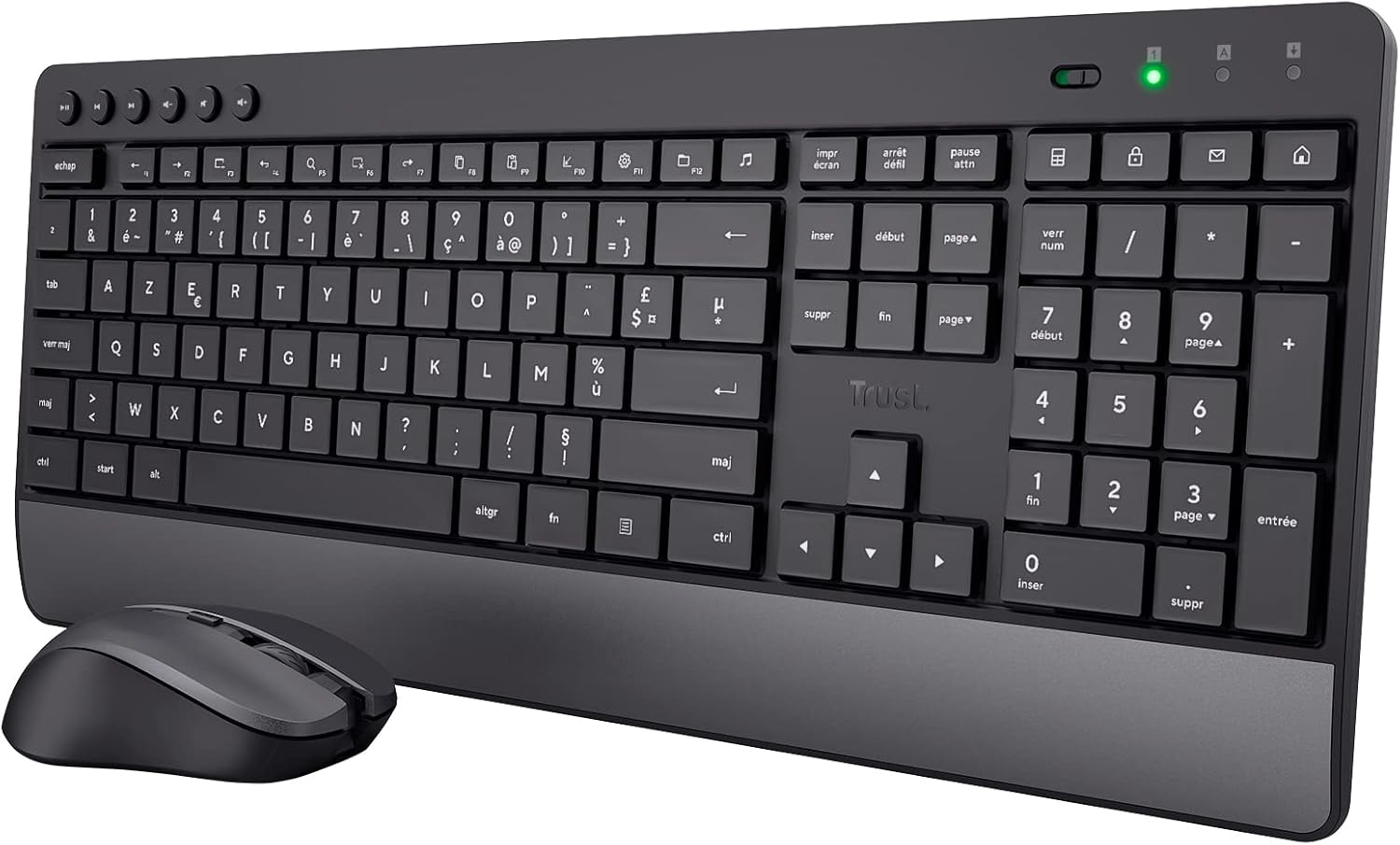
Image: The Trust 25025 AZERTY Wireless Keyboard and Mouse Set, featuring a full-size keyboard with a wrist rest and a compact mouse.
Содржина на пакетот
- Trust 25025 AZERTY Wireless Keyboard
- Доверба на безжичен глушец
- USB микро ресивер
- 3 x AA батерии (претходно инсталирани или вклучени одделно)
- Упатство за употреба (овој документ)
Поставување
1. Инсталација на батерија
The keyboard requires 2 AA batteries and the mouse requires 1 AA battery. These are typically included. If not, or if replacing, ensure correct polarity.
- Пронајдете ги преградите за батерии на долната страна од тастатурата и глувчето.
- Отворете ги капаците на батериите.
- Insert the AA batteries, matching the + and - indicators.
- Затворете ги капаците на батериите безбедно.
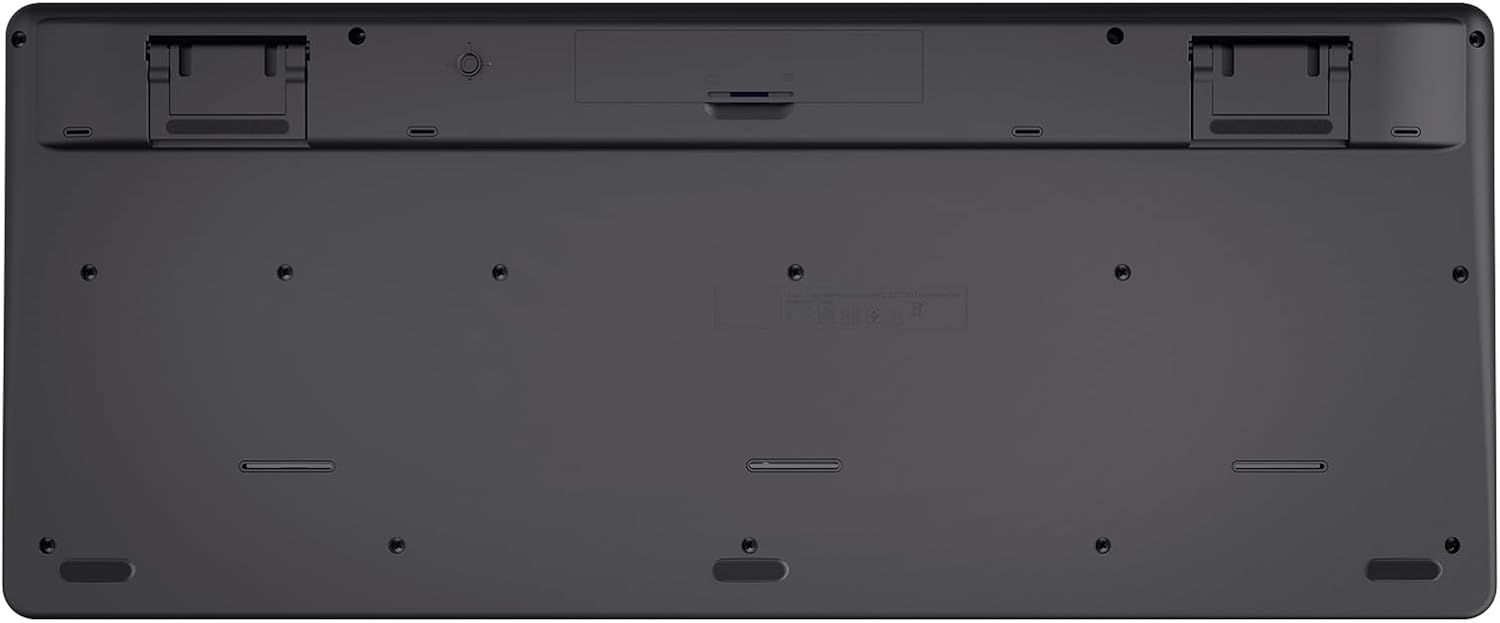
Image: The underside of the Trust 25025 keyboard, showing the battery compartment and the storage slot for the USB micro receiver.
2. Поврзување на USB микро приемникот
The keyboard and mouse connect wirelessly to your computer via a single USB micro receiver.
- Locate the USB micro receiver, usually stored in the mouse's battery compartment or a dedicated slot on the keyboard's underside.
- Plug the USB micro receiver into an available USB port on your computer (PC or Mac).
- Вашиот компјутер треба автоматски да ги детектира и инсталира потребните драјвери. Ова е уред што може да се приклучи и да се пушти и не бара дополнителна инсталација на софтвер.

Image: An icon representing 'Plug & Play' functionality, indicating easy setup without additional drivers.
3. Вклучување
Ensure the keyboard and mouse are switched on. The mouse typically has an on/off switch on its underside. The keyboard may have an indicator light to show it's active.
Упатства за работа
Карактеристики на тастатурата
- AZERTY Layout: Standard French keyboard layout for comfortable typing.
- Тивки копчиња: Designed for quiet operation, reducing typing noise.
- Интегриран потпирач за зглоб: Обезбедува ергономска поддршка при продолжена употреба.
- Мултимедијални клучеви: Dedicated keys for quick access to media controls (play, pause, volume, etc.).
- Дизајн отпорен на истурање: Helps protect against accidental liquid spills.
- Долг век на батеријата: Up to 48 months of battery life under typical usage conditions.

Слика: Од горе надолу view of the Trust 25025 keyboard and mouse, highlighting the AZERTY layout and multimedia keys.
Карактеристики на глувчето
- Тивки копчиња: Reduces click noise for a quieter working environment.
- Прилагодлив DPI: Cycle through 1000, 1400, and 1800 DPI settings for precise cursor control. Use the DPI button located near the scroll wheel to change sensitivity.
- Амбидекстрен дизајн: Suitable for both left-handed and right-handed users.
- Долг век на батеријата: Up to 12 months of battery life under typical usage conditions.

Слика: Крупен план view of the Trust wireless mouse, showing its ergonomic shape and the DPI adjustment button.
Одржување
Чистење
- Use a soft, dry cloth to clean the surfaces of the keyboard and mouse.
- За тврдокорна нечистотија, малку дampИзбришете ја крпата со вода или благ раствор за чистење. Избегнувајте груби хемикалии.
- Не ги потопувајте уредите во вода.
Замена на батеријата
When the battery indicator light (if present) illuminates or performance degrades, replace the batteries.
- Turn off the mouse using its power switch.
- Open the battery compartments on both devices.
- Remove old batteries and dispose of them according to local regulations.
- Вметнете нови AA батерии, внимавајќи на правилниот поларитет.
- Close the battery covers.
Решавање проблеми
No Response from Keyboard or Mouse
- Проверете ги батериите: Проверете дали батериите се правилно инсталирани и не се испразнети. Заменете ги доколку е потребно.
- Прекинувач: Verify that the mouse (and keyboard, if applicable) is switched ON.
- USB-приемник: Ensure the USB micro receiver is securely plugged into a working USB port on your computer. Try a different USB port.
- Растојание: Make sure the keyboard and mouse are within the operational range of the USB receiver (typically up to 10 meters).
- Пречки: Move the devices away from other wireless devices or large metal objects that might cause interference.
Mouse Cursor Jumps or is Erratic
- Површина: Користете го глувчето на чиста, нерефлектирачка површина. Се препорачува подлога за глушец.
- Поставување DPI: Adjust the DPI setting using the button on the mouse to find a comfortable sensitivity.
- Батерии: Low battery power can affect mouse performance. Replace batteries if needed.
Спецификации
| Карактеристика | Детал |
|---|---|
| Бренд | Доверба |
| Број на модел | 25025 |
| Серии | Trezo |
| Боја | Црното |
| Технологија за поврзување | Радиофреквенција (безжична) |
| Распоред на тастатура | АЗЕРТИ |
| Поставки за DPI на глувчето | 1000, 1400, 1800 |
| Живот на батеријата на тастатурата | До 48 месеци |
| Живот на батеријата на глувчето | До 12 месеци |
| Потребни се батерии | 3 x AA (вклучено) |
| Димензии на производот | 18.2 x 43.6 x 4.4 cm |
| Тежина на ставката | 752 гр |
| Хардверска платформа | Мек, компјутер |
| Компатибилност на оперативниот систем | Windows, Mac OS, Chrome OS |
| Посебни карактеристики | 85% recycled plastic, long battery life, silent typing and clicks, wrist rest, single USB adapter for mouse and keyboard |
| Компатибилни уреди | Лаптоп, компјутер |

Image: An icon indicating compatibility with multiple devices, including laptops and PCs.
Гаранција и поддршка
За информации за гаранцијата и техничка поддршка, ве молиме погледнете го официјалниот Trust. website or contact their customer service directly. Details regarding specific warranty periods and support channels are typically provided with the product packaging or on the manufacturer's webсајт.


