1. Вовед
The Elite Aria Smart Cooling Fan is an advanced device designed to enhance your indoor cycling experience by replicating outdoor ride conditions. It features intelligent airflow adjustment based on your workout intensity and data, reaching speeds up to 50 km/h. The Aria fan offers extensive compatibility with various sensors and devices, ensuring a highly immersive and effective training environment.
This manual provides essential information for the safe and efficient operation, setup, and maintenance of your Elite Aria Smart Cooling Fan. Please read it thoroughly before using the product.
2. Информации за безбедност
- Секогаш осигурајте се дека вентилаторот е поставен на стабилна, рамна површина за да спречите превртување.
- Keep hands, hair, and loose clothing away from the fan blades during operation.
- Не го користете вентилаторот со оштетен кабел за напојување или приклучок.
- Не го потопувајте вентилаторот во вода и не го изложувајте на прекумерна влага.
- Исклучете го вентилаторот од штекерот пред чистење или вршење на какво било одржување.
- Овој апарат не е наменет за употреба од лица (вклучувајќи деца) со намалени физички, сетилни или ментални способности, или со недостаток на искуство и знаење, освен ако не им се дадени надзор или инструкции за користење на апаратот од лице одговорно за нивната безбедност.
3. Содржина на пакетот
Проверете дали сите артикли се присутни во пакувањето:
- Elite Aria Smart Fan Unit
- Адаптер за напојување
- 2 x Activated Carbon Filters (pre-installed or separate)
- Упатство за употреба (овој документ)
4. Поставување
4.1 Отпакување и поставување
- Carefully remove the Elite Aria Smart Cooling Fan from its packaging.
- Place the fan on a flat, stable surface in front of your training setup.
- Adjust the fan's angle to optimize airflow. The Aria features 10 adjustable positions, ranging from 0° to 50°, to best cover a cyclist's body shape.
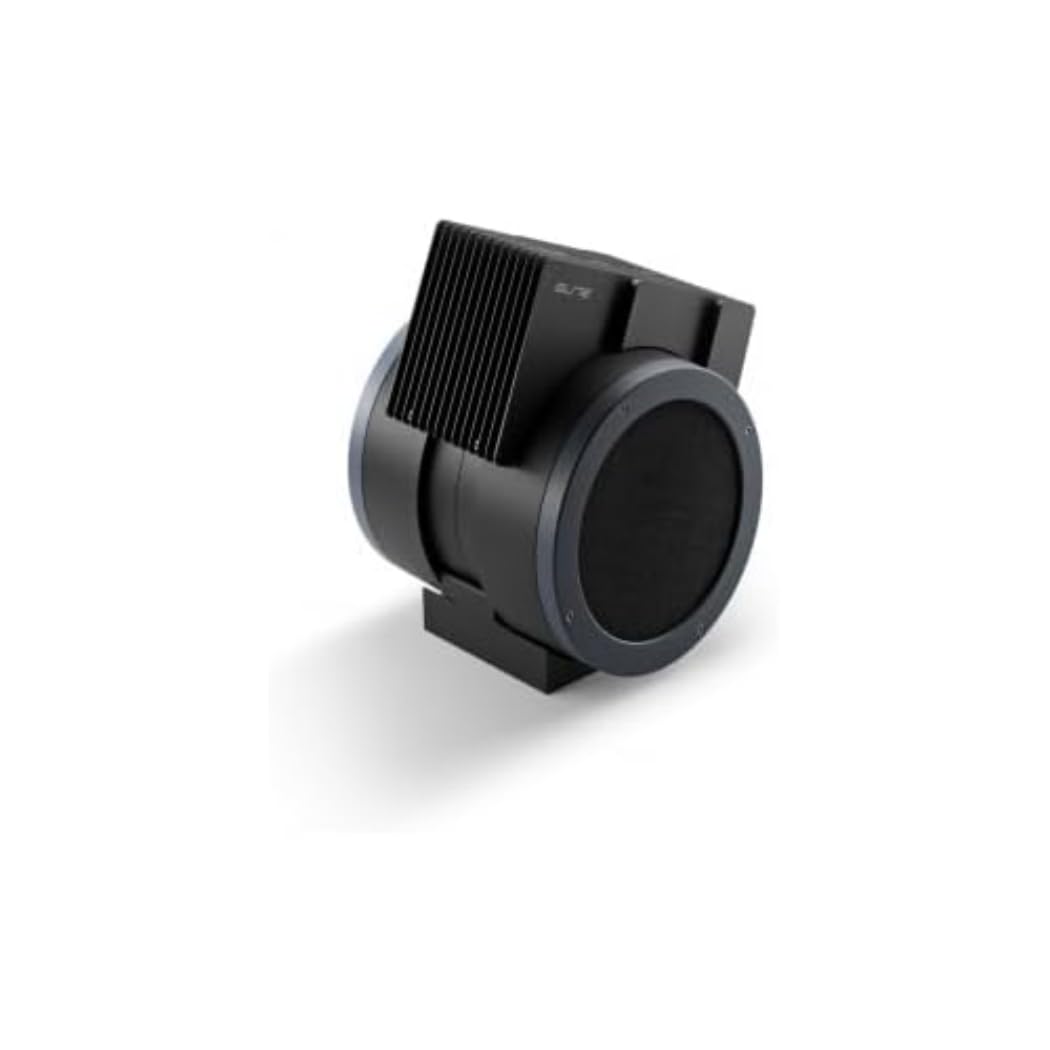
An image showing the Elite Aria Smart Cooling Fan, a black, cylindrical device with a rectangular top section containing cooling fins, designed for indoor cycling training.
4.2 Поврзување за напојување
- Connect the power adapter to the fan's power input port.
- Приклучете го адаптерот за напојување во соодветен штекер.
- The fan will power on in standby mode or manual mode, indicated by the control panel lights.
4.3 Инсталација на филтер (доколку не е претходно инсталиран)
The Aria includes 2 activated carbon filters designed to filter air and remove workout odors. If not pre-installed, follow these steps:
- Locate the filter compartments on the fan (refer to the diagram in the quick start guide if available).
- Insert the activated carbon filters into their respective slots. Ensure they are securely seated.
5. Работни режими
5.1 Рачен режим
The Aria fan can be operated manually using the small keyboard on the unit:
- Копче за вклучување: Press to turn the fan on/off or activate standby mode.
- Прилагодување на брзината: Use the dedicated buttons to cycle through 4 manual wind intensity levels.
- Режим на подготвеност: Activate standby mode when not actively training.
5.2 Smart Mode (Automatic Adjustment)
The Aria fan's primary feature is its ability to automatically adjust airflow based on your workout data. It communicates wirelessly with various sensors and devices:
- ANT+ FE-C & ANT+ Speed Devices/Sensors: For speed-based airflow.
- ANT+ Power Meters: For power-based airflow.
- ANT+ & BLE Heart Rate Monitors: For heart rate-based airflow.
- ANT+ Body Temperature Sensors: For body temperature-based airflow.
To pair with a device or sensor:
- Ensure your sensor/device is active and within range.
- On the Aria's keyboard, press the button to select the desired data source (speed, power, heart rate, body temperature).
- The fan will automatically search for and connect to compatible sensors. Once connected, airflow will adjust dynamically.
5.3 My E-Training App Control
The Elite Aria fan can also be controlled via the My E-Training app, providing quick access to all main functions and advanced settings:
- Download and install the My E-Training app on your smartphone or tablet.
- Open the app and ensure Bluetooth is enabled on your device.
- Follow the in-app instructions to connect to your Elite Aria fan.
- Through the app, you can select the device/sensor to be connected, adjust wind power percentage, and customize advanced settings to suit your workout needs.
Note: You do not need a subscription to the My E-Training app to access all of Aria's features within the app.
6. Одржување
6.1 Чистење
- Секогаш исклучувајте го вентилаторот пред чистење.
- Избришете ги надворешните површини на вентилаторот со мека, дamp крпа. Не користете абразивни средства за чистење или растворувачи.
- Осигурајте се дека вода не влегува во внатрешните компоненти.
6.2 Activated Carbon Filter Replacement
The activated carbon filters help remove workout odors. They should be replaced periodically depending on usage and air quality.
- Исклучете го вентилаторот од штекерот.
- Locate the filter compartments.
- Carefully remove the spent filters.
- Insert new activated carbon filters, ensuring they fit snugly.
- Одговорно фрлете ги старите филтри.
7 Смена на проблеми
- Вентилаторот не се вклучува:
- Check if the power cord is securely plugged into both the fan and the electrical outlet.
- Осигурајте се дека електричниот штекер е функционален.
- No automatic airflow adjustment:
- Ensure your sensors/devices are turned on and within range of the fan.
- Verify that the correct data source (speed, power, HR, temp) is selected on the fan's control panel or via the My E-Training app.
- Check battery levels of your external sensors.
- Try restarting both the fan and your sensors/devices.
- Слаб проток на воздух:
- In manual mode, increase the speed level.
- In smart mode, ensure your workout intensity data is being correctly transmitted and interpreted.
- Check if the air intake or output is obstructed.
- Consider replacing the activated carbon filters if they are old or heavily used.
8. Спецификации
| Карактеристика | Спецификација |
|---|---|
| Име на брендот | Елита |
| Име на моделот | Арија |
| Број на дел | 3204003750 |
| Материјал | Термопластика |
| Димензии на ставката (ДxШxВ) | 12.2 x 11.81 x 14.17 инчи |
| Димензии на пакетот (ДxШxВ) | 17.72 x 17.32 x 14.76 инчи |
| Тежина на пакетот | 6.2 килограми |
| Максимална брзина на проток на воздух | До 50 km / h |
| Прилагодливи позиции | 10 (0° до 50°) |
| Поврзување | ANT+ FE-C, ANT+ Speed, ANT+ Power, ANT+ HR, BLE HR, ANT+ Body Temperature |
| Вклучени компоненти | Aria Smart Fan, 2 Activated Carbon Filters |
9. Гаранција и поддршка
Elite products are manufactured to high standards and are covered by a limited warranty. For specific warranty terms and conditions, please refer to the warranty card included with your product or visit the official Elite webсајт.
For technical support, troubleshooting assistance, or to inquire about replacement parts (such as activated carbon filters), please contact Elite customer service through their official webстраницата или информациите за контакт наведени во пакувањето на вашиот производ.
Онлајн ресурси: