1. Вовед
Thank you for choosing the Baseus Bowie H2 True Wireless Earphones. This manual provides detailed instructions on how to set up, operate, maintain, and troubleshoot your earphones to ensure optimal performance and longevity. Please read this manual thoroughly before using the product.
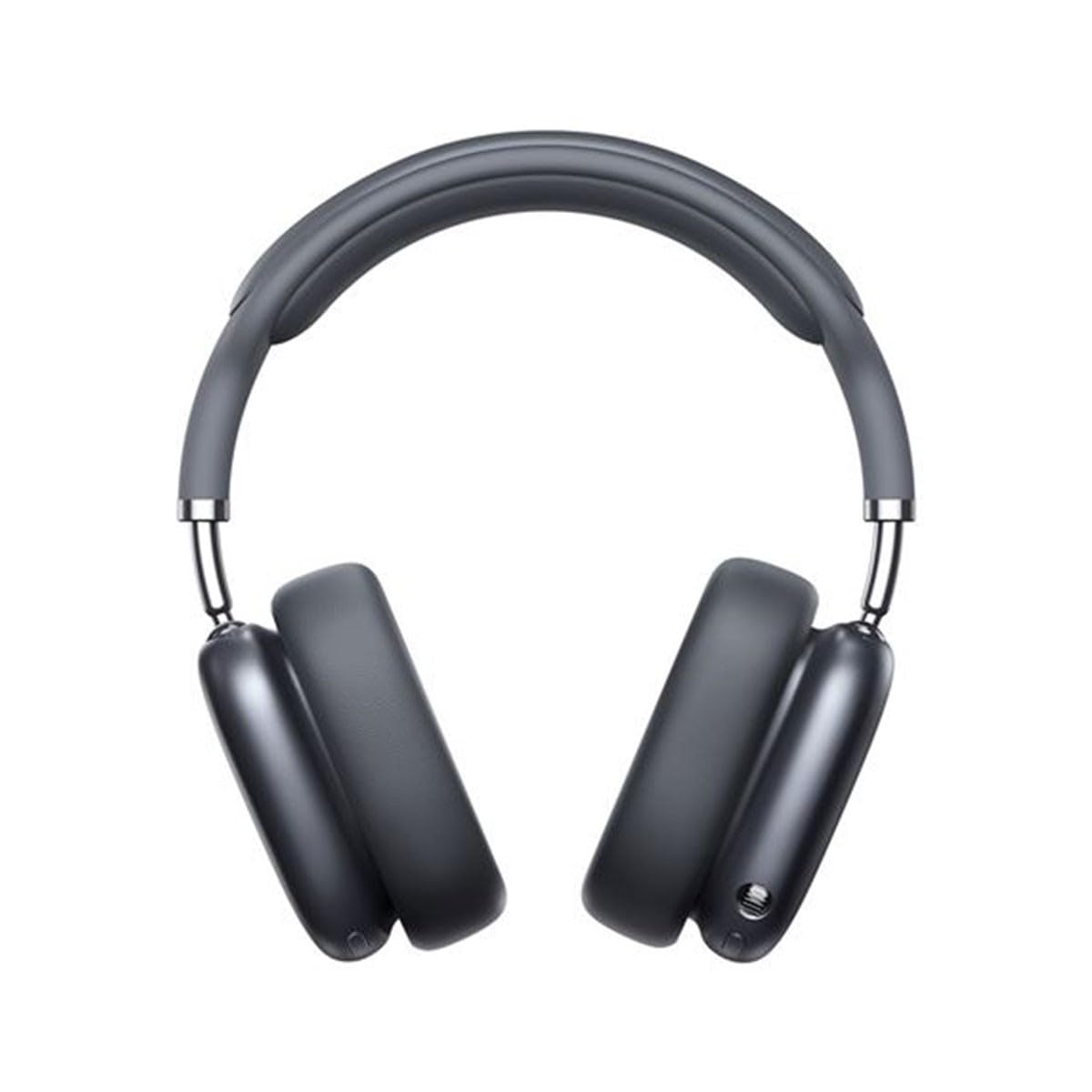
Image 1.1: Baseus Bowie H2 product overview. Please note that while this image displays over-ear headphones, the product described in this manual is the Baseus Bowie H2 True Wireless Earphones (in-ear type).
2. Што има во кутијата
Carefully unpack the product and ensure all items are present and in good condition. The package should contain:
- Baseus Bowie H2 True Wireless Earphones (Left and Right)
- Куќичка за безжично полнење
- USB кабел за полнење
- Упатство за употреба

Слика 2.1: На пр.ample of Baseus headphones in a case. The Baseus Bowie H2 True Wireless Earphones come with a compact wireless charging case.
3. Поставување
3.1 Полнење на слушалките и футролата
Before first use, fully charge the earphones and the charging case. Place the earphones into the charging case. Connect the USB charging cable to the charging port on the case and plug the other end into a USB power adapter (not included) or a computer's USB port. The indicator light on the case will show charging status and turn off or change color when fully charged.
3.2 Спарување преку Bluetooth
- Осигурете се дека слушалките се наполнети.
- Open the charging case. The earphones will automatically enter pairing mode, and an indicator light (usually on the earphones or case) will flash, indicating they are ready to pair.
- На вашиот уред (паметен телефон, таблет, лаптоп), овозможете Bluetooth.
- Пребарај за available Bluetooth devices. Select "Baseus Bowie H2" from the list.
- Once connected, the indicator light will stop flashing, and you may hear a confirmation tone.
- If pairing fails, place the earphones back into the case, close it, and then reopen to re-enter pairing mode.
4. Ракување со слушалките
4.1 Носење на слушалките
Gently insert the earphones into your ear canals. Adjust them for a comfortable and secure fit to ensure optimal sound quality and noise isolation. The left (L) and right (R) earphones are marked.

Слика 4.1: напред view of Baseus headphones. For the Bowie H2 earphones, ensure a snug fit in the ear canal.
4.2 Допрете Контроли
The Baseus Bowie H2 earphones feature touch controls for various functions. The specific touch gestures may vary slightly, but common functions include:
- Пушти/Пауза: Еден допир на која било слушалка.
- Следна песна: Двоен допир на десната слушалка.
- Претходна песна: Двоен допир на левата слушалка.
- Одговори/заврши повик: Еден допир на која било слушалка.
- Одбијте го повикот: Long press on either earphone.
- Активирајте го гласовниот асистент: Троен допир на која било слушалка.
Refer to the quick start guide included in your package for precise touch control mapping.

Слика 4.2: Горе view of Baseus headphones. The touch control areas are typically located on the outer surface of the earphones.
5. Одржување
Proper maintenance ensures the longevity and performance of your Baseus Bowie H2 earphones.
- Чистење: Користете мека, сува крпа што не остава влакненца за чистење на слушалките и кутијата за полнење. Не користете абразивни средства за чистење, алкохол или хемиски растворувачи.
- Складирање: When not in use, always store the earphones in their charging case to protect them from dust, dirt, and damage.
- Избегнувајте вода: While the earphones may have some water resistance, avoid submerging them in water or exposing them to excessive moisture.
- Температура: Не ги изложувајте слушалките на екстремни температури (топли или ладни) или директна сончева светлина подолг период.
6 Смена на проблеми
If you encounter issues with your Baseus Bowie H2 earphones, try the following solutions:
| Проблем | Решение |
|---|---|
| Слушалките не се спаруваат |
|
| Нема звук од една слушалка |
|
| Проблем со полнење |
|
| Ниска јачина на звук или лош квалитет на звук |
|
7. Спецификации
Key technical specifications for the Baseus Bowie H2 True Wireless Earphones (Model: NGTW260013):
- Број на модел:
- NGTW260013
- Бренд:
- Басеус
- Технологија за поврзување:
- Безжичен (Bluetooth)
- Bluetooth верзија:
- 5.2
- Поставување на увото:
- Во уво
- Форма фактор:
- Во уво
- Тип на контрола:
- Допрете Контрола
- Тип на драјвер за аудио:
- Динамичен драјвер
- Вклучени компоненти:
- Куќичка за безжично полнење
- Материјал:
- Пластика
- Тежина на ставката:
- 582 g (Note: This weight is unusually high for in-ear earphones and may refer to the package weight or a different product variant.)
- Димензии на производот:
- 50 x 50 x 28 cm (Note: These dimensions are unusually large for in-ear earphones and may refer to the package dimensions or a different product variant.)
- Компатибилни уреди:
- Паметни телефони, таблети, лаптопи, паметни звучници
8. Гаранција и поддршка
Baseus products are designed with quality and reliability in mind. For specific warranty information, please refer to the warranty card included with your purchase or visit the official Baseus website. If you require technical support or have questions not covered in this manual, please contact Baseus customer service through their official channels.
Чувајте го вашиот доказ за купување за барања за гаранција.


